
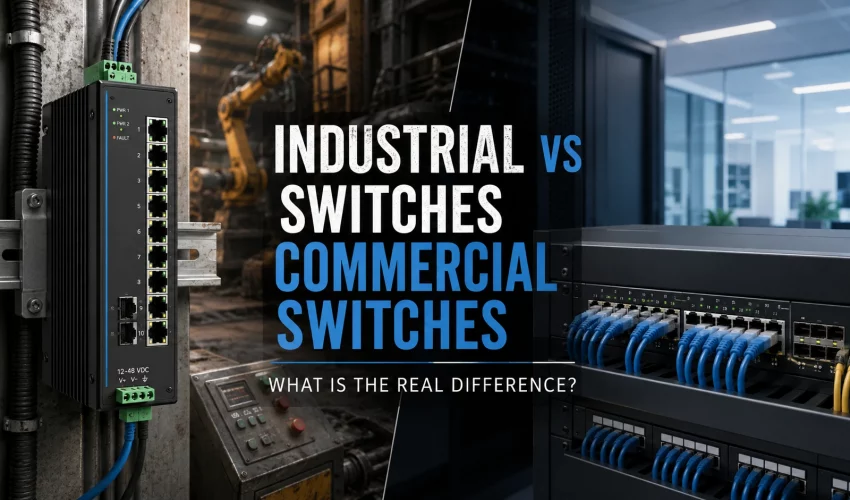
Most people assume an Ethernet switch is an Ethernet switch. Plug it in, connect the cables, move packets. On the surface that is true. Underneath, an industrial Ethernet switch and a commercial (business IT) switch are built for two very different worlds. One lives in a climate-controlled server room. The other lives on a factory floor, inside a roadside cabinet, on a moving train, or bolted to a machine that vibrates all day.
This guide breaks down every meaningful difference between industrial and commercial switches: temperature, power, mounting, reliability, redundancy, certifications, protocols, cost, and lifecycle. It is written for network designers, network cabling Design integrators, plant engineers, and IT managers who need to choose the right hardware and defend that choice.
Quick Answer
A commercial switch is designed for a stable indoor environment and optimized for cost, port density, and throughput. An industrial Ethernet switch is designed to survive heat, cold, dust, moisture, vibration, and electrical noise, and to keep the network running with near-instant failover.
If the switch will sit in a rack in a clean room, a commercial switch is usually the right call. If it will sit anywhere near machinery, weather, or process control, an industrial switch is almost always worth the higher price.
Industrial vs Commercial Networking: Two Different Design Goals
The split starts with what each product is trying to solve.
Commercial networking is built around people and offices. Users, phones, laptops, printers, wireless access points, and servers. Traffic is bursty. Downtime is annoying but rarely dangerous. The priorities are bandwidth per dollar, high port counts, easy management, and clean aesthetics for a rack.
Industrial networking is built around machines and processes. PLCs, sensors, actuators, drives, cameras, and SCADA systems. Traffic is often small, frequent, and time-sensitive. A dropped connection can stop a production line, trip a safety system, or cost thousands of dollars a minute. The priorities are uptime, determinism, environmental survival, and fast recovery from faults.
That difference in purpose drives every design decision that follows.
Side-by-Side Comparison Table
| Feature | Commercial (Business IT) Switch | Industrial Ethernet Switch |
|---|---|---|
| Operating temperature | 0°C to 45°C typical | -40°C to +75°C (some to +85°C) |
| Cooling | Often fan-cooled | Fanless, convection-cooled |
| Enclosure rating | IP20 / IP30 (open vents) | IP30 to IP67 (sealed options) |
| Mounting | 19-inch rack or desktop | DIN rail, panel, or rack |
| Power input | Single AC (100-240 VAC) | Redundant DC (often 9-60 VDC), wide range |
| Power protection | Basic | Reverse polarity, overload, surge, isolation |
| Vibration and shock | Not rated | Tested to IEC 60068-2 (shock and vibration) |
| EMC immunity | Basic FCC/CE class | Heavy-duty (IEC 61000-4 surge, EFT, ESD) |
| Redundancy failover | RSTP/MSTP (1-2 sec typical) | Ring protocols (under 50 ms) plus RSTP |
| Industrial protocols | Rarely native | PROFINET, EtherNet/IP, Modbus TCP, TSN |
| Certifications | UL, FCC, CE | Above plus hazardous-area, rail, marine, utility |
| Typical MTBF | Lower published figures | Higher published figures, industrial-grade parts |
| Product lifecycle | 3 to 5 years | 10 to 15 years availability |
| Warranty | 1 to 5 years | Often 5 years to lifetime |
| Price per port | Low | 2x to 5x higher |
1. Temperature and Thermal Design
This is the biggest and most obvious difference.
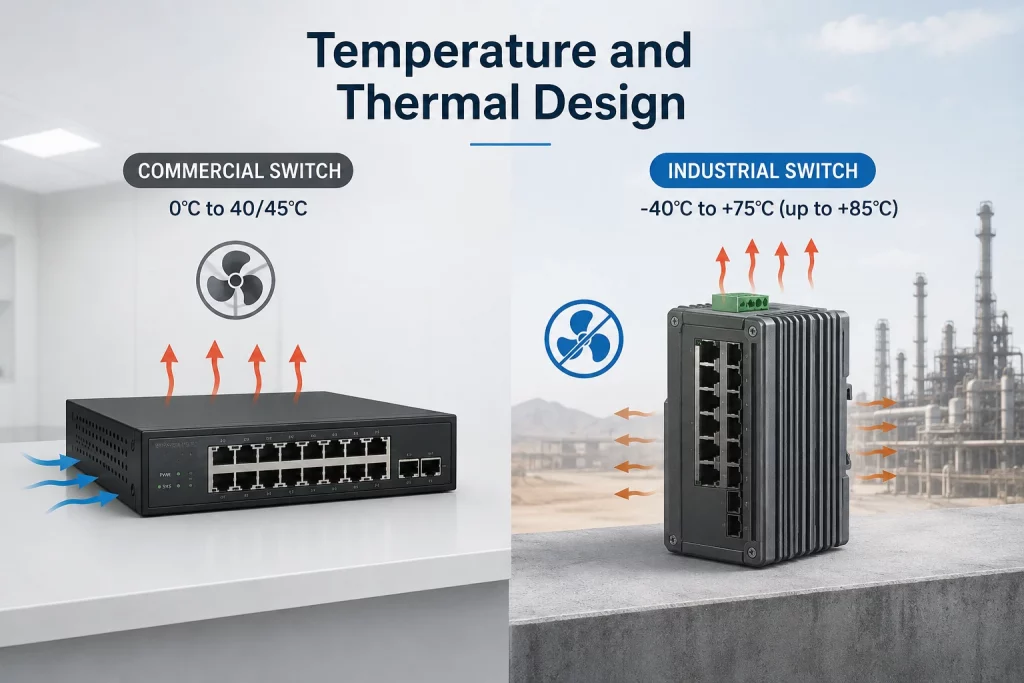
A commercial switch expects a controlled room. Its rated operating range is usually 0°C to 40 or 45°C. Push it past that and it throttles, faults, or dies early. Many use small internal fans to move air, and fans are one of the first parts to fail.
An industrial switch is built to run in the range of -40°C to +75°C, and some models go to +85°C. It achieves this by removing the fan entirely. Instead, the metal housing acts as a heat sink and sheds heat by natural convection. No fan means no moving parts, no dust-clogged bearings, and no single point of mechanical failure.
Why this matters in the field:
- A steel electrical cabinet in direct sun can hit 60°C inside even in a mild climate.
- A cold-storage warehouse or an unheated outdoor enclosure can drop well below freezing.
- Fans pull in dust and grease, which is fatal in a plant environment.
A commercial switch placed in either of those spots is on borrowed time.
2. Power Input and Electrical Protection
Commercial switches run on standard wall power, a single AC supply at 100-240 VAC. If that supply drops, the switch drops.
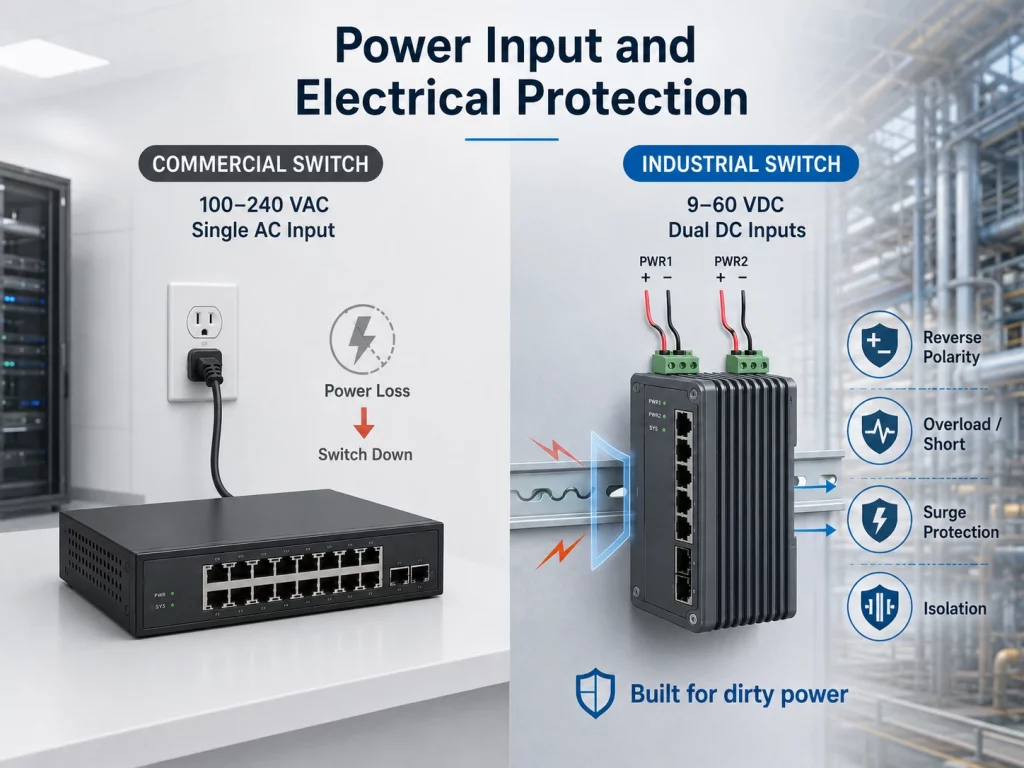
Industrial switches are built around DC power and redundancy. Most accept a wide DC range (common inputs are 12, 24, or 48 VDC, with acceptance windows like 9-60 VDC). They usually have dual power inputs, so you can feed them from two separate sources. If one supply fails, the second keeps the switch alive with zero interruption.
They also add electrical hardening that office switches skip:
- Reverse polarity protection in case wiring is reversed.
- Overload and short-circuit protection.
- Surge and transient suppression for the spikes that come with motors, relays, and welding equipment.
- Isolation between power and signal to block ground loops.
On the factory floor, dirty power is normal. Industrial units are designed to shrug it off.
3. Mounting and Enclosure
Commercial switches are made for a 19-inch rack or a desktop. They have vented plastic or thin metal cases rated around IP20 or IP30, which means they keep out fingers and large objects but nothing else.
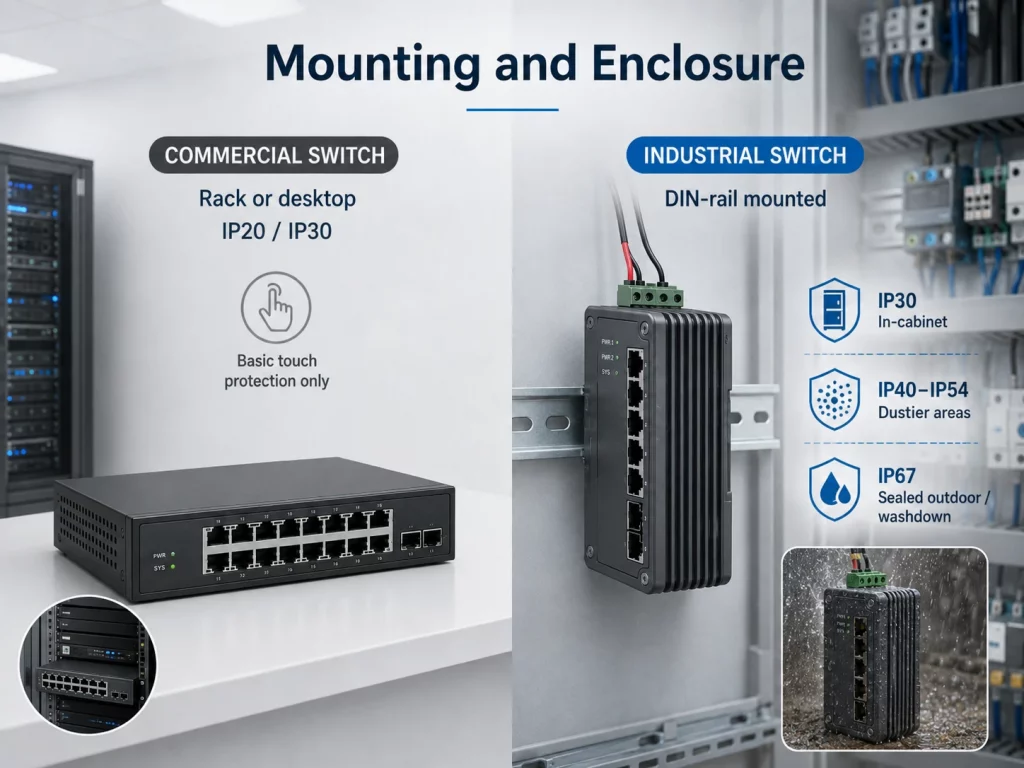
Industrial switches are typically DIN-rail mounted, which is the standard mounting bar inside electrical panels and control cabinets. They come in rugged metal housings and are available in higher ingress-protection ratings:
- IP30 for standard in-cabinet use.
- IP40 to IP54 for dustier areas.
- IP67 for fully sealed units that can be mounted outside a cabinet, exposed to washdown, dust, and moisture.
Rack-mount industrial switches exist too, but the DIN-rail form factor is what lets them slot neatly into existing machine and process panels.
4. Reliability, Vibration, and Shock
An office switch never gets shaken. An industrial switch often lives on vibrating machinery, moving vehicles, or structures near heavy equipment.
Industrial models are tested against standards like IEC 60068-2 for shock and vibration, so solder joints, connectors, and boards hold up under constant movement. Components are selected from industrial or extended-temperature grades rather than consumer grades.
Manufacturers publish MTBF (mean time between failures) figures, and industrial units generally carry higher numbers because of the parts and construction used. Just as important, fewer moving parts (no fans) means fewer things that can wear out. In practice this shows up as a much longer service life in harsh conditions.
5. Redundancy and Fast Failover
This is where industrial switching quietly earns its price.
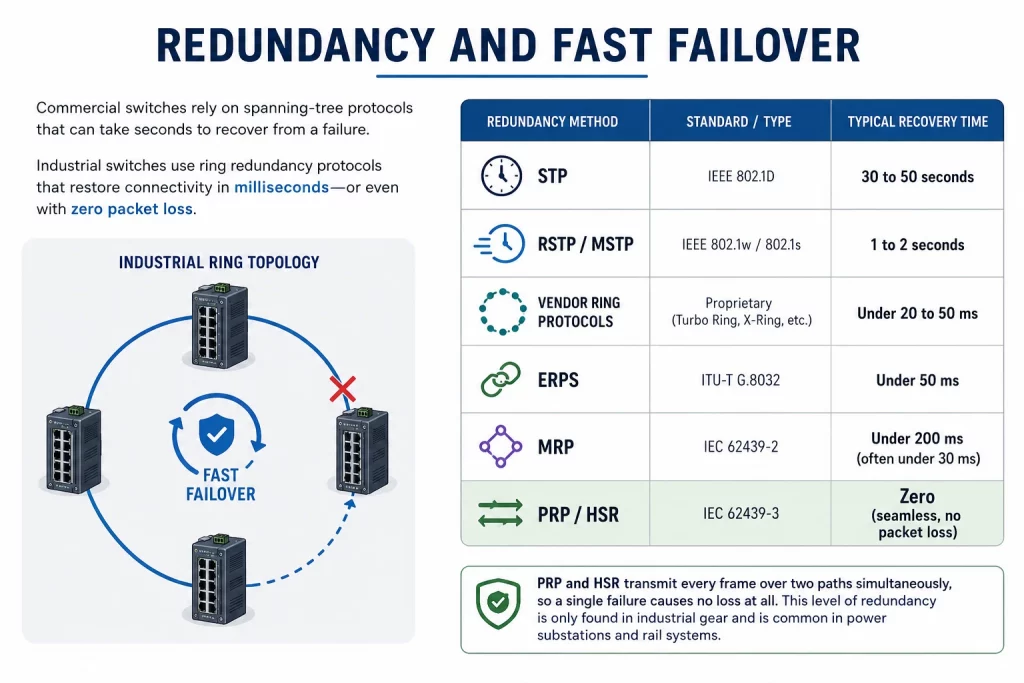
Commercial switches rely on standard spanning-tree protocols to recover from a broken link:
- STP (old): recovery can take 30 to 50 seconds.
- RSTP / MSTP (modern): recovery in roughly 1 to 2 seconds.
One or two seconds is fine for a web page. It is a disaster for a motion controller or a safety interlock, where a gap that long can trip the whole process.
Industrial switches add ring redundancy protocols that recover far faster. Devices are wired in a physical ring, and if any link breaks, traffic reroutes almost instantly.
| Redundancy method | Standard / type | Typical recovery time |
|---|---|---|
| STP | IEEE 802.1D | 30 to 50 seconds |
| RSTP / MSTP | IEEE 802.1w / 802.1s | 1 to 2 seconds |
| Vendor ring protocols | Proprietary (Turbo Ring, X-Ring, etc.) | Under 20 to 50 ms |
| ERPS | ITU-T G.8032 | Under 50 ms |
| MRP | IEC 62439-2 | Under 200 ms (often under 30 ms) |
| PRP / HSR | IEC 62439-3 | Zero (seamless, no packet loss) |
The last row is worth calling out. PRP and HSR send every frame over two paths at once, so a single failure causes no loss at all. That level of redundancy is only found in industrial gear and is common in power substations and rail systems.
6. Industrial Protocols and Determinism
Office traffic tolerates jitter. If an email arrives 40 milliseconds late, nobody notices. Industrial control does not have that luxury. A servo drive or a robot expects data on a strict, predictable schedule. That predictability is called determinism.
Industrial switches support the automation protocols that require it:
- PROFINET (Siemens ecosystem, with conformance classes for timing).
- EtherNet/IP (Rockwell/Allen-Bradley ecosystem, built on CIP).
- Modbus TCP (widely used, simple and open).
- EtherCAT and other motion buses in some models.
- TSN (Time-Sensitive Networking), the newer IEEE 802.1 standard set that brings guaranteed low-latency delivery to standard Ethernet.
Many industrial switches carry vendor certification for these protocols and expose diagnostics that PLCs and SCADA systems can read directly. Commercial switches rarely do any of this natively.
7. Certifications and Standards
A commercial switch needs to pass basic safety and emissions testing (UL, FCC, CE). An industrial switch often needs to prove it can operate in specific harsh or regulated environments. That means a longer list of approvals.
| Environment / use | Standard or approval |
|---|---|
| Electrical safety | UL 61010, IEC/EN 62368 |
| EMC immunity | IEC 61000-4 series (ESD, surge, EFT/burst) |
| Shock and vibration | IEC 60068-2 |
| Hazardous locations | Class I Div 2, ATEX, IECEx |
| Electric utility / substation | IEC 61850-3, IEEE 1613 |
| Railway rolling stock | EN 50155 |
| Railway signaling EMC | EN 50121-4 |
| Marine | DNV, ABS, Lloyd’s Register |
| Traffic control cabinets | NEMA TS2 |
If you are deploying in an oil and gas facility, a power substation, a rail network, or a marine vessel, these approvals are not optional. They are often written into the project spec and required by code or insurance. A commercial switch simply cannot be used in those places.
8. Management and Software
Here the two categories overlap more than people expect. Both commercial and industrial switches come in unmanaged and managed versions, and managed models on both sides support the usual toolkit:
- VLANs for network segmentation
- QoS for traffic prioritization
- SNMP for monitoring
- Port mirroring for diagnostics
- Link aggregation
- IGMP snooping for multicast
The difference is emphasis. Commercial managed switches lean toward user-facing features: large VLAN counts, deep security, cloud management dashboards, and high PoE budgets for phones and access points.
Industrial managed switches lean toward process visibility and resilience: ring management, industrial protocol diagnostics, relay outputs that trigger an alarm on a fault, and integration with SCADA and HMI systems. Some can send an alert to a controller the instant a link drops or a power input fails.
9. Cost and Lifecycle
Industrial switches cost more, usually two to five times more per port than a comparable commercial model. That gap is real and it surprises people who compare spec sheets on port count and speed alone.
You are not paying for more ports. You are paying for survival, failover, and longevity. Two lifecycle factors justify the premium in industrial settings:
- Product availability. Commercial switches are refreshed every few years and go end-of-life quickly. Industrial vendors commit to 10 to 15 years of availability, because a plant built today may run the same hardware for a decade. That means you can buy an identical spare in eight years.
- Cost of downtime. In an office, a failed switch means a support ticket. On a production line, it can mean thousands of dollars per minute of stopped output, plus scrapped product and safety exposure. Against that math, the higher hardware cost is small.
Why Use Industrial Ethernet Switches?
Pulling it together, here is the short case for choosing industrial:
- The environment is harsh. Temperature extremes, dust, moisture, vibration, or electrical noise.
- Downtime is expensive or dangerous. Production lines, utilities, transportation, safety systems.
- You need fast, guaranteed failover. Sub-50-millisecond ring recovery or seamless PRP/HSR.
- You run automation protocols. PROFINET, EtherNet/IP, Modbus TCP, or TSN.
- The site requires special certifications. Hazardous area, rail, marine, or substation approvals.
- You need long-term spare availability. Hardware that stays buyable for a decade.
If none of those apply, a commercial switch is cheaper and perfectly capable.
Which One Should You Choose?
A simple decision path:
Choose a commercial switch when:
- It lives in a server room, office, or clean indoor space.
- The temperature is controlled and the air is clean.
- A second or two of failover time is acceptable.
- You want the most ports and bandwidth for the money.
Choose an industrial switch when:
- It sits on a factory floor, in an outdoor cabinet, or on a vehicle.
- It faces heat, cold, dust, moisture, or vibration.
- It carries control traffic that cannot tolerate delay.
- A required certification rules out office-grade gear.
- Downtime carries a real operational or safety cost.
A common and smart pattern is to mix both. Use commercial switches in the office and data room, and use industrial switches at the edge where the network meets the physical process. The two connect cleanly because they both speak standard Ethernet.
Frequently Asked Questions
Are industrial and commercial switches compatible on the same network? Yes. Both use standard Ethernet, so they interconnect without any special gateway. Many networks run commercial switches in the core and industrial switches at the edge.
Can I just put a commercial switch inside a cabinet to save money? You can, but you are gambling. If the cabinet gets hot, dusty, or sees power spikes, the commercial unit will fail early. The savings usually disappear the first time it takes down a process.
Do industrial switches always cost more? Yes, per port they typically run two to five times higher. The premium buys environmental hardening, faster redundancy, longer availability, and protocol support, not extra bandwidth.
What does fanless design actually buy me? Reliability. Fans are moving parts that wear out and pull in contaminants. A fanless switch has no such failure point, which is why industrial units run for years in sealed cabinets.
Is PoE available on industrial switches? Yes. Industrial PoE and PoE+ switches are common for powering outdoor cameras, wireless radios, and access control at the edge, often with the same wide DC input and hardening as the rest of the line.
Commercial switches are optimized for cost and capacity in a friendly indoor environment. Industrial Ethernet switches are optimized for survival, uptime, and near-instant failover in places where the environment is rough and downtime is costly.
The right choice comes down to where the switch lives and what happens when it fails. Match the hardware to the environment and the stakes, and the decision usually makes itself.
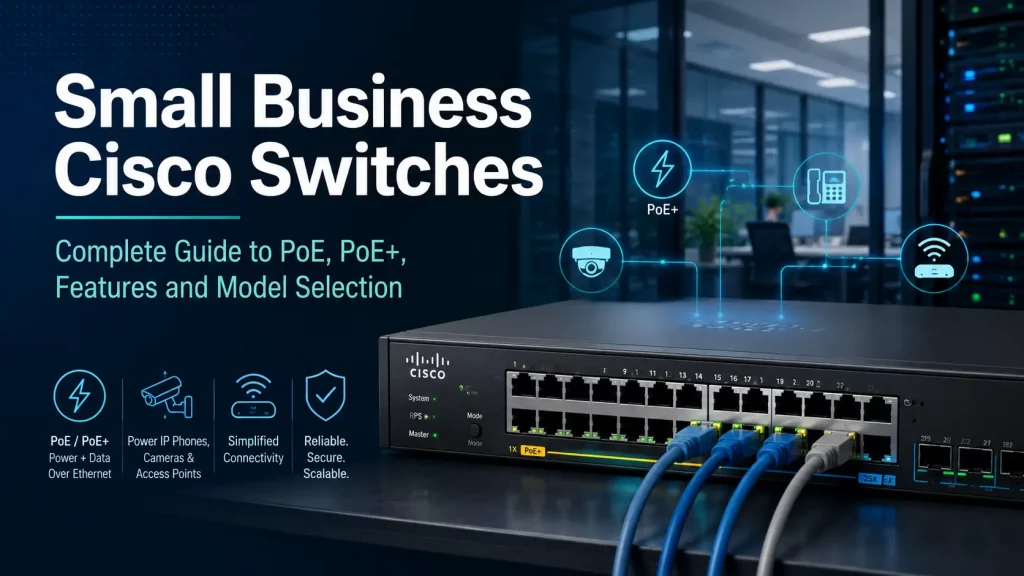
Small Business Cisco Switches Guide: PoE, PoE+, Features, Models and Buying Tips
Cisco Catalyst 1200 and 1300 switches are popular choices for small and medium-sized businesses that need reliable networking, VLANs, PoE for access points, IP cameras and VoIP phones, and better management than basic unmanaged switches. This guide explains what these switches do, how PoE and PoE+ work, how to compare models, and how to choose the right Cisco switch for your office, warehouse, retail store or commercial building.
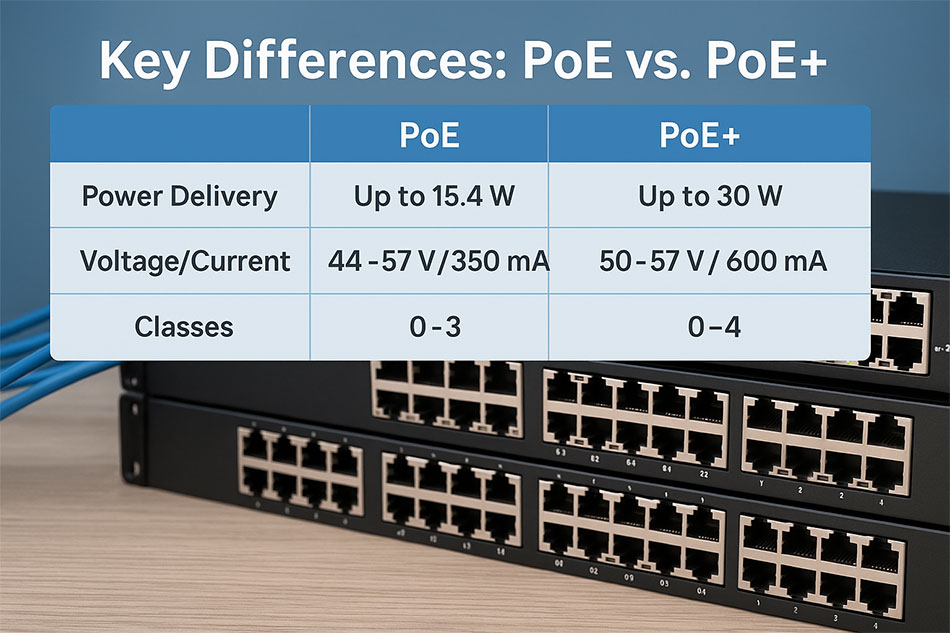
PoE vs. PoE+ – A useful simple Guide
Power over Ethernet (PoE) technology has revolutionized networking by allowing a single Ethernet Cabling to deliver both data and electrical power to devices, simplifying installations and reducing clutter. Whether you're setting up a small office, a surveillance system, or an enterprise network, understanding PoE and its enhanced version, PoE+, is crucial. PoE (IEEE 802.3af) provides [...]

Popular Cisco Catalyst Switches – The Ultimate Guide
Cisco Catalyst switches are among the most widely used networking devices in the world, known for their reliability, scalability, and advanced features. They are a cornerstone of enterprise networks, providing robust performance for businesses of all sizes. In this article, we’ll explore some of the most popular Cisco Catalyst switches, their key features, and use […]