
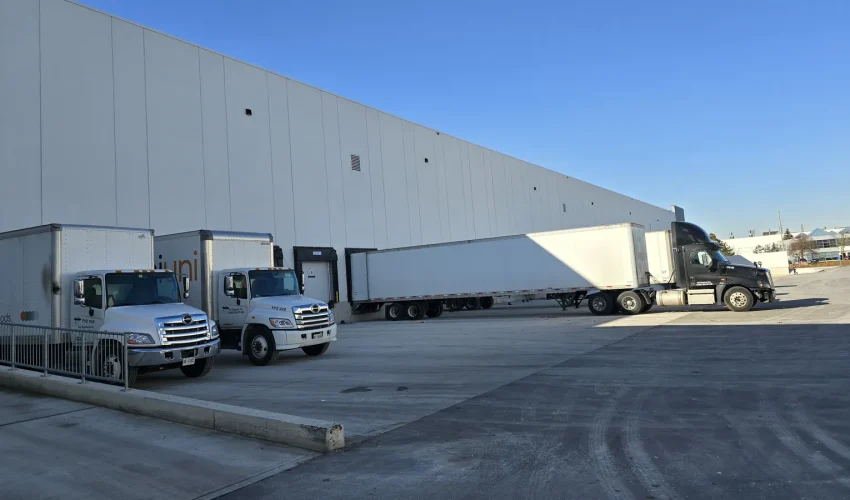
For most warehouse docks, several fixed turret or bullet cameras with 2.8 mm or 4 mm lenses, one for every one or two doors, give more usable footage than a few 180° panoramic cameras. Trailers block sightlines along the dock wall, so you need several viewpoints, not one wide one. Add a varifocal camera across the yard and a narrow camera at the gate.
We wrote this guide after quoting a 16-door distribution centre where the customer asked a fair question: why not cover the whole dock with four 180° cameras? It sounds efficient. Once you work out pixel density, trailer shadows and what the footage has to prove, the answer usually changes. This guide walks through that reasoning so you can plan your own dock, or check a quote you already have.
In this guide
- What dock cameras have to prove
- Pixel density beats megapixels
- Which lens for 20, 40 or 60 feet
- Panoramic or several fixed cameras
- A layout for 16 doors
- Cameras inside the dock
- Light, winter and weather
- Mounting, cabling and recording
- Access control at the dock
- Brands, privacy and policy
- Questions to answer before a quote
- FAQ
What dock cameras have to prove
Start with the disputes and incidents the footage will be used for. Each one needs a different amount of detail, and that decides the camera more than the brand does.
| Job | What the footage must show | Detail level |
|---|---|---|
| Trailer damage claims | The trailer’s condition and number as it backs in and pulls away | Recognize on the trailer |
| Load disputes | Pallets going into or out of a specific trailer, and their condition | Recognize inside the door |
| Who was on the dock | A face clear enough to identify a stranger | Identify at a choke point |
| Safety incidents | Forklift movement, a trailer pulling away early, a fall | Observe |
| After-hours yard activity | That a person or vehicle was in the yard, and when | Detect to Observe |
| Vehicles at the gate | Licence plate or trailer number | A dedicated narrow camera |
Our post on using CCTV footage in insurance claims covers how this footage gets used once something goes wrong.
Pixel density beats megapixels
A camera’s megapixel count says how many pixels it has. What matters on a dock is how many of those pixels land on each metre of the scene you care about. The IEC 62676-4 standard sets four levels, usually called DORI:
| Level | Pixels per metre | What you can do with it |
|---|---|---|
| Detect | 25 | Tell that a person or vehicle is there |
| Observe | 62 | See what someone is doing and what they are wearing |
| Recognize | 125 | Recognize someone you already know; read large trailer numbers |
| Identify | 250 | Identify a stranger beyond reasonable doubt |
The math is simple. Scene width at a given distance is 2 × distance × tan(half the horizontal angle). Divide the camera’s horizontal pixel count by that width and you have pixels per metre. A wider lens or a longer distance spreads the same pixels over more metres.
That is why an 8 MP 180° camera shows about the same detail straight ahead as an ordinary 8 MP 2.8 mm camera. Its pixels are spread over half a circle, so the extra width does not add detail on any one truck.
Which lens for 20, 40 or 60 feet
The most useful question to answer before choosing cameras is how far out from the dock doors you need detail: about 20, 40 or 60 feet. Here is what common camera types deliver straight ahead at each distance, worked out with the formula above:
| Camera | Horizontal view | 6 m (20 ft) | 12 m (40 ft) | 18 m (60 ft) |
|---|---|---|---|---|
| 4 MP, 2.8 mm | about 103° | 170 Recognize | 85 Observe | 57 Detect |
| 8 MP, 2.8 mm | about 107° | 237 Recognize | 118 Observe | 79 Observe |
| 8 MP, 4 mm | about 82° | 368 Identify | 184 Recognize | 123 Observe |
| 8 MP, 6 mm | about 54° | 628 Identify | 314 Identify | 209 Recognize |
| 8 MP, 180° panoramic | about 180° | 222 Recognize | 111 Observe | 74 Observe |
Figures are for the centre of the image, in good light, with typical sensor widths (2560 px for 4 MP, 3840 px for 8 MP, about 4,250 px across 180° for a panoramic). Mounting height, tilt, compression and night conditions all lower real-world detail. Treat them as a planning guide, not a promise.
Three things stand out:
- Within about 20 feet, an 8 MP 2.8 mm camera covers two doors and still reaches the Recognize level on the trailer.
- At 40 feet, every wide lens drops to Observe. If you need to recognize people or read trailer numbers that far out, use 4 mm or a varifocal lens.
- At 60 feet, you are into yard coverage. A 6 mm or motorized varifocal camera aimed across the apron does that job better than any dock wall camera.
For a side-by-side look at resolutions, see 5 MP vs 4K security cameras.
Panoramic or several fixed cameras
A single 180° camera in the middle of the dock wall looks appealing on paper. At the centre of its view it holds up well, as the table above shows. The problem is everything off to the sides.
Mounted on the wall and looking out, a panoramic camera sees the doors to its left and right almost edge-on. As soon as a trailer is backed into a door, it blocks the view of every door beyond it along the wall. On a busy dock, that is most of the day.
| Factor | One 180° panoramic | Two fixed 2.8 mm or 4 mm |
|---|---|---|
| Viewpoints | One | Two, so a trailer that blocks one camera rarely blocks both |
| Detail at the edges | Falls off; doors seen almost side-on | Even across each camera’s two doors |
| Cable runs and switch ports | One | Two |
| Recorder channels and software licences | One | Two |
| If a camera fails | Lose the whole section | Lose half |
| Viewing | Wide image, sometimes needs dewarping | Normal images, easy to review |
| Where it wins | Open corners, one clean mounting point, a continuous overview | Long dock walls with trailers parked |
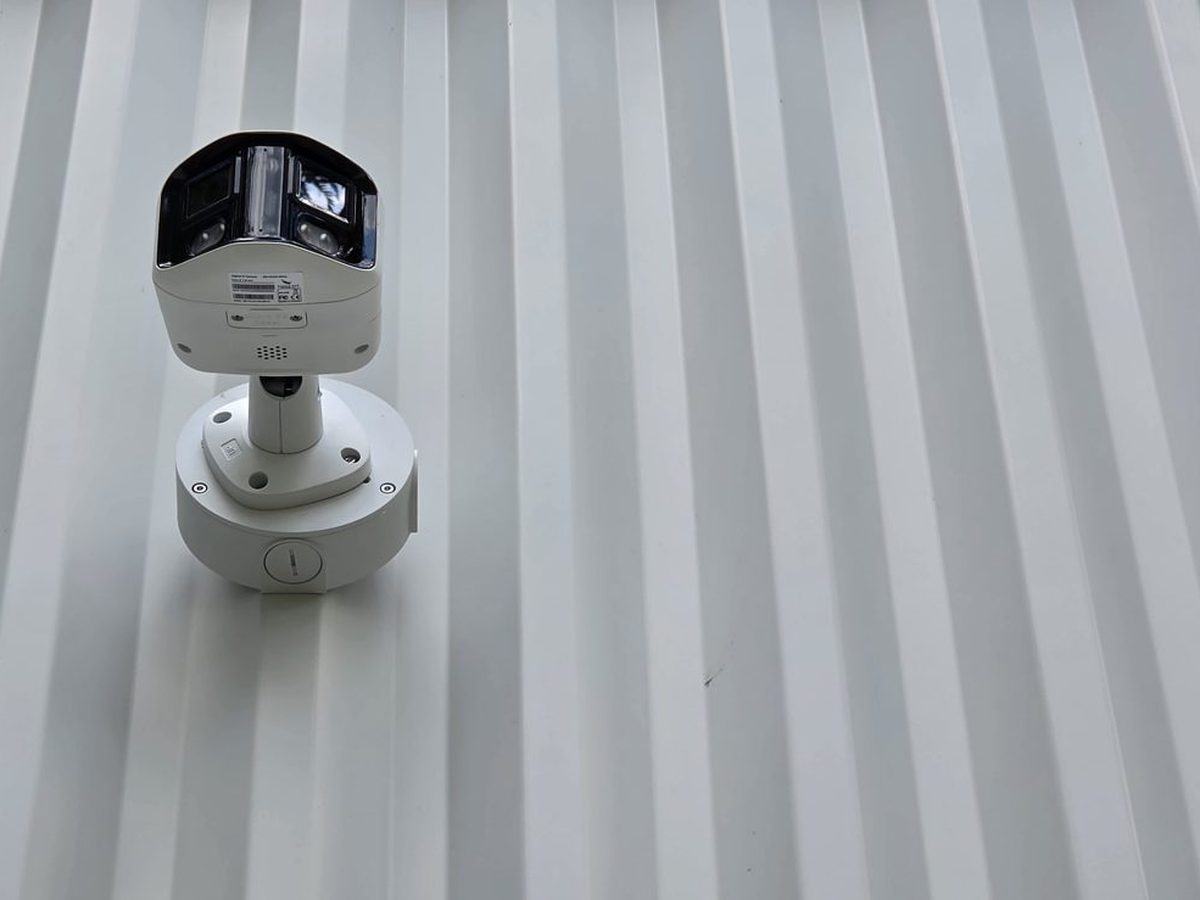
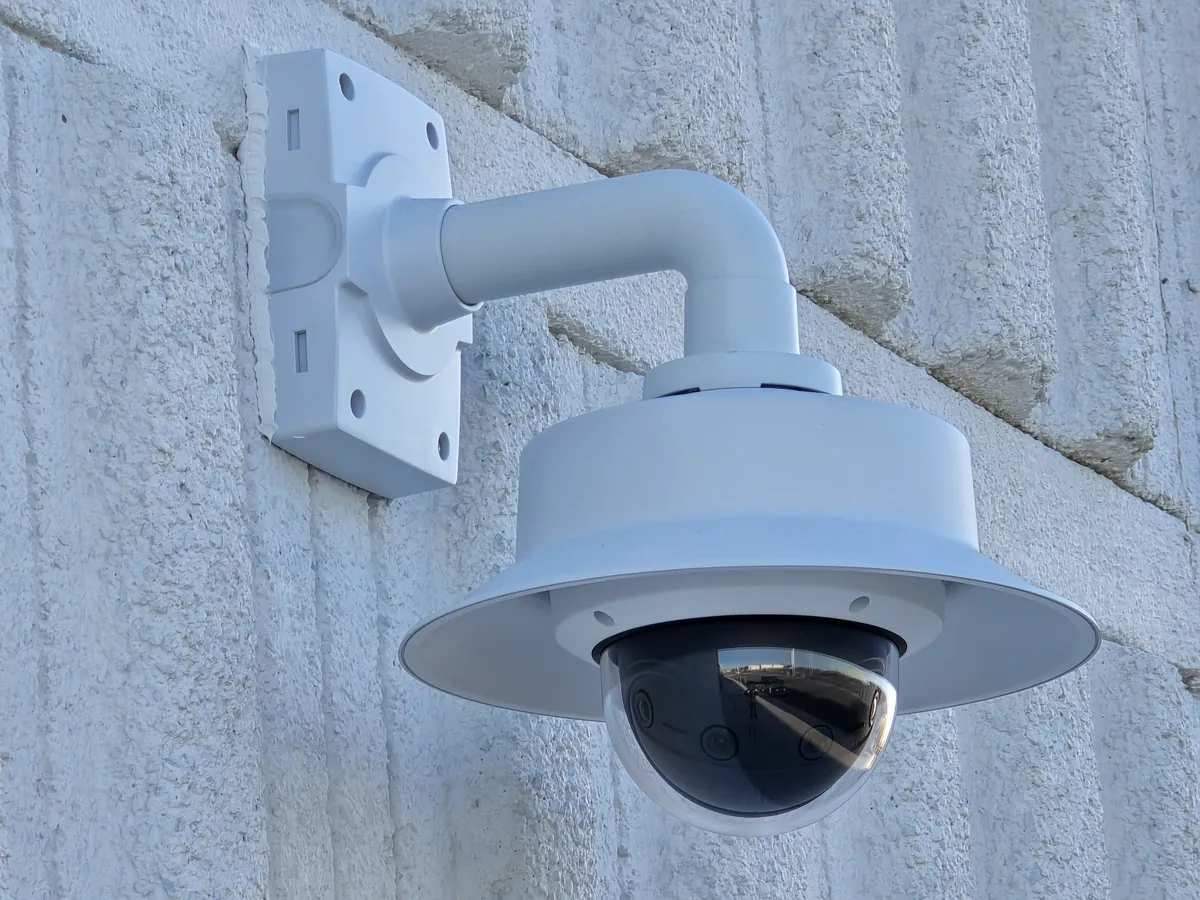
The trade-off is cost. Two cameras need two cable runs, two mounts, two switch ports and two recorder channels, and that installed cost is what you should compare, not the price of the cameras alone. On most docks we still recommend fixed cameras as the standard and panoramic or multi-sensor cameras as an upgrade where a central mount has a clear view.
A layout for 16 doors
For a straight dock wall with 16 doors at roughly 12 ft centres, this is the layout we would price first:
| Position | Camera | Quantity | Job |
|---|---|---|---|
| Dock wall, between door pairs | 8 MP fixed 2.8 mm turret or bullet | 8 | Trailer condition and activity at each door |
| Ends of the dock wall | Motorized varifocal | 2 | Diagonal view across the apron and parked trailers |
| Yard gate | Narrow fixed or varifocal on a pole | 1 | Vehicles in and out, trailer numbers |
| Inside, above dock doors (optional) | 4 MP or 8 MP fixed 2.8 mm | 8 to 16 | Loading and unloading inside the trailer |
If trailer damage claims at every door are the main concern, move to one exterior camera per door. That doubles the wall cameras but gives each door its own straight-on view, which is what an adjuster wants to see.
Our guides to designing CCTV for large warehouses and the dead zones where warehouse theft happens cover the rest of the building.
Cameras inside the dock
The outside camera shows the trailer. The inside camera shows what went into it. Many load disputes come down to whether a pallet was damaged before or after it crossed the dock plate, and only an interior view answers that.
- Mount above or just beside each door, high enough to see past the dock leveller and into the trailer.
- One camera per door is ideal for load verification; one per two doors is a common compromise.
- Aim slightly down into the trailer, away from the open door. A camera looking straight out into daylight will show a dark interior and a white rectangle.
- A turret avoids the infrared glare that builds up inside a dome bubble. Our dome, bullet and turret comparison explains why.
Light, winter and weather
Docks are hard on cameras. A few details decide whether the footage is usable in February at 6 a.m.
- Backlight. Doors open onto bright sky and close onto dark trailers. Look for true wide dynamic range of 120 dB or more, not digital WDR.
- Infrared bounce. White trailer doors reflect a camera’s own IR straight back. Good yard lighting often beats IR, and many cameras do better with IR turned down near reflective surfaces.
- Cold. Check the operating range on the spec sheet. Ontario docks can see -30°C, and some housings need a heater to keep snow and ice off the glass.
- Rain and snow. Mount under the canopy where you can, use IP66 or IP67 housings and add a sun shield on south-facing walls.
- Impact. Cameras within reach of a forklift mast or a ladder should be IK10 rated.
Mounting, cabling and recording
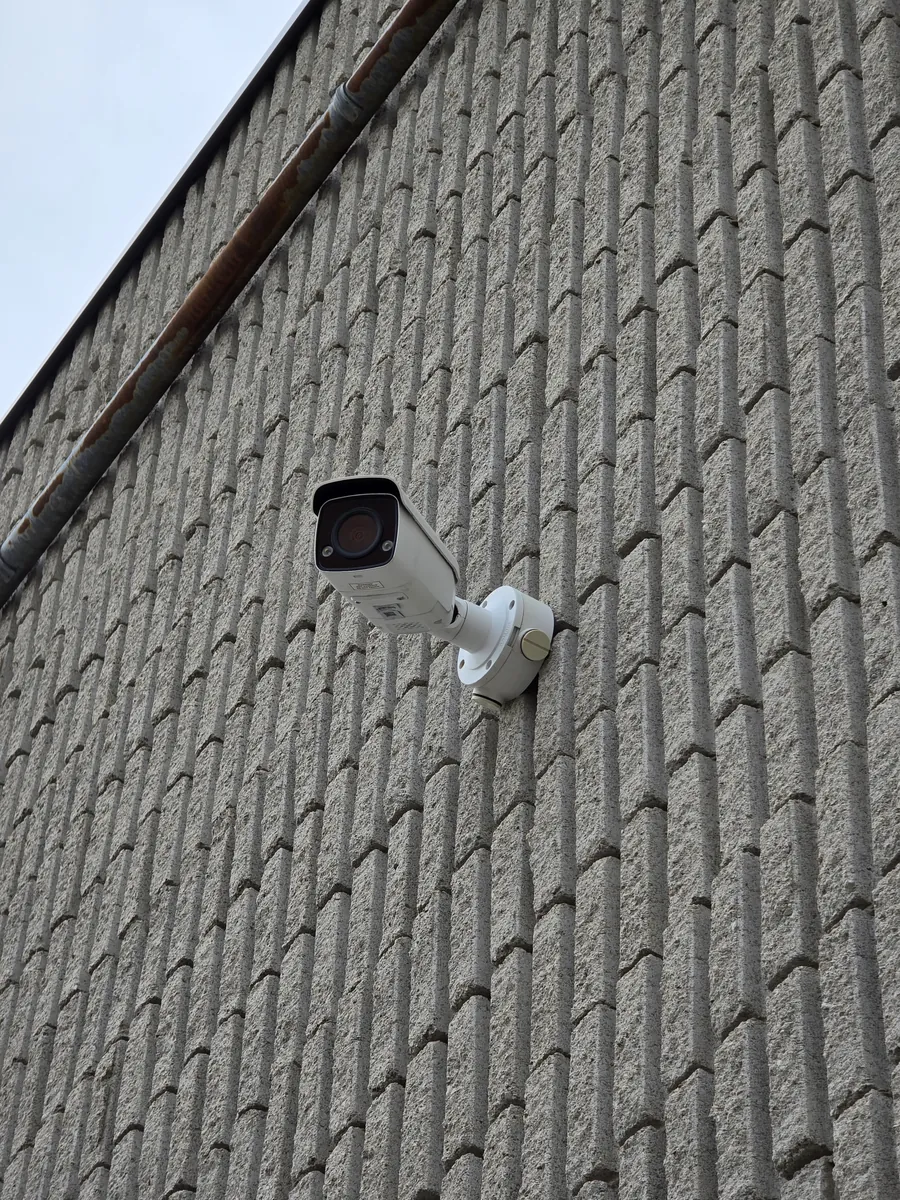
- Height. Exterior dock cameras usually go 3 to 4.5 m (10 to 15 ft) up. Higher clears trailers but steepens the angle and costs face detail.
- Cable. Each camera needs its own Ethernet run back to a PoE switch, within 100 m. Outdoor runs go in conduit along the wall; long runs to yard poles often need fiber. Our PoE power calculator checks the switch budget, including heaters.
- Network. Put cameras on their own VLAN, away from office traffic. See how to isolate CCTV cameras with VLANs.
- Recording. 10 to 15 frames per second is enough for most dock activity. Use motion or person and vehicle detection to flag events rather than watching hours of footage.
- Storage and retention. Keep footage long enough for claims to surface. Our guides on how much storage cameras need and how long to keep footage in Canada help size the recorder.
Access control at the dock
Cameras record what happened at the dock. Access control decides who could be there in the first place. On a dock, that usually means:
- Card or fob readers on the dock man doors and the shipping office, so drivers stay in the driver area.
- A separate driver entrance with an intercom instead of an open dock door.
- Door events linked to the nearest camera, so a forced or propped door brings up the right footage.
- Access rights that end when a temporary worker or carrier contract ends.
We install access control systems across Toronto, including in Mississauga, Brampton and Vaughan where most GTA distribution centres sit. Our guide to access control credentials compares fobs, cards and mobile access.
Brands, privacy and policy
Brands. The camera type, lens and placement matter more than the logo, and the advice above applies to any major brand. One Canadian point is worth knowing: on June 27, 2025 the federal government ordered Hikvision Canada Inc. to wind up its Canadian business and barred federal departments from buying or using Hikvision equipment (Government of Canada). Private businesses are not prohibited from buying or using the cameras, but support, firmware and insurer or tenant requirements are worth checking. We install Axis, Hikvision and Dahua systems, and NDAA-compliant cloud cameras where a client needs them.
Privacy and workplace policy. In Ontario, employers with 25 or more employees on January 1 must have a written policy on electronic monitoring and give it to employees (Ontario Employment Standards Act guide). Post clear camera signage, keep cameras out of washrooms and change areas, and limit who can view and export footage. This is general information, not legal advice.
Questions to answer before a quote
- How many dock doors, and how far apart?
- How far out from the doors do you need detail: 20, 40 or 60 feet?
- What will footage be used for first: damage claims, load disputes, theft or safety?
- Do you need to see inside trailers during loading?
- Is there a canopy, and what can cameras be mounted on?
- How is the yard lit at night?
- Where is the nearest network room, and is there conduit along the dock wall?
- How long must footage be kept, and who needs to view it?
A floor plan, a few photos of the dock wall and the answers above are usually enough for us to price a first layout.
Planning cameras for a loading dock?
Cablify designs and installs warehouse camera systems and dock access control across Toronto and the GTA, with our own technicians and the cabling done by the same crew. Send us the dock layout and we will tell you what we would put where.
Warehouse camera installationRequest a quoteCall 647-846-1925
FAQ
How many cameras does a warehouse loading dock need?
Plan on one exterior camera for every one or two doors, plus one or two cameras across the yard and one at the gate. A 16-door dock usually starts at 10 to 11 exterior cameras, with interior door cameras added if load disputes matter.
Are 180° panoramic cameras good for loading docks?
They work in open corners or where one central mount has a clear view. Along a straight dock wall, parked trailers block a single panoramic camera’s view of the doors beside it, so several fixed cameras usually capture more.
What lens should a dock camera use?
A 2.8 mm lens suits detail within about 20 feet of the doors. Use 4 mm for 20 to 40 feet, and a 6 mm or varifocal lens for the yard beyond that.
Is 4 MP enough for a loading dock?
For general activity close to the doors, yes. For reading trailer numbers or recognizing people further out, 8 MP or a narrower lens gives about 40 to 50 percent more detail at the same distance.
Can loading dock cameras read licence plates?
Not reliably. Plates need a dedicated narrow camera at the gate or entrance, aimed where vehicles slow down, with settings tuned for plates.
Can I still install Hikvision cameras in Canada?
Private businesses are not prohibited from buying or using them. The 2025 order wound up Hikvision Canada’s operations and banned federal use, so check support, firmware and any insurer or landlord requirements before choosing.