
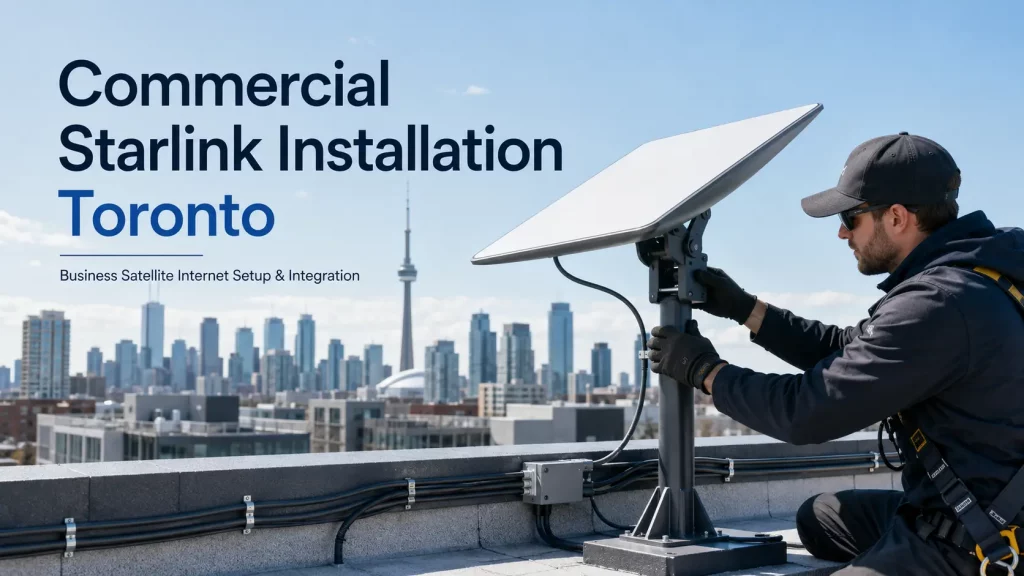
Commercial Starlink Installation & Setup — Toronto & GTA
Cablify installs and configures Starlink satellite internet for commercial buildings, warehouses, construction sites, remote facilities and multi-site businesses across the Greater Toronto Area. We handle the full job: site survey, obstruction analysis, rooftop or pole mounting, cable routing through the building, grounding, network integration and testing.
Starlink is rarely a plug-and-play product in a commercial environment. A dish sitting on a flat roof with a 30 metre cable run to an IDF closet needs proper mounting hardware, a penetration that will not leak, plenum-rated or outdoor-rated cable, surge protection and a router configuration that fits your existing network. That is the part most businesses do not want to figure out themselves, and it is exactly what we do.
Existing internet staying in place? We commonly install Starlink as an automatic failover circuit behind a dual-WAN or SD-WAN router, so your fibre or cable stays primary and Starlink takes over within seconds if the line drops.
What Our Starlink Installation Includes:
- On-site survey and sky obstruction analysis
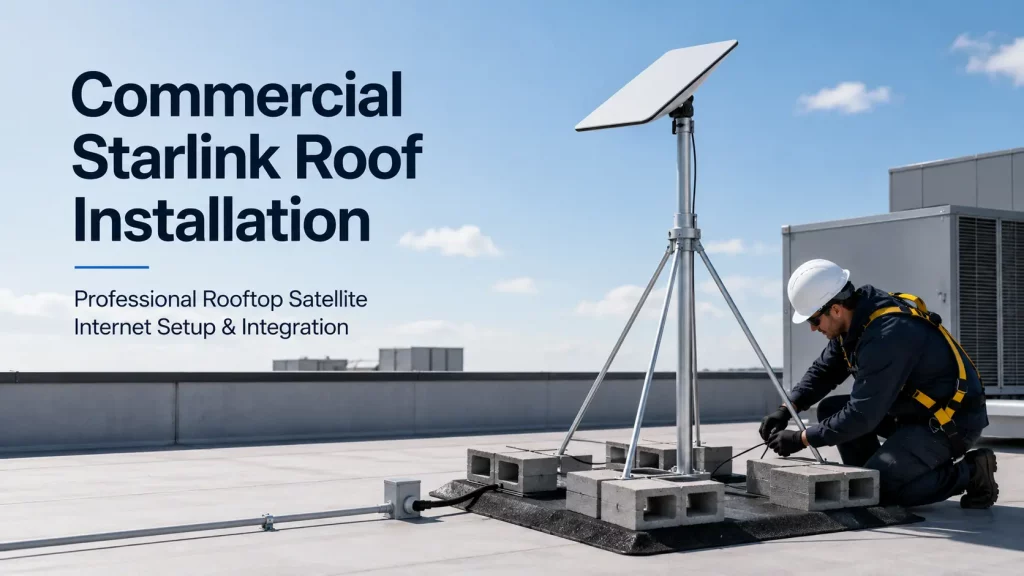
- Rooftop, parapet, wall, pole and non-penetrating ballast mounting
- Weather-sealed roof penetrations and proper flashing
- Cable routing through ceilings, walls, risers and conduit
- Outdoor-rated and plenum-rated cable where code requires it
- Grounding and surge protection at the entry point
- Starlink Ethernet adapter and business router integration
- Dual-WAN failover and load balancing configuration
- WiFi access point installation and coverage tuning
- Speed, latency and packet loss testing with a written report
Who We Install For:
- Construction sites and job site trailers
- Warehouses and distribution centres
- Rural and semi-rural commercial properties
- Manufacturing plants and yards
- Retail chains and quick-service restaurants
- Farms, greenhouses and agricultural operations
- Marinas, campgrounds and seasonal venues
- Property managers running multiple buildings
- Offices that need a backup circuit for VoIP and payment systems
Why businesses hire Cablify for Starlink:
- 18+ years installing commercial networks across the GTA
- Certified structured cabling crews, not general handymen
- Fully insured and WSIB covered, with working at heights certification
- Roof work done properly, so your roof warranty stays intact
- We configure the network, not just the dish
- After hours and weekend installs at no extra charge
- One contractor for Starlink, cabling, WiFi and cameras
No Fibre at the Site? We Get You Online.
Whether it is a new build with no service drop, a yard at the edge of the coverage map or a site where the carrier quoted six months and $40,000 for a fibre build, Starlink gets you connected in days. Cablify installs across Toronto, Mississauga, Brampton, Vaughan, Markham, Oakville, Burlington, Hamilton, Barrie and the surrounding regions.
Our Starlink Installation Process
Most single-site commercial installs are completed in one day. Here is how the job runs.
1. Site Survey & Obstruction Check
We walk the roof and the property, run an obstruction analysis and identify the mounting position with a clear view of the sky. Trees, parapets, HVAC units, elevator penthouses and neighbouring buildings all get factored in. Obstructions are the number one cause of poor Starlink performance, and they are avoidable.
2. Mounting & Cable Pathway
We install the correct mount for your roof type: non-penetrating ballast on flat membrane roofs, pipe or Unistrut on walls and parapets, or a pole mount in a yard. Penetrations are sealed and flashed. Cable is routed through proper pathways, not draped over the roof edge.
3. Grounding & Surge Protection
Any cable entering a building from a rooftop needs bonding and surge protection. We ground the mount and install surge suppression at the entry point so a nearby strike does not take out your switch stack.
4. Network Integration
We connect Starlink into your existing network using the Ethernet adapter, set the Starlink router to bypass mode where required, and hand the WAN off to your firewall or dual-WAN router. VLANs, guest WiFi, VPN tunnels and bandwidth policies are configured to match how your business actually works.
5. Failover Testing
If Starlink is your backup circuit, we do not just plug it in and hope. We pull the primary WAN and confirm the cutover actually happens, that VoIP calls survive it and that your critical applications reconnect. You see the test before we leave.
6. Documentation & Handoff
You receive speed and latency test results, obstruction report, photos of the mount and cable path, IP and credential details, and a simple one page reference for your staff. Follow-up support is a phone call away.
Our Starlink Services in Detail
Rooftop Starlink Installation
Flat commercial roofs need a non-penetrating ballasted mount or a properly flashed penetration. We use the method your roofing warranty allows and coordinate with your roofer or property manager when the building requires it. Every mount is set for wind load, not just propped up with blocks.
Pole, Wall and Parapet Mounting
Where the roof is not an option, we install pipe mounts, Unistrut assemblies, wall brackets and ground-set poles. This is common on construction sites, yards, farms and leased spaces where roof access is restricted.
Cable Routing and Building Entry
The run from dish to router is where most self-installs fall apart. We route through conduit, cable tray, riser and ceiling space using outdoor-rated and plenum-rated cable where the Ontario Building Code requires it, with a proper drip loop and sealed entry point.
Starlink Ethernet Adapter and Router Bypass
Commercial networks rarely want the Starlink router handling DHCP. We install the Ethernet adapter, put the Starlink router into bypass mode and hand a clean WAN connection to your firewall so your existing security policies stay in control.
Dual-WAN Failover and SD-WAN Integration
We configure Starlink as a secondary WAN on Meraki, Fortinet, Ubiquiti, Peplink, pfSense and similar platforms. Traffic can fail over automatically, or you can load balance and pin latency-sensitive traffic such as VoIP to the primary circuit.
Business WiFi Distribution
A dish alone does not cover a 60,000 square foot warehouse. We install and tune access points, run the cabling, set up VLANs for staff and guest traffic, and survey coverage so the signal actually reaches the loading dock and the mezzanine.
Multi-Site and Chain Rollouts
For businesses deploying Starlink across several locations, we standardize the hardware, mounting method and configuration so every site looks the same. One project manager, one schedule, one set of documentation.
Construction Site and Temporary Deployments
Fast connectivity for site trailers, security camera systems and site offices. We install, relocate as the site progresses and decommission at closeout.
Relocation, Repair and Troubleshooting
Already have Starlink but the performance is poor? We diagnose obstruction issues, cable faults, grounding problems and router misconfiguration, then fix the root cause instead of rebooting the dish.

Starlink for Business: What to Know Before You Buy
Starlink sells several service tiers, and picking the wrong one is the most common mistake we see. Residential service on a busy commercial site will slow down at exactly the time you need it. Priority service holds up because it sits higher in the network queue during congestion.
Hardware: The Standard Kit works for small offices and site trailers. The Performance Kit is the commercial unit, with a wider field of view, higher throughput, a rated operating range from roughly -40°C to 60°C and much better tolerance for Ontario winters. It costs more up front and it is usually the right call for a permanent commercial install.
Service tiers: Local Priority is the standard business option for a fixed site in Canada. Global Priority is aimed at maritime, in-motion and multi-country use. Priority plans are sold in monthly data blocks rather than unlimited high-speed data, so it is worth estimating your usage before choosing.
What Starlink is good at: getting a site online quickly, covering locations fibre will not reach economically, and acting as a genuinely independent backup path that does not share a conduit with your primary carrier.
What to plan around: latency is higher than fibre, upload speeds are lower than download, and heavy snow or a partially blocked view will cost you throughput. Mount placement is what separates a stable circuit from a frustrating one, which is why the survey matters more than the hardware.
We do not sell Starlink subscriptions or mark up the hardware. We tell you which kit and plan fits the site, you purchase it directly, and we install and configure it properly.
Typical Applications
- Primary internet at sites with no fibre or cable service
- Backup circuit for offices that cannot afford downtime on VoIP or POS systems
- Construction connectivity for trailers, cameras and site management software
- Temporary service during a fibre build or an office move
- Remote asset monitoring at yards, pumping stations and storage facilities
- Event and seasonal venues needing reliable connectivity for a defined period
Related Services
Starlink vs Fibre vs LTE: Choosing the Right Circuit
| Consideration | Starlink | Fibre | LTE / 5G |
|---|---|---|---|
| Install timeline | Days | Weeks to months | Days |
| Availability outside urban cores | Excellent | Limited and costly to build | Depends on tower coverage |
| Latency | Moderate, workable for VoIP and video | Lowest | Variable under load |
| Independence from local carrier outages | Fully independent path | Shares local infrastructure | Shares local towers |
| Best role | Primary where fibre is unavailable, or backup anywhere | Primary circuit where available | Short-term or low-bandwidth backup |
In practice, the strongest setup for a GTA business is fibre as primary with Starlink as automatic failover. The two connections share no physical infrastructure, so a backhoe through a street conduit does not take both down at once. Not sure which combination fits your site? Call 1-647-846-1925 and we will walk through it with you.
Frequently Asked Questions — Starlink Installation Toronto
How much does commercial Starlink installation cost in Toronto?
Installation is priced on roof type, mounting method, cable run length and how much network configuration is involved. A straightforward single-storey install with a short cable run typically starts around $750 to $1,200. Multi-storey buildings, long conduit runs, ballasted roof mounts, failover configuration and WiFi distribution are quoted after a site assessment. Hardware and the Starlink subscription are purchased separately by you, directly from Starlink. Call 1-647-846-1925 for a free assessment and a written fixed-price quote.
Do I need the Performance Kit or the Standard Kit?
The Standard Kit is fine for a small office, a site trailer or a light-use backup circuit. The Performance Kit is the commercial-grade unit: wider field of view, higher throughput, better performance in snow and a wider operating temperature range suited to Ontario winters. For a permanent commercial install supporting multiple users, the Performance Kit is usually worth the higher hardware cost. We will tell you which one the site actually needs before you spend money.
Can Starlink be used as a backup internet connection?
Yes, and this is one of the most common commercial deployments we do. Starlink connects as a secondary WAN on a dual-WAN router or SD-WAN appliance. If the primary fibre or cable circuit fails, traffic moves to Starlink automatically, usually within seconds. Because Starlink does not use local street infrastructure, it stays up during the exact events that take carrier circuits down, such as construction damage or a regional outage.
Will you mount the dish on my roof without voiding the roof warranty?
We use non-penetrating ballasted mounts on flat membrane roofs wherever possible, which avoids penetrating the roof at all. When a penetration is unavoidable, it is properly flashed and sealed, and we coordinate with your roofing contractor or property manager first if the building requires it. We will not put a hole in a roof without confirming who is authorized to approve it.
How long does a Starlink installation take?
Most single-site commercial installs are completed in one day. Longer cable runs, multi-storey buildings, conduit work, complex network integration or multiple access points can extend it to two days. Multi-site rollouts are scheduled per location. We work after hours and weekends at no extra charge when daytime access is a problem.
Does Starlink work in Canadian winters?
Yes. The dish has a built-in heater that melts snow off the face, and the Performance Kit is rated for operation down to roughly -40°C. The practical issues in winter are heavy accumulating snow on a poorly angled mount and ice buildup around the dish. Correct mounting angle and placement, which we set during the survey, solve most of it. Extremely heavy snowfall can still cause temporary slowdowns, the same way heavy rain affects any satellite system.
Do I buy Starlink hardware from you?
No. You purchase the kit and the subscription directly from Starlink, which keeps the account, warranty and billing in your name with no markup from us. We advise on which kit and service tier fits the site, then handle the physical installation, cabling, mounting, grounding and network configuration. If you have already bought the hardware, we will install it.
Can you connect Starlink to our existing firewall and network?
Yes. We install the Starlink Ethernet adapter, place the Starlink router in bypass mode where appropriate and hand a clean WAN connection to your firewall or router. We have configured Starlink alongside Meraki, Fortinet, SonicWall, Ubiquiti, Peplink and pfSense equipment. VLANs, guest networks, VPN tunnels and traffic priority rules are set up to match your existing environment.
What if my site has trees or nearby buildings blocking the sky?
That is what the obstruction survey is for. We use Starlink’s obstruction analysis along with a physical roof walk to find a position with a clear field of view. Options include raising the mount on a mast, relocating to a different roof section or parapet, or using a pole mount in an open area of the property with a longer cable run. If no viable position exists, we tell you before you spend money on hardware.
Do you install Starlink outside the GTA?
We regularly install across Toronto, Mississauga, Brampton, Vaughan, Markham, Richmond Hill, Oakville, Burlington, Hamilton, Barrie and surrounding areas. We also travel further into Ontario for multi-site commercial rollouts and remote industrial sites. Call us with the location and we will confirm coverage and any travel considerations up front.
Ready to get your site connected? We install across the GTA 7 days a week.