
Unified communications for Toronto and GTA businesses
Phones, video meetings and messaging on one system, and the network that carries them. We set up business phone systems, meeting rooms and paging for offices, warehouses and multi-site companies, then make sure the cabling, switches and Wi-Fi underneath can carry voice and video without dropped calls or frozen screens.
What unified communications means for your business
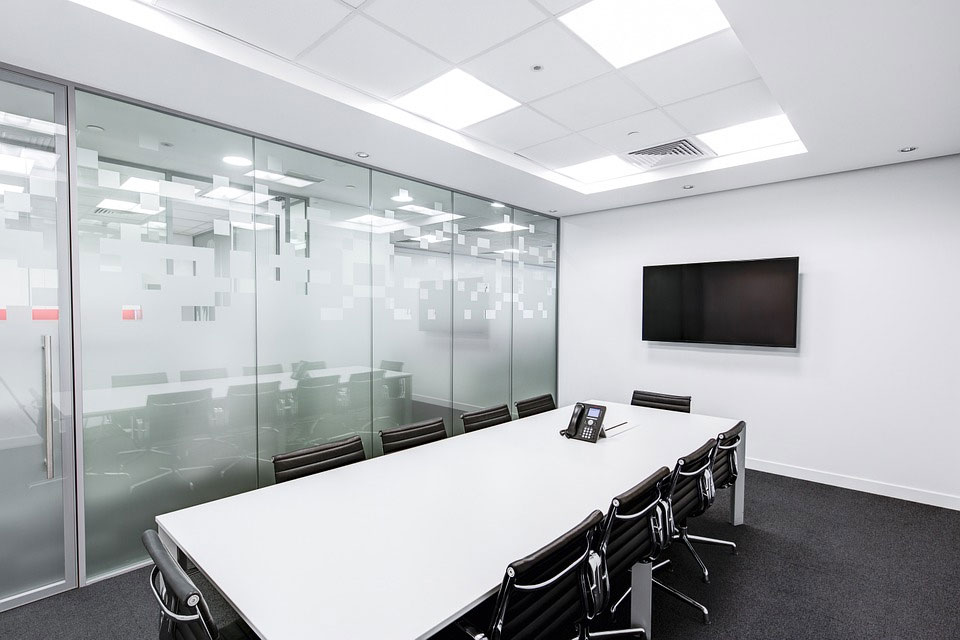
Unified communications, or UC, puts calling, video meetings, chat and voicemail into one platform that works the same on a desk phone, a laptop and a mobile. A call to your main number can ring someone at their desk, follow them to the meeting room and reach them on their phone at the warehouse, without anyone giving out a personal number.
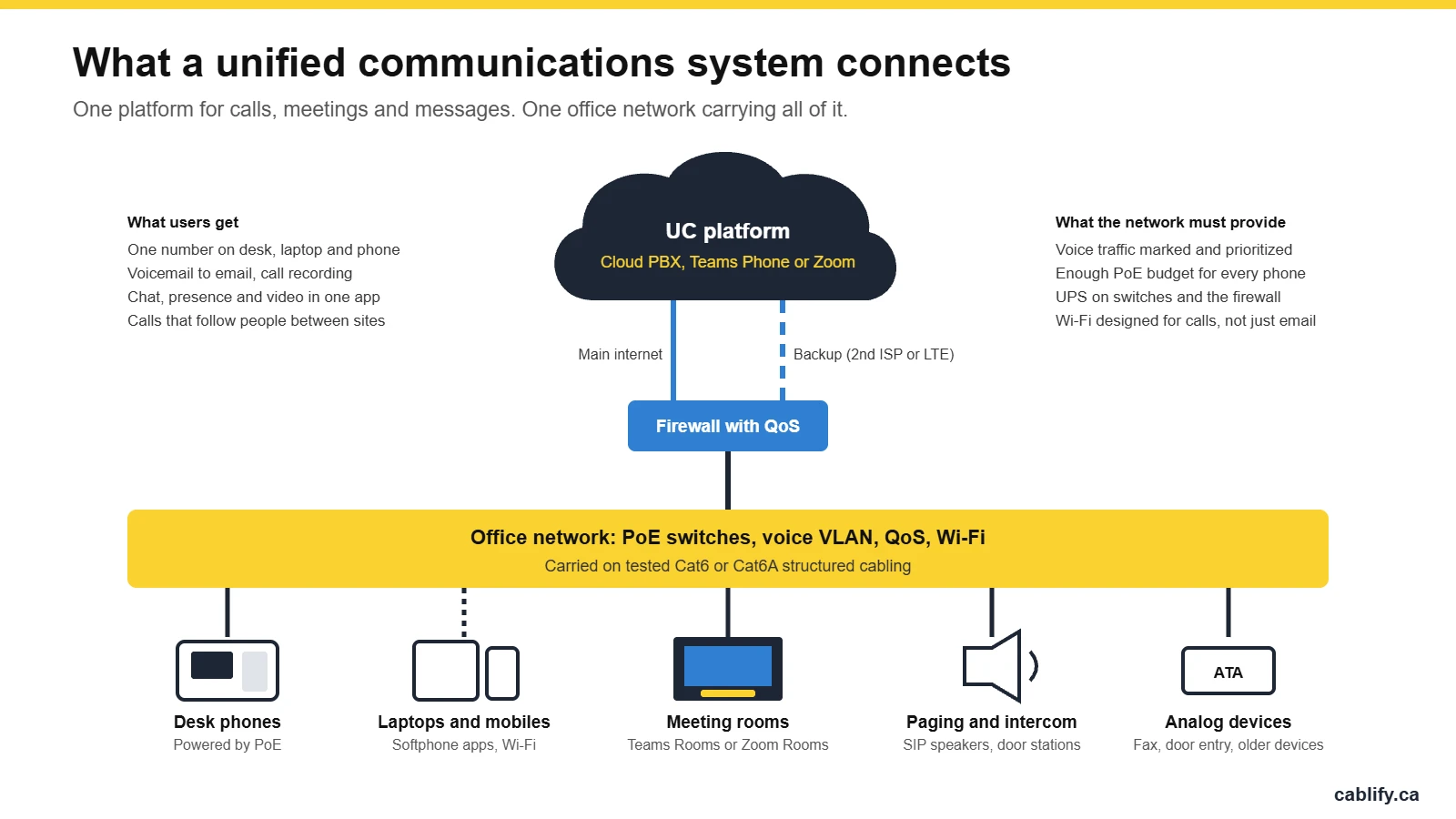
The platform itself is usually a cloud service: a hosted PBX, Microsoft Teams Phone or Zoom Phone. What decides whether it works well in your building is everything on site. The phones need power, voice traffic needs priority over downloads, meeting rooms need the right camera and microphones for the room size, and the internet connection needs a backup. That on-site part is where most UC projects go wrong, and it is the part we handle.
What we set up
Business phone systems
Managed cloud PBX with your auto attendant, ring groups and after-hours routing, or desk phones and devices that work with Microsoft Teams or Zoom. For hosted PBX details and pricing, see our business VoIP services.
Desk and conference phones
IP desk phones, cordless DECT handsets for staff who move around, and conference phones for small rooms. Every phone is provisioned, labelled and tested on its own port before handover.
Video meeting rooms
Huddle rooms to boardrooms, sized to the room: camera, microphones, display and a touch controller, set up as Microsoft Teams Rooms or Zoom Rooms. We install Logitech meeting room systems and handle the wider AV installation.
Paging and intercom
SIP paging speakers, horns for warehouse floors and door stations that ring a phone or an app. Existing analog paging can often be kept and connected through a gateway. Our guide on upgrading intercom and paging covers the options.
The network underneath
PoE switches with enough power budget, a separate voice VLAN, QoS on the switches and firewall, and Wi-Fi designed for calls. We also install and certify the cabling that everything plugs into.
Moving off an old phone system
Number porting, replacing an end-of-life PBX, removing old phone wiring and keeping devices that still need a line, such as fax machines, alarm panels and door entry. More in our phone cabling services.
Cloud, hosted or on-premise?
Most businesses we work with now choose a cloud platform, but it is not the right answer for every site. This is how the options compare.
| Cloud (Teams Phone, Zoom Phone) | Hosted PBX | On-premise PBX | |
|---|---|---|---|
| Where it runs | The vendor’s cloud, inside the collaboration app you already use | A provider’s servers, with desk phones in your office | A server or appliance in your own rack |
| Upfront cost | Low. Licences per user, phones optional | Low. Monthly per seat, plus phones | Higher. Hardware, licences and setup |
| Who maintains it | The vendor, with your IT admin | The provider | You or your IT partner |
| Best for | Teams that live in Microsoft 365 or Zoom and work from anywhere | Offices that want desk phones and simple management | Sites with strict data rules, poor internet or large existing investments |
| Watch out for | Needs good internet at every site, plus a backup connection | Feature set depends on the provider | Hardware ages, updates and security are your responsibility |
Getting the network ready for voice and video
Calls are small but impatient. A file download can wait half a second. A voice packet that arrives late is simply lost, and the person on the other end hears a gap. These are the targets we design to.
| Measure | Target for good call quality |
|---|---|
| One-way delay | Under 150 ms |
| Jitter | Under 30 ms |
| Packet loss | Under 1% |
| Bandwidth per call | About 100 kbps each way for an uncompressed (G.711) call |
On the switches that means a dedicated voice VLAN, QoS that marks and prioritizes voice and video, and enough PoE budget for every phone. Most desk phones draw only a few watts, but video phones, conference phones and wireless access points need more. Our PoE power calculator helps size it.
- Voice VLAN handed to phones automatically
- QoS on switches, firewall and Wi-Fi
- PoE budget checked against every device
- UPS on core switches and the firewall
- Second internet connection or LTE backup
- Wi-Fi designed for roaming calls
- Every cable run tested and labelled
Things that catch people out when they switch
Most problems with a new phone system come from things nobody listed at the start. We check these before anything is ordered.
- Lines that are not really phones. Fax machines, alarm panels, elevator phones and door entry systems often still use phone lines. Some can move to an analog adapter, and some should stay on a dedicated line. Check with your alarm and elevator contractors before cancelling anything.
- 9-1-1 addresses. Every phone and softphone needs the correct civic address registered with the provider, including the floor or unit, so emergency services go to the right place.
- Number porting. Moving your numbers to a new provider can take days to weeks. Keep the old service active until the port is confirmed.
- Power outages. PoE phones go dark when the switch loses power. A UPS on the switches and firewall keeps calls running through short outages.
- A single internet connection. With a cloud system, no internet means no phones. A second provider or an LTE backup keeps the main number answered.
- Wi-Fi built for laptops, not calls. Softphones and Wi-Fi handsets need coverage where people actually walk and stand, including warehouses and stairwells. See our Wi-Fi survey service.
Who we set it up for
Small offices. Five to fifty people who want a professional main number, an auto attendant and phones that work from home, without a server in the closet.
Growing and multi-site companies. One phone system across head office, branches and remote staff, with extensions that dial between sites and calls that route to whoever is available.
Warehouses and industrial sites. Paging over the floor, rugged or DECT handsets, and Wi-Fi that holds a call between the racking.
Boardrooms and meeting rooms. Rooms that start a Teams or Zoom meeting with one tap, with audio that works for the people at the far end of the table.
Unified communications FAQ
What is unified communications?
Unified communications is a single platform for business calling, video meetings, chat, presence and voicemail. Staff use the same number and the same tools on a desk phone, a computer or a mobile, and calls and meetings move between devices.
What is the difference between VoIP and unified communications?
VoIP is the technology that carries phone calls over a data network. Unified communications uses VoIP for calling and adds video meetings, messaging, presence and mobile apps in one system.
Do I need new cabling for a new phone system?
Often not. IP phones run on the same Cat5e, Cat6 or Cat6A cabling as computers. You may need new drops where phones or cameras are added, PoE switches, or a cleanup of old phone wiring. We test the existing cabling first.
Can we keep our existing phone numbers?
Yes, in most cases numbers can be ported to the new provider. Porting can take days to weeks, so the old service should stay active until the move is confirmed.
Will our phones work during a power outage?
PoE phones stay up as long as the switch they plug into has power. A UPS on the network switches and the firewall keeps phones working through short outages, and mobile apps keep working regardless.
Should we use Microsoft Teams Phone or a hosted PBX?
If your staff already work in Microsoft Teams all day, Teams Phone keeps everything in one app. If you want desk phones, simple call routing and one monthly bill per seat, a hosted PBX is usually easier. Both run on the same network and cabling, and we can help you choose.
Do you serve Burlington, Hamilton and the rest of the GTA?
Yes. We work across Toronto and the GTA, including Hamilton and Burlington, Mississauga, Vaughan and Markham.
Related services
Unified communications ties into most of the work we do. See our business VoIP services, commercial AV installation, Logitech meeting rooms, Cisco support, structured cabling and sound masking. For warehouses, our guide to choosing a paging system is a good place to start.
Planning a new phone system or meeting rooms?
Tell us how many people, sites and meeting rooms you have, and what you use today. We will check the cabling and network, recommend a platform and give you a clear quote. Call 1-647-846-1925.