
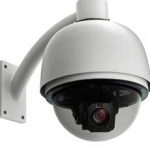

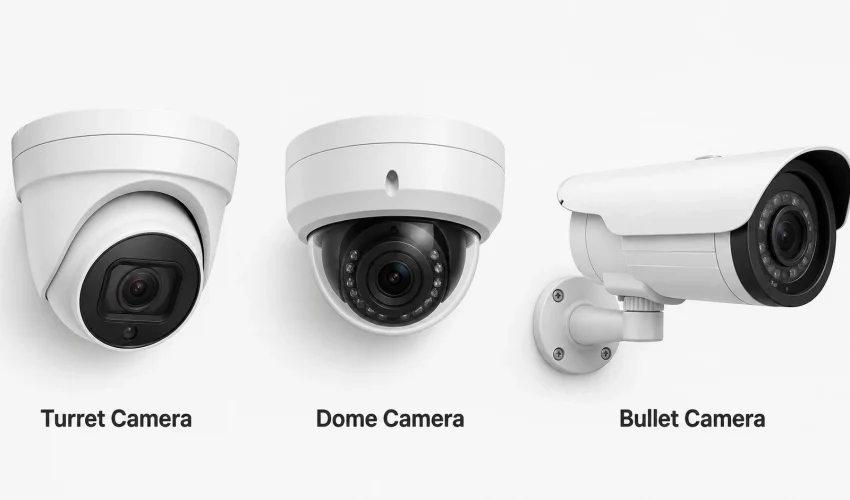
The short answer
Neither type is better overall. They solve different problems. Dome cameras suit indoor and public facing areas where you want wide coverage, a discreet profile and vandal resistance. Bullet cameras suit outdoor perimeters, long distances and any place where a visible deterrent helps. Most commercial buildings end up with a mix, plus turret cameras indoors and out because they avoid the infrared glare problem domes suffer from. The shape matters far less than mounting height, lens choice and pixels on target, which is where most business camera systems actually fail.
What this guide covers
- What a dome camera is
- What a bullet camera is
- The third option: turret cameras
- Full comparison table
- The spec that matters more than shape
- Where each type wins
- Retail stores
- Offices and professional space
- Warehouses and distribution
- Manufacturing and production
- Schools and campuses
- Banks and financial branches
- Other business types
- IP and IK ratings explained
- Mounting heights and placement
- Cabling and power
- What drives the cost
- Canadian privacy rules
- Common mistakes
- Selection checklist
- Frequently asked questions
Ask three security installers whether you should use dome or bullet cameras and you will get three confident, contradictory answers. That is because the honest answer depends on what you are protecting, how far away it is, whether the camera is reachable by hand, and whether you want people to notice it.
This guide is written for the people who actually sign off on these systems: warehouse and operations managers, IT managers, facility managers and small business owners. It covers what each camera type does well, where each one fails, and which to specify for six common commercial environments. Every recommendation comes with the reasoning, so you can adapt it when your site does not match the textbook.
One thing worth saying up front. In a commercial system, the camera is roughly a third of the decision. The rest is cabling, network, storage, lighting and placement. A well placed 4MP camera on a properly certified Cat6 run beats a badly placed 4K camera every time.
What is a dome camera?
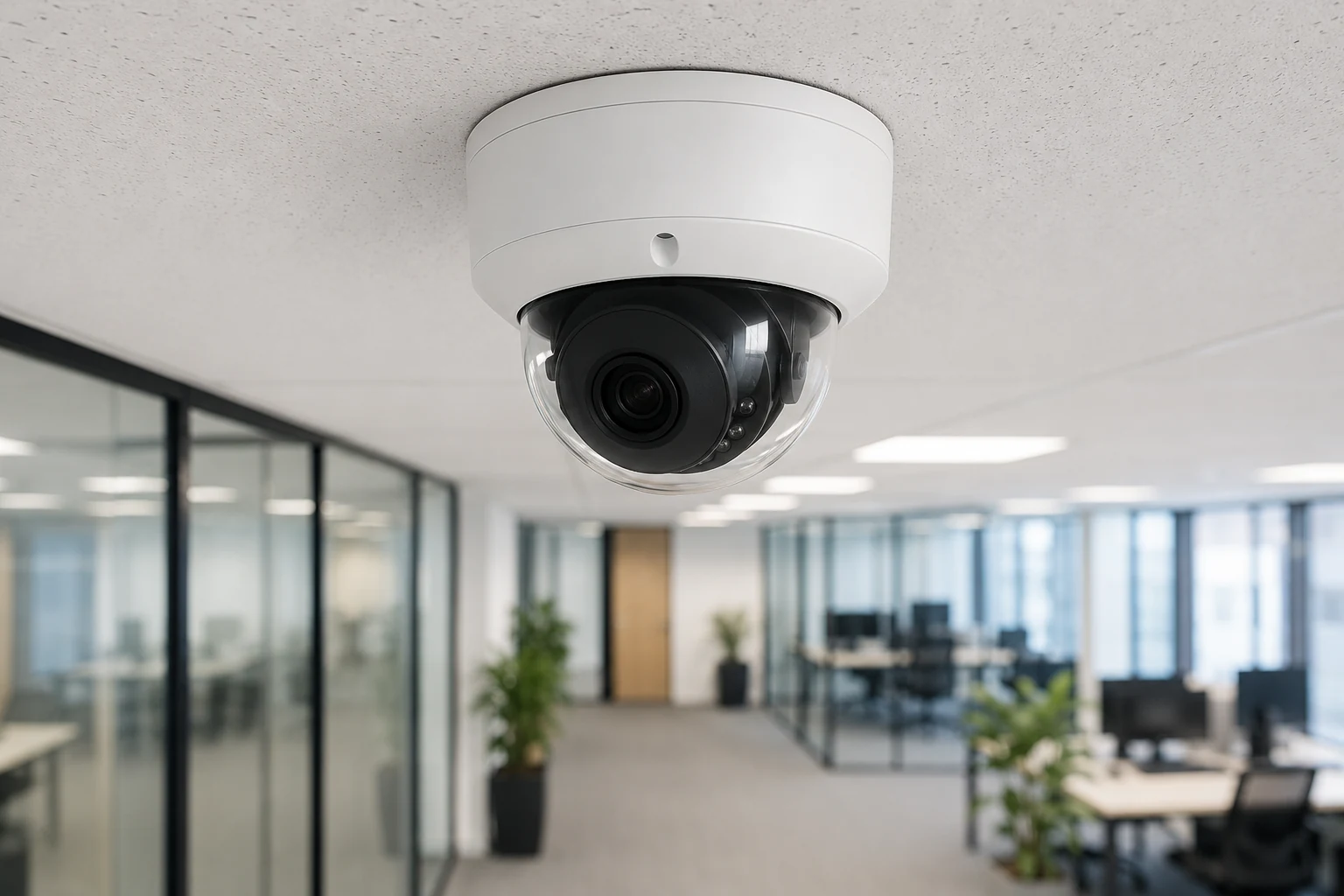
A dome camera houses the lens inside a rounded cover, usually tinted, mounted flush to a ceiling or wall. The shape does three useful things: it hides which way the lens is aimed, it presents almost nothing to grab or twist, and it blends into a ceiling well enough that customers stop noticing it.
Because the housing is a hemisphere, impact force spreads across the whole shell rather than concentrating at one point. That is why domes dominate the vandal resistant market and why almost every IK10 rated camera you will find is a dome.
Dome strengths
- Discreet, low profile, does not dominate a room
- Aiming direction is concealed by the tinted cover
- Best availability of IK10 vandal rated models
- Hard to grab, twist or redirect by hand
- Wide coverage of open floor areas from a ceiling mount
- Clean look that suits customer facing and executive space
Dome limitations
- Infrared light can reflect off the inside of the cover and wash out night images
- Shorter infrared range than a bullet, commonly 20 to 30 m
- The cover collects dust, spider webs, grease and salt film
- Ceiling mounting often produces top of head views, not faces
- Harder to aim precisely once installed
- Less obvious as a deterrent, which matters in some sites
The dome infrared problem is real
When the built in infrared LEDs sit behind the same cover as the lens, some light bounces straight back into the lens and produces a foggy, washed out night image. Quality domes use a rubber gasket to isolate the LEDs, and that gasket degrades over time. If a dome looked fine at night in year one and looks hazy in year four, this is usually why. It is the single most common reason businesses replace domes early.
What is a bullet camera?
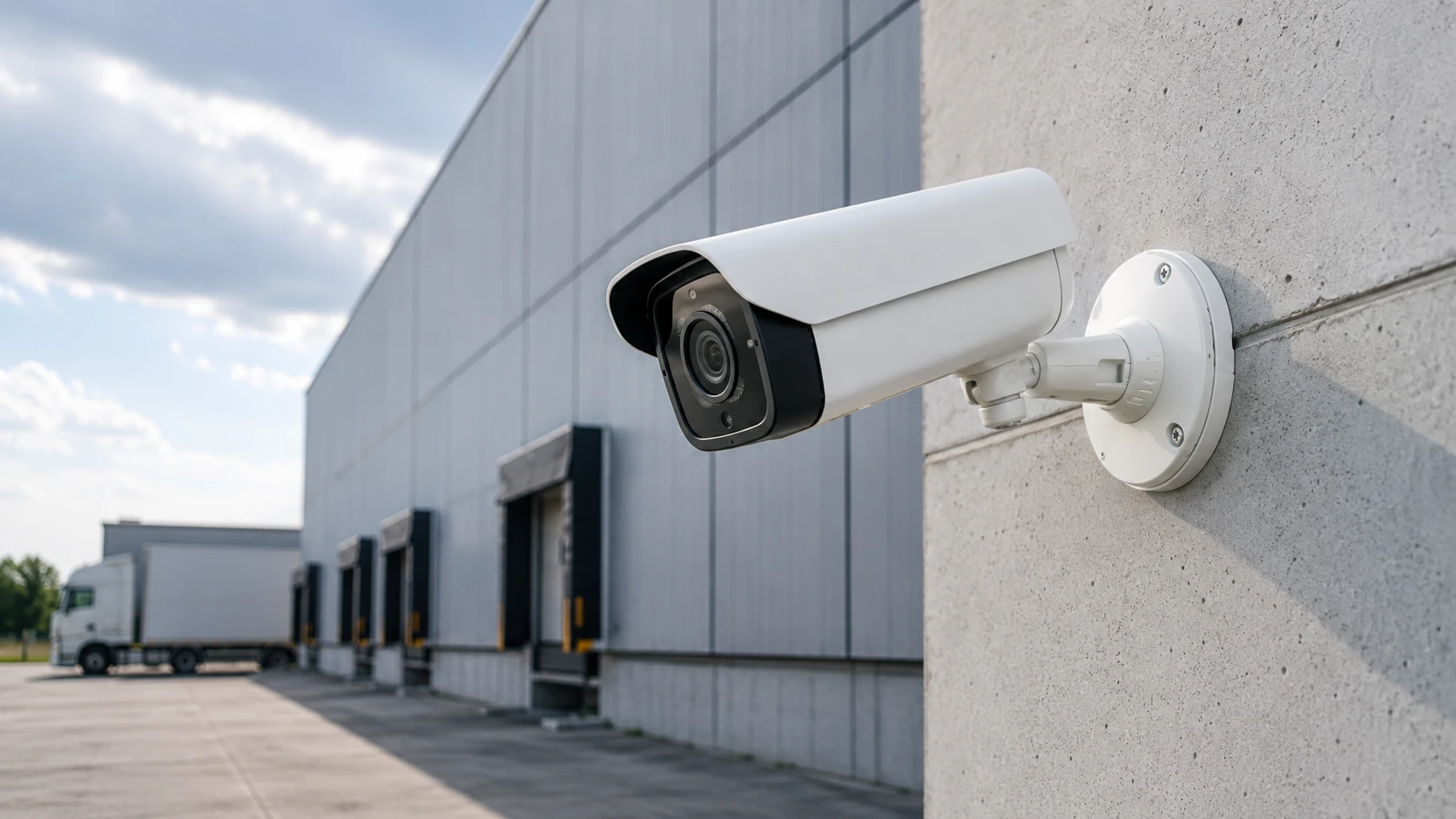
A bullet camera is a cylindrical body on an adjustable mounting arm. The shape is not decorative. A longer barrel accommodates a bigger lens and a larger infrared array, which is exactly what you need to see something 60 m away in the dark.
The mounting arm makes bullets easy to aim precisely and easy to re-aim later when a loading bay moves or a fence line changes. Most come with an integrated sun shield, which matters more than people expect on a south facing wall in July.
Bullet strengths
- Long infrared range, commonly 30 to 80 m and further on specialist models
- Room for larger and longer telephoto lenses
- Highly visible, which is a genuine deterrent
- Easy to aim precisely and adjust later
- Integrated sun shield sheds rain, snow and glare
- Ideal for long, narrow scenes such as fence lines and aisles
Bullet limitations
- Obvious, which can feel heavy handed in customer facing space
- The aiming direction is visible, so blind spots can be worked out
- Reachable units can be grabbed and turned away
- Few models carry an IK10 vandal rating
- The housing and shield collect birds nests, snow and debris
- Takes up more visual space on a finished ceiling
The third option most guides skip: turret cameras
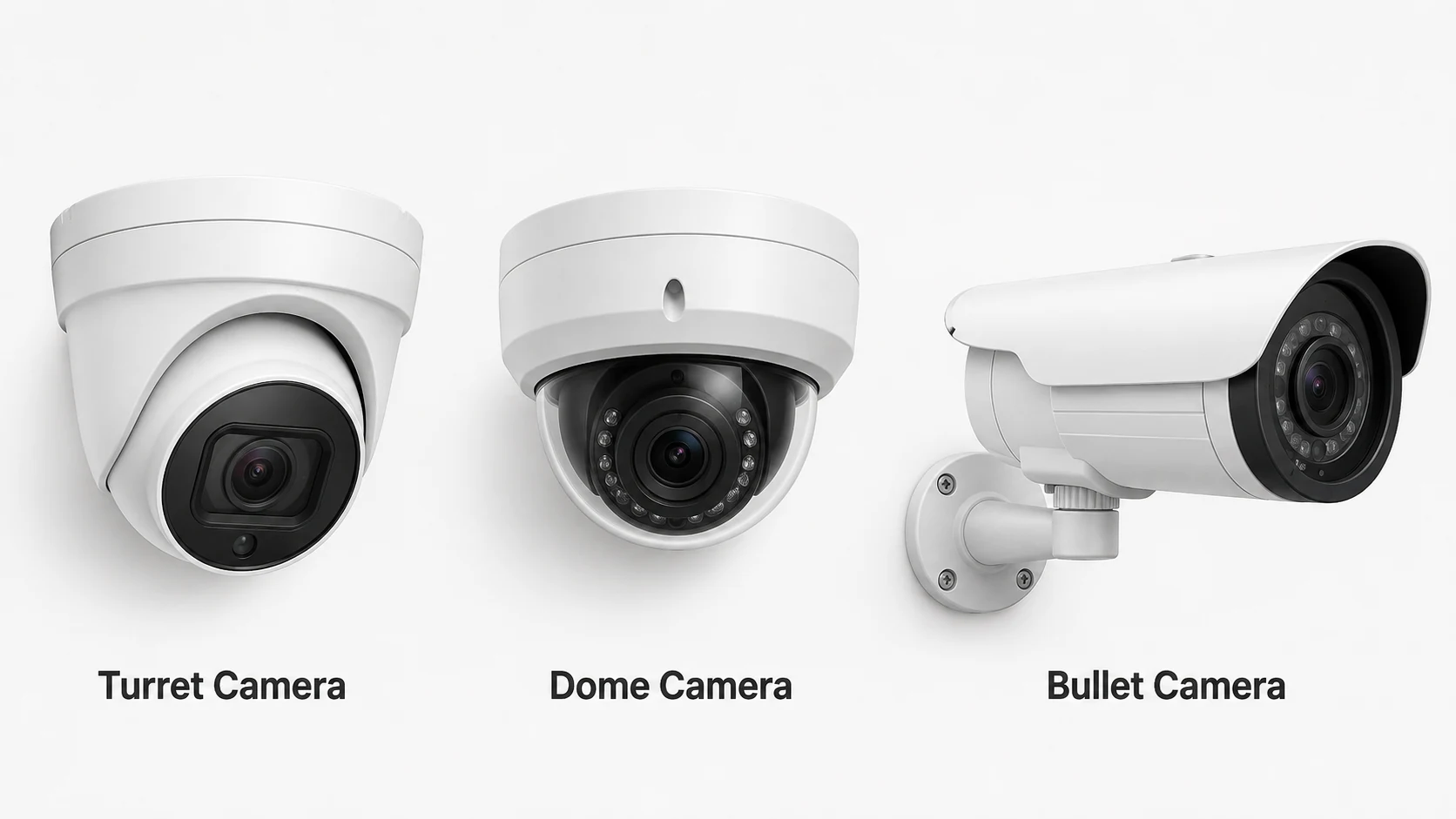
A turret camera, also sold as an eyeball camera, flat faced dome or mini ball camera, is a ball seated in a base socket. You aim it by rolling the ball and it holds position. The critical difference is what is missing: there is no transparent bubble covering the lens.
That one change fixes the biggest long term weakness of dome cameras, and it is the reason turrets have quietly become the default indoor choice for a lot of integrators. If a quote you have been given lists only domes and bullets, this is the question worth asking.
Why dome night footage degrades, and turret footage does not
Understanding this properly is worth two minutes, because it explains a maintenance cost most buyers never see coming.
In a dome camera, the infrared LEDs and the lens sit behind the same polycarbonate bubble. When the LEDs fire, most of that light goes out to the scene, but some of it scatters off the inside surface of the bubble and travels straight back into the lens. The result is veiling glare: a milky haze across the image, or a bright halo around the centre, that destroys contrast exactly when you need it.
Manufacturers deal with this by fitting a foam or rubber gasket ring that seals the LED compartment off from the lens compartment. When the bubble is seated correctly, the gasket compresses and blocks the light path. It works well, and a good dome looks perfectly clean at night on day one.
The problem is what happens next:
- The gasket compresses permanently and loses its seal over a few years of heat cycling
- Anyone who opens the camera to re-aim or clean it may not reseat the bubble squarely
- Fine scratches accumulate on the bubble from cleaning, and each one scatters light
- Dust, grease film and salt haze build on the inside and outside of the cover
Each of those reopens the light path a little. Night footage gets progressively hazier while daytime footage still looks fine, so nobody notices until an incident happens after dark and the recording is unusable.
A turret has no bubble in front of the lens, so there is no surface for the light to bounce off. There is no gasket to fail and no cover to scratch. Night performance on day one and in year seven is effectively the same.
How to check your existing domes in five minutes
Pull up a night recording from each dome camera and compare it with footage from when the system was commissioned. If the newer clip looks hazy, washed out or has a bright halo in the middle, the gasket seal has gone. Sometimes reseating the bubble squarely fixes it. Often the practical answer at that point is to replace the unit with a turret.
Full three way comparison
| Factor | Dome | Turret | Bullet |
|---|---|---|---|
| Infrared night quality, year one | Good | Excellent | Excellent |
| Infrared night quality, year five | Often degraded | Unchanged | Unchanged |
| Typical infrared range | 20 to 30 m | 20 to 35 m | 30 to 80 m and beyond |
| Vandal resistance | Best, IK10 widely available | Moderate, usually IK08 | Weakest, rarely IK rated |
| Typical weather rating | IP66 to IP67 | IP66 to IP67 | IP66 to IP67 |
| Resistance to spray paint | Bubble can be wiped or replaced cheaply | Lens face is directly exposed | Lens face is directly exposed |
| Concealing where it points | Tinted bubble hides the aim | Aim is visible | Aim is obvious |
| Visual profile | Most discreet | Low profile | Most visible |
| Deterrent value | Low | Moderate | High |
| Ease of aiming at install | Fiddly, limited tilt | Easy, wide tilt range | Easiest, arm adjusts freely |
| Holding aim over time | Excellent, sealed inside | Good, can be knocked if reachable | Can be twisted by hand if reachable |
| Routine cleaning | Whole bubble, shows every smear | Small lens face only | Lens face and sun shield |
| Snow and rain shedding | Settles on the bubble | Recessed face sheds reasonably | Shield sheds most of it |
| Direct sun and lens flare | Bubble diffuses some glare | More prone to flare, no shield | Shield blocks high angle sun |
| Suits low ceilings | Excellent | Excellent | Protrudes and gets knocked |
| Suits long narrow scenes | Poor beyond 20 m | Poor beyond 25 m | Purpose built for it |
| Hardware cost, like for like | Baseline | Similar, often marginally lower | Similar |
| Best commercial fit | Public access, vandal risk, discretion | General indoor and sheltered outdoor | Perimeter, distance, deterrence |
Why you can barely find an IK10 turret
This comes up constantly on tenders that specify IK10 across the board, and the reason is structural rather than commercial.
A dome bubble is a curved shell. When something strikes it, the force spreads across the whole curve and dissipates. A turret presents a flat or slightly recessed face. A strike on flat glass concentrates force at the contact point, and once a crack starts it propagates across the panel. You can build a flat face that survives 20 joules, but it becomes thick, heavy and expensive, so almost nobody does.
The practical consequence: if a position needs genuine vandal resistance, the answer is a dome. There is no point specifying IK10 and then accepting a turret substitution, because the substitution is not equivalent.
Turret strengths
- No infrared reflection, now or in five years
- Night image quality holds up over the life of the system
- Wide tilt range, easy and precise to aim
- Only a small lens face to keep clean
- Low profile, suits finished ceilings and low soffits
- Usually priced at or slightly below an equivalent dome
- No bubble to scratch, yellow or cloud over
Turret limitations
- Rarely available with an IK10 vandal rating
- The exposed lens can be smeared, sprayed or covered by hand
- Aiming direction is visible, so blind spots can be worked out
- Can be knocked out of alignment if within reach
- More prone to lens flare in direct sun without a shield
- Infrared range still well short of a bullet
- Slightly less discreet than a dome in a customer facing space
Cost over the life of the system, not the purchase price
Domes and turrets cost roughly the same to buy. The difference shows up over the seven to ten years you will actually run the system, and it runs in the turret’s favour in every position where vandalism is not a real risk.
| Cost factor | Dome | Turret | Effect |
|---|---|---|---|
| Purchase price | Baseline | Similar or slightly lower | Neutral |
| Cleaning time per visit | Whole bubble, inside and out | Small lens face | Turret is faster, matters across 40 cameras |
| Night performance over time | Degrades as the gasket ages | Stable | Turret avoids a mid life quality drop |
| Early replacement for hazy footage | A common reason for swap outs | Rare | Turret often lasts to end of life |
| Bubble replacement | Sometimes needed after scratching | Not applicable | Small but recurring dome cost |
| Vandalism replacement | Lowest in public areas | Higher in public areas | Dome wins wherever it is reachable |
| Lift or access equipment | Same | Same | Neutral, and usually the biggest line |
Access cost is the hidden multiplier
In a high bay warehouse or an atrium, getting to a camera means a lift, a permit and often a shutdown. When a visit costs more than the camera, choosing the housing that needs the least attention is worth real money. That is the strongest argument for turrets in hard to reach positions where nobody can vandalise them anyway.
Which of the three should you specify?
| If the position is… | Specify | Reason |
|---|---|---|
| Reachable from the floor or a chair, public access | Vandal dome, IK10 | Only the dome delivers real impact resistance |
| Indoor, out of reach, night footage matters | Turret | Clean infrared that stays clean |
| Indoor, customer facing, appearance matters | Dome | Most discreet, disappears into the ceiling |
| Outdoor, under 25 m, sheltered by a soffit | Turret | Better night image than a dome at the same range |
| Outdoor, over 25 m or fully exposed | Bullet | Infrared range and a shield that sheds weather |
| Long narrow scene such as an aisle or corridor | Bullet | Room for a longer lens and a tighter field of view |
| You want it clearly noticed | Bullet | Visible deterrent |
| You want it not noticed | Dome | Lowest profile, hides its aim |
| Hard to reach, expensive to service | Turret | Least maintenance sensitive over the system life |
| High vandalism history on site | Vandal dome, IK10 | Do not compromise here, it will cost more later |
Turret verdict
Treat turret as the default for indoor and sheltered outdoor positions that are out of reach, dome where vandalism is a genuine risk or discretion matters, and bullet outdoors and for distance. If a proposal contains no turrets at all, ask why. In many buildings, swapping the out of reach indoor domes for turrets costs nothing extra and gives you night footage that still works in year seven.
Dome vs bullet: full comparison
| Factor | Dome camera | Bullet camera | Which wins |
|---|---|---|---|
| Typical infrared range | 20 to 30 m | 30 to 80 m and beyond | Bullet |
| Vandal resistance | IK10 widely available | Rarely IK rated | Dome |
| Deterrent effect | Subtle, easy to overlook | Highly visible | Bullet |
| Concealing where it points | Tinted cover hides aim | Aim is obvious | Dome |
| Wide area indoor coverage | Excellent from ceiling | Workable but awkward | Dome |
| Long narrow scenes | Poor beyond 20 m | Purpose built for it | Bullet |
| Face capture at a doorway | Poor if ceiling mounted | Good, wall mount at face height | Bullet |
| Aesthetics in customer space | Blends into the ceiling | Industrial appearance | Dome |
| Ease of precise aiming | Fiddly, limited tilt | Arm adjusts freely | Bullet |
| Weather and snow shedding | Snow settles on the cover | Shield sheds most of it | Bullet |
| Maintenance and cleaning | Whole cover, shows smears | Lens and shield only | Bullet |
| Resistance to being re-aimed | Very hard to move by hand | Can be twisted if reachable | Dome |
| Low ceiling installations | Ideal | Protrudes and gets knocked | Dome |
| Hardware cost, like for like | Comparable | Comparable | Tie |
Count them up and it is close to even, which is exactly the point. The shape is a tool, not a ranking. What decides the outcome is matching each tool to each position on your site.
The spec that matters more than shape: pixels on target
Here is the thing almost no camera brochure explains clearly. Resolution on its own tells you nothing useful. What matters is how many pixels land on the thing you care about, measured as pixels per foot, or PPF.
The arithmetic is simple:
PPF = horizontal pixels of the camera ÷ width of the scene in feet
A 4K camera watching a 100 ft wide yard gives 38 PPF. A plain 1080p camera watching a 20 ft wide doorway gives 96 PPF. The 1080p camera will identify a face; the 4K camera will not. Same site, and the cheaper camera wins because it was pointed at a smaller scene.
| Goal | Target PPF | What you get | Good enough for |
|---|---|---|---|
| Detection | 20 to 25 PPF | Something is there and moving | Open yards, perimeter alerts, general awareness |
| Classification | 30 to 40 PPF | Person or vehicle, rough clothing colour | Aisle overview, parking areas, dock apron |
| Recognition | 40 to 60 PPF | You can tell a known person from a stranger | Staff areas, back of house, stockrooms |
| Identification | 80 to 100 PPF | A face usable by police and in a hearing | Entrances, tills, cash offices, teller lines |
| Licence plate capture | Dedicated plate camera | Reliable plate reads at speed | Gates, dock approaches, drive throughs |
North American practice generally follows the DCRI figures above. The European standard, EN 62676-4 or DORI, is more lenient and sets identification at roughly 76 PPF. If a supplier quotes DORI numbers, expect slightly less detail than the North American targets suggest.
| Scene width | 2MP / 1080p 1920 px |
4MP 2688 px |
8MP / 4K 3840 px |
Realistic use at this width |
|---|---|---|---|---|
| 10 ft | 192 | 269 | 384 | Till point, teller window, door |
| 15 ft | 128 | 179 | 256 | Entrance vestibule, cash office |
| 20 ft | 96 | 134 | 192 | Reception, single dock door |
| 30 ft | 64 | 90 | 128 | Shop floor section, corridor |
| 40 ft | 48 | 67 | 96 | Warehouse aisle, open office |
| 60 ft | 32 | 45 | 64 | Yard section, large floor plate |
| 80 ft | 24 | 34 | 48 | Perimeter overview only |
| 120 ft | 16 | 22 | 32 | Detection only, no useful detail |
How to use this table in a quote review
Take any camera on the proposal, find the width of the area it is supposed to cover, and read off the PPF. If a supplier promises facial identification from a camera covering a 60 ft wide sales floor, the table tells you that is not going to happen at any resolution on offer. This one check catches more overselling than any other question you can ask.
Where each type wins
| Position | Recommended | Why |
|---|---|---|
| Main customer entrance, inside | Bullet or turret at face height | Identification needs a level view, not a ceiling view |
| Open sales floor | Dome | Wide coverage, discreet, blends into the ceiling |
| Checkout and till | Dome or turret, tight lens | Small scene, high PPF, needs to be unobtrusive |
| Stockroom and back of house | Dome or turret | Low ceilings, general recognition is enough |
| Corridor | Bullet or corridor mode dome | Long narrow scene suits a longer lens |
| Building perimeter | Bullet | Distance, weather, deterrent value |
| Parking lot and yard | Bullet, plus PTZ on larger sites | Long infrared range and reach |
| Loading dock, outside | Bullet | Covers the apron, trailer and plate |
| Loading dock, inside | Dome or turret | Wide view of the staging area from a high ceiling |
| Warehouse racking aisle | Bullet on the rack upright | Long narrow scene, needs distance and a tight lens |
| Warehouse open floor | Dome or multi sensor | Wide overhead coverage from height |
| Stairwell and elevator lobby | Vandal dome, IK10 | Reachable, unmonitored, vandalism risk |
| Server room and comms room | Dome or turret | Small space, low ceiling, audit requirement |
| Cash office and safe | Dome or turret, tight lens | Small scene, high PPF, discreet |
| Reception desk | Turret or dome | Professional appearance matters here |
| Gate or vehicle entry | Bullet, plus a dedicated plate camera | Plate capture is a separate job from overview |
Not sure which cameras suit your building?
Cablify designs and installs commercial camera systems across Toronto and the GTA. Send us a floor plan and we will mark up camera positions, types and lens choices before you commit to hardware.
Retail stores
Retail has two separate problems that pull in opposite directions. You need enough detail to identify a shoplifter or a dishonest employee, and you need the space to feel welcoming rather than policed. That balance is why retail leans dome heavy inside and bullet heavy outside.
The other thing to understand about retail is that a large share of loss is internal. Cameras aimed only at the door and the aisles miss the till, the stockroom and the back door, which is where a lot of it actually happens.
| Area | Type | Target PPF | Notes |
|---|---|---|---|
| Entrance, facing in | Bullet or turret at 7 to 8 ft | 80 to 100 | The single most important camera in the store |
| Till and payment terminal | Dome or turret | 80 to 100 | One on the drawer, one on the customer |
| Sales floor aisles | Dome | 30 to 40 | Overview and movement patterns |
| High value display | Dome, tight lens | 60 to 80 | Jewellery, electronics, spirits, cosmetics |
| Fitting room approach | Dome | 40 to 60 | Count in and out, never inside the room |
| Stockroom and receiving | Dome or turret | 40 to 60 | Covers deliveries and returns processing |
| Rear exit and fire door | Turret inside, bullet outside | 60 to 80 | A very common route for stock to leave |
| Cash office | Dome, tight lens | 80 to 100 | Cash handling and safe access |
| Storefront and parking | Bullet | 20 to 40 | Deterrent, vehicle and approach coverage |
Retail verdict
Domes inside for coverage and appearance, bullets outside for deterrent and reach, and one properly placed identification camera at the entrance at face height. If budget is tight, fund the entrance and till cameras first and add floor coverage later.
Offices and professional space
Offices are the lowest risk environment on this list and the one where privacy expectations are highest. The goal is usually access control support and incident evidence, not blanket monitoring. Staff who feel watched at their desks will make that your problem.
Keep cameras on entrances, corridors, comms rooms and anywhere assets or confidential records are stored. Leave open plan desk areas, break rooms and quiet rooms alone. This is not just good manners, it is what Canadian privacy law expects, and we cover that in more detail below.
| Area | Type | Target PPF | Notes |
|---|---|---|---|
| Building or suite entrance | Turret or bullet at face height | 80 to 100 | Pairs with the access control log |
| Reception | Turret or dome | 60 to 80 | Choose something that suits the finish |
| Corridors | Dome or turret | 30 to 40 | Movement between zones |
| Server and comms room | Dome or turret | 60 to 80 | Often required by IT audit or insurance |
| Stationery and asset store | Turret or dome | 40 to 60 | Laptops and devices go missing from here |
| Loading or courier door | Bullet outside, dome inside | 60 to 80 | Parcel theft is the common office claim |
| Parking and approach | Bullet | 20 to 40 | Vehicle damage and after hours activity |
| Open plan desks | Avoid. Low security value, high staff relations cost, and hard to justify under privacy law. | ||
Office verdict
Mostly domes and turrets, chosen to look unobtrusive in a finished space. Bullets only outside. Fewer, better placed cameras beat blanket coverage in an office every time.
Warehouses and distribution centres
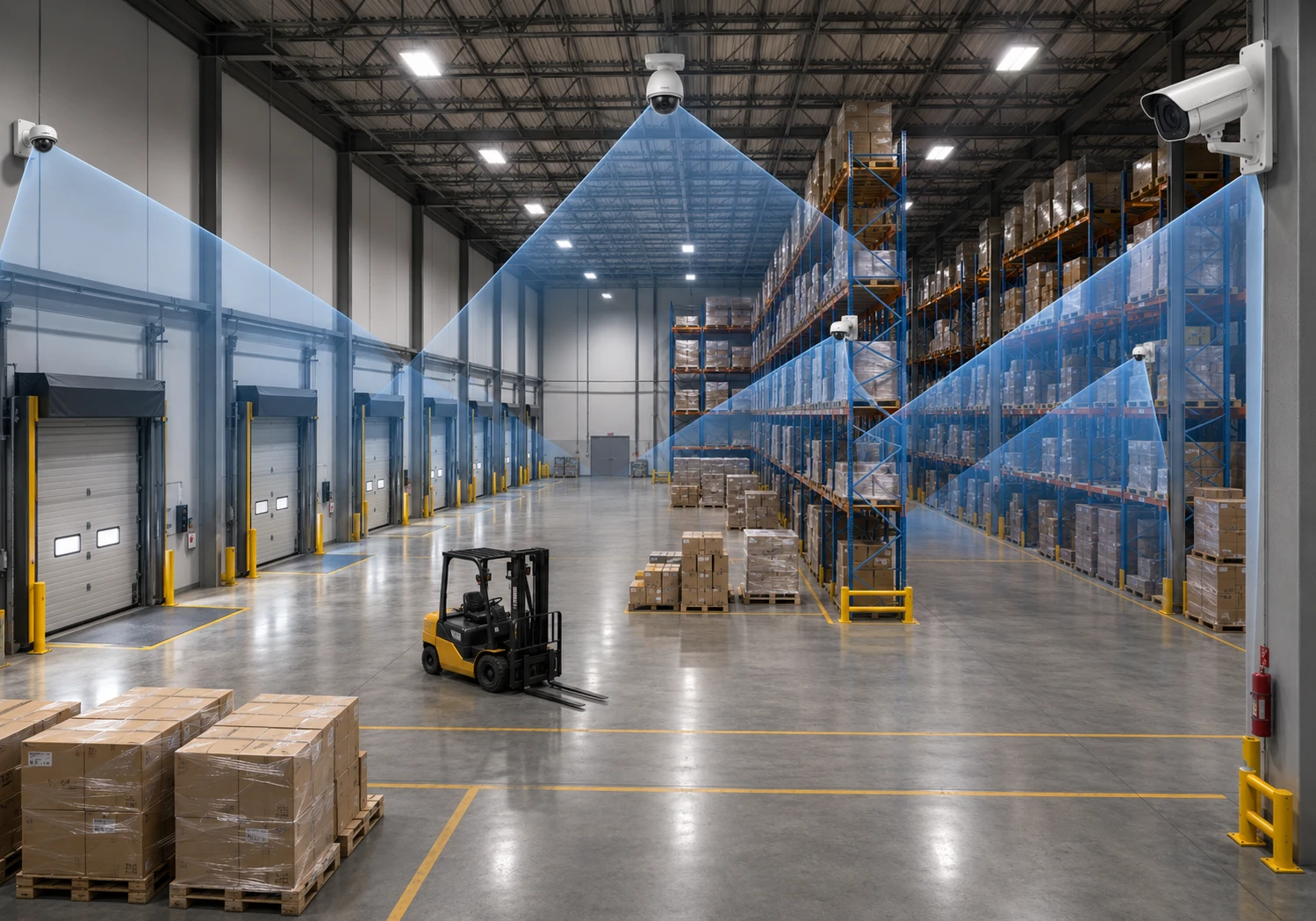
Warehouses are the hardest environment on this list and the one where the dome versus bullet question genuinely matters. You are dealing with ceilings at 25 to 40 ft, racking aisles 100 ft long and 8 ft wide, dock doors where everything of value enters and leaves, and often very poor lighting between shifts.
The mistake almost everyone makes is mounting everything at ceiling height. From 30 ft up, a person is a hat and a pair of shoulders. You get detection and nothing else. The fix is to split the job.
Split the job three ways
- Overview cameras high on the structure or roof steel, wide lens, 20 to 30 PPF. These tell you where to look.
- Aisle cameras mounted on the racking uprights at 10 to 13 ft, not the ceiling. A bullet with a varifocal lens down a long aisle gives usable detail the whole way.
- Choke point cameras at dock doors, the pedestrian door, the cage, the returns bench and the office, at 8 to 10 ft and 60 to 100 PPF. These are the ones that resolve disputes.
Aisles longer than about 65 ft need a second camera partway down, otherwise pixel density at the far end collapses below anything useful.
| Area | Type | Height | Target PPF | Notes |
|---|---|---|---|---|
| Dock door, exterior apron | Bullet | 12 to 16 ft | 30 to 50 | Trailer, driver and load activity |
| Dock door, interior | Dome or turret | 10 to 14 ft | 60 to 80 | What actually goes on and off the truck |
| Racking aisle | Bullet, varifocal | 10 to 13 ft on the upright | 30 to 50 | Second camera if the aisle exceeds 65 ft |
| Open floor and staging | Dome or multi sensor | 20 to 30 ft | 20 to 30 | Situational awareness, not identification |
| High value cage | Dome, tight lens | 9 to 12 ft | 80 to 100 | Who opened it and what they took |
| Returns and repack bench | Dome or turret | 9 to 10 ft | 60 to 80 | Resolves damage and shortage claims |
| Pedestrian entrance | Turret or bullet | 7 to 8 ft | 80 to 100 | Face capture on everyone entering |
| Yard and trailer park | Bullet, plus PTZ | 16 to 25 ft | 20 to 30 | Long infrared range essential |
| Gate | Bullet and dedicated plate camera | 8 to 12 ft | Plate specific | Overview and plate are two different cameras |
| Battery charging area | Dome or turret | 12 to 16 ft | 20 to 30 | Fire risk area, worth recording |
Warehouse cabling reality check
A 100 m Ethernet run does not go far in a building with a 400 ft footprint, and the route follows structure, not straight lines. Large warehouses almost always need intermediate communication rooms with fibre back to the core, and switches sized for the full camera load. Sorting this out at design stage costs a fraction of retrofitting it. Our structured cabling team plans this alongside the camera layout.
Warehouse verdict
Bullets do the heavy lifting: aisles, yard, dock aprons, perimeter. Domes cover interior open floor and choke points. Mount aisle cameras on the racking rather than the ceiling, and never rely on a single high overview camera to do identification work.
Manufacturing and production facilities
In production environments the deciding factor is usually not security at all. It is the atmosphere the camera has to survive: dust, steam, oil mist, washdown chemicals, vibration, extreme temperatures, and in some plants, explosive atmospheres.
Cameras here do double duty. Security is one use, but process monitoring, safety incident review and quality dispute resolution often deliver more day to day value. That changes where you put them.
| Environment | Type | Rating needed | Notes |
|---|---|---|---|
| General plant floor | Dome, turret or bullet | IP66 | Dust and airborne particulate |
| Food and beverage washdown | Stainless dome | IP69K, stainless housing | High pressure hot water and caustic chemicals |
| Wet or high humidity area | Dome | IP67 minimum | Condensation is the usual failure mode |
| Paint booth, solvent or grain handling | Explosion protected | Certified for the hazardous zone | Specialist product, never substitute |
| Foundry, kiln, furnace | Bullet in a cooled housing | High temperature housing | Check the housing rating, not the camera |
| Cold store and freezer | Dome, heated | Rated to the store temperature | Standard cameras fail below their minimum |
| Machine and line monitoring | Turret or compact dome | IP66, vibration tolerant | Mount off the machine to avoid vibration |
| Goods in and goods out | Bullet outside, dome inside | IP66 | Same logic as a warehouse dock |
| Plant perimeter | Bullet | IP66, long range infrared | Often the largest single spend |
Vibration is an underrated failure cause
Cameras bolted to machinery, mezzanine handrails or compressor housings drift out of focus and out of aim, and their mounts loosen. Fix cameras to the building structure wherever possible, and use anti vibration mounts where you cannot.
Production verdict
Select on the environmental rating first and the shape second. Sealed domes handle dust and washdown better because there are fewer joints and no exposed arm. Use bullets outdoors and for long distance interior views along production lines.
Schools, colleges and training campuses
Education sites combine three awkward requirements: high vandalism risk, large numbers of minors with strong privacy protections, and buildings that are busy by day and empty by night.
Vandal resistance dominates the specification. Anywhere a camera can be reached by a student standing on a chair, bench or friend’s shoulders needs an IK10 rated dome. This is the clearest case on this list where dome wins outright.
| Area | Type | Notes |
|---|---|---|
| Main entrance and reception | Turret or bullet at face height | Visitor identification, pairs with sign in |
| Corridors and stairwells | IK10 vandal dome | Reachable, high traffic, vandalism prone |
| Washroom entrances | IK10 vandal dome, corridor side only | Never inside or facing into the room |
| Cafeteria and common areas | IK10 vandal dome | Wide coverage, incident review |
| Gym and change room approach | IK10 vandal dome | Approach only, never inside |
| Computer and equipment rooms | Dome or turret, out of reach only | Device theft is the main claim |
| Playground and field | Bullet | Distance coverage, weather resistant |
| Parking and bus loop | Bullet | Pick up and drop off, after hours activity |
| Perimeter and roof access | Bullet | Night time break in and roof damage |
| Portables and outbuildings | Bullet or vandal dome | Often the weakest point on a campus |
Cameras and minors
Provincial education privacy rules and school board policy usually go beyond general privacy law. Involve the board or the school’s privacy officer before design, agree retention periods in writing, and document who can view footage. Retrofitting a policy after installation is far harder than agreeing one first.
Education verdict
IK10 vandal domes for everything reachable indoors, bullets for grounds, fields, perimeter and parking. Budget for the vandal rating rather than treating it as an upgrade, because replacing smashed cameras twice costs more than specifying properly once.
Banks, credit unions and financial branches
Financial sites are the most heavily specified environment here. Requirements come from insurers, regulators and internal audit, and they are usually written down. Get a copy before designing anything.
Face capture is the whole game. Every person entering must be identifiable, every teller position covered, and ATM activity recorded to a defined standard. Retention is typically 30 to 90 days rather than the 14 to 30 days common elsewhere, which has a direct effect on storage sizing.
| Area | Type | Target PPF | Notes |
|---|---|---|---|
| Entry door, facing in | Bullet or turret at face height | 100 | Every entrant identifiable, no exceptions |
| Teller line, customer side | Dome, tight lens | 80 to 100 | One camera per teller position |
| Teller line, staff side | Dome | 60 to 80 | Cash handling and drawer activity |
| ATM, customer face | Compact dome in the fascia | 80 to 100 | Records everyone using the machine |
| ATM surround | Dome or bullet | 40 to 60 | Approach, queue and skimming attempts |
| Vault and safe deposit | Dome or turret | 60 to 80 | Dual control procedures on camera |
| Cash counting room | Dome, tight lens | 80 to 100 | Usually mandated by the insurer |
| Safe deposit viewing room | Dome at the door only | 40 to 60 | Entry and exit, never the room interior |
| Meeting and advisory rooms | None | — | Confidential financial discussion |
| Exterior and parking | Bullet | 20 to 40 | Approach, vehicles and night activity |
| Night deposit | Bullet with infrared | 60 to 80 | After hours, low light, high risk |
Banking verdict
Overwhelmingly domes, for discretion, tamper resistance and the tight lens work that face capture needs. Bullets only outside and at the night deposit. Confirm your insurer’s written specification before finalising, because it may set camera counts, resolution and retention for you.
Other business types at a glance
| Business type | Lean towards | The deciding factor |
|---|---|---|
| Medical and dental clinic | Domes and turrets | Patient privacy, waiting and drug storage only |
| Restaurant and bar | Domes inside, bullets outside | Till, kitchen door, patio and grease resistant housings |
| Hotel | Domes | Guest privacy, corridors and public areas only |
| Car dealership | Bullets and PTZ | Large outdoor lot, vehicle theft and damage |
| Self storage | Bullets in drive aisles, domes in corridors | Long runs and unattended access |
| Gym and fitness | Domes | Change room approaches only, member disputes |
| Construction site | Bullets, often on solar towers | Temporary power and network, theft of tools and copper |
| Cannabis retail and production | Domes, high count | Licence conditions set camera counts and retention |
| Multi tenant commercial building | Domes in common areas, bullets outside | Clear boundaries between landlord and tenant areas |
| Auto repair shop | Domes inside, bullets on the lot | Damage claims, parts storage, customer vehicles |
Where a turret is the better call, by sector
The sector plans above name a camera type for every position. This table pulls out the specific places in each environment where a turret beats a dome, and the places where it must not be substituted.
| Sector | Use a turret here | Never substitute a turret here |
|---|---|---|
| Retail | Stockroom, receiving, rear exit, staff corridor, office | Sales floor and till, where discretion matters to customers |
| Office | Corridors, asset stores, comms rooms, courier doors | Reception, where a dome suits the finish better |
| Warehouse | Dock interior, returns bench, battery charging, staff routes | Racking aisles, which need a bullet for reach |
| Manufacturing | Line and machine monitoring, general plant floor | Washdown zones and hazardous areas, which need sealed or certified housings |
| Education | Server rooms, equipment stores, anywhere genuinely out of reach | Corridors, stairwells, cafeterias, washroom approaches, all IK10 dome |
| Banking | Vault area, back office, staff corridors | Teller line, ATM fascia and cash counting, all dome |
| Clinics | Back of house, dispensary approach, staff areas | Waiting rooms, where a dome is less intrusive to patients |
| Self storage | Corridors and lift lobbies out of reach | Anywhere a customer can reach it unsupervised |
| Hospitality | Service corridors, stores, kitchens back of house | Guest corridors and lobbies, where domes suit the finish |
| Auto repair | Workshop bays, parts store | Customer waiting area |
The pattern across every sector
Turrets belong in back of house, out of reach, and anywhere night footage matters more than appearance. Domes belong in customer facing space and anywhere a person could touch the camera. Bullets belong outdoors and at distance. Almost every commercial building has room for all three.
IP and IK ratings explained
Two ratings appear on every commercial camera datasheet and they measure completely different things. Suppliers sometimes quote one and stay quiet about the other.
IP rating: sealing against dust and water
Two digits. The first is dust, the second is water. Higher is better on both.
| Rating | Protection | Suitable for |
|---|---|---|
| IP42 | Limited, indoor only | Clean, dry, conditioned interiors |
| IP65 | Dust tight, low pressure water jets | Sheltered exterior, covered docks |
| IP66 | Dust tight, strong water jets | The commercial outdoor baseline in Canada |
| IP67 | Dust tight, temporary immersion | Exposed sites, heavy weather, wet interiors |
| IP68 | Dust tight, continuous immersion | Flood prone and submerged positions |
| IP69K | High pressure, high temperature washdown | Food processing, pharmaceutical, abattoir |
For outdoor use anywhere in Canada, treat IP66 as the minimum and IP67 as the sensible choice on exposed elevations. Freeze and thaw cycling drives moisture past marginal seals in a way a milder climate never would.
IK rating: resistance to impact
IK measures how much of a hit the housing survives, in joules.
| Rating | Impact energy | Roughly equivalent to | Use where |
|---|---|---|---|
| IK07 | 2 joules | A knock from a passing trolley | Low risk interiors |
| IK08 | 5 joules | A firm blow with a hand tool | General commercial interiors |
| IK09 | 10 joules | A deliberate strike | Semi public areas |
| IK10 | 20 joules, a 5 kg mass from 40 cm | A sustained deliberate attack | Schools, transit, parking, any public access |
The simple rule
If someone standing on the floor, or on a chair, can reach the camera, specify IK10. If they cannot, save the money and put it into a better lens. Almost every IK10 camera on the market is a dome, which is the main reason domes dominate schools, transit sites and parking structures.
Mounting heights and placement
Placement decides whether a camera produces evidence or just footage. The most expensive camera in the building is worthless if it is looking at the top of everyone’s head.
| Purpose | Height | Angle | Why |
|---|---|---|---|
| Facial identification | 7 to 8 ft | 10 to 15 degrees down | Roughly face height, sees features not scalp |
| General indoor coverage | 9 to 12 ft | 15 to 30 degrees down | Balances area covered against detail |
| Retail floor overview | 10 to 14 ft | 30 to 45 degrees down | Wide coverage, above reach |
| Warehouse aisle | 10 to 13 ft on the racking | Near level along the aisle | Keeps pixel density down the full run |
| Warehouse overview | 20 to 30 ft | 45 degrees down | Situational awareness only |
| Outdoor perimeter | 12 to 16 ft | 15 to 30 degrees down | Above reach, below the birds |
| Parking and yard | 16 to 25 ft | 20 to 30 degrees down | Coverage across a wide open area |
| Licence plate capture | 4 to 8 ft | Under 30 degrees off the plate | Steep angles make plates unreadable |
The single most common placement error
Mounting the identification camera at ceiling height. From 12 ft up, you record the top of a hat. Police and courts need facial features. Put at least one camera at every main entrance at 7 to 8 ft, angled slightly down, aimed at people coming in. If you only get one thing right in a camera system, make it this.
Lighting matters as much as the camera
- Never point a camera straight at a window, a glass entrance or the low winter sun. Backlight turns everyone into a silhouette, and wide dynamic range only partly rescues it.
- A modest improvement to site lighting usually beats a camera upgrade, and costs less.
- Infrared produces monochrome images. If clothing or vehicle colour matters to you, provide white light instead.
- Sodium and some LED car park lighting distorts colour badly. Check what the camera actually sees at night before signing off.
Cabling, power and network
This is where commercial camera projects quietly go wrong, and it is the part a camera brochure will never mention. Cameras are the visible end of an infrastructure job.
The cable
- Cat6 solid copper is the practical minimum for new commercial camera cabling. Cat6A is the better choice where runs are long or PoE loading is high, because heavier conductors mean less voltage drop and less heat.
- Never accept copper clad aluminium. It has far higher resistance, fails the conductor requirements in ANSI/TIA-568, and causes cameras that boot fine on the bench and fail at the end of a long run.
- 100 m is the hard limit for an Ethernet channel, and that is the routed length including drops and service loops, not the distance on the drawing.
- Outdoor and underground runs need cable rated for the environment, plus surge protection where a run leaves the building.
The power
Most commercial cameras run on Power over Ethernet, so the switch has to have the budget for them. A fixed dome might draw 6 to 9 W, while a heated PTZ can draw 50 to 70 W and needs 802.3bt. Add up the whole load, add the power lost in the cable, and leave 20 to 30 percent spare.
Our PoE power calculator does that arithmetic, including the voltage drop on long runs, which is the figure that catches most people out on a warehouse or campus site.
| Camera type | Typical draw | PoE standard | Cable |
|---|---|---|---|
| Fixed dome or turret, indoor | 4 to 9 W | 802.3af | Cat6 |
| Fixed bullet with infrared | 8 to 14 W | 802.3af | Cat6 |
| Multi sensor camera | 15 to 25 W | 802.3at | Cat6 or Cat6A |
| PTZ, indoor | 20 to 30 W | 802.3at | Cat6A |
| PTZ, outdoor with heater | 50 to 70 W | 802.3bt | Cat6A |
| Camera with illuminator | 25 to 45 W | 802.3at or bt | Cat6A |
Storage and retention
Storage is driven by camera count, resolution, frame rate, compression and how long you keep footage. As a rough planning figure, a 4MP camera recording continuously at 15 fps with H.265 uses somewhere around 15 to 25 GB per day. Multiply by cameras and by retention days, then add headroom.
| Sector | Common retention | Driven by |
|---|---|---|
| Small retail and office | 14 to 30 days | Practical incident discovery time |
| Warehouse and distribution | 30 to 60 days | Shipping disputes surface late |
| Manufacturing | 30 to 90 days | Quality claims and safety investigations |
| Education | 30 days typical | Board policy, often capped deliberately |
| Banking and finance | 30 to 90 days | Regulator and insurer requirements |
| Cannabis and licensed premises | Set by licence | Licence conditions, non negotiable |
The cabling decides whether the cameras work
Cablify installs and certifies the structured cabling that commercial camera systems depend on, and delivers the test reports to prove every run performs. We handle Cat6 and Cat6A, fibre between buildings, PoE switch sizing, pathways, terminations and camera installation as one project rather than three trades blaming each other.
What actually drives the cost
Camera hardware is usually the smallest line on a commercial quote. Understanding where the money really goes makes it much easier to compare proposals that look wildly different.
| Cost driver | Impact | Where you can save |
|---|---|---|
| Cable runs and labour | Often the largest single item | Group cameras to shorten runs, use existing pathways |
| Pathway and containment | High in finished or hard ceiling space | Coordinate with other trades during a fit out |
| Camera hardware | Moderate, and the most visible line | Right sizing resolution to the scene, not buying 4K everywhere |
| Recording and storage | Scales with retention and resolution | Trim retention, use motion recording on low risk cameras |
| Network switches and PoE | Moderate | Size once for the final camera count, not the phase one count |
| Licensing | Recurring, easy to overlook | Compare per camera licence models carefully |
| Lifts and access equipment | Significant in high bay space | Do all high level work in one visit |
| Working out of hours | Premium labour rates | Schedule during shutdowns where possible |
| Maintenance and cleaning | Ongoing | Specify positions that can be reached safely |
Phase the project, but cable it once
If budget forces a phased rollout, install the full cabling in phase one and add cameras later. Pulling cable into an occupied building a second time costs far more than doing it while the ceilings are already open.
Canadian privacy rules you need to follow
Commercial video surveillance in Canada sits under PIPEDA federally, with equivalent private sector legislation in British Columbia, Alberta and Quebec. The Office of the Privacy Commissioner publishes guidelines for overt surveillance by private organisations, and they are short and readable. This is a summary, not legal advice, and you should confirm your own obligations.
What the guidelines expect
- Consider whether a less intrusive measure would solve the problem before installing cameras at all
- Establish and document a genuine business reason, and use the system only for that reason
- Write a video surveillance policy covering purpose, camera locations, retention, who can view footage and who is accountable
- Limit the viewing range so cameras capture as little unrelated activity as possible
- Post clear signage before people enter the premises, with a contact for questions
- Store recordings securely, restrict access, and destroy them once they are no longer needed
- Give individuals access to footage of themselves, with other people masked
- Train whoever operates the system on their obligations
- Review periodically whether the surveillance is still necessary
Where cameras must not go
| Location | Position |
|---|---|
| Washrooms and change rooms | Never Not the interior, under any circumstances |
| Locker rooms and shower areas | Never Approach corridor only |
| Staff break and rest areas | Avoid Very difficult to justify |
| Medical treatment rooms | Never Reception and corridor only |
| Aimed into neighbouring property or windows | Never Mask the view if unavoidable |
| Public sidewalk beyond your frontage | Avoid Limit the field of view to your property |
| Entrances, tills, docks, stockrooms | Fine With signage and a documented purpose |
| Perimeter, parking, yard | Fine Keep the view on your own land |
Audio is a separate legal question
Recording sound engages Criminal Code provisions on intercepting private communications, which are stricter than the rules on images. Most commercial systems should leave audio recording switched off unless there is a specific documented need and you have taken advice.
Employee monitoring is treated differently
The OPC’s overt surveillance guidelines cover the public in publicly accessible areas, not employee surveillance, which is governed separately and more strictly. Ontario employers above a size threshold must also have a written electronic monitoring policy. Tell staff what is recorded and why before the system goes live, not after.
Common mistakes and how to avoid them
| Mistake | What it costs you | The fix |
|---|---|---|
| Mounting identification cameras at ceiling height | Footage of hats, useless to police | One camera at 7 to 8 ft at every main entrance |
| Choosing 4K everywhere instead of right sizing | Storage and bandwidth cost with no detail gain | Work backwards from the PPF you need |
| Domes outdoors on long runs | Weak infrared, washed out night footage | Bullets outdoors, domes and turrets indoors |
| Non vandal cameras within reach | Repeated replacement and downtime | IK10 anywhere reachable from the floor |
| Using copper clad aluminium cable | Voltage drop, cameras that will not power up | Solid copper Cat6 or Cat6A, verified on delivery |
| Undersized PoE switch budget | Cameras drop off as the system grows | Calculate the full load with headroom |
| Ignoring backlight at entrances | Silhouettes instead of faces | Reposition, or add front lighting |
| No signage | Privacy complaint, evidence challenged | Clear signs before the entry point |
| Retention too short | Footage gone before the incident is discovered | Match retention to how late problems surface |
| Nobody owns the system | Failed cameras unnoticed for months | Assign an owner and check recordings monthly |
| Cameras on the office network with default passwords | Serious breach exposure | Separate VLAN, changed credentials, patched firmware |
| No UPS on the recorder and switch | Nothing recorded during an outage | Size the UPS for the recorder, switch and PoE load |
How to choose: a practical checklist
Write down what each camera is for
Deterrent, detection, recognition or identification. A camera without a stated job will end up in the wrong place at the wrong resolution.
Measure the scene, not the room
How wide is the area each camera must cover? That number plus the PPF table above tells you the resolution and lens you need.
Decide indoor or outdoor, sheltered or exposed
Sets the IP rating. IP66 is the outdoor baseline in Canada, IP67 on exposed elevations.
Check whether it can be reached
If someone on the floor or a chair can touch it, specify an IK10 vandal dome.
Check the distance and the darkness
Beyond about 25 m at night, you want a bullet with a long infrared range or supplementary lighting.
Decide whether you want it noticed
Visible bullets deter. Discreet domes observe. Both are valid, and most sites want some of each.
Confirm the mounting height for the job
Identification at 7 to 8 ft. Overview higher. Never expect one camera to do both.
Plan the cabling and PoE load
Routed lengths under 100 m, solid copper Cat6 or Cat6A, switch budget with 20 to 30 percent spare.
Size storage against real retention
Work out how long it typically takes your business to discover an incident, then keep footage longer than that.
Write the privacy policy and put up signage
Do this before go live. It is much harder to retrofit than to plan.
Secure the system
Separate VLAN, no default credentials, firmware patching, restricted viewing access, logged exports.
Assign an owner and review it
Someone should confirm monthly that every camera is recording, aimed correctly and clean.
Get a camera layout designed for your building
Cablify designs, installs and certifies commercial security camera systems and the structured cabling behind them across Toronto, Mississauga, Brampton, Hamilton, Vaughan, Kitchener Waterloo and the wider GTA. We work with retail, offices, warehouses, manufacturing plants, schools and financial branches.
Send us a floor plan and a short description of what you need to protect. We will come back with camera positions, types, lens selection, cabling routes and switch sizing, so you can compare quotes on equal terms.
Contact us for a site assessment
Security camera installation
Frequently asked questions
Which is better for business, dome or bullet cameras?
Neither, on its own. Domes suit indoor areas, public facing space and anywhere vandalism is a risk. Bullets suit outdoor perimeters, long distances and positions where a visible deterrent helps. Most commercial buildings use both, and the split is usually domes inside and bullets outside.
Are dome cameras better indoors?
Generally yes. They cover a wide area from a ceiling mount, stay discreet in customer facing space, and offer the best choice of vandal resistant models. The exception is your main entrance, where a wall mounted bullet or turret at face height captures identifiable faces that a ceiling dome cannot.
Do bullet cameras deter crime better than domes?
They are more visible, so they signal that a site is monitored. That visibility cuts both ways, because an obvious camera also shows where it is pointing and therefore where it is not. A common approach is visible bullets on the perimeter for deterrence and discreet domes inside for coverage.
What is a turret camera and should I consider one?
A turret, or eyeball camera, is a ball in a socket with no cover over the lens. Because the infrared LEDs are not behind a bubble, it avoids the internal reflection that makes dome night footage look hazy. For most indoor and sheltered outdoor positions it is worth asking about, and it often costs about the same as a dome.
Can dome cameras be used outdoors?
Yes, provided they are rated IP66 or better. The practical issues are that dome infrared range is shorter than a bullet’s, snow and dirt settle on the cover, and the cover needs cleaning to keep night footage usable. For exposed outdoor positions beyond about 25 m, a bullet is usually the better tool.
What camera resolution does my business need?
Work backwards from the scene rather than picking a megapixel number. Divide the camera’s horizontal pixels by the width of the area in feet to get pixels per foot. Aim for 80 to 100 PPF where you need to identify a face, 40 to 60 to recognise a known person, and 20 to 30 for general detection. A 1080p camera on a narrow doorway will out-perform a 4K camera watching a wide yard.
How far can a security camera see at night?
It depends on the infrared array, not the sensor. Domes typically reach 20 to 30 m, bullets 30 to 80 m, and specialist long range models further. Remember that infrared gives you a monochrome image, so if clothing or vehicle colour matters, provide white light instead.
What is IK10 and does my business need it?
IK10 is the highest impact rating, equivalent to a 5 kg mass dropped from 40 cm, or a sustained deliberate blow. Specify it anywhere a person standing on the floor or on a chair can reach the camera. Schools, parking structures, transit areas and public corridors should be IK10 as standard. Almost all IK10 cameras are domes.
Which cameras are best for a warehouse?
Split the job. Bullets with varifocal lenses down the racking aisles, mounted on the rack uprights at 10 to 13 ft rather than the ceiling. Domes or multi sensor cameras high up for open floor overview. Higher resolution cameras at choke points such as dock doors, the cage and the pedestrian entrance. Aisles longer than about 65 ft need a second camera partway down.
What cable do I need for commercial security cameras?
Solid copper Cat6 as a minimum, Cat6A where runs are long or PoE loading is high. Never use copper clad aluminium, which has far higher resistance and causes cameras that will not power up reliably. Keep routed lengths under 100 m and add surge protection where a run leaves the building.
How long should a business keep camera footage?
Long enough to cover how late incidents typically surface in your business. Small retail and offices commonly keep 14 to 30 days, warehouses 30 to 60 because shipping disputes appear late, and banking 30 to 90 driven by regulators and insurers. Some licensed premises have retention set by their licence.
Do I have to tell employees about workplace cameras in Canada?
Yes. Canadian privacy law expects transparency, and employee monitoring is treated more strictly than general public surveillance. Tell staff what is recorded, where and why before the system goes live, document it in a policy, and keep cameras out of washrooms, change rooms and rest areas. Ontario employers above a size threshold must also have a written electronic monitoring policy.
Do I need signs saying cameras are in use?
Yes. Privacy guidance expects a clear, understandable notice before people enter the premises, so they can choose not to enter. Signs should include a contact point for anyone with questions or who wants access to footage of themselves.
Are wireless cameras a good idea for a business?
Rarely, as the main system. Wireless links add points of failure, are affected by interference and racking, and still need power at the camera. They make sense for temporary sites, heritage buildings and places where cable genuinely cannot be run. For anything permanent, wired PoE is more reliable and usually cheaper over the life of the system.
How many cameras does my business actually need?
Count the jobs, not the rooms. Every entrance and exit, every till or cash handling point, every dock door, every high value storage area, and enough overview cameras to follow someone between those points. That method usually gives a smaller and more effective count than trying to cover every square metre.
Note: Camera specifications vary by manufacturer and model, and the figures here are typical commercial ranges rather than guarantees. The privacy summary is general information for Canadian commercial sites and is not legal advice. Confirm your own obligations under PIPEDA or the applicable provincial legislation, and check any insurer, regulator or licence requirements that apply to your premises.