
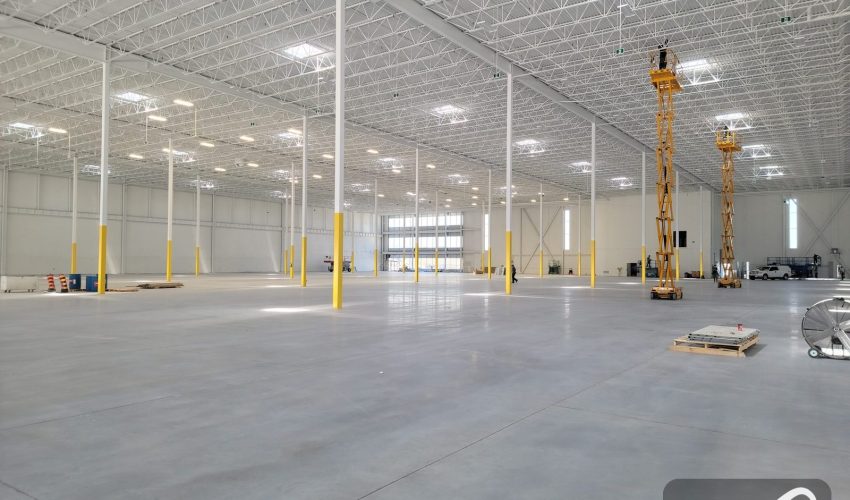
Most warehouse network problems start on the drawings, long before anyone pulls a cable. An IDF ends up where a forklift can hit it. Cameras on the back wall end up 100 m of copper from the nearest switch. The fiber gets daisy-chained from one IDF to the next, and one cut takes out half the building.
This guide to warehouse network design is for owners, operations managers and IT leads planning a new or expanded warehouse. It covers how many IDFs you need, where to put them around the racking, whether to mount them high or on a wall, how to connect them to the MDF, which fiber to run and how to route it safely. The examples come from the distribution buildings we cable across Mississauga, Brampton, Vaughan, Bolton and Milton, and the rules apply to any high-bay warehouse.
Start with the building, not the network
Before anyone marks an IDF on a drawing, collect the information that decides where cable can and cannot go. Most of it already exists in the architect’s or landlord’s drawings.
- Racking layout, current and planned. Rack heights, aisle widths, very narrow aisles, flow racks and which way the rows run.
- Building structure. Column grid, clear height, roof joists and deck, mezzanines, and any fire separation between the office and the warehouse.
- Sprinkler type. ESFR or standard spray, and where the mains and branch lines run.
- Doors and special rooms. Dock doors, freezers and coolers, battery charging rooms, electrical rooms and where the carrier’s service comes in.
- Devices. A count and rough location for access points, cameras, door readers, printers, packing stations, time clocks, paging speakers, dock equipment and any automation.
- Operations. When lifts can work in each area, peak-season freezes, and who signs off on aisle closures.
The device list matters more than the floor area. A 200,000 sq ft cross-dock with cameras at every door needs a different network from a 200,000 sq ft cold store with a handful of access points. And if the racking is not in yet, you are in the best position you will ever be in: a lift can reach anywhere, tray goes up quickly, and IDF locations can be picked without working around stock.
How many IDFs a warehouse needs
The number of IDFs comes from one rule. No copper cable from an IDF to a device can be longer than 90 m. That is the permanent link limit in the TIA-568 cabling standards; the 100 m figure people often quote includes the patch cords at each end.
The 90 m is measured along the cable, not across the floor plan, and in a warehouse that makes a big difference:
- Cable follows the trays. Trays run along the aisles at right angles, so a device 60 m away on the diagonal can be 85 m away by tray.
- Height costs metres. Climbing from a wall-mounted IDF to a tray at 11 m uses about 10 m before the cable goes anywhere.
- Slack is part of the run. Service loops at both ends and the route around columns add several metres.
Plan each run to about 80 m on paper and keep the rest as margin. Racking gets moved and devices get relocated, and a run that was 88 m on opening day is often past 90 m after the first reconfiguration.
A practical zone per IDF
With runs going along the aisles and then up or down, an IDF in the middle of its area reaches about 75 m along the trays in each direction. That gives each IDF a zone of roughly 75 m by 75 m, or about 60,000 sq ft (5,600 m²). The MDF in the office covers the office and usually part of the warehouse next to it.
| Warehouse size | Typical IDFs, plus the MDF | Notes |
|---|---|---|
| 50,000 sq ft (4,600 m²) | 0 to 1 | Often covered from the office MDF if the office is central; one IDF if it sits at one end. |
| 100,000 sq ft (9,300 m²) | 1 to 2 | Cameras on the back wall are usually past 90 m from a front office. |
| 250,000 sq ft (23,000 m²) | 3 to 4 | One IDF per quarter of the floor, adjusted for where the office sits. |
| 500,000 sq ft (46,000 m²) | 6 to 8 | Longest backbone runs reach about 250 m; see the worked example below. |
| 1,000,000 sq ft (93,000 m²) | 12 to 16 | Single-mode backbone, and a second distribution point near the middle is worth considering. |
These are starting points. The final count comes from measuring the real routes to the devices on the drawings, zone by zone. On a large Vaughan warehouse we cabled, that process landed on one MDF and four IDFs linked by fiber, installed over six months while the building kept shipping. The Vaughan warehouse case study shows how the frames were placed.
Where to put each IDF
Once you know roughly how many IDFs you need, the exact spot for each one comes down to a handful of rules. We check every proposed location against this list.
- In the middle of its zone, in cable terms. Put it where the tray routes to its farthest devices are shortest, not at the geometric centre of a rectangle.
- Over an aisle a lift can reach. An IDF above a rack row cannot be serviced without moving stock. Main cross-aisles, aisle ends and the perimeter wall are the usual spots.
- On the tray spine. Fiber should arrive along the main tray, and branch trays should leave toward the devices.
- Near power. Each IDF needs a dedicated circuit, so a nearby panel saves money. That work is done by a licensed electrical contractor.
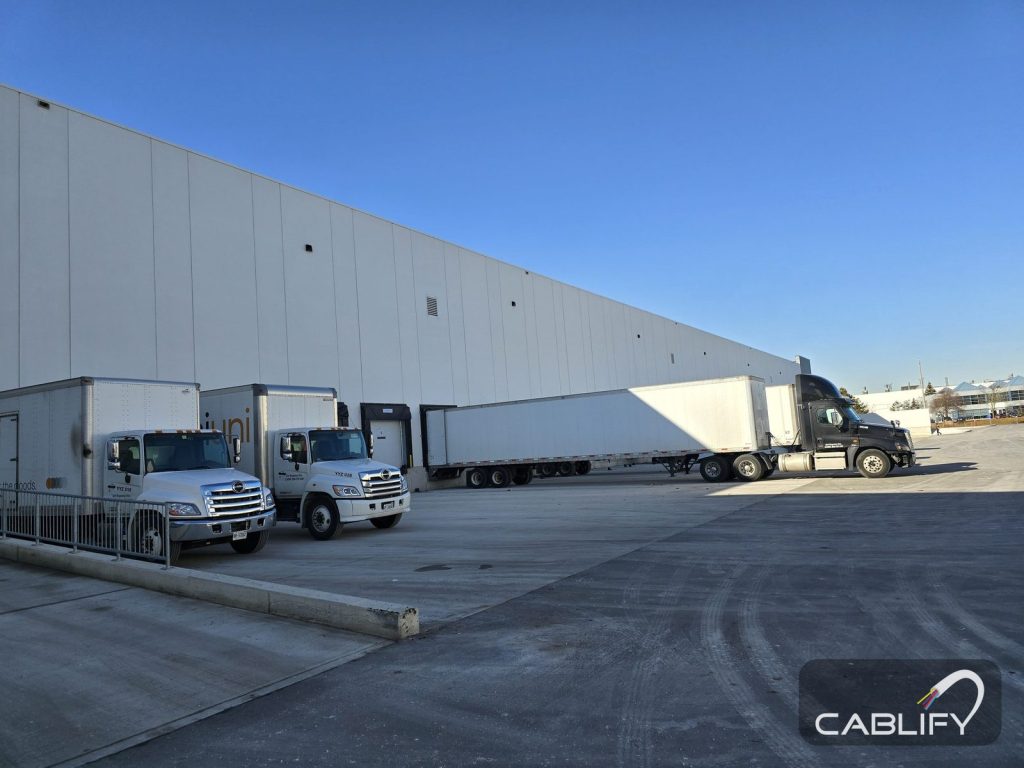
- Away from dock doors. Doors let in cold, wet air, dust and exhaust, and the heaviest pallet traffic is right there.
- Away from heat and water. Keep clear of unit heaters, skylights, roof drains and any part of the roof that has leaked before.
- Out of rooms with their own hazards, such as freezers and battery charging rooms.
- Clear of sprinkler heads, and coordinated so nothing blocks their spray.
- Where the racking plan will not grow into it. Ask what the layout looks like in five years, not just on opening day.
Should a warehouse IDF be mounted high or on a wall?
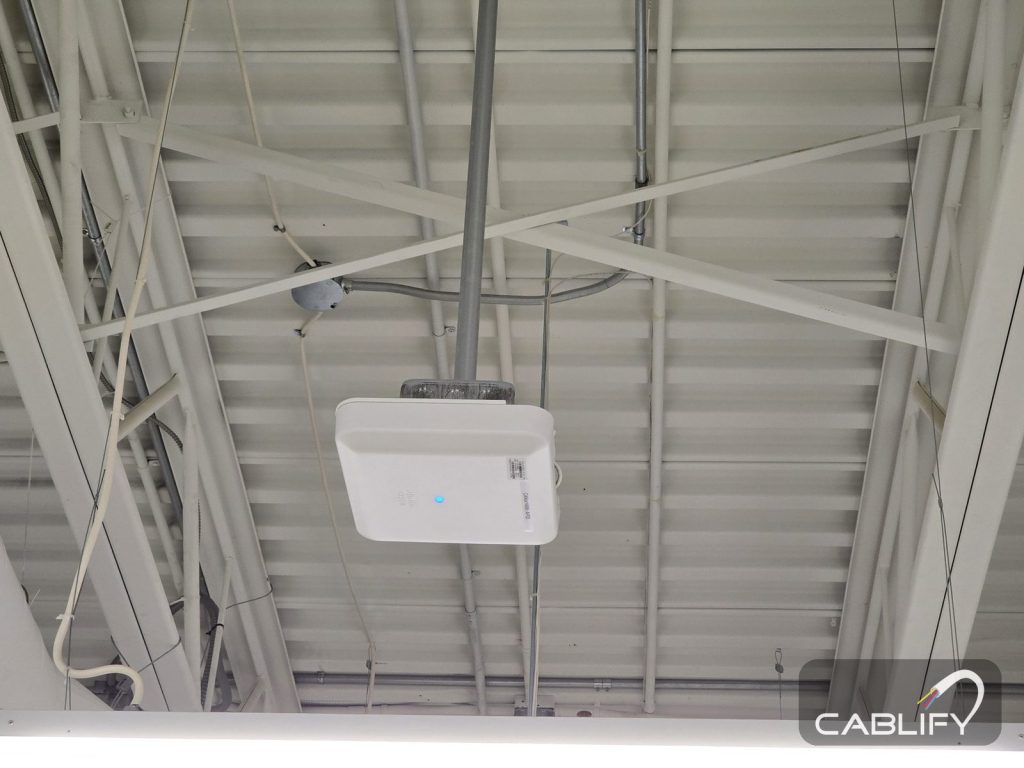
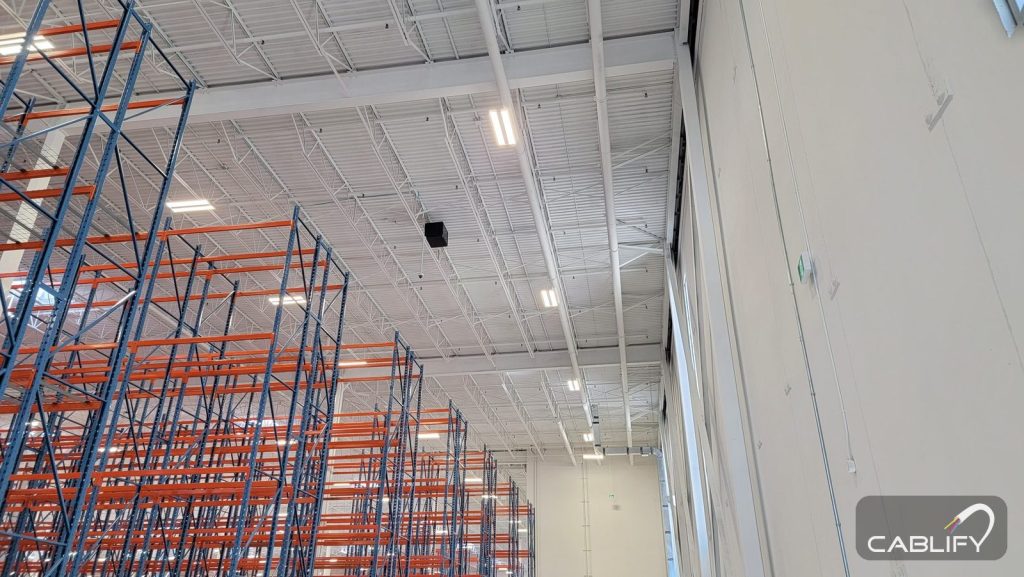
In a high-bay warehouse our default is to mount the IDF high: hung from the roof structure, or fixed high on a column or wall, above an aisle and well out of forklift reach. When access, heat or the building owner rules that out, the IDF goes on a wall or column at working height, or up on a mezzanine.
Why high usually wins
- The devices are up there. Access points, cameras, paging speakers and many sensors sit at 8 to 11 m. An IDF near the tray saves about 7 to 8 m of climbing on every run to them, which can be the difference between one IDF and two.
- Nothing on the floor can hit it. Forklifts, reach trucks and pallet jacks never get near it.
- It is hard to tamper with. A box 8 m up does not get unplugged by someone looking for a socket.
- It takes no floor space, which in a warehouse is always spoken for.
What high mounting costs you
- A lift for every visit. Someone trained has to bring a lift, and the aisle below has to close while it is up.
- Heat. Air near the roof runs warmer than at the floor, and the inside of a closed enclosure runs warmer again. Many commercial switches, Cisco’s Catalyst 9300 among them, are rated to 45 °C. In an uncooled building in July, check the numbers before you hang the box.
- Cold. In an unheated building the problem flips in winter. The same Catalyst 9300 data sheet lists 0 °C as the minimum temperature for a cold start.
- Weight. A UPS full of batteries is heavy, and roof joists often have little spare capacity. Get the landlord’s or a structural engineer’s approval before hanging anything from the roof structure.
| Mounting option | Best for | Watch out for |
|---|---|---|
| Hung from the roof structure over an aisle | High-bay buildings where a lift can reach the aisle and most devices are near the roof | Lift for every visit, summer heat, load approval, sprinkler clearance |
| High on a column or perimeter wall | The same buildings when the roof structure cannot take hung loads | Still needs a lift; the drop down the column needs protection |
| On a wall or column at working height | Narrow-aisle or automated areas a lift cannot enter, and IDFs that are patched often | Bollards or guard rails, dust, tampering, longer runs to ceiling devices |
| On a mezzanine or in a small room | Buildings with a mezzanine near the middle of the zone | Fire rating and access to the mezzanine; distance from the zone centre |
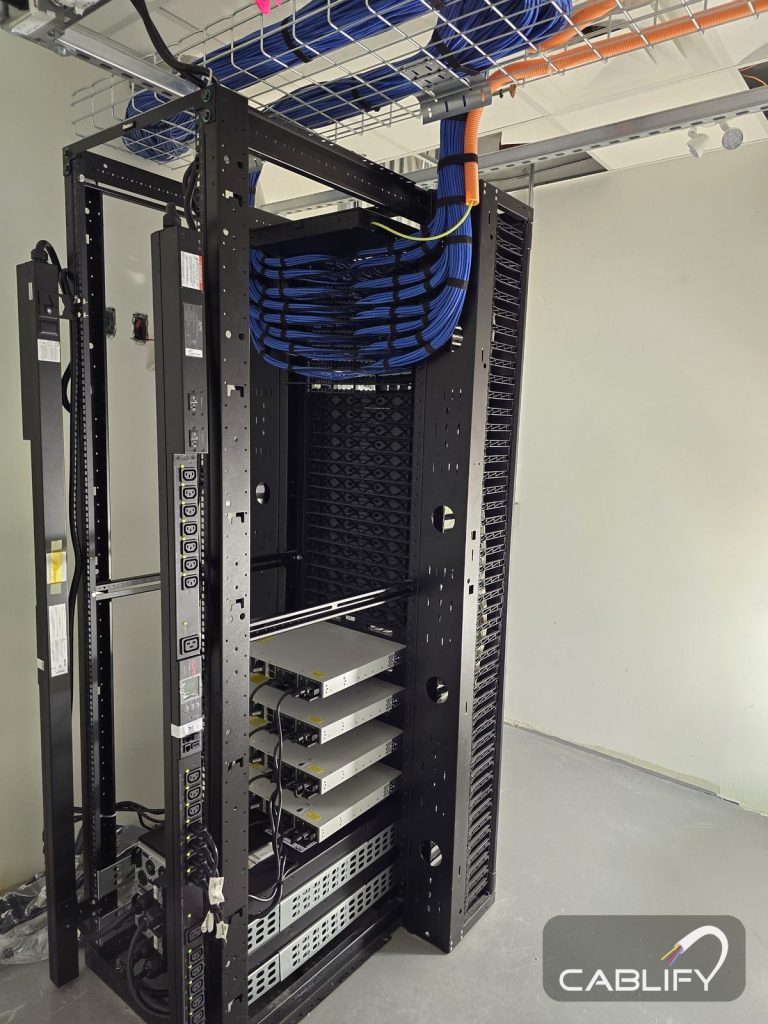
Purpose-made overhead IDF enclosures exist for exactly this job. They hang from the building structure on threaded rod and come with fans and filters. Whatever you mount, use a sealed, lockable enclosure rather than an open rack.
When the IDF should go on the wall instead
Go low when a lift cannot reach the high spot: very narrow aisles served by guided trucks, automated storage, or aisles that can never close. Go low when the IDF will be patched often, for example where IT moves devices every season. And go low when the owner will not allow hung loads. When you do, fix the enclosure to a wall or column clear of traffic, put bollards or a guard rail in front of it, and feed it from the tray through conduit.
Where the MDF goes
The MDF holds the internet service, firewall, core switches, servers or video recorders, and the fiber panels that every IDF runs back to. In most GTA warehouses it belongs in the office area, in a proper room rather than a closet:
- Near where the carrier’s service enters the building, so the demarc extension is short.
- Inside the heated and cooled office, not out on the warehouse floor.
- On the tray spine, so backbone cables head straight out to the warehouse trays.
- In a room you can lock, with its own cooling and UPS and, for 24/7 sites, generator power.
If there is no real office, the MDF can be a locked room on a mezzanine or a cage in a conditioned area. If the office sits at one end of a very long building, the farthest IDFs can end up past multimode distances. Either run single-mode fiber or add a second distribution point near the middle of the building, which the standards call an intermediate cross-connect. TIA allows one level like this between the MDF and the IDFs, and no more. Our MDF vs IDF guide covers room sizes and requirements.
Star, ring or daisy chain: which topology to use
Our recommendation is simple. Cable the building as a star, then add a second path to the IDFs that cannot go down.
Star: the default
Each IDF gets its own fiber cable back to the MDF. This is the hierarchical star that structured cabling standards are built around, and it suits a warehouse well. A cut cable or a failed switch affects one zone. Each IDF gets its own full uplink. Adding an IDF later means one more cable from the MDF, without touching the others.
A physical star does not lock you into one logical design either. Because every strand comes back to the MDF fiber panel, a ring or any other layout can be patched together there later.
Daisy chain: avoid it
Daisy-chaining IDF to IDF saves a little fiber and costs a lot of resilience. Every IDF depends on every link between it and the MDF, all the traffic from the far end crosses every switch on the way, and one forklift strike near the office can take out the whole floor. If you inherit one, the fix is usually to pull new home runs along the existing trays.
Ring: for automation and special cases
A ring links the IDFs in a loop so traffic can go either way around. With switches that run a fast ring protocol, such as ERPS (ITU-T G.8032), a single cut heals in a fraction of a second. Rings are common in conveyor, sortation and other control networks, where the integrator specifies them. For the main warehouse network they add configuration work, every IDF shares the capacity of the loop, and a second cut splits the ring in two. We rarely recommend a ring as the main design for a distribution centre.
Star with a second path: for 24/7 operations
Where an hour of downtime stops trucks, give each critical IDF a second fiber cable on a physically different route, ideally to a second core switch in the MDF. Run the two links as an aggregated pair or as primary and standby. The key word is different: two cables in the same tray will be cut by the same lift basket. In the worked example above, the second cable to IDF 1 would follow the tray along the dock wall rather than the main cross-aisle.
Cabling first, network design second. VLANs, routing, link aggregation and spanning tree settings sit on top of the cabling. Get the physical star right and the network team keeps every option open.
Which fiber to run: OM3, OM4 or single-mode
The backbone between the MDF and each IDF should be fiber. Copper can link an IDF that sits within 90 m of the MDF, but fiber ignores the electrical noise from motors and lighting, does not connect the grounds of distant parts of the building, and has far more room to grow.
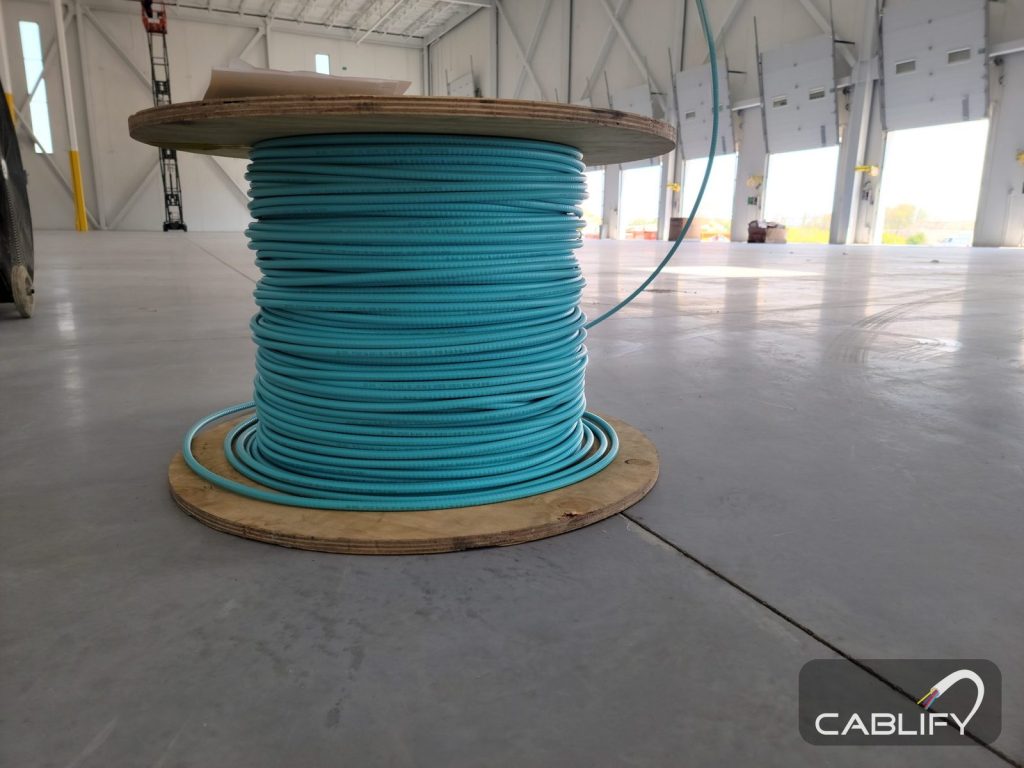
The choice is between laser-optimized multimode (OM3 or OM4, usually aqua) and single-mode (OS2, yellow). It depends on the longest route and the speed you plan to run.
| Fiber | 1 Gb/s | 10 Gb/s | 25 Gb/s | Best fit in a warehouse |
|---|---|---|---|---|
| OM3 multimode | 550 m | 300 m | 70 m | Mid-size buildings where every backbone route stays well under 300 m and 10 Gb/s is enough |
| OM4 multimode | 550 m | 400 m | 100 m | Larger buildings with routes up to about 400 m at 10 Gb/s |
| OS2 single-mode | 5 km+ | 10 km | 10 km | Very large buildings, campuses, the yard, and any plan to go past 10 Gb/s |
How we decide
- Measure the longest route, not the straight line. Add the riser at each end, the slack loops and the patch cords.
- Under 300 m with 10 Gb/s uplinks: OM3 or OM4 does the job, and on many mid-size GTA warehouses that is what we run.
- Near or past 300 m, or 25 Gb/s on the roadmap: run single-mode. The cable costs about the same; the optics cost a little more.
- Not sure: a hybrid cable with multimode and single-mode strands in one jacket covers both, and the unused strands stay dark until they are needed.
Distance is only half of it: the loss budget
The distances above only hold if the link stays inside its loss budget. 10GBASE-SR over OM3 at 300 m allows about 2.6 dB in total, and every connector and splice uses some of it. TIA allows up to 0.75 dB for a mated connector pair and 0.3 dB for a splice, and good field work comes in well under both. A long multimode run with extra patch panels in the middle gets tight quickly, which is one more reason to keep each backbone a clean point-to-point run.
How many fiber strands to run to each IDF
Fiber is cheap next to the labour and lift time to install it, and a second pull later costs as much as the first. One link uses two strands, so a 2-strand cable leaves no spare and no way to separate networks.
| Strand count | Where it fits |
|---|---|
| 12 strands | The minimum per IDF. Room for a primary and backup uplink, a separate network for cameras or building systems, and spares. |
| 24 strands | Large IDFs, IDFs that also feed automation or a second tenant, and runs that are hard to get back to. |
| 48 strands or more | A second distribution point in the middle of a large building, or a link between buildings. |
Terminate every strand at both ends. A spare strand that is already spliced and tested goes into service in minutes; an unterminated one needs a technician and a splicer.
Armored or non-armored fiber
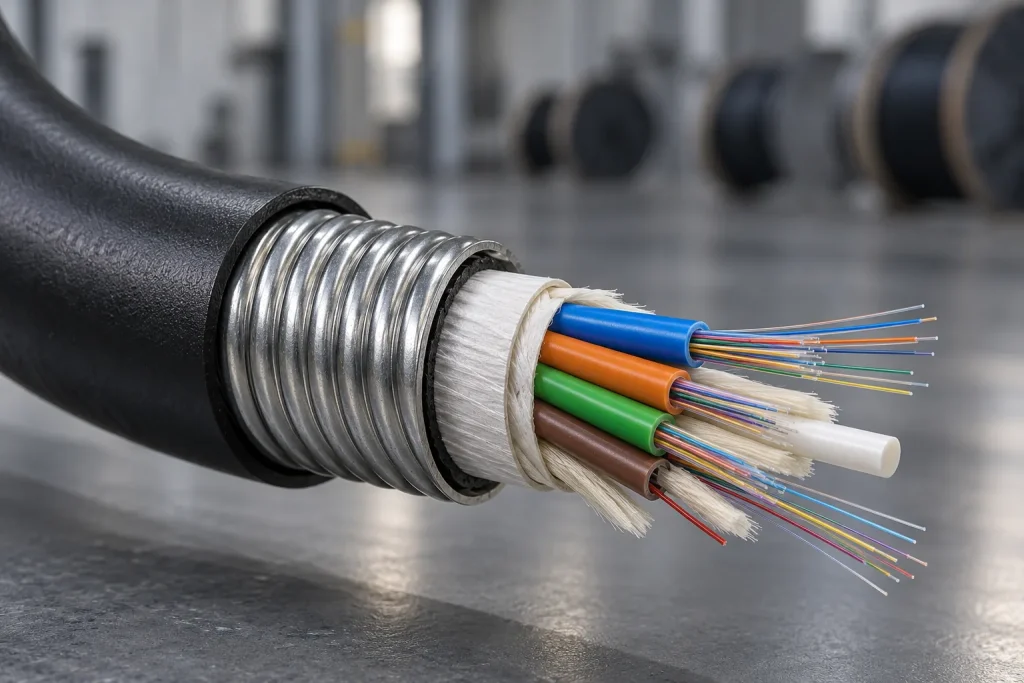
Armored fiber has a layer of interlocking aluminium or corrugated steel under the jacket. It shrugs off crushing, rodents and the odd careless ladder, and it can run where plain cable would need conduit. It also costs more, is stiffer to pull and bend, and in Canada it comes with a code requirement that is easy to miss.
| Situation | What to run |
|---|---|
| Backbone in tray at height, above the aisles | Non-armored tight-buffered indoor cable with the right flame rating |
| Down columns or walls within reach of forklifts | Armored cable, or non-armored cable inside EMT conduit |
| Exposed runs with no tray, along rack ends or mezzanines | Armored cable |
| Areas with rodent problems | Armored, or all-dielectric armored where bonding is awkward |
| Underground to a gatehouse, yard poles or another building | Outdoor loose-tube cable in conduit, changing to indoor-rated cable near the entry |
Armored fiber has to be bonded
Metal armour makes it a conductive optical fiber cable under the Canadian Electrical Code, and Section 56 requires its non-current-carrying metal parts to be bonded to ground in line with Section 10. In practice that means a bonding kit at each end, tied to the telecom ground bar. All-dielectric armored cable uses a tough non-metallic armour and skips the bonding step, which makes it worth a look for long indoor runs.
Flame ratings
Every cable inside the building needs the flame rating the space calls for. In Ontario commercial buildings FT4 is the usual rating. FT6 is needed in ceiling spaces used as a return-air plenum, which in a warehouse usually means the office ceiling rather than the open warehouse. Our plenum vs riser guide explains the ratings.
How high, and where, to route the cable
Cable routes in a warehouse follow three rules: stay above the aisles, stay out of reach, and stay out of everyone else’s way.
Follow the aisles, never the racks
Run the main tray along the main cross-aisles and the perimeter, with branches along the aisles to the devices. Do not lay cable across the tops of racks or tie it to rack uprights. Racking gets moved, struck and reloaded, and anything fastened to it gets damaged along with it.
Height
In a typical GTA high-bay with about 11 m (36 ft) of clear height, the tray sits just under the roof joists, above the top of the racking and clear of the sprinkler system. Three things set the exact height:
- Sprinklers. Storage must stay at least 450 mm (18 in) below standard spray heads and 900 mm (36 in) below ESFR heads. Trays and enclosures near the heads can block their spray, and ESFR systems are strict about obstructions, so have the sprinkler designer review tray widths and heights before anything goes up.
- The roof deck. Roofers fasten new membranes with screws driven through the metal deck. Keep cable well below the deck so a re-roof does not cut your backbone.
- Lighting and power. Keep data cable away from high-bay light drivers and power wiring, and cross power at right angles. Fiber does not mind electrical noise; copper does.
Supports, bends and slack
- Support cable in tray, or on J-hooks every 1.2 to 1.5 m (4 to 5 ft). Never hang it from sprinkler pipe, ductwork, conduit or another trade’s supports.
- Keep fiber bends to at least 10 times the cable diameter once installed and 15 to 20 times while pulling. A 10 mm armored cable needs a 100 mm radius at rest and up to 200 mm during the pull.
- Leave a fiber service loop at each end, coiled no tighter than the bend radius, so the cable can be re-terminated or the enclosure moved.
Drops to devices
Where cable leaves the tray and comes down a column or wall to a device within reach, run it in EMT conduit from the device up to at least 3 m (10 ft), higher where reach trucks work, and put a column guard at the base. Cameras and access points at height can be fed straight from the tray. Our cable tray installation page and conduit fill calculator help size both.
Fire separations
The wall between the office and the warehouse is often a fire separation. Every cable or sleeve through it needs a listed firestop system, and the electrical code applies the same rule to fiber as to copper.
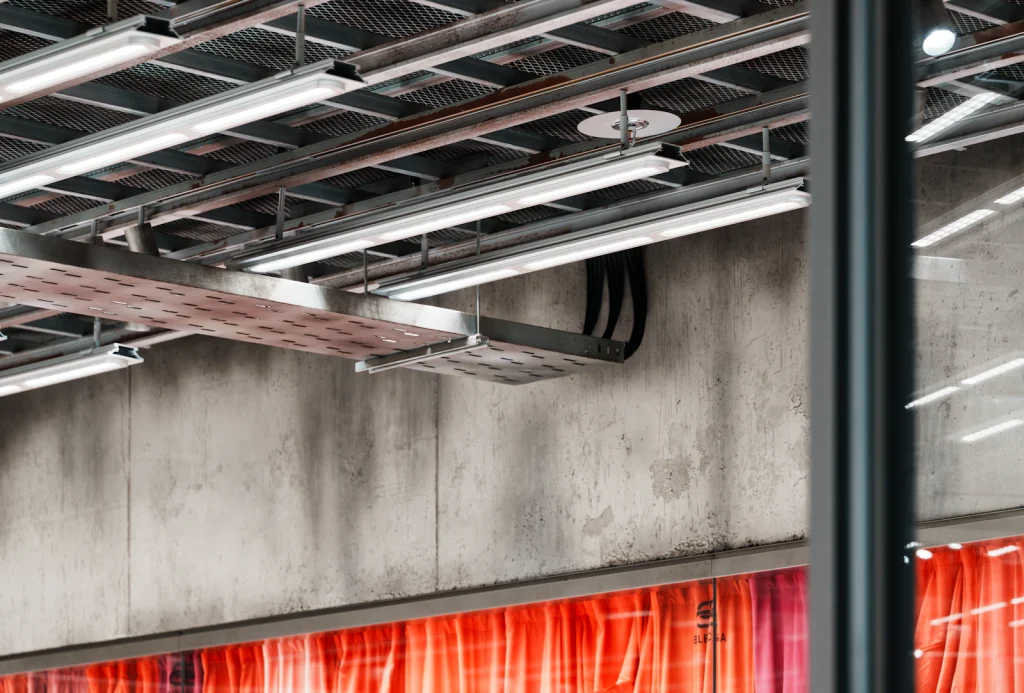
Cable from the IDF to the devices
| Device | Cable | Notes |
|---|---|---|
| Wi-Fi 6E and Wi-Fi 7 access points | Cat6A, two drops each | Multi-gig uplinks and higher PoE; the second drop is cheap insurance |
| Cameras | Cat6 | PoE+ for heaters and PTZ cameras; outdoor-rated cable outside |
| Door readers, time clocks, printers, phones | Cat6 | Protect any drop below 3 m |
| Packing and shipping stations | Cat6, two per station | Label printer and scanner dock plus a spare |
| Freezer and cooler devices | Cable rated for the temperature | Check the minimum installation temperature as well as the operating rating |
| Yard poles, gatehouse, anything past 90 m | Fiber to a small hardened switch | Copper cannot do it; PoE extenders are a last resort |
PoE decides how big the switches need to be. Add up what each IDF must power, for example cameras at 6 to 13 W (more with heaters) and Wi-Fi 6E access points at 20 to 30 W, and leave headroom. Our PoE power calculator does the arithmetic, and the Cat6A cabling page covers when Cat6A is worth it.
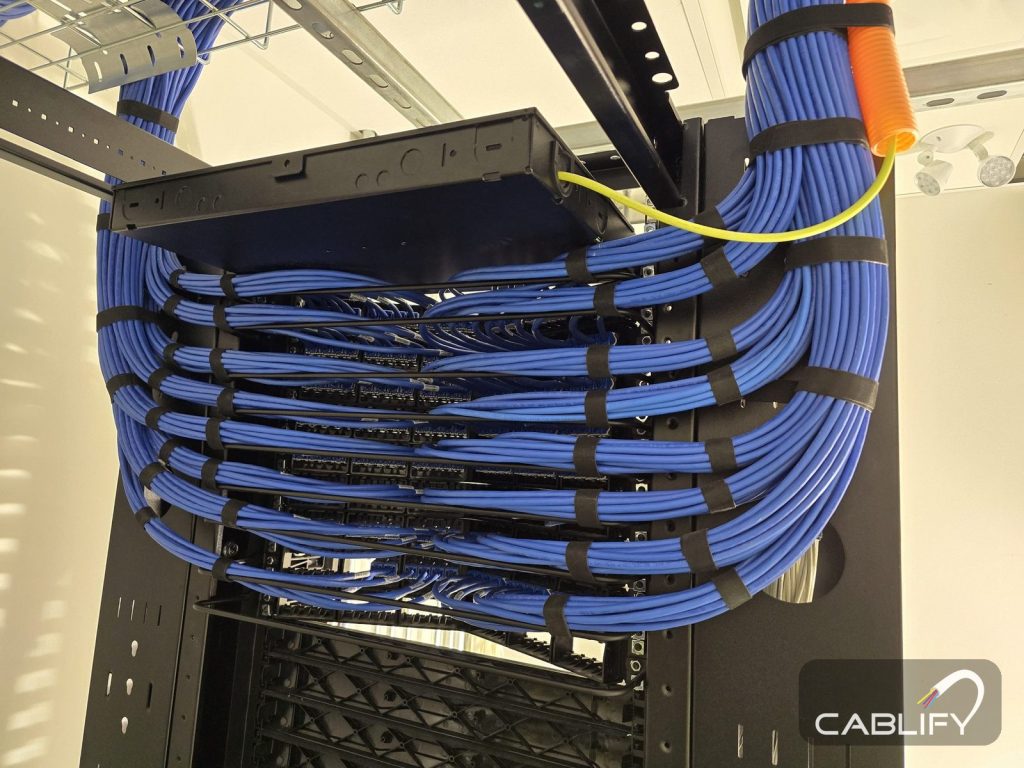
What goes inside a warehouse IDF
- Enclosure. Sealed, lockable, with filtered fans; NEMA 12 or IP54 class for dust. 12U to 24U suits most warehouse IDFs. Our rack size chart helps with the sizing.
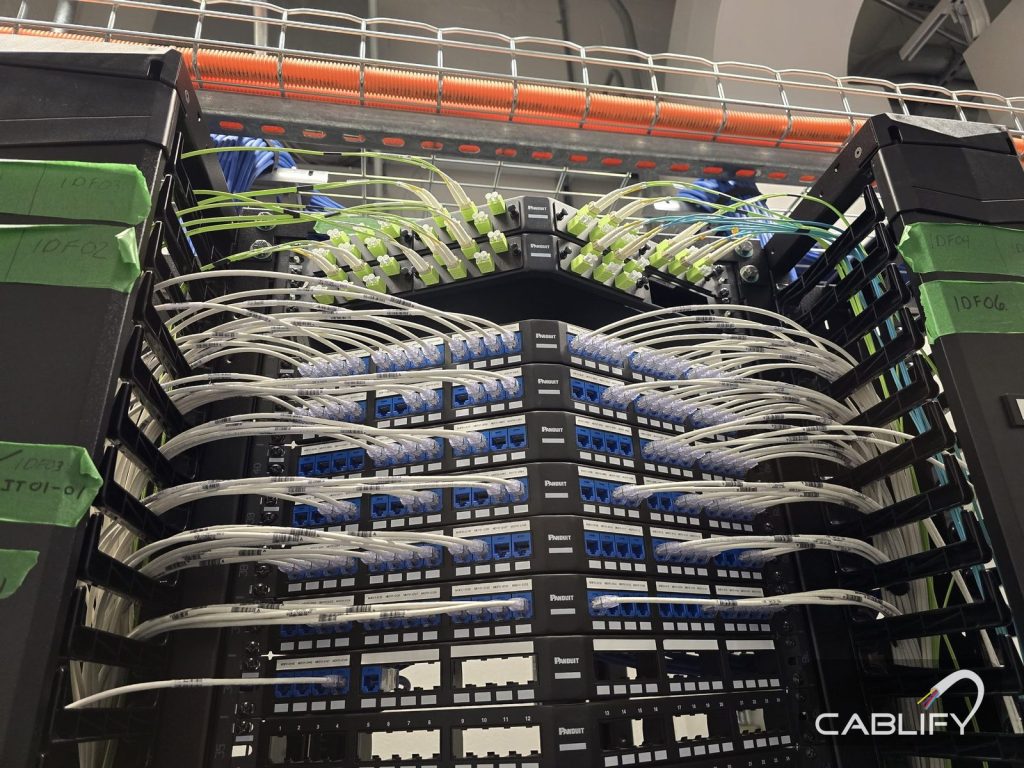
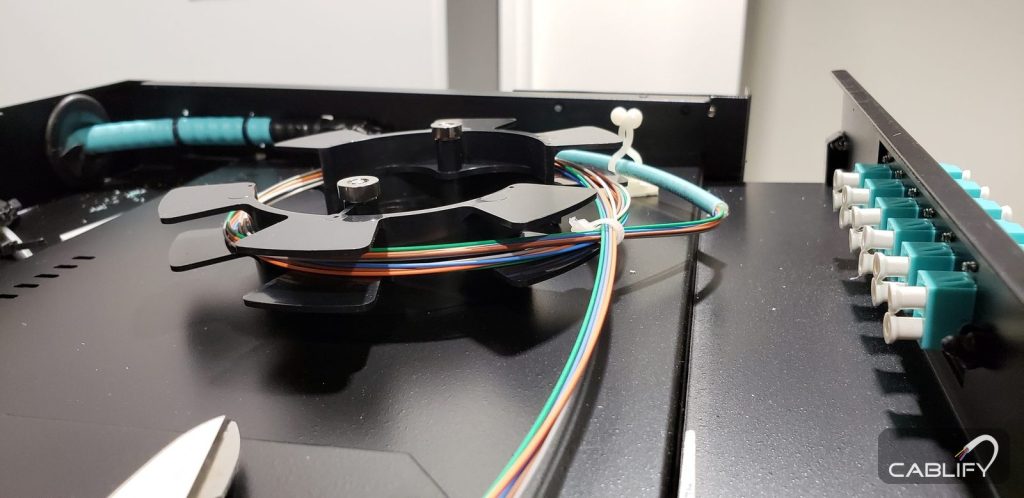
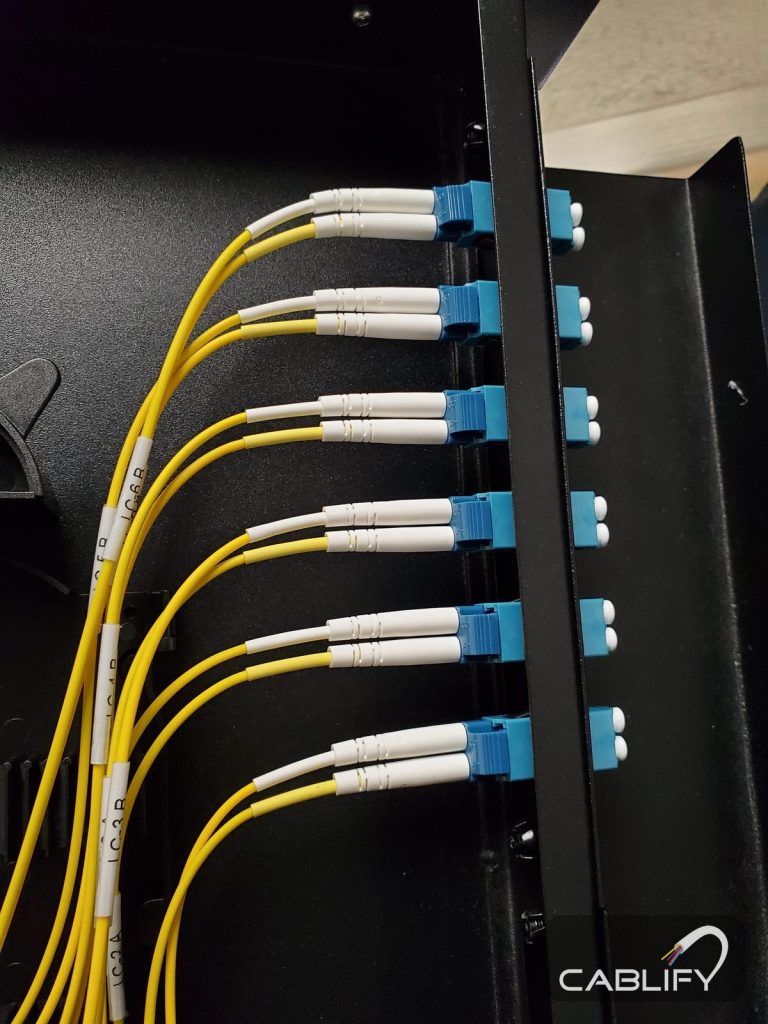
- Fiber enclosure with LC adapters, and splice trays for fusion-spliced pigtails.
- Patch panels and cable managers, labelled to TIA-606 so the port, the device and the drawing all carry the same ID.
- PoE access switches with fiber uplinks. Stackable switches suit IDFs that will grow past 48 ports. Where the enclosure will see temperatures outside a commercial switch’s range, an industrial switch is the safer choice.
- UPS sized for the PoE load, with monitoring so you hear about a power cut before the cameras go dark.
- A dedicated circuit and rack PDU, installed by a licensed electrical contractor.
- Bonding to a telecom ground bar, to TIA-607 and the electrical code.
- A temperature sensor. It costs little and tells you when the box is overheating.
Freezers, docks, conveyors and the yard
Freezers and coolers. Never put an IDF inside a freezer. Mount it in the ambient area outside and bring cable in through a sealed sleeve in the insulated panel, so the penetration does not frost up. Use cable rated for the temperature inside. Access points in cold rooms need enclosures rated for it, which our guide to warehouse Wi-Fi dead zones covers.
Dock doors. Docks combine cold, wet air, dust and the heaviest traffic in the building. Feed dock devices from an IDF set back from the doors, and protect every drop below 3 m. Our loading dock camera guide covers the cameras themselves.
Battery charging rooms. Keep IDFs and cable junctions out of them, and follow the electrical design for anything that has to go in.
Conveyors, sortation and robots. Automation vendors usually bring their own control network and panels. Agree early where their network meets yours, run fiber to their panels, and keep their traffic on its own VLAN or physically separate. Motors and drives make electrical noise, so keep copper away from them or use fiber.
Mezzanines. A mezzanine can be a good IDF spot: reachable by stairs, out of the forklift paths and often near the middle of the floor. Check its fire rating, and how the area underneath is sprinklered.
The yard and outbuildings. Gatehouses, yard light poles and outbuildings are usually well past 90 m. Run single-mode fiber in underground conduit to a small hardened switch, and change to indoor-rated cable near where it enters the building.
Working safely during the install
- Lifts. All high work is done from scissor or boom lifts run by trained operators, with the aisle below closed and barricaded. In Ontario that means elevating work platform training and, where fall protection is used, Working at Heights training.
- Nothing fastened where it does not belong. No cable on racking, sprinkler pipe or other trades’ supports.
- Around stock and people. Tethered tools at height, no lift work over occupied aisles, and offcuts cleared every day.
- Electrical. Circuits, panels and PDU feeds are installed by a licensed electrical contractor. Low-voltage crews do not work on live power.
- Firestopping. Sealed the day the cable goes through, and photographed for the inspector.
- Coordination. High work is scheduled around shifts, peak season and the racking installers, and everyone knows which aisle closes when.
Testing and handover
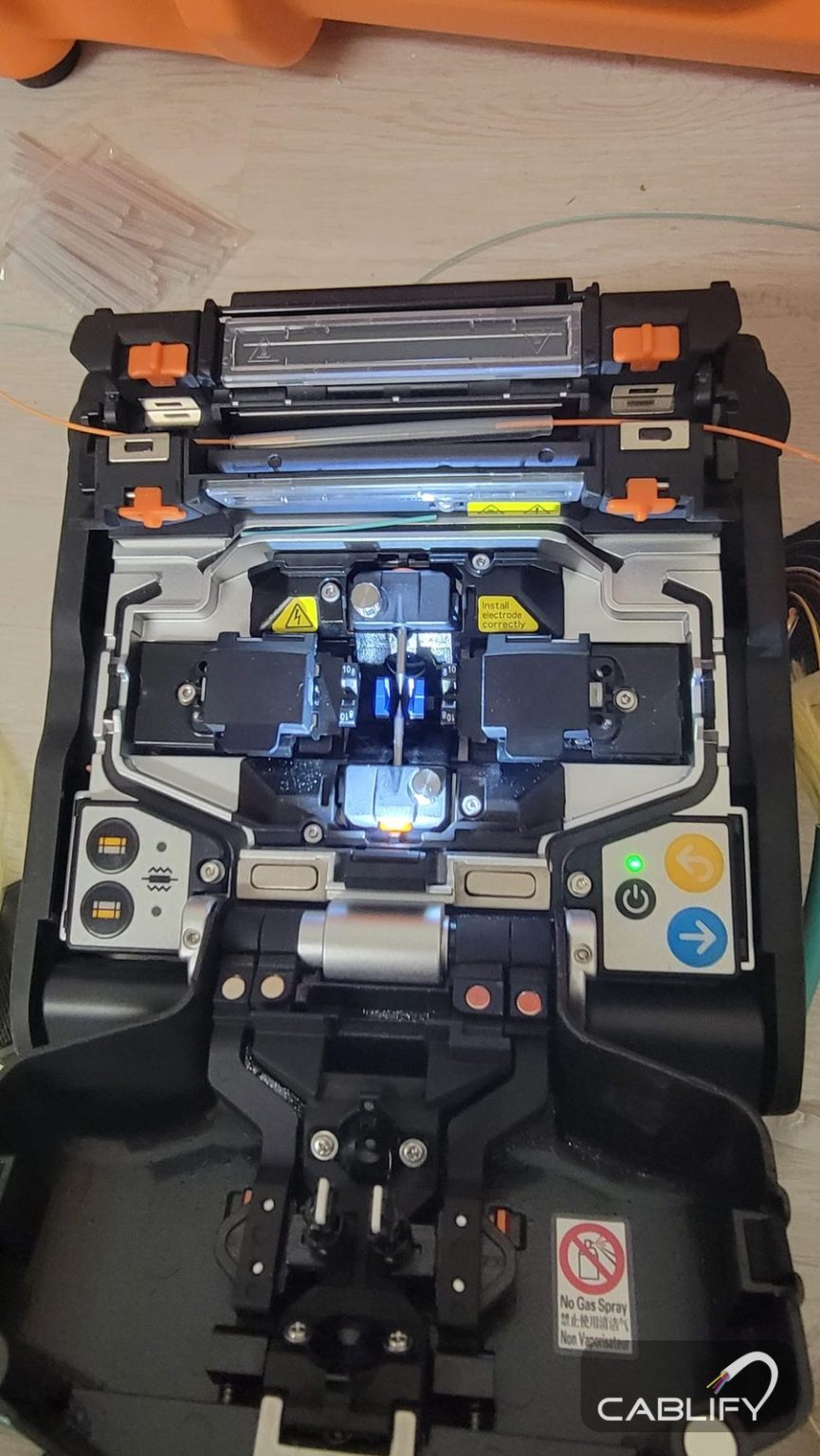
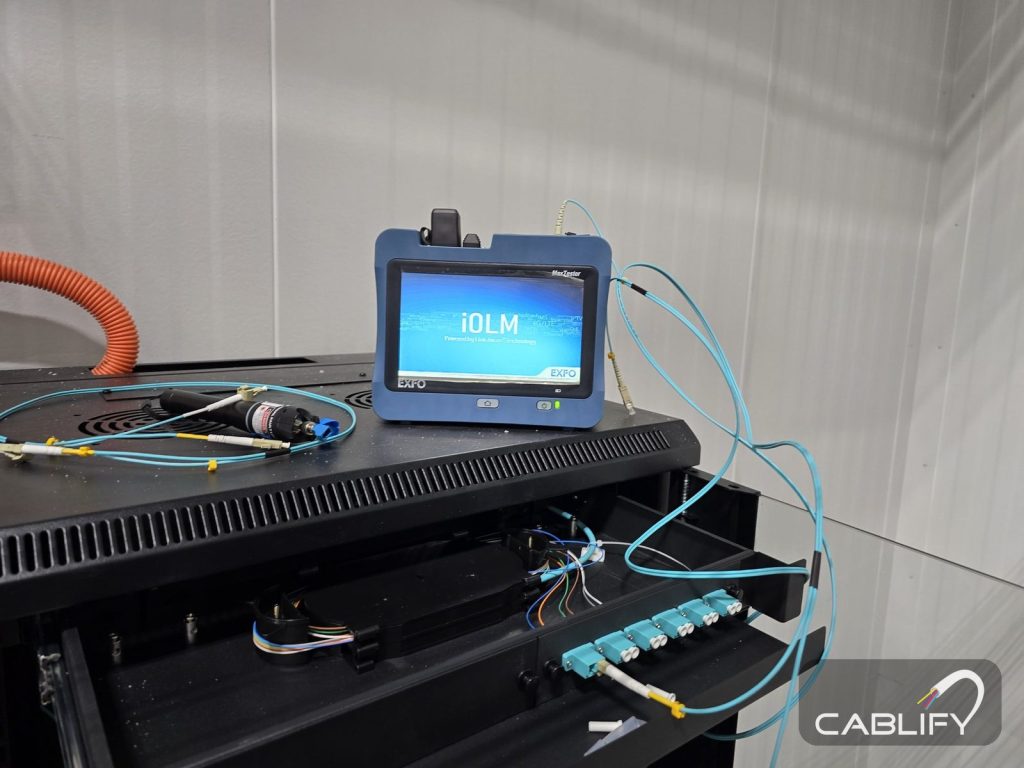
- Fiber. Test every strand with a light source and power meter at both wavelengths, against a loss budget calculated for that link. Use an OTDR on long or critical backbone runs to see each connector and splice and to keep a baseline trace.
- Copper. Certify every drop with a cable certifier to the cable’s category, and keep the results.
- Labels. Every cable, port, panel and enclosure labelled to TIA-606, matching the drawings.
- As-built drawings. IDF locations, tray and fiber routes, strand maps, device locations and cable IDs, with a copy kept in the MDF.
Mistakes we see in warehouse networks
- IDFs daisy-chained off one another, so a single cut takes out half the floor.
- An IDF above a rack row that nobody can reach without unloading pallets.
- An open-frame rack on the floor, coated in dust and nudged by every passing pallet jack.
- Cable laid across the tops of the racks or tied to uprights.
- Two-strand fiber with no spares, so the first damaged strand means a new pull.
- Back-wall cameras on 95 m of copper that work most of the time.
- An IDF next to a dock door that freezes in January and sweats in August.
- No UPS in the IDFs, so every power blip reboots the cameras and scanners in that zone.
- Fiber dropped down a column at forklift height with no armour or conduit.
- Tray installed before the sprinkler designer saw the drawings, then moved at the owner’s cost.
Warehouse network design checklist
- Racking plan, column grid, clear height and sprinkler type collected
- Device list with locations for every system
- IDF zones drawn so every run is about 80 m or less by the tray route
- Each IDF over an aisle a lift can reach, away from docks, heat and water
- Mounting approved: roof loads, sprinkler clearance, lift access
- MDF near the carrier entrance, in a locked, conditioned room
- Star backbone, with second paths for critical IDFs
- Fiber type chosen from the longest measured route and planned speeds
- At least 12 strands per IDF, all terminated and tested
- Armour or conduit wherever cable is within reach; armour bonded
- FT4 or FT6 cable to suit each space
- Trays over the aisles, clear of the deck, lights and sprinklers
- Dedicated circuit, UPS and bonding in every IDF
- Test plan, labelling scheme and as-built format agreed up front
What drives the cost of warehouse network cabling
No per-square-foot price holds across warehouses, because the building drives the cost more than the floor area does. These are the factors that move it most:
- Height and lift time. Clear height, the number of lift days, and whether lifts can move freely or only after hours.
- Racking and stock. An empty building is far quicker to cable than one full of product.
- Number and type of IDFs. High-mounted enclosures with fans, UPS and power cost more than wall cabinets, and save elsewhere.
- Fiber type, strand count and armour, and whether conduit is needed instead.
- Tray. New tray versus J-hooks, and the length of the main spine.
- Working hours. Evenings and weekends in a live building.
- Firestopping, bonding and electrical, including the circuits from the licensed electrical contractor.
- Testing and documentation to the level the owner needs.
Planning a warehouse network in the GTA?
Cablify designs and installs warehouse networks across Toronto and the GTA: IDF placement, fiber backbones, tray, and Cat6 and Cat6A to every device, with testing and as-built drawings. We have been doing this for 18 years, and our crews have worked in warehouses of more than 500,000 sq ft. Site assessments are free, every job is Fluke tested, and our workmanship carries a lifetime warranty. Electrical work is carried out by a licensed electrical contractor.
Book a free site assessment 1-647-846-1925Questions
How many IDFs does a warehouse need?
Enough that every device is within 90 m of an IDF, measured along the real cable route including the climb to the tray and the drop to the device. In practice one IDF covers a zone of about 75 m by 75 m (roughly 60,000 sq ft). A 250,000 sq ft warehouse usually needs three or four IDFs plus the MDF, and a 500,000 sq ft building six to eight.
How far can an IDF be from the MDF?
With fiber, much further than the 90 m copper limit. At 10 Gb/s, OM3 multimode reaches 300 m, OM4 reaches 400 m and OS2 single-mode reaches 10 km. Measure the full route, including risers and slack, and check the link loss budget as well as the distance.
Should a warehouse IDF be mounted high or on a wall?
In a high-bay warehouse we usually mount IDFs high, hung from the roof structure or fixed high on a column over an aisle a lift can reach. That keeps them away from forklifts and close to the access points and cameras near the roof. Mount low, on a wall or column behind bollards, when lifts cannot reach the spot, when the IDF will be patched often, or when the building owner will not allow hung loads.
Is star or ring topology better for a warehouse network?
Cable the building as a star, with its own fiber cable from the MDF to each IDF. For IDFs that cannot go down, add a second fiber cable on a different route to a second core switch. Rings suit conveyor and industrial control networks that call for them, and daisy chains should be avoided because one cut takes out every IDF beyond it.
Should I use OM3, OM4 or single-mode fiber in a warehouse?
If every backbone route is comfortably under 300 m and 10 Gb/s uplinks are enough, OM3 or OM4 multimode works well. If any route is near 300 m, the site has more than one building, or you plan to move to 25 Gb/s, run OS2 single-mode. A hybrid cable with both types is an option when you are unsure.
Do I need armored fiber in a warehouse?
Use armored fiber, or non-armored fiber in conduit, wherever the cable runs within reach of forklifts, people or rodents, such as down columns and along walls. In tray high above the aisles, non-armored indoor cable is fine. In Canada the metal armour must be bonded to ground, so allow for bonding kits at both ends, or use all-dielectric armored cable.
How many fiber strands should go to each IDF?
Twelve strands is a sensible minimum, which allows a primary and a backup uplink, separate networks for cameras or building systems, and spares. Use 24 strands for large IDFs or hard-to-reach runs, and terminate and test every strand at both ends.
Can network cable be attached to warehouse racking?
It should not be. Racking is moved, struck by forklifts and reconfigured, and cable fastened to it gets damaged or cut. Run cable in tray or on J-hooks from the building structure, above the aisles, and feed devices from there.
How high should cable tray be in a warehouse?
Usually just below the roof joists, above the top of the racking and over the aisles. The exact height depends on the sprinkler design, since storage must stay 900 mm (36 in) below ESFR heads and trays must not block the spray, and on keeping cable well clear of the metal roof deck.
What temperature can a warehouse IDF handle?
Check the switch data sheet. Many commercial switches, such as the Cisco Catalyst 9300, are rated from -5 to 45 °C and need at least 0 °C to cold start. Near the roof in summer, or in an unheated building in winter, an enclosure can go outside that range, so use fans, a temperature sensor and, where needed, industrial switches rated for wider temperatures.
Related guides
- Warehouse and industrial cablingHow we cable warehouses, distribution centres and plants.
- MDF vs IDF roomsWhat each room does, sizes and requirements.
- Types of fiber optic cableEvery kind explained, and where each one is used.
- Warehouse Wi-Fi dead zonesWhy scanners drop between racks, and the fixes.
- Planning network cablingThe step-by-step plan for offices and warehouses.
- CCTV design for large warehousesCamera layout, coverage and recording.