
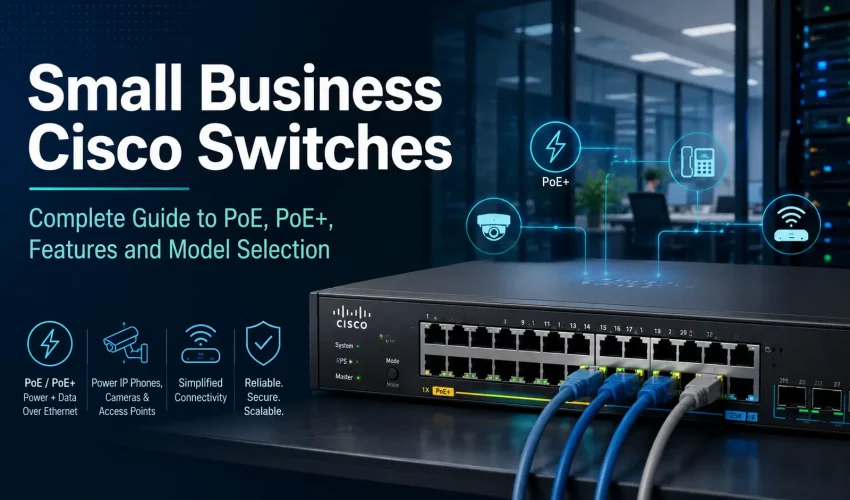
If you are shopping for a Cisco switch for your small business and the model numbers look like alphabet soup, you are not alone. C1200, C1300, P, FP, 4G, 4X — none of it is obvious unless you already know what you are looking at.
This guide breaks it all down. By the end you will know exactly which Cisco Catalyst model fits your network, why PoE budget matters more than port count, and how to avoid the most common buying mistakes.
What Is a Cisco Small Business Switch?
A managed network switch connects all your wired devices — computers, printers, phones, access points, security cameras, servers and more — and controls how they communicate with each other.
A basic unmanaged switch just passes traffic. A managed Cisco switch gives you control over how that traffic moves, how devices are powered, how networks are separated and how problems are diagnosed. For a business environment, that control matters.
Why Consumer-Grade Switches Fall Short in Business
A cheap unmanaged switch from a big box store works fine for a home network. In a business, it quickly becomes a liability.
A proper business switch needs to support VLANs for network separation, PoE for powering cameras and access points, QoS for voice and video traffic, port-level security, fiber uplinks and proper rack mounting. Without VLANs, your security cameras, guest WiFi, office computers and payment systems all end up on the same flat network. That creates security and performance problems that get expensive to fix later.
What Is PoE?
PoE stands for Power over Ethernet. It lets a single Cat5e, Cat6 or Cat6A cable carry both data and electrical power to a device. That means no separate power adapter, no electrical outlet needed at the device location.
This is especially useful for devices mounted on ceilings, high on walls or in areas where running power separately would be expensive. Wireless access points, IP security cameras, VoIP phones, intercoms, door access controllers and paging devices all commonly run on PoE.
PoE vs PoE+ vs PoE++
Not all PoE is the same. The three main standards differ in how much power they can deliver per port.
| Standard | IEEE Name | Max Power Per Port | Common Use |
|---|---|---|---|
| PoE | 802.3af | Up to 15.4W | VoIP phones, basic cameras, low-power APs |
| PoE+ | 802.3at | Up to 30W | WiFi access points, IP cameras, video phones |
| PoE++ | 802.3bt | 60W or more | High-power WiFi 7 APs, PTZ cameras, specialty devices |
Most Cisco Catalyst 1200 and 1300 PoE models support both PoE and PoE+. For the majority of small business networks, PoE+ is the right choice. It covers wireless access points, cameras, phones and door hardware without needing PoE++ hardware.
PoE Budget Matters More Than Port Count
This is the most common mistake buyers make. They look at port count and stop there.
A 48-port PoE switch can support up to 30W per port, but the total PoE budget — the combined power available across all ports — is a separate limit. A switch with a 375W budget cannot simultaneously power 48 devices at 30W each. That would require 1,440W.
In practice, most devices do not draw maximum power continuously, so 375W is often enough for a moderate deployment. But if you have a lot of cameras, access points or high-power devices, you may need a switch with a larger budget.
Typical Power Draw by Device Type
| Device Type | Typical Power Use | Notes |
|---|---|---|
| VoIP phone | 4W to 8W | Usually low power |
| Basic IP camera | 5W to 10W | Depends on IR/night vision |
| 4K turret camera | 7W to 12W | Higher at night with IR active |
| WiFi 5 access point | 8W to 15W | Depends on model |
| WiFi 6 access point | 12W to 20W | Common in offices |
| WiFi 7 access point | 14W to 30W+ | Depends on radio design and port speed |
| PTZ camera | 20W to 60W+ | May require PoE+ or PoE++ |
| Video phone | 10W to 20W | Depends on screen size |
| Door access controller | 8W to 25W | Depends on locks and hardware |
Always check the datasheet for the actual device before sizing a switch. Manufacturer specs vary.
Cisco Catalyst 1200 Series
The Catalyst 1200 is Cisco’s entry point for small business managed switching. It is a major step above unmanaged hardware and supports everything most small offices need — Gigabit access ports, PoE+, VLANs, QoS, basic Layer 3 static routing, web-based management and Cisco Business Dashboard support.
It is well suited for small offices, retail stores, clinics, restaurants, schools and small commercial buildings where cost matters and the network is not overly complex.
Cisco Catalyst 1300 Series
The Catalyst 1300 is the more capable option. It offers more advanced Layer 3 features, stronger security options and better scalability for growing networks. The maximum PoE budget on FP models goes up to 740W, which matters in camera-heavy or access point-dense deployments.
It is the better fit for larger offices, multi-department businesses, commercial buildings, warehouses, healthcare networks, and any deployment where you expect growth or need stronger network segmentation.
Cisco Catalyst 1200 vs Catalyst 1300: Quick Comparison
| Feature | Cisco Catalyst 1200 | Cisco Catalyst 1300 |
|---|---|---|
| Best For | Small business networks | Growing SMB and branch networks |
| Management | Web UI, CLI, Cisco Business tools | Web UI, CLI, Cisco Business tools |
| PoE Support | PoE and PoE+ models available | PoE and PoE+ models available |
| Max PoE Budget | Up to 375W on selected models | Up to 740W on FP models |
| Uplinks | 1G SFP or 10G SFP+ depending on model | 1G SFP or 10G SFP+ depending on model |
| Layer 3 | Static routing | More advanced Layer 3 capability |
| Security | Business-grade | Stronger advanced security options |
| Best Buying Reason | Affordable managed Cisco switch | More capable managed switch for growth |
How to Read a Cisco Model Number
Once you understand the naming pattern, the model numbers make sense. Here is how to decode them.
Example: C1200-48P-4G
| Part | Meaning |
|---|---|
| C1200 | Cisco Catalyst 1200 Series |
| 48 | 48 copper RJ45 access ports |
| P | PoE model |
| 4G | 4 Gigabit SFP uplink ports |
Example: C1300-48P-4X
| Part | Meaning |
|---|---|
| C1300 | Cisco Catalyst 1300 Series |
| 48 | 48 copper RJ45 access ports |
| P | PoE model |
| 4X | 4 x 10G SFP+ uplink ports |
Example: C1300-48FP-4X
| Part | Meaning |
|---|---|
| C1300 | Cisco Catalyst 1300 Series |
| 48 | 48 copper RJ45 access ports |
| FP | Full PoE budget (740W) |
| 4X | 4 x 10G SFP+ uplink ports |
What “P” Means
“P” in the model name indicates a PoE switch. Models like C1200-48P-4G and C1300-48P-4X support PoE and PoE+ on the copper access ports.
What “FP” Means
“FP” means the switch has a full PoE power budget. A standard P model typically provides 375W total. An FP model brings that up to around 740W. Choose FP when you have many wireless access points, a large camera system, PTZ cameras, high-power WiFi 6 or WiFi 7 APs, or when you want headroom for future device additions.
What “4G” Means
“4G” means four Gigabit SFP uplink ports. These are used for fiber connections between racks, MDFs, IDFs or network rooms. A 4G model is the right choice for a small office or branch location where 1Gbps uplinks are sufficient and traffic volumes are modest.
What “4X” Means
“4X” means four 10G SFP+ uplink ports. This is the better option for commercial buildings, warehouses, multi-switch environments or anywhere you are running a fiber backbone between network closets. For modern deployments with WiFi 6, WiFi 7 or high camera counts, the 4X model is usually the smarter long-term investment.
Popular Cisco Small Business PoE Switch Models
| Model | Series | Ports | Uplinks | PoE Budget | Best For |
|---|---|---|---|---|---|
| C1200-24P-4G | Catalyst 1200 | 24 | 4 x 1G SFP | 195W | Small office, phones, light AP/camera use |
| C1200-24FP-4G | Catalyst 1200 | 24 | 4 x 1G SFP | 375W | 24-port switch with stronger PoE budget |
| C1200-48P-4G | Catalyst 1200 | 48 | 4 x 1G SFP | 375W | General 48-port small business PoE |
| C1200-48P-4X | Catalyst 1200 | 48 | 4 x 10G SFP+ | 375W | 48-port switch with 10G uplinks |
| C1300-24P-4G | Catalyst 1300 | 24 | 4 x 1G SFP | 195W | Growing office with basic uplinks |
| C1300-24FP-4G | Catalyst 1300 | 24 | 4 x 1G SFP | 375W | Stronger 24-port PoE deployment |
| C1300-48P-4G | Catalyst 1300 | 48 | 4 x 1G SFP | 375W | 48-port business switch with PoE+ |
| C1300-48P-4X | Catalyst 1300 | 48 | 4 x 10G SFP+ | 375W | 48-port PoE+ with 10G uplinks |
| C1300-48FP-4X | Catalyst 1300 | 48 | 4 x 10G SFP+ | 740W | High-density PoE and 10G uplinks |
C1200-48P-4G vs C1300-48P-4G
Both are 48-port PoE switches with 1G SFP uplinks and the same 375W PoE budget. The difference is in how capable the switch is as a platform.
| Feature | C1200-48P-4G | C1300-48P-4G |
|---|---|---|
| Series | Catalyst 1200 | Catalyst 1300 |
| Copper Ports | 48 x 1G RJ45 | 48 x 1G RJ45 |
| Uplinks | 4 x 1G SFP | 4 x 1G SFP |
| PoE Budget | 375W | 375W |
| PoE Standard | PoE / PoE+ | PoE / PoE+ |
| Best For | Cost-effective small business network | More advanced growing business network |
Choose the C1200-48P-4G if budget is a priority, your network is straightforward and you do not expect significant growth. Choose the C1300-48P-4G if you want a more capable platform, expect to add devices over time, or need stronger segmentation and security features.
C1300-48P-4G vs C1300-48P-4X
Same switch, different uplink speed. The 4X model is worth the upgrade if you have multiple network closets, a fiber backbone between floors or buildings, many cameras or access points, or plan to connect servers and storage. For a single-room network with moderate traffic, the 4G model is fine. For most commercial projects, the 4X uplink is the better long-term choice because the uplink is usually the first bottleneck as the network grows.
| Feature | C1300-48P-4G | C1300-48P-4X |
|---|---|---|
| Access Ports | 48 x 1G RJ45 | 48 x 1G RJ45 |
| Uplinks | 4 x 1G SFP | 4 x 10G SFP+ |
| PoE Budget | 375W | 375W |
| Fiber Uplink Speed | 1Gbps | 10Gbps |
| Future-Proofing | Good | Better |
C1300-48P-4X vs C1300-48FP-4X
Same uplinks, different PoE budget. The P model gives you 375W; the FP model gives you 740W. If you are running a large number of PoE devices, or if you want room to expand without replacing the switch, the FP model is the safer investment. The price difference between the two is often modest compared to the cost of swapping hardware later.
| Feature | C1300-48P-4X | C1300-48FP-4X |
|---|---|---|
| Access Ports | 48 x 1G RJ45 | 48 x 1G RJ45 |
| Uplinks | 4 x 10G SFP+ | 4 x 10G SFP+ |
| PoE Budget | 375W | 740W |
| Best For | Normal PoE deployments | High-density PoE deployments |
| Future Growth | Good | Excellent |
PoE Planning Example: Office With Cameras, Phones and Access Points
Here is a worked example for a mid-size office.
| Device | Quantity | Watts Each | Total |
|---|---|---|---|
| VoIP phones | 20 | 6W | 120W |
| IP cameras | 12 | 10W | 120W |
| Wireless APs | 6 | 16W | 96W |
| Total | 38 devices | 336W |
A 375W switch technically covers this, but with only 39W of headroom. If the business might add more devices, step up to a 740W FP model. A good rule of thumb is to keep at least 20 percent spare PoE capacity in your design.
PoE Planning Example: Warehouse With Access Points and Cameras
Warehouses typically have higher PoE demand because of longer cable runs, more cameras and wider wireless coverage requirements.
| Device | Quantity | Watts Each | Total |
|---|---|---|---|
| Wireless APs | 12 | 18W | 216W |
| IP cameras | 24 | 10W | 240W |
| Phones | 4 | 6W | 24W |
| Door controllers | 2 | 15W | 30W |
| Total | 42 devices | 510W |
A 375W switch does not cover this. You need the 740W FP model. This is a real-world example of why port count alone does not tell the full story.
1G vs 10G Uplinks
Uplinks connect your access switch back to the core, whether that is a firewall, a router, another switch or a server room. A 1G uplink becomes a bottleneck quickly when you have many devices all sending traffic at once.
1G uplinks are generally fine for a small single-office network with basic internet use, a light camera system and moderate WiFi. 10G uplinks make sense for anything with multiple network closets, a fiber backbone, heavy camera traffic, WiFi 6 or WiFi 7 deployments, server connectivity or significant file transfer activity. For most commercial installations, the 4X model is the better foundation.
Can Cisco C1200 and C1300 Switches Power UniFi Access Points?
Yes, in most cases. Cisco C1200 and C1300 PoE+ switches can power the majority of UniFi access points, including WiFi 6 and many WiFi 7 models.
There is one limitation worth knowing. Most C1200 and C1300 access ports are 1Gbps. If a UniFi AP has a 2.5GbE port — like the U7 Long-Range — it will still work and still get PoE power, but the wired uplink will negotiate at 1Gbps rather than 2.5Gbps. For most office and warehouse deployments this is fine. For high-density WiFi 7 networks where you need the full 2.5GbE throughput, you would need a switch with multigig access ports.
Key Features to Look for in a Business Cisco Switch
VLANs
VLANs let you divide one physical switch into multiple logical networks. A typical commercial setup might have separate VLANs for staff computers, guest WiFi, security cameras, VoIP phones, door access systems and network management. This improves security, reduces broadcast traffic and makes troubleshooting much easier.
Quality of Service
QoS lets the switch prioritize time-sensitive traffic like voice calls and video streams over lower-priority traffic like file downloads and backups. Without it, a large backup job can degrade call quality across the whole office.
PoE Monitoring
Managed Cisco switches let you see exactly which ports are drawing PoE power, how much each port is using, and flag devices that are drawing more power than expected. This is particularly useful when troubleshooting cameras or access points that have gone offline.
Port Security and DHCP Snooping
Port security controls which devices are allowed to connect to the network. DHCP snooping prevents rogue DHCP servers from handing out bad IP addresses — a real issue in shared office spaces, clinics and schools. These features are standard on Cisco business switches and worth enabling.
Link Aggregation
Link aggregation combines multiple physical ports into one logical link for more bandwidth or redundancy. Useful for connecting switches together, connecting servers or adding resilience to critical uplinks.
Layer 3 Routing
In many small business networks, the firewall handles all inter-VLAN routing. In larger or more performance-sensitive networks, moving some of that routing to the switch reduces load on the firewall and speeds up internal traffic. The C1300 handles this better than the C1200.
Best Switch by Use Case
| Situation | Recommended Option |
|---|---|
| Small office with phones and computers | 24-port PoE+ switch |
| Office with APs, phones and cameras | 48-port PoE+ switch |
| Warehouse with many APs and cameras | 48-port FP PoE+ switch |
| Multiple IDFs with fiber backbone | 4X model with 10G SFP+ uplinks |
| Budget-conscious small office | Catalyst 1200 |
| Growing business network | Catalyst 1300 |
| High-density PoE deployment | FP model with 740W budget |
| WiFi 7 with multigig requirement | Consider a multigig switch |
| Camera-heavy network | 10G uplinks recommended |
| Door access and CCTV network | Managed switch with VLANs and PoE+ |
Common Buying Mistakes
Buying based only on port count
Ports tell you how many devices can connect. They do not tell you how much PoE power is available. Always check the PoE budget separately.
Ignoring uplink speed
A 1G uplink on a 48-port switch servicing dozens of cameras and access points will become a problem. Size the uplinks for where the network is heading, not just where it is today.
Accidentally buying a non-PoE model
Cisco also sells non-PoE versions of these switches. If your cameras, phones or access points need to be powered over the cable, make sure the model you buy has “P” or “FP” in the name.
Not leaving room for growth
Networks always grow. Buy with 20 to 30 percent more capacity than you need today, both in ports and PoE budget.
Putting everything on a flat network
If cameras, guest WiFi and office computers are all on the same network with no VLANs, you have a security and performance problem. Managed switches solve this — use them properly.
Not checking access point requirements
Some WiFi 7 access points have 2.5GbE ports or need more than 30W to operate at full capacity. A standard PoE+ switch may power the device, but you may not get full performance out of it. Verify AP specs before finalizing the switch.
Questions to Ask Before You Buy
Before selecting a switch, work through these questions. They will help you land on the right model without guesswork.
- How many wired devices do I need to connect today?
- How many more will I add in the next 2 to 3 years?
- How many of those devices need PoE?
- What is the total estimated PoE load?
- Do I need 24 ports or 48 ports?
- Will I connect multiple switches together?
- Do I need 1G or 10G uplinks?
- Am I installing IP cameras? How many?
- Am I installing wireless access points? What generation?
- Do any APs have 2.5GbE ports or require PoE++ power?
- Do I need VLANs for cameras, guest WiFi or phones?
- Will the firewall handle routing between VLANs, or should the switch?
- Is the switch going in a rack, on a shelf or in a dedicated network room?
- Do I need fanless operation for a quiet environment?
- Is there a fiber backbone between floors or buildings?
Final Recommendation
For most small businesses, the Cisco Catalyst 1300 series is the better long-term choice. The C1200 is a solid switch and the right call when budget is tight and the network is simple. But the C1300 gives you a more capable platform for growth, and the price difference is usually modest.
On the model side: if you are powering cameras, access points and phones across 40 or more devices, start with a 48-port PoE+ switch. If your PoE load exceeds 375W or you expect it to, go with an FP model. If you have fiber between network closets or a multi-switch environment, choose 4X uplinks over 4G.
A well-chosen switch handles your current network and gives you room to grow without having to replace hardware in two years.
Cablify is an authorized Cisco supplier and reseller in Canada serving businesses across Toronto, Mississauga and the GTA. If you need help selecting the right switch for your network or want a quote on supply and installation, contact our team or call 1-647-846-1925.