
Video intercom and entry systems for apartments, condos and multi-tenant buildings.
We install video intercoms, fob and phone entry, and the cabling behind them for rental buildings, condos, mixed-use properties and multi-tenant commercial buildings across the GTA. One crew handles the door station, the lock wiring, the network and the fobs, so the front door, the parking gate and the package room all run on one system.
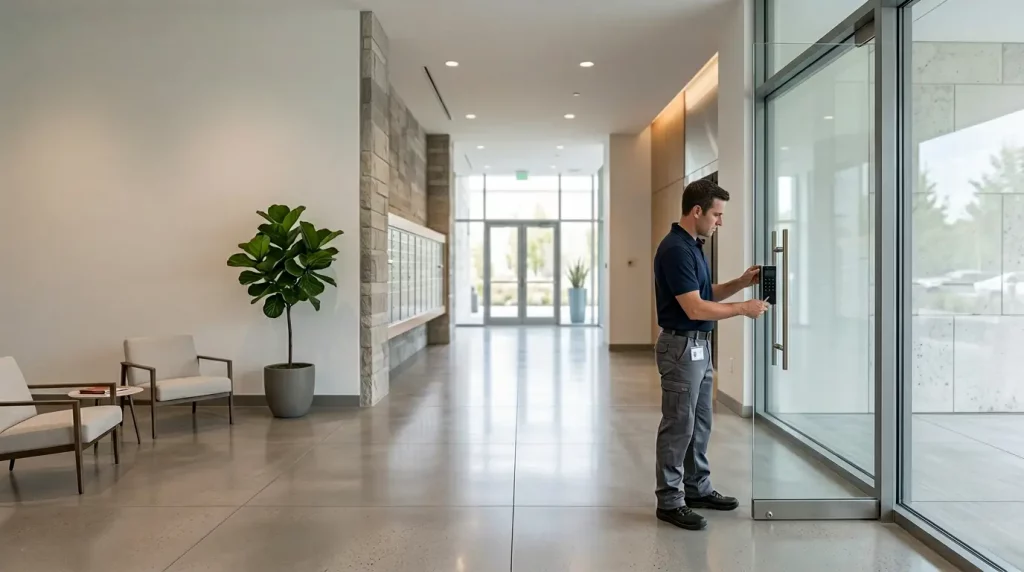
Why so many buildings are replacing their entry system now
Three things are happening at the same time in the GTA.
- The phone line behind the old enterphone is going away. Many older telephone entry panels call each suite over a copper phone line. Bell is replacing its copper network with fibre and moving customers off it, and a panel that depends on that line needs a new connection or a new system
- More rental buildings are going up. Rental apartment starts in the Toronto area rose 82% in the first half of 2026 and passed condo starts for the first time since 1994, according to CMHC’s fall housing supply report. Every one of those buildings needs an entry system, and the best time to choose it is at the drawing stage
- Residents expect to answer the door on their phone. They want to see the visitor and open the door whether they are in the suite or not. A panel that rings a landline most tenants no longer have does not do that
Buildings we work in
Purpose-built rentals
New rentals are the easiest case. We plan the entry system with the low-voltage drawings: a network cable to every entrance, gate, garage door and package room, and space in the network closet for the switch. Residents answer on their phones, so most suites need no intercom wiring at all. We still run a cable to accessible units and any suite that should have an indoor screen.
Older apartment buildings
Retrofits usually start with a telephone entry panel that still works but depends on a phone line, plus in-suite handsets on wiring that is decades old. We replace the lobby panel, reuse existing conduit where we can, and move residents to phone answering so the old suite wiring can be retired instead of replaced.
Condominiums
Condo work goes through the board and the property manager. We give you an itemized scope you can take to a board meeting, put an indoor viewer at the concierge desk if there is one, and keep fobs working for owners who do not want an app. Our article on condo fob security explains why older fobs are worth replacing at the same time.
Mixed-use and multi-tenant commercial
Shops with apartments above, office buildings and industrial condos. The directory lists companies instead of suites, couriers get a code that only works in business hours, and after-hours access is limited to the people who need it.
Gates, garages and package rooms
A gate station on a pedestal at the parking entrance, garage door control, and package room access for couriers with a one-time code. Gates far from the building usually need fibre or a point-to-point wireless link to get back to the network.
Gyms, amenity rooms and roofs
Party rooms, gyms, rooftop terraces and laundry rooms on fobs with set hours, so the gym is not open to everyone at 3 am and a lost fob can be shut off in seconds instead of re-keying a lock.
UniFi Access intercoms
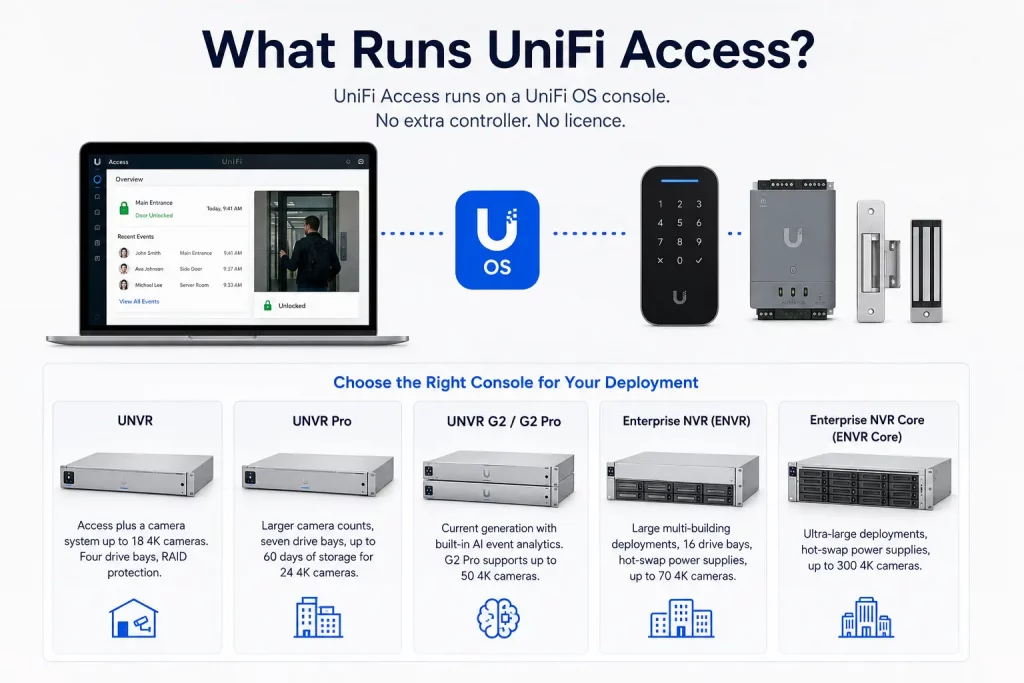
UniFi Access is the intercom platform we recommend first for most GTA buildings. There is no monthly or per-suite software fee, it runs on the same network as UniFi cameras and Wi-Fi, and the door station is built for our winters. We are an authorized Ubiquiti reseller, so we supply the hardware and install it.
- The door station. The UniFi Intercom has a 7-inch touchscreen directory, a camera and two-way audio. Residents get in with an NFC card or fob, a PIN, the UniFi Identity app on their phone, or a QR code you send to a guest. It is rated for outdoor use down to -30 °C
- How a visitor gets in. The visitor finds the suite in the directory. The call goes to the resident’s phone through the UniFi Identity app, or to an Intercom Viewer screen at the concierge desk or in a suite, and the resident opens the door from there
- What it connects to. The intercom is powered over one network cable from a UniFi Access hub, which also runs the lock, the door contact and the exit button. Every intercom is a cabling job, and cabling is what we do every day
- Cameras and logs. With UniFi Protect cameras on the same system, every door event links to video of who came in
For office and commercial doors, see our UniFi door access installation page and the UniFi door access guide.
UniFi or a cloud subscription intercom?
Some buildings are better served by a cloud intercom platform, where the maker hosts the software and charges a yearly fee, usually per suite or per door. This is how the two compare in practice:
| UniFi Access | Cloud subscription intercom | |
|---|---|---|
| Software fees | None. You pay for hardware and installation | A yearly fee, usually per suite or per door |
| How residents answer | The UniFi Identity app, or an indoor viewer | The maker’s app, and on some platforms a call to a regular phone number |
| Who manages it | Your IT person, your property manager or us, on your own UniFi console | The maker’s online portal, often linked to property management software |
| Best fit | Owners who want no ongoing fees and already use, or are open to, UniFi | Large portfolios that want one portal for many buildings, or residents who need calls to a landline |
When a building is undecided, compare the two on ten-year cost, not on the price of the door station. A subscription that looks small per suite adds up over a 200-suite building and a decade of fees.
Replacing an old enterphone
Most enterphone replacements in older GTA buildings come down to the same five decisions. We check each one on the site visit.
- What the panel dials through. If it calls suites over a copper line, ask your phone provider when that line is scheduled to move. A cellular or VoIP line can keep an old panel running for a while, but it does not add video or phone answering
- What can be reused. Existing conduit from the lobby to the network room often takes the new cable. Old in-suite handsets and their wiring are usually left in place and retired once residents answer on their phones
- The door hardware. A worn electric strike, or a maglock without proper fire alarm release, gets fixed in the same job. More on that below
- The directory. Suite numbers and names move from a printed list or a programmed panel into the new system, and residents get an email invitation to the app
- The cutover. The door should never be left without a way in. The new station goes live before the old panel comes off the wall, and fobs are handed out before the old ones stop working
Front doors, maglocks and the fire code
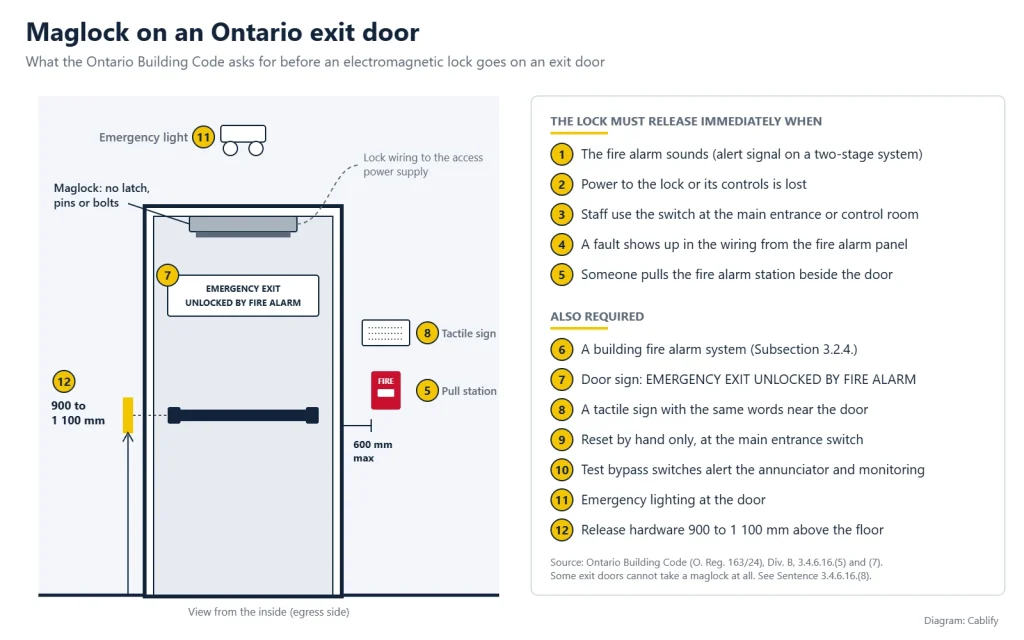
The lock is where entry systems most often run into trouble at inspection. In Ontario, a maglock on an exit door is only allowed in a building with a fire alarm system, and it has to release immediately when the alarm sounds, when it loses power, and from a manual switch. Those rules are in Article 3.4.6.16 of the Building Code, and GTA municipalities such as Toronto and Vaughan ask for a signed declaration before they accept the installation. Toronto’s is the electromagnetic locking devices form.
On most main entrances we would rather use an electric strike or electrified exit hardware. People can always leave by pushing the bar, the door stays locked from outside if the power fails, and there is no fire alarm connection to get wrong. Where a maglock is the only practical choice, the connection to the fire alarm panel is made and verified by the building’s fire alarm contractor, and we coordinate the access control side with them.
Our access control and Ontario Fire Code checklist goes through each rule, and the commercial door hardware guide compares strikes, maglocks and electrified hardware.
Condo boards, landlords and residents
- Condo approvals. Under section 97 of Ontario’s Condominium Act, some changes to the common elements need notice to owners, and a substantial change needs an owner vote. Replacing a failed system is treated differently from adding new features. Your condo manager or lawyer makes that call, and an itemized quote gives them what they need to make it
- Do not make the phone the only way in. Some residents do not have a smartphone or do not want another app. Keep fobs or cards for everyone, and an indoor viewer for any suite that needs one
- Accessibility. Mount the station so the screen and buttons can be reached from a wheelchair, and leave room in front of it for a mobility device to turn
- Video and privacy. The intercom camera records visitors. Decide how long call history and snapshots are kept and who can see them, and post a notice at the entrance
- Moving residents over. A notice in the elevators, an app invitation by email, and a set time in the lobby to collect new fobs make the switch easy for residents and for the property manager
This is practical guidance from the people who install these systems, not legal advice.
What affects the price
An intercom quote depends less on the door station than on what is behind the wall. These are the things that move the number:
- How many entrances, gates and garage doors need a station or a reader
- The distance from each door to the network closet, and whether there is conduit
- Whether any suites or the concierge desk need indoor screens
- Door hardware: reusing a strike, replacing it, or adding electrified exit hardware
- A fire alarm connection, where a maglock stays
- Removing the old panel and the in-suite handsets
- Yearly software fees, if you choose a cloud platform
The site visit is free and usually within 1 to 2 business days, and the quote lists each door and each item separately.
Areas we cover
We install intercoms and building entry systems across Toronto, Mississauga, Brampton, Vaughan, Markham, Richmond Hill, Oakville and the rest of the GTA, and in Barrie, Hamilton and Kitchener-Waterloo. For door access by city, see access control in Mississauga, Brampton and Vaughan, or our Toronto access control page.
Related pages
Video intercom questions
Can residents answer the intercom on their phones?
Yes. With UniFi Access the call goes to the UniFi Identity app with live video and two-way audio, and the resident opens the door from the call. Cloud intercoms do the same through their own apps. Residents who do not use a smartphone can have an indoor screen in the suite instead.
Our enterphone calls suites over a phone line. What happens when Bell moves us off copper?
The panel stops working if nothing replaces the line. A cellular or VoIP line can keep it running in the short term, but it will not add video or phone answering. If the panel is old, it is usually better to replace it before the line is cut than after.
Is there a monthly fee?
Not with UniFi Access. You pay for the hardware and installation, and there is no software subscription. Cloud intercom platforms charge a yearly fee, usually per suite or per door, so compare the two over ten years.
Can residents without a smartphone still get in?
Yes. Fobs, cards and PIN codes keep working alongside the app, and a suite can have an indoor screen for answering visitors. We recommend keeping a non-phone option for every resident.
Does a maglock on our front door have to be tied to the fire alarm?
In Ontario, yes. A maglock on an exit door is only allowed in a building with a fire alarm system, and it must release on alarm, on loss of power and from a manual switch. On most entrances an electric strike or electrified exit hardware is simpler and avoids the fire alarm connection.
Does a condo need owner approval to replace the intercom?
It depends on the cost and on whether the work is a repair or an addition. Section 97 of the Condominium Act sets out when notice to owners or an owner vote is needed. Your condo manager or lawyer can confirm, and our itemized quote gives them the numbers.
Will the intercom work through a Toronto winter?
The UniFi Intercom is rated for outdoor use from -30 °C to 60 °C. At entrances exposed to blowing snow or afternoon sun, a sunshield or a mounting spot under the canopy helps.
Can the intercom open our parking gate?
Yes. A gate station on a pedestal at the driveway can call residents and release the gate the same way the front door does. Gates far from the building need fibre or a wireless link back to the network, which we plan on the site visit.
Get an intercom quote
Tell us the building type, the number of suites and entrances, and what you have now. Photos of the current panel and the door hardware help.
Prefer to talk? Call 647-846-1925 or email info@cablify.ca.