


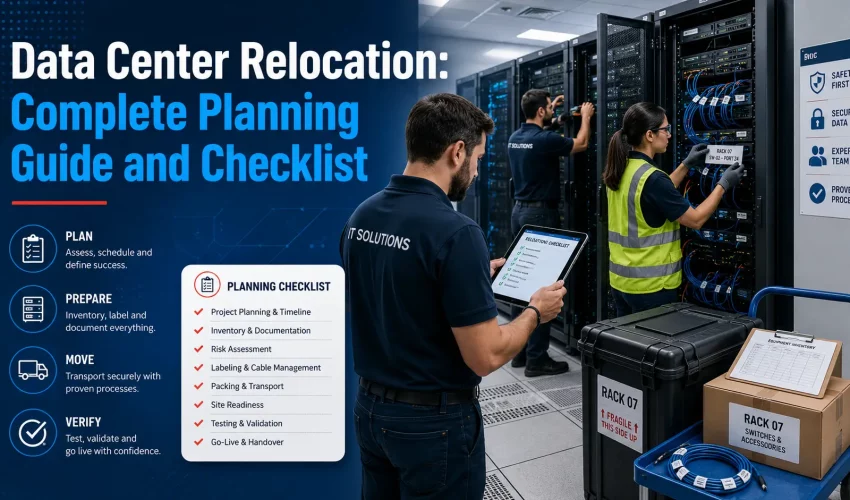
Data Center Relocation: The Complete Guide and Checklist
A data center relocation is the one IT project where the deadline is set by a lease, a landlord, or a colocation contract, and the consequences of missing it land on the entire business rather than just the IT team. There is no soft launch. Either the systems come up at the new address inside the window you promised, or they do not.
Most of what goes wrong is known in advance. The circuit that was ordered too late. The application nobody documented that turns out to depend on a physical license dongle. The rack that weighs 1,900 pounds sitting on a floor rated for 150 pounds per square foot. The backup that had been failing silently for five weeks. These are not exotic failures. They are the same handful of problems, showing up over and over, on projects that skipped the planning work because the move date felt far away.
This guide covers the whole process. What a data center relocation actually involves, how to choose a cutover method, a working twelve week timeline, the runbook structure that holds up on move night, what it costs and why, the compliance obligations that apply in Canada, and a complete checklist you can hand to your team. It is written for the person who has to answer for the outcome, not for someone browsing definitions.
If your project is an office move with a server room attached rather than a full facility relocation, our IT and office relocation services page covers that scope in detail.
Key takeaways
- A data center relocation moves physical IT infrastructure and the workloads running on it from one facility to another. Migration is the broader term and can include cloud, virtual, and format changes with no truck involved.
- Application dependency mapping, not equipment inventory, is the step that determines whether your move night goes to plan. Most teams underinvest here.
- Carrier circuits at a new address commonly take 30 to 90 days to deliver. Order them the day the contract is signed, not the month before the move.
- Uptime Institute reports that 54% of organizations put their most recent significant outage above $100,000, and roughly one in five above $1 million. The same research finds 87% of impactful outages were preventable with better process.
- Downtime is a design decision, not a fixed cost. A lift and shift move produces a long single window. A parallel build can cut user visible downtime to under an hour, at higher capital cost.
- The old facility is a project in its own right. Cable removal, e-waste, drive destruction and lease condition clauses generate real cost and real liability if they are ignored.
What data center relocation actually means
Data center relocation is the planned transfer of IT infrastructure and the services running on it from one facility to another. In practice that means servers, storage arrays, switches, routers, firewalls, load balancers, tape libraries, KVM gear, PDUs, UPS units and the racks that hold all of it, along with the cabling, cross connects and circuits that make the equipment useful.
The term covers a wide range of project shapes. A relocation can be any of the following.
The seven common relocation scenarios
| Scenario | What it involves | Typical difficulty |
|---|---|---|
| On premise to colocation | Moving out of a company owned server room into a leased cage or suite at a colocation facility. The most common enterprise move in the GTA right now. | High. New power topology, new network, new access process, new contract terms. |
| Colocation to colocation | Leaving one provider for another, usually on contract renewal or after a price increase. Cross connects and carrier reprovisioning dominate the work. | High. Network complexity is the hard part, not the hardware. |
| Room to room or floor to floor | An internal move inside the same building, often during a fit out or an electrical upgrade. | Moderate. Short distance does not mean low risk. Same shutdown and startup discipline applies. |
| Cage to cage inside one facility | The colo provider is consolidating floors or you are moving into a larger footprint. Often done with temporary parallel cabling. | Moderate to low. The provider usually carries part of the burden. |
| Facility consolidation | Two or three sites collapsing into one. Involves rationalising duplicate systems, not just moving them. | Very high. This is really a transformation project with a move inside it. |
| Physical to cloud or hybrid | Some workloads lift to a public cloud, the rest go to a smaller physical footprint. Two projects running against one deadline. | Very high. Two entirely different skill sets and two different failure modes. |
| Edge or regional distribution | Breaking one central room into several small sites closer to users, plants or stores. | Moderate, but repeated many times. Standardisation is everything. |
Relocation, migration, consolidation and modernization
These four words get used interchangeably in vendor material and they should not be. The distinction matters because it changes who does the work and where the risk sits.
| Term | Definition | Where the risk sits |
|---|---|---|
| Relocation | Physical hardware moves from one address to another. The systems arrive as the same systems, in the same configuration. | Transport, power, cabling, re-racking, physical validation. |
| Migration | Workloads move to a new environment. That environment may be another facility, a hypervisor, a cloud region or a different storage platform. Hardware may not move at all. | Data integrity, application compatibility, cutover sequencing, replication lag. |
| Consolidation | Multiple environments become one. Duplicate systems are retired, not moved. | Scope discipline, ownership disputes, hidden dependencies on systems slated for retirement. |
| Modernization | The platform changes at the same time as the location. New servers, new storage, new network fabric. | Combined risk of both a move and a rebuild. The most common cause of blown timelines. |
The practical advice is to keep them separate wherever the schedule allows. A relocation that also replaces the storage array, upgrades the hypervisor, and changes the firewall vendor is three projects racing one deadline. When something breaks at 3am you will not know which of the three caused it. Move first, then modernize, unless the hardware is genuinely at end of support and cannot make the trip.
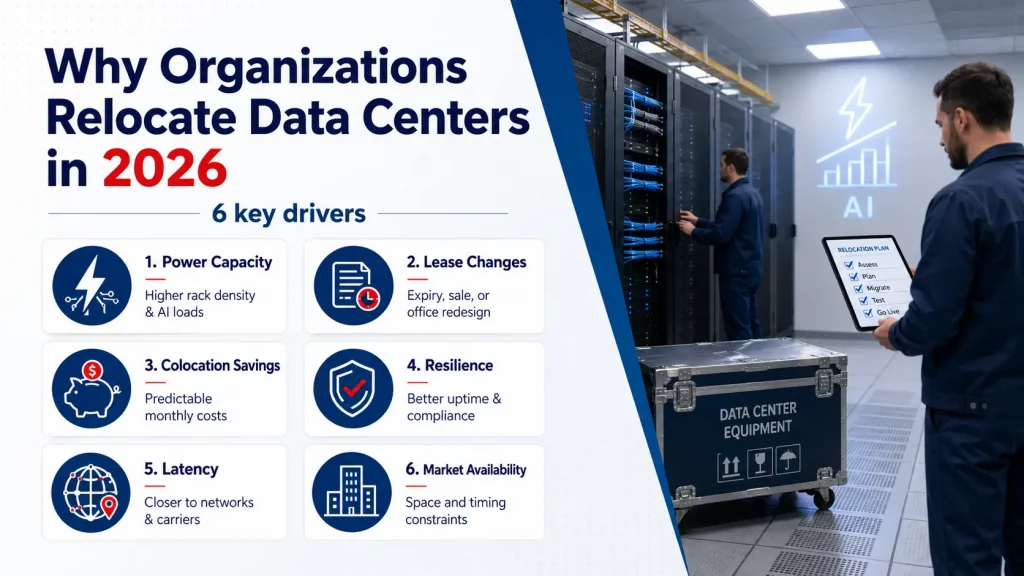
Why organizations relocate their data centers in 2026
The drivers have shifted in the last two years. Cost is still on the list, but it is no longer the top reason in most Canadian projects.
Power availability
This is now the dominant driver. Rack densities that used to sit at 3 to 8 kW are showing up at 20 kW and higher, and AI oriented deployments push far past that. CBRE has reported GTA density figures in the 60 to 132 kW per rack range for AI builds, which is beyond what most legacy server rooms can feed or cool. When your existing room physically cannot deliver another 40 kW, the choice is a costly electrical upgrade or a move.
Lease expiry and building change
Many server rooms exist because someone put racks in a spare office fifteen years ago. When the lease ends or the building gets sold, the room has to go somewhere. This is the most common trigger for a first time relocation, and the one where teams have the least experience to draw on.
Colocation economics
Running a private room means paying for UPS maintenance, generator testing, cooling service, fire suppression inspection, physical security and the floor space itself. A colocation contract converts most of that into a predictable monthly figure. For rooms under roughly ten racks the total cost of ownership comparison usually favours colocation once you count the staff hours nobody bills for.
Resilience and concentration risk
A single room in a leased office with one utility feed and one internet circuit is a single point of failure that quietly underwrites the whole business. Auditors and insurers have become far more direct about this. Moving to a facility with concurrent maintainability, diverse feeds and multiple carriers is often driven by a compliance finding rather than by IT.
Latency and proximity
For some workloads, sitting closer to a carrier hotel or an interconnection point measurably improves performance. In Toronto that historically meant getting inside or near 151 Front Street West. That pull has weakened for AI workloads, where power access now outranks latency, but it still matters for trading, media, voice and anything with heavy peering requirements.
Market conditions
Availability shapes the timeline more than most teams expect. Toronto vacancy has tightened, and CBRE has flagged a scarcity of immediately available built out colocation space in the 3 to 6 MW range across a small number of locations. If you need space in a specific building at a specific density, your move date may be set by when that space exists rather than by when you are ready.
Choose your cutover method before you plan anything else
Every decision downstream depends on this choice. Pick the method first, then build the timeline, then build the budget. Teams that do it in the other order end up committing to a downtime window they cannot meet.
| Method | How it works | User visible downtime | Relative cost | Best suited to |
|---|---|---|---|---|
| Lift and shift | Shut everything down, move the physical hardware, rack it, power it up in dependency order, validate, release. | 12 to 48 hours, in one block | Lowest | Small to mid environments with a tolerable weekend window and hardware still under support. |
| Parallel build (swing) | Stand up equivalent hardware at the new site, replicate data continuously, cut over per application, decommission the old site afterward. | Minutes to a few hours per application | Highest | Environments that cannot take a long outage. Requires capital for a second set of hardware or short term rentals. |
| Phased waves | Split the environment into dependency-clean groups and move one group per weekend over several weeks. A temporary link joins the two sites. | Several short windows | Moderate | Large environments where a single window is impossible and dependency boundaries are clean. |
| Hybrid with cloud offload | Some workloads migrate to cloud permanently or temporarily, reducing what physically moves. Remainder relocates. | Varies widely by workload | Moderate to high | Teams already partway through a cloud strategy, or with a lot of easily virtualized front-end workload. |
How to decide
Work backwards from the business rather than from the technology. Ask three questions.
What is the maximum outage the business will actually accept? Not the number the sponsor says in a meeting. The number you would defend in writing. If the answer is under four hours, lift and shift is off the table for anything but a very small footprint.
How old is the hardware? Equipment past five years old has a meaningfully higher failure rate on power cycling. Drives that have been spinning continuously for years sometimes do not come back after a shutdown. If a significant share of your fleet is aged, a parallel build on new hardware is often cheaper than a lift and shift plus emergency replacement.
Can you draw clean dependency boundaries? Phased waves only work if you can identify groups of systems that talk to each other and not to much else. If everything talks to one legacy database, phasing will not help you.
The twelve week data center relocation timeline
Twelve weeks is a realistic minimum for a mid sized relocation with an established environment. Larger or more regulated projects run six to twelve months. Anything under six weeks means accepting compromises, usually on carrier readiness and testing depth.
| Window | Focus | Gate to pass before moving on |
|---|---|---|
| T-12 to T-10 weeks | Scope, sponsorship, budget, destination contract signed, carrier circuits ordered. | Circuit orders confirmed with target dates in writing. |
| T-10 to T-8 weeks | Full asset inventory, application dependency mapping, power and cooling profile, licence audit. | Dependency map reviewed and signed off by application owners. |
| T-8 to T-6 weeks | Destination design. Rack elevations, power whip schedule, cooling plan, IP and DNS plan, cross connect orders. | Rack elevations approved and cross connects ordered. |
| T-6 to T-4 weeks | Destination build. Cabling, patch panels, PDUs, structured fibre, certification testing. Backups verified by restore test. | Cabling certified. A real restore completed from a real backup. |
| T-4 to T-2 weeks | Runbook written to task level. Labelling complete. Change freeze begins. Dry run walkthrough with the full team. | Runbook walkthrough completed with no unresolved unknowns. |
| T-2 to T-1 weeks | Circuits tested live at the destination. Freight elevator, loading dock and site access booked. Communications sent. Go or no go criteria agreed. | Circuits confirmed operational at destination. Access confirmed in writing. |
| Move weekend | Shutdown, de-rack, transport, re-rack, power on, validate, release to users. | Validation checklist signed before users are told the system is available. |
| T+1 to T+2 weeks | Hypercare. Onsite and on call support. Performance baselining. Punch list closure. | Punch list cleared and monitoring baseline re-established. |
| T+2 to T+6 weeks | Old site decommissioning. Cable removal, ITAD, drive destruction, landlord handover, as-built documentation. | Destruction certificates filed and landlord sign off received. |
The single most common schedule failure is compressing T-10 to T-6 because the hardware is not moving yet and nothing looks like progress. That is the phase that decides the outcome.
Phase 1: Discovery and dependency mapping
Discovery is where relocations are won. It is also the phase most often handed to a junior resource with a spreadsheet, which is how projects end up with a 2am surprise.
Asset inventory: what to actually capture
An inventory that lists make, model and serial number is not enough to rebuild an environment. Every asset record should carry the following fields.
- Manufacturer, model, serial number and internal asset tag
- Current rack, rack unit position and orientation
- Rail kit type and whether the rails are moving with the unit
- Weight, both as configured and as it will travel
- Power draw at typical and peak load, and the receptacle type it currently uses
- Every network connection, including port on the device and port on the switch or patch panel
- Out of band management address and credentials location
- Firmware and BIOS version
- Support contract status and expiry
- Business owner and the applications the asset supports
- Disposition: moving, replacing, retiring or staying
Photograph the front and rear of every rack before anyone touches a cable. Photograph each device’s rear ports. These photos become the reference when a label falls off in transit, and they will. Store them somewhere the whole team can reach from a phone at the destination.
Application dependency mapping
This is the step that separates a controlled move from a long night. You need to know, for every application, what it talks to and what talks to it. Not what the architecture diagram from 2019 says. What the traffic actually shows.
Practical approaches, in rough order of reliability:
- Netflow or firewall session logs over a full month, so weekly and monthly batch jobs appear. A one week capture misses month end processing.
- Agent based discovery tooling that maps process to port to destination. Faster and more complete, but needs agent deployment lead time.
- Interviews with application owners, useful for context and for catching things the network cannot see, such as a scheduled export that a person runs manually.
- Configuration file review for hard coded IP addresses. These are the ones that break when you readdress, and grep will find them faster than any tool.
Specific things to hunt for because they cause outsized damage:
- Hard coded IP addresses in application configs, ODBC connection strings, print server definitions and scripts
- Licences bound to a MAC address, host ID or hardware dongle
- Systems reachable only from a specific source subnet by firewall rule
- Certificates pinned to a hostname or IP that is about to change
- Third party VPN tunnels terminated to your public IP, which will need coordination with each partner
- Anything still on Windows Server 2012 or an OS that will not tolerate a hardware change without reactivation
- Physical media dependencies such as tape libraries, fax boards, serial links to building systems, or a modem nobody has looked at in a decade
Power, cooling and weight profile
Measure rather than estimate. Read actual draw from the PDUs over a two week period rather than adding up nameplate ratings, which typically overstate real consumption by a wide margin. Record peak as well as average, because your destination power commitment needs to cover peak.
Weigh, or accurately calculate, every rack. A standard 42U enterprise rack fully populated with servers, PDUs and cable management usually lands between 1,500 and 2,500 pounds. Dense GPU racks with liquid cooling distribution units can reach 3,000 to 5,000 pounds. ANSI/TIA-942 guidance puts recommended distributed floor loading at 250 pounds per square foot, with 150 as a minimum, and a 3,000 pound cabinet across 8.8 square feet works out to roughly 160 pounds per square foot of point load before you account for the concentrated load at each caster.
That arithmetic matters in two places. The destination floor, and every floor the rack rolls across on the way, including the freight elevator and the loading dock ramp.
Circuit and carrier audit
List every circuit at the current site with its carrier, circuit ID, bandwidth, contract end date, and whether it can be moved, has to be reordered, or should be cancelled. Then order the replacements. New commercial fibre circuits in the GTA routinely take 30 to 90 days from order to delivery, and building entrance work at a site without existing carrier presence can extend that further.
The rule that saves the most projects: order circuits the day the destination contract is signed. Not when the move plan is finished. The day the contract is signed.
Phase 2: Designing the destination
You are not recreating the old room. You are building the room you should have had, constrained by what is actually available.
Rack elevations
Draw every rack, unit by unit, before anything ships. The elevation drawing is the single document your team will reference most during the move. It should show device placement, rail depth, blanking panel positions, cable pathway, PDU mounting, and airflow direction for every unit.
Design rules worth holding to:
- Heaviest items at the bottom. This is a stability requirement, not a preference.
- Leave a minimum of 15% spare rack units. You will use them within a year.
- Blanking panels in every empty U. Without them, hot air recirculates to the intake and your cooling design stops working.
- Keep power and data on opposite sides of the rack.
- Group by dependency, not by device type, so a rack failure has a bounded blast radius.
Power design
Dual corded equipment needs genuinely diverse A and B feeds, from separate upstream distribution, not two whips off the same panel. Confirm receptacle types with the destination facility before you order power. A colocation provider quoting “30 amp” may deliver L6-30R, CS8365 or an IEC 60309 connector, and the wrong cord means a rack that cannot be energised on move night.
Size UPS runtime against a realistic worst case: how long does the environment need to stay up while a generator starts, or while you perform a controlled shutdown. Our UPS wattage sizing guide walks through the calculation for both business and rack scale loads. If the destination has house UPS and generator, get the maintenance and test records in writing rather than accepting the marketing description.
Cooling
Confirm the per rack kW the facility will actually support, not the facility average. Average density figures hide the fact that one 25 kW rack in a room designed for 6 kW average will run hot regardless of what the room total says. Establish hot aisle and cold aisle orientation on the elevation drawings, and specify containment if densities warrant it. Above roughly 20 kW per rack, containment stops being optional. Above roughly 40 kW you are into rear door heat exchangers or direct liquid cooling, which changes the build entirely.
Network and structured cabling
The destination cabling should be installed, terminated, tested and documented before any equipment arrives. Doing cabling during move weekend is the most reliable way to blow the schedule.
- Copper to Cat6A as a baseline for anything above 1 Gbps over meaningful distance, certified with a Fluke DSX tester and the results filed
- Fibre backbone sized for the uplink you will need in three years, not the one you have now, with fusion splices and OTDR traces documented
- Patch panel port map agreed and printed, matching the rack elevations
- Out of band management network built first and tested first, so you can reach devices remotely when something does not come up cleanly
- Uplink speed planned against real requirements. Our guide to 2.5GbE and 5GbE multi-gigabit ethernet is useful when 1 Gbps is short and 10 Gbps is overspecified
If your destination involves multiple network closets or floors, the MDF and IDF planning guide covers how to lay that out properly.
Addressing, DNS and cross connects
Decide early whether you are keeping your IP space or readdressing. Keeping it is far simpler operationally and worth real effort to arrange, whether by moving a portable block, extending a layer 2 domain temporarily, or arranging BGP advertisement from the new location. Readdressing means touching every hard coded reference you found in discovery, and it always takes longer than estimated.
If you are readdressing, drop DNS TTLs to 300 seconds at least 48 hours before the move so records propagate quickly during cutover, then raise them again afterward.
Order cross connects early. In a carrier hotel environment a cross connect to a meet-me room can take days to weeks depending on the provider and the path, and each one usually carries a non-recurring charge plus a monthly fee. Build both into the budget.
Phase 3: Preparation
Backups, and proving they work
Run a full backup of everything in scope. Then restore something from it. An untested backup is a belief, not a control. Restore at minimum one file server, one database and one full virtual machine, and time each restore so you know your real recovery window rather than the theoretical one.
Keep one backup copy physically offsite and not travelling in the same vehicle as the production hardware. This sounds obvious and gets missed regularly.
Labelling
Labels are what let a technician who has never seen your environment rebuild it correctly at 2am. The scheme should be consistent, printed rather than handwritten, and applied to both ends of every cable.
- Each device gets a label tying it to the asset register and to its destination rack and rack unit
- Each cable is labelled at both ends with source device, source port, destination device and destination port
- Colour code by function: production, management, out of band, storage, power
- Use printed thermal labels. Handwritten tape falls off, smudges and gets read wrong under pressure
- Screws, rails, bezels and small hardware go into a labelled bag per chassis, not into a communal box
Our IT relocation checklist for server racks and network equipment goes deeper on labelling and packing method.
Writing the runbook
The runbook is the operational document for move weekend. It is not the project plan. It is a minute by minute task list that someone tired can follow without judgement calls.
Each line should carry: a sequence number, the task, the named person responsible, the expected duration, the dependency that must be complete first, the verification step that proves it worked, and a rollback note. If a line cannot be verified, it is not a runbook task, it is a hope.
Two lists matter more than the rest.
Shutdown order. Applications first, then application servers, then databases, then middleware and virtualization hosts, then storage, then network, then out of band and finally power. Powering down storage while a database is still writing is a common way to create a corruption problem that surfaces two days later.
Startup order. The exact reverse. Power, out of band management, core network, firewalls, storage, virtualization hosts, domain controllers and DNS, databases, application servers, then user facing applications. Each layer gets a verification gate before the next begins. Do not start the storage array and the hypervisors in the same breath because you are behind schedule. That is how a five hour delay becomes a fifteen hour one.
Change freeze and communications
Freeze non-essential change two weeks before the move. Every configuration change during the freeze window is a change your documentation does not reflect.
The communications plan should tell every stakeholder group four things: when systems go down, when they come back, what to do if something does not work, and who to call. Send it twice, once at two weeks out and once at 48 hours out. Include a status page or a group chat channel so people have somewhere to look instead of calling the team running the move.
Dry run
Walk the full runbook with the whole team, out loud, two weeks before the move. Do not skim it. Read every line and ask who is doing it and how they will verify it. A dry run typically surfaces four to eight gaps. Finding them in a meeting room costs an hour. Finding them on move night costs the schedule.
Phase 4: Move execution
The go or no go call
Hold a formal go or no go meeting the day before, against criteria agreed in advance. Typical hard criteria: destination circuits live and tested, destination power energised and metered, cabling certified, backups verified within the last 24 hours, runbook signed, staff confirmed, transport confirmed, site access confirmed in writing.
If a criterion fails, the default is no go. Deciding this in advance is what makes it possible to actually say no under pressure.
Shutdown and de-rack
Photograph everything again before disconnecting, because the environment has changed since discovery. Shut down in the documented order with verification at each step. Then disconnect, and cap or bag fibre connectors immediately. A contaminated fibre end face is a fault that presents as an intermittent link and takes hours to find.
Removing equipment from racks is usually safer than moving racks populated, particularly over any distance or across an uneven path. Populated rack moves are viable for short internal moves with a level route and proper rack jacks or skates, but they concentrate a great deal of weight on a small number of casters.
Packing and transport
Equipment should travel in foam lined crates or purpose built transport cases, in anti-static bags, with each unit isolated. Not bubble wrap, not stacked, not in the back of a cargo van with furniture.
Two transport specifics matter for spinning disks. Shock events above roughly 2 G during non-operational transport can displace read and write heads in platter drives. And air-ride suspension vehicles substantially reduce the vibration transmitted into the cargo bed compared with standard leaf-spring commercial trucks. If any part of your fleet still runs mechanical drives, both of these are worth specifying in the contract with your mover.
Chain of custody should be documented at each handoff: who packed it, who loaded it, who drove it, who received it, with times. For regulated environments this documentation is the evidence that satisfies an auditor later. It also settles insurance questions quickly if something arrives damaged.
Other transport considerations that come up in Ontario specifically: winter moves need equipment protected from moisture and given time to reach room temperature before power up, because condensation on a cold board that is immediately energised causes failures that look random. Plan for it rather than reacting to it.
Receiving and re-racking
Verify every crate against the asset register on arrival, before anything is unpacked and mixed. A missing item found at receiving is a logistics problem. The same missing item found at 4am during validation is a crisis.
Re-rack against the elevation drawings, bottom up, heaviest first. Cable in the documented order. Then power on layer by layer with a verification gate at each stage:
- Energise PDUs and confirm both A and B feeds are live and drawing as expected
- Bring up out of band management and confirm you can reach every device remotely
- Bring up core switching and routing, confirm uplinks and carrier circuits
- Bring up firewalls and confirm rule sets and tunnels
- Bring up storage, confirm all paths and LUN presentation before mounting anything
- Bring up virtualization hosts, confirm cluster membership and shared storage
- Bring up domain controllers and DNS, confirm replication and resolution
- Bring up databases, confirm integrity checks pass before applications connect
- Bring up application servers
- Run the validation checklist
Validation before release
Do not tell users the system is back until the checklist is complete and signed. Validation should cover, at minimum:
- Every host reachable on production and management networks
- Internal DNS resolving forward and reverse, external DNS resolving to the new addresses
- Authentication working, including from a client machine rather than only from a server
- Every business critical application opened and exercised by someone who uses it daily, not by the person who moved it
- Database integrity checks passed
- Backup jobs running successfully against the new environment
- Monitoring and alerting reporting from the new site
- Redundancy actually tested: pull one power feed, fail one uplink, confirm the environment survives it
- Performance compared against the pre-move baseline you captured in discovery
That last point requires having captured a baseline before the move. Without it you cannot answer the question users will ask on Tuesday, which is whether the system is slower than it used to be.
Rollback
Define the rollback trigger and the rollback deadline before the move starts. A common structure: if the environment is not validated by a fixed hour on Sunday, the decision to roll back must be made at that hour, because rolling back also takes time and cannot start at the last minute. Once physical hardware has been transported, a true rollback is expensive and slow, which is exactly why the criteria must be agreed while everyone is calm.
Phase 5: Stabilization and decommissioning
Hypercare
Staff the first week properly. Have engineers onsite on the first business morning and on call through the week. Issues surface on a delay because usage patterns are weekly and monthly. The report that only runs on the last business day of the month will not tell you it is broken until the last business day of the month.
Track every issue in one list with an owner and a status. Review it daily for the first week and at the end of the second. Close the project formally rather than letting it fade out with items still open.
Decommissioning the old site
This is a real project with real cost, and it gets forgotten in almost every first time relocation budget. What it involves:
- Cable removal. Most commercial leases require the space returned in its original condition, which includes removing low voltage cabling installed during the tenancy. Landlords charge back the cost when it is left behind, and the chargeback is usually higher than the removal cost would have been. Cable removal and abatement should be scoped at the same time as the move, not afterward.
- Rack and infrastructure removal. Racks, ladder rack, cable tray, PDUs, UPS units and their batteries. UPS batteries in particular require proper handling and cannot go in general waste.
- Electrical make-safe. Dedicated circuits, panels and disconnects installed for the room usually need to be decommissioned by a licensed electrical contractor with documentation for the landlord file.
- Data destruction. Every drive, SSD, tape and anything else holding data gets destroyed or securely erased, with a serialized certificate per item. This is the document your auditor, your insurer and your privacy officer will ask for.
- Certified e-waste disposal. Electronics in Ontario fall under the Electrical and Electronic Equipment regulation administered by the Resource Productivity and Recovery Authority. Use a downstream partner that holds proper Ontario certification and provides documentation of where the material went.
- Asset reconciliation. The register of what left the old building and the register of what arrived at the new one should reconcile exactly. Anything unaccounted for is investigated, not written off.
As-built documentation
The handover package is what your team will use for the next five to ten years. It should contain the final asset register with new locations, rack elevations as built, the network diagram, cabling certification results, patch panel port maps, circuit IDs and carrier contacts, IP addressing and DNS changes, power feed assignments, destruction certificates, and the closed punch list.
Documentation written a month after the move is worse documentation. Write it during the project.
The complete data center relocation checklist
Use this as a working document. Assign an owner to every line. A line without an owner does not get done.
T-12 to T-10 weeks: initiate
- Executive sponsor named and budget approved
- Project manager assigned with authority to say no go
- Destination contract signed, including power commitment, cross connect terms and access process
- Carrier circuits ordered at the destination with written target delivery dates
- Move window selected and confirmed against business calendar, tax season, quarter close and peak trading periods
- Insurance coverage confirmed for equipment in transit and at both sites
- Stakeholder list built with named contacts for every application
T-10 to T-8 weeks: discover
- Full asset inventory captured with all fields listed above
- Front and rear photographs of every rack and every device rear panel
- Application dependency map produced from traffic data over a full month
- Hard coded IP addresses identified in configs, scripts and connection strings
- Licences bound to hardware identified and reissue process confirmed with each vendor
- Third party VPN tunnels listed with partner contacts
- Actual power draw measured per rack over two weeks, peak and average
- Rack weights calculated as configured and as they will travel
- Support contract status confirmed for every asset, with location update process identified
- Performance baseline captured for critical applications
- Disposition decided for every asset: move, replace, retire or stay
T-8 to T-6 weeks: design
- Rack elevations drawn unit by unit and approved
- Destination floor loading confirmed against actual rack weights
- Power whip schedule confirmed including receptacle types and A/B diversity
- Cooling plan confirmed at per rack kW, with containment specified if required
- IP addressing plan finalised, keep or readdress decision made
- DNS change plan written, TTL reduction scheduled
- Cross connects ordered
- Structured cabling design finalised, copper and fibre counts confirmed
- Out of band management network designed
- Cutover method confirmed and downtime window agreed in writing with the business
T-6 to T-4 weeks: build and verify
- Destination cabling installed, terminated and certified with results filed
- Patch panels labelled and port map printed
- Racks, PDUs and cable management installed at the destination
- Power energised and metered at the destination
- Full backup completed of everything in scope
- Restore test performed and timed for a file server, a database and a full virtual machine
- Offsite backup copy confirmed and located away from the transport route
- Transport vendor booked with air-ride suspension and crating specified
- Spare parts and consumables staged: patch cords, power cords, rails, screws, blanking panels, labels
T-4 to T-2 weeks: prepare
- Runbook written to task level with owner, duration, dependency, verification and rollback per line
- Shutdown sequence documented and reviewed by application owners
- Startup sequence documented with verification gates
- All equipment and cables labelled at both ends
- Change freeze in effect
- Dry run walkthrough completed with the full team, gaps logged and closed
- Go or no go criteria agreed and circulated
- Rollback trigger and rollback deadline defined
- Staff roster confirmed with rest periods planned, not assumed
T-2 to T-1 weeks: confirm
- Carrier circuits tested live at the destination with a real traffic test
- Cross connects confirmed in place and tested
- Freight elevator, loading dock and after hours access booked at both addresses in writing
- Certificates of insurance provided to both building managers
- Security clearance and access badges arranged for all crew at both sites
- DNS TTLs reduced
- Communications sent to all users and stakeholders
- Vendor support cases pre-opened with major vendors so you are not queueing at 2am
- Food, parking, and washroom access sorted for the crew. It sounds trivial and it is not
Move weekend: execute
- Go or no go decision made against criteria
- Final backup completed and verified within 24 hours of shutdown
- Photographs taken of all connections immediately before disconnection
- Shutdown executed in documented order with verification at each step
- Fibre connectors capped or bagged on disconnection
- Equipment packed in anti-static bags inside foam lined crates
- Chain of custody signed at every handoff
- Crates verified against asset register on arrival before unpacking
- Equipment allowed to reach room temperature before power up if transported in cold conditions
- Re-rack completed against elevation drawings
- Power on executed layer by layer with a gate at each stage
- Validation checklist completed and signed
- Release to users communicated only after validation sign off
T+1 to T+2 weeks: stabilize
- Engineers onsite on the first business morning
- On call coverage through the full first week
- Issue list maintained with owner and status, reviewed daily
- Backup jobs confirmed running successfully at the new site
- Monitoring and alerting confirmed reporting from the new site
- Performance compared against pre-move baseline
- Redundancy tested by controlled failover
- Support contracts updated with new equipment location
- Disaster recovery documentation updated to reflect the new site
T+2 to T+6 weeks: close out
- Old site cabling removed and disposed with documentation
- Racks, tray, PDUs and UPS batteries removed and handled appropriately
- Electrical infrastructure decommissioned by a licensed contractor with documentation
- Drives and media destroyed with serialized certificates issued
- E-waste routed through a certified Ontario partner with documentation of final disposition
- Asset registers from both sites reconciled with no unexplained gaps
- Landlord walkthrough completed and space accepted
- As-built documentation package delivered
- Lessons learned session held and written down
- Project formally closed
Downtime: what to expect and how to reduce it
Downtime is the number your business cares about, and it is more controllable than most teams assume. It is set by design choices, not by physics.
| Environment | Lift and shift | Phased waves | Parallel build |
|---|---|---|---|
| Under 5 racks | 8 to 16 hours | Rarely worth it | 1 to 4 hours per application |
| 5 to 15 racks | 16 to 36 hours | 4 to 12 hours per wave | Under 1 hour per application |
| 15 to 40 racks | 36 to 72 hours | 8 to 16 hours per wave | Under 1 hour per application |
| 40+ racks | Not advisable | 8 to 24 hours per wave | Minutes per application |
Ranges assume the destination is fully built and tested before move night. If cabling, power or circuits are being finished during the move, add 50% and expect to use it.
Practical ways to cut the window
- Replicate data ahead of time. Storage level replication, database log shipping or hypervisor replication moves the bulk of the data days in advance. What remains at cutover is a small delta.
- Move the network first. Establishing connectivity between old and new sites before move night lets you validate the destination network with production traffic instead of discovering problems while the environment is down.
- Prestage what does not need to move. If you are replacing any hardware, install and configure it at the destination weeks in advance. Every unit prestaged is a unit not being racked at 3am.
- Split the environment. Non-critical systems can move on a separate weekend with a relaxed window, shrinking the critical path move.
- Parallelize physical work. Two crews, one de-racking at the origin while the other racks at the destination, roughly halves the physical portion. It also doubles the coordination burden, so it needs a dedicated coordinator.
- Use a holiday long weekend. Victoria Day, Canada Day, the August civic holiday, Labour Day and Thanksgiving each add a full day of buffer before users return.
What a data center relocation costs
Nobody can quote a data center relocation accurately over the phone, and any provider who does is guessing. The variables are too wide. What is useful is understanding what drives the number, so you can shape the project rather than just receive a price.
Cost components
| Component | What drives it |
|---|---|
| Planning and project management | Environment complexity, number of applications, number of stakeholders. Typically 10 to 20% of total project cost and the least worthwhile place to economise. |
| Destination structured cabling | Drop count, copper category, fibre strand count and distance, pathway construction, certification testing. |
| Destination electrical | Number of circuits, amperage, A/B diversity, panel work, whip runs, whether the facility provides power to the cabinet or to the row. |
| Physical move labour | Rack count, device count, distance between sites, floor levels, elevator access, whether racks travel populated or empty. |
| Specialized transport | Crating, air-ride vehicles, climate control, GPS tracking, escort requirements, number of trips. |
| Carrier circuits | Installation charges, building entrance fees where no carrier presence exists, contract term, bandwidth, and overlap period where old and new run in parallel. |
| Cross connects | Non-recurring charge plus monthly per connection. Adds up quickly in a carrier hotel environment. |
| Replacement hardware | Anything at end of support that should not make the trip, plus rails, PDUs, patch cords and blanking panels that never appear in early budgets. |
| Parallel running | Paying for both facilities during overlap. Often one to three months and frequently omitted from initial budgets. |
| Decommissioning | Cable removal, rack removal, electrical make-safe, e-waste, drive destruction, landlord restoration. |
| Contingency | 15 to 20% of the total. Projects that do not carry contingency do not avoid the cost, they just have to argue about it later. |
Where budgets go wrong
Four omissions account for most overruns. Parallel facility costs during overlap. Decommissioning and landlord restoration at the old site. Carrier installation and early termination charges. And replacement hardware for equipment that turns out to be past end of support once someone finally checks.
Industry research on migration projects consistently shows a large share running over budget or past schedule, with reported overruns commonly in the 14 to 30% range. The same research finds that organizations conducting a formal readiness assessment before migrating have materially higher success rates, and that using an experienced migration partner reduces post-migration incidents substantially. Both findings point the same direction: the money spent on planning is the cheapest money in the project.
Risk register: the eleven risks worth planning for
| Risk | Impact | Mitigation |
|---|---|---|
| Carrier circuit not delivered on time | Move delayed or systems live with no connectivity | Order at contract signature. Escalate weekly. Arrange a temporary wireless or bonded backup circuit as a fallback. |
| Undocumented dependency surfaces at cutover | Application fails after the window closes | Traffic based dependency mapping over a full month. Application owner sign off. |
| Hardware fails on power up | Extended outage, emergency procurement | Identify aged hardware in discovery. Stage spares for critical components. Pre-open vendor support cases. |
| Backup proves unrestorable | Data loss with no recovery path | Restore test before the move, timed, on real data. Not a backup job report. |
| Destination floor cannot carry rack weight | Structural risk, move halted | Confirm floor rating against measured rack weight during design. Include the route, not just the final position. |
| Wrong power receptacle at destination | Racks cannot be energised on move night | Confirm receptacle types in writing during design. Carry adapters and spare cords. |
| Transit damage to drives | Silent data corruption or dead arrays | Anti-static bagging, foam crating, air-ride transport, shock monitoring on critical crates. |
| Building access refused on move night | Total schedule failure | Confirm freight elevator, dock and after hours access in writing. Provide certificates of insurance early. |
| Licence tied to hardware fails to activate | Application unusable at the new site | Audit licences in discovery. Arrange reissue with each vendor before the move. |
| Key staff unavailable or exhausted | Errors, slow decisions, safety risk | Roster with mandatory rest. Two people deep on every critical role. Nobody works 20 hours straight. |
| Scope expands mid project | Timeline and budget both fail | Written change control. Upgrades deferred to a separate project unless hardware genuinely cannot travel. |
Compliance and data custody in Canada
Moving hardware means moving data, and a relocation puts personal information into the hands of everyone who touches a crate. The obligations do not pause for the weekend.
PIPEDA
Federal private sector privacy law does not impose a data localization requirement, but it does require that personal information transferred to a third party for processing receives a comparable level of protection. In a relocation that means your contract with the moving provider needs to address safeguards, access control and breach notification, and the accountability stays with your organization regardless of who is carrying the box.
PHIPA
In Ontario, health information custodians are responsible for ensuring that any agent handling personal health information protects it adequately, and that includes assessing whether the protections offered are sufficient. For clinics, hospitals and any organization holding patient records, a relocation needs documented chain of custody, a written agreement with the provider, and a clear record of who handled what and when.
PCI DSS
If cardholder data is in scope, the physical security requirements of the standard apply during transit as well as at rest. Media containing cardholder data must be secured and its movement approved and logged. Your QSA will ask about the move at the next assessment. Documenting it properly at the time is far easier than reconstructing it later.
SOC 2 and ISO 27001
A relocation is a change of significant scale and both frameworks expect it to be handled through documented change management with evidence. Keep the risk assessment, the approval, the runbook and the validation sign off. Auditors ask for these specifically.
Ontario e-waste and disposal
Information technology, telecommunications and audio-visual equipment is regulated material in Ontario under the Electrical and Electronic Equipment regulation administered by the Resource Productivity and Recovery Authority. Equipment being disposed of during a relocation needs to go through a properly certified pathway, and you should hold documentation showing where it ended up. Sending old servers off in a general waste bin creates a compliance problem and, if the drives are still in them, a privacy incident.
Toronto and GTA specifics that change the plan
Some of what shapes a data center relocation in Ontario has nothing to do with the technology.
Carrier lead times
New commercial fibre circuits from Bell, Rogers, Cogeco, Beanfield and Zayo routinely take 30 to 90 days from order in the GTA. Buildings without existing carrier presence need entrance facility work, which can add months and a construction charge. This is the single most common cause of a delayed move date in this market.
Interconnection geography
151 Front Street West remains the primary carrier hotel for the region, with a large concentration of networks reachable through its meet-me room. Nearby facilities on King Street West connect back to it by diverse fibre. If your requirement is peering density or low latency access to many carriers, the address matters. If your requirement is power at density, CBRE has noted GTA capacity being leased well beyond the traditional 100 kilometre radius around Front Street, because power availability now outweighs latency for AI oriented workloads.
Power and grid
Toronto Hydro and Alectra are both handling significant volumes of new capacity applications and power studies for data centre projects. If your relocation involves a build with a meaningful new electrical service rather than a move into existing colocation capacity, the utility timeline needs to be in your project plan from day one.
Building access
Most commercial buildings in Toronto restrict moves to weekends or designated after hours windows. Freight elevators typically require booking two to four weeks in advance, and many buildings require a certificate of insurance from every vendor before releasing the elevator. Class A buildings downtown are the strictest. The freight elevator is frequently the actual bottleneck on move night, not the truck and not the technical work.
Lease conditions
Most commercial leases require 60 to 90 days notice of vacancy, and some downtown Class A buildings require 120. Most also require the space returned in original condition, which includes removing cabling installed during your tenancy. Read the lease before the move date is booked, not after.
Winter
Equipment moved in January arrives cold. Powering up a cold board in a warm room produces condensation. Allow acclimatization time in the runbook, protect crates from snow and slush at both docks, and plan for the possibility that a storm closes the 401 on the weekend you picked.
Ten mistakes that wreck data center relocations
1. Ordering circuits late. Every other schedule problem is recoverable with effort. This one is not, because the carrier’s timeline is not yours to control.
2. Skipping dependency mapping. Teams inventory hardware and assume they understand the environment. Hardware inventory tells you what to move. Dependency mapping tells you what order to bring it back and what will break when you do.
3. Trusting backups without restoring from them. A green backup report means the job ran. It does not mean the data comes back. Restore something.
4. Bundling a technology refresh into the move. New storage, new hypervisor version and a new address all at once means that when something fails you cannot isolate the cause. Move first. Modernize after.
5. Letting the in-house team plan and execute alone while also doing their day job. Your team knows the environment better than anyone. They also have to keep the current environment running until the day it moves. Asking them to absorb a major project on top of that is how moves get under-planned.
6. Doing cabling on move weekend. Cabling work during a move is a guaranteed delay. It belongs in the build phase, finished, tested and documented before anything arrives.
7. Using a general commercial mover for IT equipment. Standard movers handle furniture well. They do not carry foam crating rated for IT load, anti-static materials, rack jacks, or a chain of custody process. The remediation cost after a bad IT move is consistently higher than the difference in quote.
8. No rollback plan. Deciding at 4am whether to roll back, with a tired team and a sponsor on the phone, produces bad decisions. Define the trigger and the deadline in advance.
9. Telling users the system is up before validation is signed. The pressure to declare victory is enormous. Users hitting a half-validated environment generate a support flood and destroy confidence in the project.
10. Forgetting the old site. Cable removal, e-waste, drive destruction, electrical make-safe and lease restoration are real costs with real deadlines. Budget them at the start, not when the landlord sends the chargeback.
Choosing a data center relocation partner
Whether you run the project in-house with a physical execution partner or hand over the whole thing, the questions worth asking are the same. A provider who answers these clearly is a different proposition from one who talks about experience in general terms.
Questions to ask before you sign
- What is your liability coverage for equipment in transit, and can I see the certificate?
- Do you subcontract the physical IT transport, or is it your own crew and your own vehicles?
- What transport equipment do you use? Ask specifically about foam crating, anti-static materials, rack jacks and air-ride suspension.
- How do you document chain of custody, and can I see a sample from a previous project?
- Do you perform the structured cabling at the destination, or is that another vendor’s scope? Split responsibility here creates gaps.
- Who writes the runbook, and will I review it before the move?
- Is the person quoting this project going to be onsite during it?
- What does your post-move support include, and for how long?
- What documentation do I receive at handover?
- Can you provide serialized destruction certificates for decommissioned media?
- Have you worked in my destination facility before, and do you know its access and delivery process?
- What happens if we hit the rollback trigger? Who decides, and what does it cost?
Where responsibility should sit
| Work | Usually best owned by |
|---|---|
| Application dependency mapping | Internal IT with application owners. Nobody outside knows your business processes. |
| Runbook authorship | Jointly. Internal for application sequencing, partner for physical sequencing. |
| Structured cabling and physical infrastructure | Specialist contractor. This is skilled trade work with certification requirements. |
| Physical move and transport | IT relocation specialist, not a general mover. |
| Application validation | Internal, with business users who actually use the systems. |
| Decommissioning and ITAD | Specialist with certified downstream partners and documentation. |
Frequently asked questions
What is data center relocation?
Data center relocation is the planned transfer of IT infrastructure and the workloads it supports from one facility to another. It covers servers, storage, network equipment, racks, cabling and circuits, and it includes the planning, sequencing, transport, reinstallation, validation and decommissioning work around the physical move.
What is the difference between data center relocation and data center migration?
Relocation refers to physical infrastructure moving between locations. Migration is broader and refers to workloads moving to a new environment, which may be another facility, a different hypervisor, a cloud platform or a new storage system. A migration can happen with no hardware moving at all. Most real projects contain elements of both.
How long does a data center relocation take?
Twelve weeks is a realistic minimum for a mid sized environment from initiation to move night, with two to six weeks of stabilization and decommissioning afterward. Large or regulated environments run six to twelve months. The critical path is usually carrier circuit delivery and destination build, not the physical move itself.
How much downtime should we expect?
It depends entirely on method. A lift and shift of five to fifteen racks typically means 16 to 36 hours in one window. A parallel build with pre-replicated data can bring user visible downtime under an hour per application. Phased waves sit between the two. The number is a design decision, so decide it before you commit to a date.
How much does a data center relocation cost?
Cost is driven by rack and device count, destination cabling and electrical scope, distance, carrier charges, cross connects, replacement hardware, parallel facility running during overlap, and decommissioning at the old site. No credible provider quotes this over the phone. A proper quote follows a site survey at both addresses. Budget 15 to 20% contingency, and expect planning and project management to account for 10 to 20% of the total.
Should we move racks fully populated or unrack the equipment?
Unracking is generally safer, particularly over distance or across an uneven route. A fully populated 42U rack commonly weighs 1,500 to 2,500 pounds, which concentrates significant load on a few casters and makes the rack top-heavy. Populated moves are viable for short internal moves with a level path and proper rack jacks or skates, and they save considerable time when conditions allow.
What should be in a data center relocation runbook?
A sequence number, the task, the named owner, the expected duration, the prerequisite that must be complete first, the verification step that proves the task worked, and a rollback note. It should include the full shutdown sequence, the full startup sequence with verification gates, and the go or no go criteria. If a step cannot be verified, it does not belong in the runbook.
What order should systems be shut down and brought back up?
Shut down from the top of the stack: applications, application servers, databases, middleware and virtualization hosts, storage, network, out of band, then power. Bring up in reverse: power, out of band management, core network, firewalls, storage, virtualization hosts, domain controllers and DNS, databases, application servers, then user facing applications. Verify each layer before starting the next.
Do we need to change IP addresses when we relocate?
Not necessarily. Keeping your existing address space is simpler operationally and worth real effort to arrange, whether by moving a portable block, temporarily extending layer 2 between sites, or arranging BGP advertisement from the new location. If you must readdress, budget significant time for hard coded references in application configs, connection strings, firewall rules, certificates and third party VPN tunnels, and reduce DNS TTLs at least 48 hours before the cutover.
What are the biggest risks in a data center relocation?
Carrier circuits arriving late, undocumented application dependencies surfacing at cutover, backups that cannot actually be restored, aged hardware failing on power up, and building access falling through on move night. Physical damage in transit is a real risk but a smaller one than most people assume, provided the equipment is crated and transported properly.
What happens to the old data center after we move?
It becomes its own project. Cable removal, rack and tray removal, UPS battery handling, electrical decommissioning by a licensed contractor, certified e-waste disposal, serialized drive destruction certificates, asset reconciliation and a landlord walkthrough. Most commercial leases require the space returned in original condition, and landlord chargebacks for skipped restoration work are usually higher than the cost of doing it properly.
Can our internal IT team run the relocation themselves?
They can own the planning, dependency mapping and application validation, and they should, because nobody else knows the environment as well. Where teams usually need outside help is the physical execution, the destination cabling and electrical work, the transport, and the sheer volume of hours during the move window. The failure mode to avoid is asking the in-house team to plan and execute a major relocation while also keeping the current environment running.
Is a relocation a good time to upgrade hardware?
Only for equipment genuinely at end of support that should not make the trip. Anything else adds a second project to the same deadline and makes troubleshooting far harder when something fails. Move first, modernize once the environment is stable at the new site.
What insurance and documentation should the provider carry?
Commercial general liability, coverage for equipment in transit, WSIB compliance for the crew, and bonding for commercial property access. Ask for the certificates before work starts, since most building managers will require them anyway before releasing freight elevator access.
Planning a data center or server room relocation in the GTA?
Cablify started as a commercial structured cabling contractor and grew into relocation work, because every data center move is a cabling and power project with equipment attached. That order matters. The destination build is what determines whether move night runs to schedule, and it is the part most providers subcontract.
We handle server room and data center relocations across Toronto, Mississauga, Brampton, Vaughan, Markham, Oakville, Burlington, Hamilton, Kitchener, Waterloo and the wider GTA, along with project work in Ottawa, Montreal and Southern Ontario. That includes discovery and asset registers, destination cabling certified with Fluke DSX testing, rack and power infrastructure, labelling and runbook support, crated transport with documented chain of custody, re-racking and validation, first week onsite support, and full decommissioning with serialized destruction certificates at the old site.
If your project is an office move with a server room inside it rather than a full facility relocation, our IT and office relocation services page covers that scope, including phasing, pricing ranges and the decommissioning side.
Site surveys at both addresses are free, and the written quote is based on what we actually observe rather than on a floor plan. Call 1-647-846-1925 or 1-877-450-2134, or email info@cablify.ca. Most replies come back inside one business day, weekdays through 8pm.
Related guides from the Cablify blog
- IT and office relocation services in Toronto and the GTA
- IT relocation checklist: moving server racks, desktops and network equipment
- What is an MDF and IDF? A guide to network closets
- How much wattage UPS do I need? Sizing guide
- 2.5GbE, 5GbE and multi-gigabit ethernet explained
- Fibre optic cabling installation in Toronto
- Cable removal and abatement services