
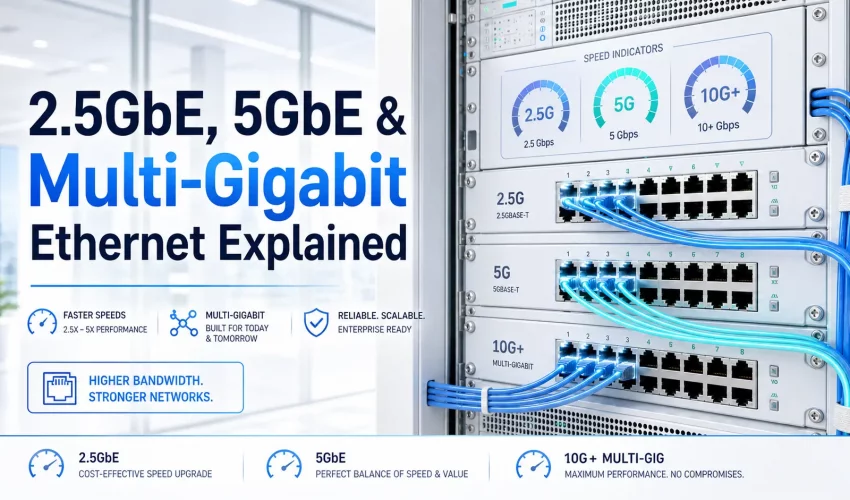
What Is Multi-Gigabit Ethernet?
Multi-Gigabit Ethernet is the collective name for the 2.5Gbps and 5Gbps Ethernet speed tiers that sit between standard Gigabit (1G) and 10 Gigabit (10G). For two decades, commercial Ethernet jumped directly from 1Gbps to 10Gbps — with nothing in between. Multi-Gigabit fills that gap.
The reason these intermediate speeds exist is practical: the jump from 1G to 10G requires expensive new switches, new cables in many cases, and entirely new network cards. For the majority of commercial environments — and nearly all SMB deployments — 10G is significantly more than needed. 2.5G delivers 2.5 times the throughput of standard Gigabit for a fraction of the cost of a 10G upgrade.
Multi-Gigabit has existed as a standard since 2016, but it entered mainstream purchasing in 2023–2025 as multi-gig switch prices dropped from $400+ per port to under $50 per port for unmanaged 2.5G switches. The catalyst is Wi-Fi 6 and Wi-Fi 6E access points, which now routinely aggregate more throughput than a 1G uplink can carry.
The NBASE-T Standard Explained
Multi-Gigabit Ethernet runs on the NBASE-T specification — originally developed by a consortium of Cisco, Aquantia, and others before being ratified by IEEE in 2016 as IEEE 802.3bz. The “N” in NBASE-T stands for the speeds it covers: 2.5GBASE-T and 5GBASE-T.
The critical engineering achievement of NBASE-T is that it achieves 2.5Gbps and 5Gbps throughput over the same Cat5e and Cat6 cabling infrastructure already installed in the world’s commercial buildings. It does this by using advanced DSP (digital signal processing) and forward error correction — the same techniques that allowed Gigabit Ethernet to run over Cat5e when Cat5e was originally spec’d for 100Mbps.
| Speed | IEEE Standard | Marketing Name | Year Ratified | Min Cable | Max Distance |
|---|---|---|---|---|---|
| 100 Mbps | 802.3u | Fast Ethernet | 1995 | Cat5 | 100m |
| 1 Gbps | 802.3ab | Gigabit Ethernet | 1999 | Cat5e | 100m |
| 2.5 Gbps | 802.3bz | 2.5GBASE-T / NBASE-T | 2016 | Cat5e | 100m |
| 5 Gbps | 802.3bz | 5GBASE-T / NBASE-T | 2016 | Cat6 | 100m |
| 10 Gbps | 802.3an | 10GBASE-T | 2006 | Cat6A | 100m |
NBASE-T (2.5G / 5G) and 10GBASE-T are different standards. 10GBASE-T requires Cat6A for the full 100m channel. NBASE-T achieves 2.5G over Cat5e and 5G over Cat6 at full 100m distance — making it a true in-place upgrade for legacy cabling plants.
Speed Tiers: 1G vs 2.5G vs 5G vs 10G Compared
All four speeds run over twisted-pair copper, connect with the same RJ-45 plug, and use the same physical port form factor on switches. The difference is purely in what the electronics inside negotiate.
| Spec | 1G (Gigabit) | 2.5G (NBASE-T) | 5G (NBASE-T) | 10G |
|---|---|---|---|---|
| Throughput | 1,000 Mbps | 2,500 Mbps | 5,000 Mbps | 10,000 Mbps |
| Real-world file transfer | ~112 MB/s | ~280 MB/s | ~560 MB/s | ~1,120 MB/s |
| Min cable (100m) | Cat5e | Cat5e | Cat6 | Cat6A |
| Backward compatible? | — | Yes — auto-negotiates to 1G | Yes — negotiates to 2.5G / 1G | Yes — all lower speeds |
| Switch cost per port (2026) | $5–15 | $30–60 | $40–80 | $80–200+ |
| NIC cost (2026) | Built-in on all PCs | $20–45 | $35–70 | $60–150 |
| Typical use case | Workstations, phones, cameras | Wi-Fi 6 AP uplinks, NAS | Wi-Fi 6E AP uplinks, high-perf NAS | Servers, core switches, storage |
Why 2.5GbE Exists: The Wi-Fi 6 Uplink Bottleneck
The single most important driver of multi-gigabit adoption in commercial buildings is the mismatch between Wi-Fi 6 access point throughput and 1G uplink capacity.
A modern enterprise Wi-Fi 6 access point — such as the Cisco Catalyst 9124, Aruba AP-635, or Ubiquiti U6-Pro — aggregates 2.4Gbps to 4.8Gbps of combined radio throughput across its bands. Yet the vast majority of these APs connect to the network through a single Ethernet port. If that port is limited to 1Gbps, you’ve installed a $500 access point and capped it at 40% of its potential throughput on day one.
For Wi-Fi 6 APs: provision a 2.5G uplink per access point. For Wi-Fi 6E or Wi-Fi 7 APs with a 6GHz radio: provision a 5G uplink. Always check the AP’s datasheet for its uplink port rating before designing switch infrastructure.
Cable Compatibility: Does Cat5e / Cat6 Support 2.5GbE?
This is the question that matters most for retrofit installations. The short answer: yes — with important caveats.
2.5GBASE-T on Existing Cable
- Cat5e (installed 2000–2010): Officially supports 2.5GBASE-T to 100m per IEEE 802.3bz. Real-world performance depends on installation quality. A well-installed Cat5e run will typically pass. Degraded or older runs may auto-negotiate down to 1G.
- Cat6: Comfortably supports 2.5GBASE-T. Cat6’s improved crosstalk specs and tighter twist rates give it more margin than Cat5e at 2.5G speeds.
- Cat6A: Fully supports 2.5G, 5G, and 10G. If running new cable, Cat6A eliminates every speed question for the next 20 years.
5GBASE-T on Existing Cable
- Cat5e: Not supported at 100m. Cat5e lacks the bandwidth headroom for 5G at full channel length.
- Cat6: Supports 5GBASE-T to 100m per IEEE 802.3bz. Well-installed Cat6 runs will pass channel certification at 5G speeds.
- Cat6A: Fully supports 5G to 100m with significant margin remaining.
| Cable Type | Bandwidth | Max Speed at 100m | 2.5G Support | 5G Support | 10G Support |
|---|---|---|---|---|---|
| Cat5e | 100 MHz | 2.5 Gbps | Yes ✓ | No ✗ | No ✗ |
| Cat6 | 250 MHz | 5 Gbps | Yes ✓ | Yes ✓ | ≤55m only |
| Cat6A | 500 MHz | 10 Gbps | Yes ✓ | Yes ✓ | Yes ✓ |
| Cat8 | 2,000 MHz | 40 Gbps (≤30m) | Yes ✓ | Yes ✓ | Yes ✓ |
NBASE-T devices auto-negotiate — they test the link and settle on the highest speed the cable reliably supports. A Cat5e link that can’t maintain 2.5G falls back to 1G automatically. You won’t break anything by trying. For any new installation, always run Cat6A — it eliminates every speed limitation for the full building lifecycle. See our cable speeds comparison guide.
2.5GbE vs 5GbE vs 10GbE: Which Do You Need?
| Device / Use Case | Bandwidth Required | Recommended Speed | Min Cable |
|---|---|---|---|
| VoIP phone, IP camera, IoT sensor | <100 Mbps | 1G | Cat5e |
| Workstation (standard office) | 100–500 Mbps | 1G | Cat5e/Cat6 |
| Wi-Fi 5 (802.11ac) AP uplink | Up to 867 Mbps | 1G | Cat5e |
| Wi-Fi 6 (802.11ax) AP uplink | Up to 2.4 Gbps | 2.5G | Cat5e/Cat6 |
| Power user workstation / creative pro | 500 Mbps–2 Gbps | 2.5G | Cat5e/Cat6 |
| NAS / shared media storage (SMB) | 1–4 Gbps | 2.5G or 5G | Cat6 |
| Wi-Fi 6E (802.11ax 6GHz) AP uplink | Up to 4.8 Gbps | 5G | Cat6 |
| Wi-Fi 7 (802.11be) AP uplink | Up to 9.6 Gbps | 10G | Cat6A |
| Server uplink to core switch | 10+ Gbps | 10G+ | Cat6A / Fiber |
Multi-Gigabit Switch Landscape in 2026
Until 2022, multi-gigabit switches were enterprise-only products costing $200–400 per port. The market has fundamentally changed.
Unmanaged 2.5G Switches (Home / Small Office)
Brands like TP-Link, Netgear, and TRENDnet now sell 5–8 port unmanaged 2.5G switches for $80–150 total. These are plug-and-play, require no configuration, and work identically to a Gigabit switch but at 2.5G speeds.
Managed 2.5G / Multi-Gig Switches (SMB / Commercial)
Managed multi-gig switches in the 8–24 port range now start around $300–800. Ubiquiti UniFi, TP-Link Omada, and Netgear ProAV M4350 series all include 2.5G or mixed 2.5G/10G port configurations with VLAN, QoS, and PoE support.
Enterprise Multi-Gig (Cisco / Aruba / Juniper)
Enterprise multi-gig switches from Cisco Catalyst 9200/9300 series, Aruba 6200/6300, and Juniper EX4100 support NBASE-T on every access port — critical for large-scale Wi-Fi 6/6E AP deployments in offices, schools, and healthcare facilities.
In 2022, a 2.5G port cost roughly 8–10× a 1G port. In 2026, that ratio has compressed to 3–4×. By 2026–2027, analysts project 2.5G ports will be 1.5–2× the cost of 1G — at which point multi-gig simply becomes the new default for commercial deployments, just as Gigabit replaced Fast Ethernet in the early 2000s.
Real-World Use Cases
Commercial Office — Wi-Fi 6 Deployment
A 4-floor office building installs Wi-Fi 6 APs (Aruba AP-635) at 4 APs per floor, 16 total. Each AP has a 2.5G PoE uplink port. The structured cabling is Cat6 installed in 2015. Rather than re-cabling for 10G, the network team replaces each IDF’s 1G switches with 24-port 2.5G PoE+ managed switches. Total cable re-use: 100%. Investment: ~$1,200 per IDF vs. $4,000+ for a 10G infrastructure change.
SMB with Network-Attached Storage
A 20-person creative agency runs a Synology NAS for shared video project storage. Installing a small 2.5G switch and 2.5G NICs in the 5 primary editing workstations boosts NAS transfer rates from 112 MB/s to 280 MB/s — roughly matching the read/write throughput of modern NVMe RAID arrays in the NAS.
Healthcare / Clinic
A clinic relies on wireless connectivity for medical devices, tablets, and EMR systems. The 1G AP uplinks are saturated during shift change when 60+ devices reconnect simultaneously. Upgrading AP uplinks from 1G to 2.5G — over existing Cat6 cable — resolves the bottleneck without a cabling project.
Hospitality / Hotel
A 200-room hotel installs Wi-Fi 6E APs in corridors and public spaces requiring 5G uplinks. The existing Cat6 cabling throughout the property supports 5GBASE-T. Only the access-layer switches need changing — the cable infrastructure is already sufficient.
Is 2.5GbE Worth It in 2026?
For most commercial environments deploying Wi-Fi 6 or newer access points, or refreshing access-layer switches: yes.
2.5GbE is worth it if:
- You are installing or already have Wi-Fi 6 access points and want to avoid uplink bottlenecks
- You have Cat5e or Cat6 cabling and cannot justify a full re-cable to Cat6A
- You have a NAS or shared storage used by multiple workstations simultaneously
- You are refreshing access-layer switches within the next 12–24 months — the cost delta for 2.5G capable switches is now small
- You are designing a new commercial installation and want to future-proof the switch tier
2.5GbE may not be necessary if:
- Your access points are still Wi-Fi 5 (802.11ac) — a 1G uplink remains sufficient
- Every device on your network is a phone, camera, or low-bandwidth IoT sensor
- You are already running 10G throughout your infrastructure
If you are running new cabling today, install Cat6A throughout regardless of your current switch tier. Cat6A supports 2.5G, 5G, and 10G at full 100m. The cable is the expensive, disruptive, long-lived part of the infrastructure — the switches are cheap and easy to replace. Never let switch cost justify under-speccing the cable. See our conduit fill guide and Cat6A installation services.
Frequently Asked Questions
Upgrading to Multi-Gigabit in the GTA?
Cablify designs and installs Cat6A structured cabling systems across Toronto, Mississauga, and the GTA — ready for 2.5G, 5G, and 10G from day one. Full ANSI/TIA-568 compliance with channel certification at every port.