


The short answer
4K gives you more detail per foot, which matters for identifying faces and plates over distance and covering wide areas like parking lots and warehouses. 5MP gives you nearly as much clarity at close-to-medium range, with a taller 4:3 image, meaningfully lower storage and bandwidth costs, and a lower price per camera. For most businesses the right answer is a mix: 4K at entrances, perimeters, and open areas; 5MP for indoor coverage, aisles, and tighter spaces. The deciding factors are usually storage, network capacity, and cabling, not the camera alone.
What this guide covers
- What is 4K (and what “2K” and “5MP” really mean)
- Resolution comparison at a glance
- Detail and identification range
- Aspect ratio: 4:3 vs 16:9 coverage
- Low-light and night performance
- Bandwidth and storage impact
- Network, NVR & cabling requirements
- Cost and total cost of ownership
- Which to choose by business scenario
- Mixing 5MP and 4K in one system
- Common mistakes
- Why the network behind the cameras matters
- FAQ
Choosing between a 5MP and a 4K security camera sounds like a simple resolution question. It isn’t. For a business, the camera resolution is only the first decision. The real cost and performance of a surveillance system come from what that resolution does to your storage, your network, your bandwidth, and the cabling that ties it all together. A higher-resolution camera that overloads your recorder or saturates your switch isn’t an upgrade, it’s a liability.
This guide breaks down the difference between 5MP and 4K in plain terms, explains what “4K” and “2K” actually mean, and walks through how to choose for a real business environment rather than a spec sheet.
What is 4K? And what do “2K” and “5MP” actually mean?
The naming around camera resolution is genuinely confusing because the industry mixes two different labelling systems: megapixels (how many total pixels the sensor captures) and “K” labels (roughly how many pixels wide the image is). Here’s what each term really means.
4K refers to a resolution of 3840 x 2160 pixels, which is about 8.3 million pixels (usually marketed as 8MP). The “4K” name comes from the image being roughly 4,000 pixels wide. It uses a widescreen 16:9 shape, the same as a modern TV. This is currently the highest resolution in common, affordable business surveillance.
5MP refers to the total pixel count: 5 million pixels, typically arranged as 2560 x 1920 pixels in a 4:3 aspect ratio. It’s a step above standard 2K/4MP but below 4K in total detail. The 4:3 shape makes the image taller relative to its width, which has real advantages for certain scenes.
2K is the term that causes the most confusion. In security cameras, “2K” usually means 2560 x 1440 pixels, about 3.7 million pixels (marketed as 4MP), also called “Super HD” or QHD. Some brands loosely lump 5MP under the “2K” umbrella because both sit between 1080p and 4K, but technically 2K and 5MP are different resolutions. When a listing says “2K/5MP,” it’s using marketing shorthand, not a precise spec. Always check the actual pixel dimensions.
Quick translation
1080p = 2MP (1920×1080). 2K = 4MP (2560×1440). 5MP = 2560×1920 (4:3). 4K = 8MP (3840×2160, 16:9). More megapixels means more detail, but also more storage, more bandwidth, and usually more cost.
5MP vs 4K vs the alternatives: resolution at a glance
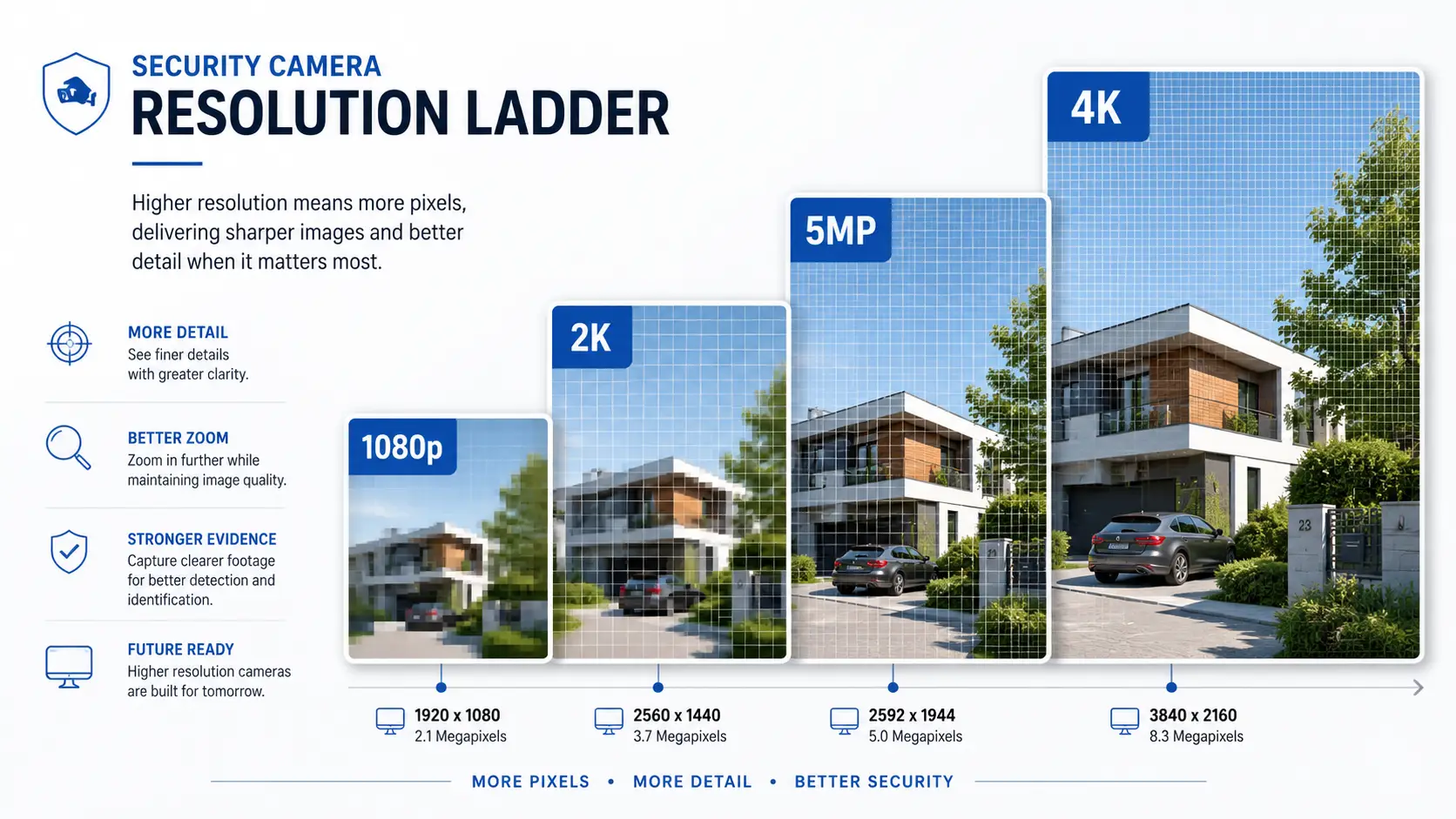
| Label | Pixel dimensions | Total pixels | Aspect | Relative detail |
|---|---|---|---|---|
| 1080p (2MP) | 1920 × 1080 | ~2.1 MP | 16:9 | Entry level |
| 2K (4MP) | 2560 × 1440 | ~3.7 MP | 16:9 | ~2× 1080p |
| 5MP | 2560 × 1920 | ~4.9 MP | 4:3 | ~2.5× 1080p |
| 4K (8MP) | 3840 × 2160 | ~8.3 MP | 16:9 | ~4× 1080p |
| 12MP | 4000 × 3000 | ~12 MP | 4:3 | Specialist / overview |
The headline is simple: 4K captures roughly 60–70% more total pixels than 5MP. That extra detail is real, but it isn’t free, and whether it’s worth paying for depends entirely on what the camera is watching.
Detail and identification range
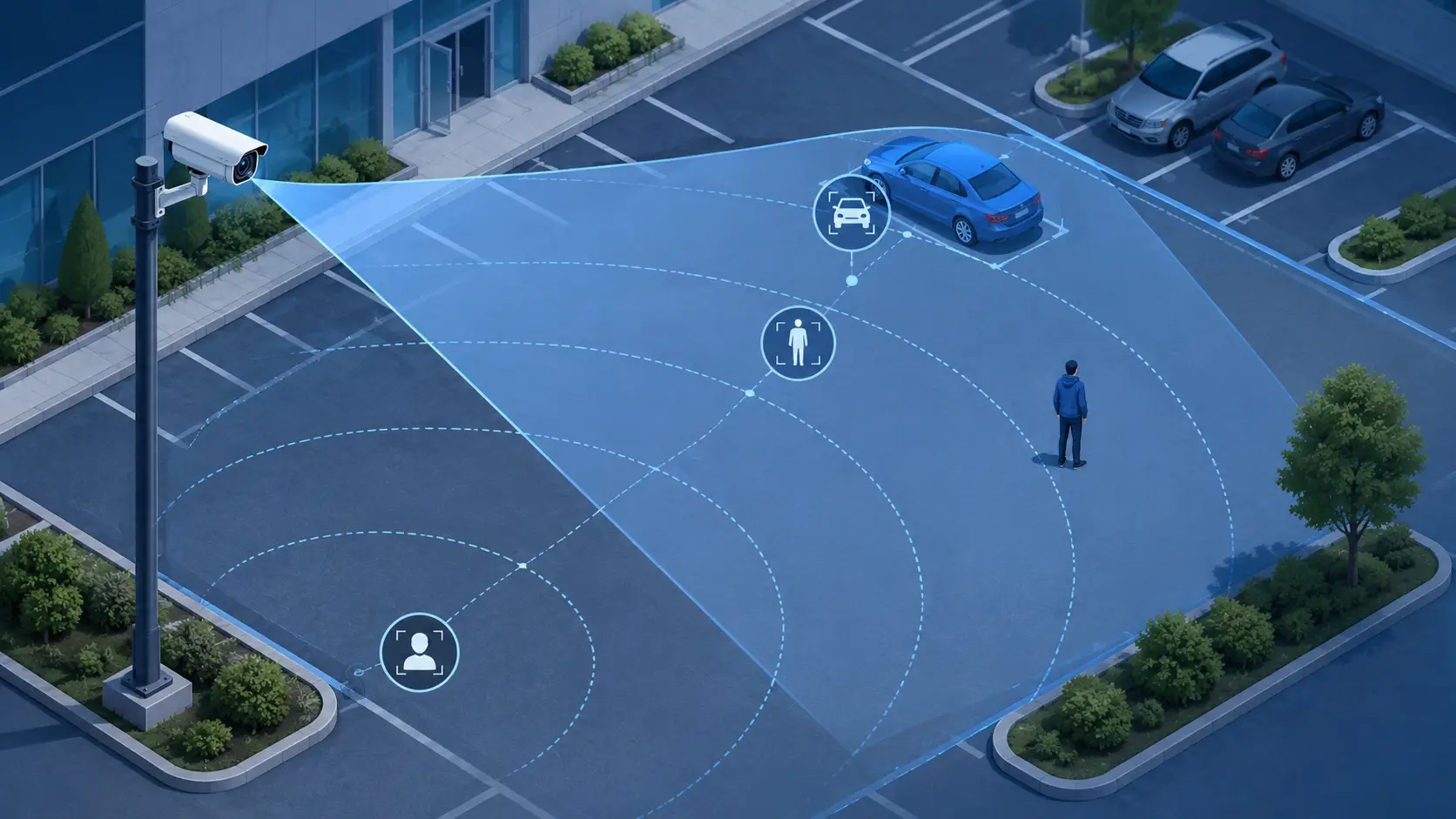
Total pixels only matter in the context of the area a camera covers. The metric that actually predicts whether footage is usable is pixels per foot (PPF), sometimes called pixel density: how many pixels land on each foot of the scene at a given distance.
Security professionals use three tiers of usefulness:
- Detection (something is there): low PPF is fine.
- Recognition (I know that’s a person I’ve seen before): moderate PPF.
- Identification (I can identify a stranger’s face or read a licence plate): high PPF, and this is where resolution earns its keep.
At the same distance and lens, 4K delivers noticeably higher PPF than 5MP. As a rough benchmark, at about 40 feet a 4K camera can resolve on the order of 30+ pixels per foot, while a 5MP camera lands closer to around 20. For a face at the far end of a warehouse or a plate across a parking lot, that difference decides whether the footage stands up in an investigation or an insurance claim.
The practical rule
The farther the subject and the wider the area, the more 4K’s extra pixels matter. For close-range scenes, a doorway, a till, a reception desk, 5MP already delivers identification-grade detail, so 4K buys you little beyond bigger files.
Aspect ratio: why 4:3 (5MP) sometimes beats 16:9 (4K)
This is the detail most comparisons skip. 5MP cameras typically shoot in 4:3, while 4K is 16:9. Wider isn’t always better.
A 16:9 image is short and wide. It’s ideal for open, horizontal scenes: parking lots, loading docks, long counters, warehouse floors. A 4:3 image is taller for its width, which suits vertical scenes: a doorway from head to floor, a narrow aisle, a corridor, a stairwell, a checkout where you want to see both the customer’s face and their hands. In those spots, a 5MP 4:3 camera can actually put usable pixels where you need them, while a 4K 16:9 camera spends pixels on walls to the left and right that you don’t care about.
So the choice isn’t purely “more pixels wins.” Match the aspect ratio to the shape of what you’re watching, then decide on resolution within that.
Low-light and night performance
Here’s a counterintuitive point that matters for businesses running 24/7. Cramming more pixels onto a sensor of the same physical size makes each pixel smaller, and smaller pixels gather less light. All else being equal, an 8MP (4K) sensor of the same size as a 5MP sensor can perform slightly worse in very low light, producing more noise at night.
In practice, good 4K cameras compensate with larger sensors, better night-vision illuminators, and smarter processing, so this isn’t a reason to avoid 4K. But it does mean you shouldn’t assume 4K is automatically better after dark. For dim indoor areas or poorly lit exteriors, sensor quality, lens aperture, and infrared or low-light technology matter more than the raw megapixel count. Compare full specs, not just resolution.
Bandwidth and storage: the real business cost
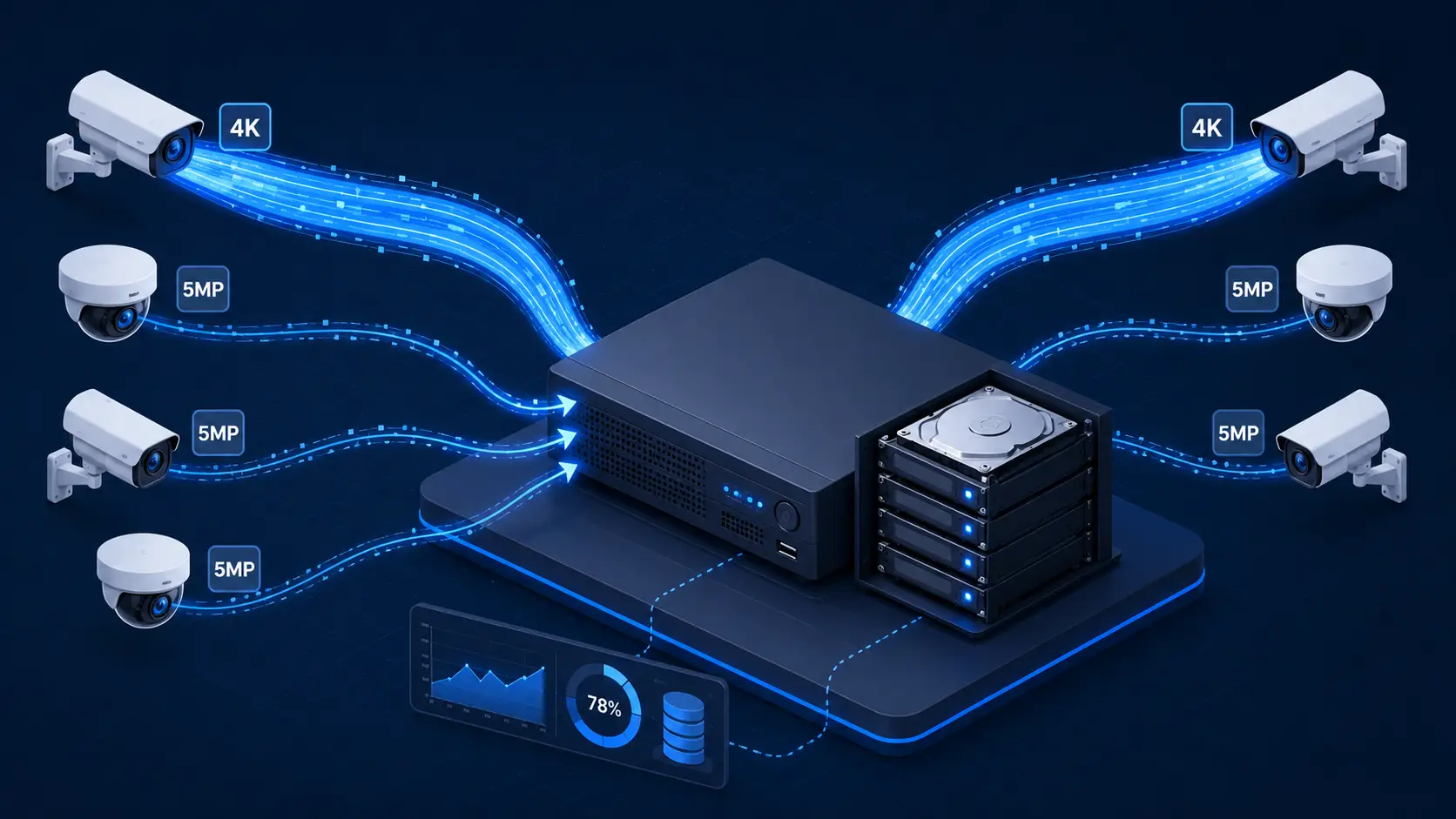
This is where the decision usually gets made for a business, and where 4K’s downside is largest. More pixels mean a bigger video stream, which means more network bandwidth to move the footage and more disk space to store it.
As a rough guide using modern H.265 compression, a 5MP camera streams around 1–4 Mbps, while a 4K camera streams around 5–10 Mbps. Across a full system, 4K typically demands roughly 50% more storage and bandwidth than 5MP for the same frame rate and retention period. Over older H.264 compression the streams are larger still, so always confirm your cameras and recorder support H.265 (or H.265+).
| Resolution | Approx. storage / month (8 cams) | Notes |
|---|---|---|
| 2MP (1080p) | ~0.5 TB | Lowest footprint |
| 2K (4MP) | ~1.0 TB | Balanced |
| 5MP | ~1.3 TB | Good detail, manageable size |
| 4K (8MP) | ~2.0 TB | ~50% more than 5MP |
| 12MP | ~3.0 TB | Specialist use |
These are planning ballparks; actual figures shift with scene complexity, motion, frame rate, bitrate settings, and whether you record continuously or on motion. But the shape holds: going from 5MP to 4K across a 16-camera site can add terabytes to your storage plan and push you toward a bigger NVR, more or larger hard drives, and longer retention costs. For a business keeping 30, 60, or 90 days of footage, that adds up fast.
Don’t forget the recorder
An NVR has a maximum total incoming bitrate it can handle across all channels. Load it with 4K cameras and you can hit that ceiling well before you’ve filled the channel count. Sixteen 4K streams can exceed the throughput of a recorder that would happily run sixteen 5MP streams. Size the NVR to the total bandwidth, not just the number of ports.
Network, NVR, and cabling requirements
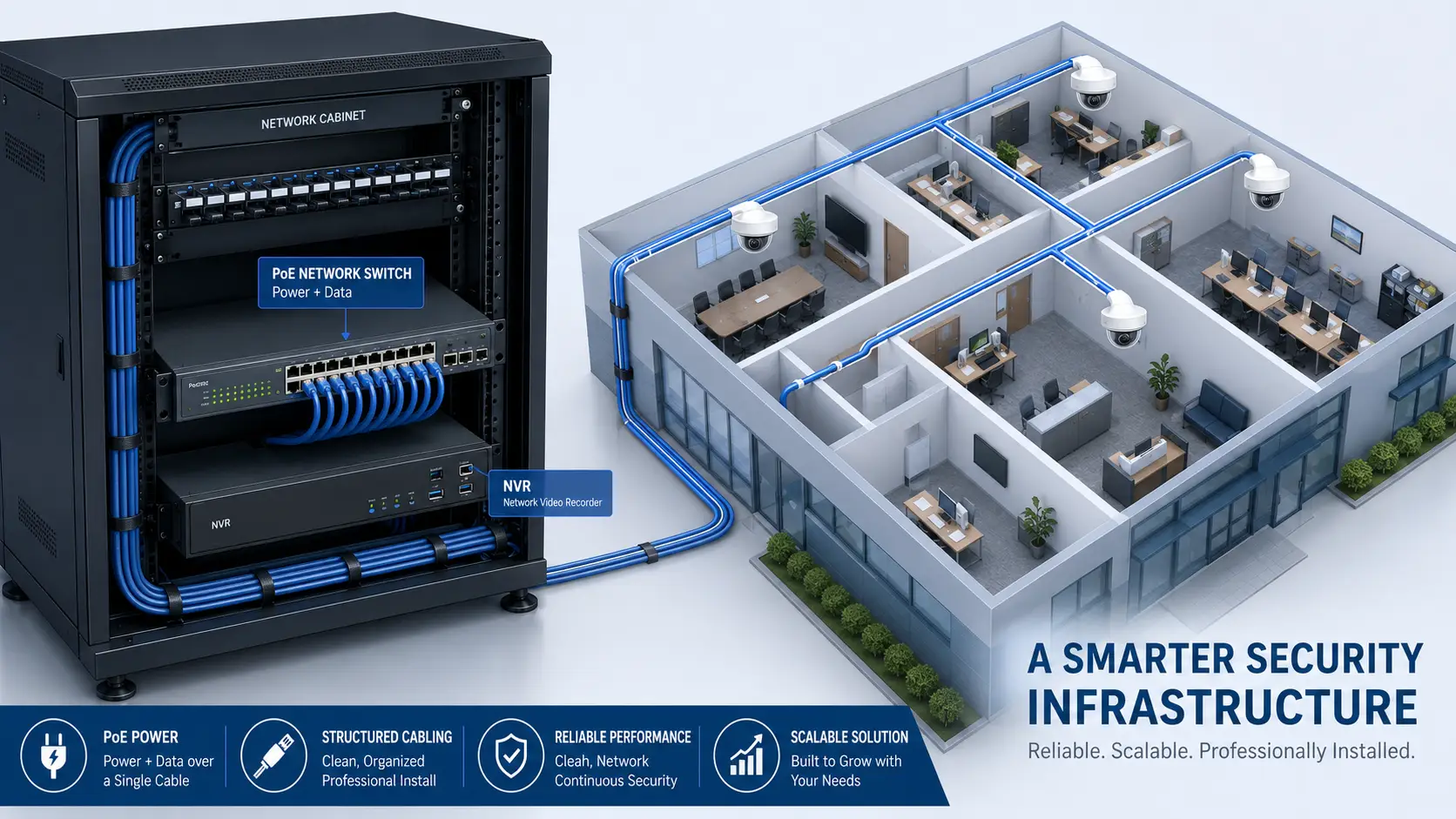
Higher-resolution cameras put more load on every part of the network behind them, and this is the part businesses most often underestimate.
Switch and PoE capacity. More cameras and higher bitrates mean more traffic through your switches. A dense 4K deployment benefits from gigabit switching with enough backplane and PoE budget to power every camera. If your PoE switch is already near its power or throughput limit, adding 4K cameras can expose it.
Cabling quality and distance. IP cameras run over structured cabling, and the cable is the foundation everything else sits on. Cat5e can carry gigabit and PoE for a standard 100-metre run, but for higher-bandwidth 4K deployments, longer runs, or future-proofing, Cat6 or Cat6A gives you more headroom and cleaner signal margins. Poor terminations, cheap cable, or runs pushed past 100 metres cause dropped frames and PoE faults that look like camera problems but are really cabling problems.
Uplinks and remote viewing. If staff or a monitoring service view footage off-site, your internet uplink has to carry those streams. 4K’s higher bitrate means remote viewing and cloud backup consume noticeably more upload bandwidth than 5MP. For multi-site businesses this can be the deciding constraint.
Design the network first
The camera is the easy part. Whether 4K works well at your site depends on the switches, the PoE budget, the NVR’s throughput, and above all the cabling. Plan those together and a mixed 5MP/4K system runs cleanly. Bolt cameras onto an undersized network and even great cameras will drop frames.
Cost and total cost of ownership
Per camera, 4K typically costs 30–50% more than a comparable 5MP model. But the purchase price is only part of the picture. The total cost of a 4K deployment also includes larger storage, a higher-capacity NVR, potentially more switching and PoE, and more upload bandwidth if you view remotely.
| Factor | 5MP | 4K (8MP) |
|---|---|---|
| Camera unit price | Lower | ~30–50% higher |
| Storage (per retention period) | Lower | ~50% more |
| NVR throughput needed | Moderate | Higher (may need bigger NVR) |
| Network / PoE load | Moderate | Higher |
| Remote-viewing bandwidth | Lower | Higher |
| Detail at distance | Good to medium range | Best, including long range |
The takeaway: spend 4K where it changes outcomes, entrances, perimeters, cash handling, wide exterior areas, and save with 5MP where the extra detail wouldn’t be used. Blanketing an entire site in 4K when half the cameras watch small indoor spaces wastes budget on storage and network capacity you’ll never benefit from.
Which should a business choose? By scenario
Rather than picking one resolution for the whole site, match the camera to the job. Here’s how the choice usually breaks down for common business environments.
| Scenario | Recommended | Why |
|---|---|---|
| Main entrance / reception | 4K | Face identification of everyone entering |
| Parking lot / yard / loading dock | 4K | Wide area + plate capture at distance |
| Warehouse floor (overview) | 4K | Large open space, detail at range |
| Retail floor / aisles | 5MP | Medium range; 4:3 suits aisle shape |
| Checkout / point of sale | 5MP | Close range, faces + hands, taller frame |
| Corridors / stairwells | 5MP | Vertical scene fits 4:3 well |
| Back office / stockroom | 5MP or 2K | Small area, detail not critical |
| Perimeter fence line | 4K | Long, wide coverage, early detection |
When 4K is the right business choice
Choose 4K when you need to identify people or vehicles at distance, cover large open areas with fewer cameras, or capture evidence-grade detail for loss prevention, disputes, or insurance. Retail loss prevention, logistics yards, car dealerships, and any site where “who was that?” or “what was the plate?” must be answerable all lean 4K at the key vantage points.
When 5MP is the smarter choice
Choose 5MP when cameras watch close-to-medium range indoor spaces, when storage and bandwidth budgets are tight, when you’re deploying many cameras and per-unit and per-terabyte savings compound, or when the 4:3 aspect ratio genuinely fits the scene better. For a lot of interior business coverage, 5MP is the sensible, cost-effective default.
Mixing 5MP and 4K in one system
You don’t have to standardise on one resolution, and most well-designed business systems don’t. A single modern NVR can record a mix of 5MP and 4K cameras at the same time, as long as you size the recorder for the combined bitrate and have enough storage for the retention you want.
This mixed approach is almost always the best value: 4K where detail is critical, 5MP everywhere else. It keeps your storage and network load reasonable while making sure the shots that matter most are the sharpest. The key is planning the total system, camera count, resolutions, frame rates, retention, NVR throughput, switch and PoE capacity, and cabling, as one design rather than buying cameras piecemeal.
Common mistakes businesses make
- Buying 4K everywhere “to be safe.” You pay for storage, network, and NVR capacity you don’t use on cameras watching small rooms.
- Ignoring storage and retention. A 4K system that only holds 5 days of footage may be useless when you need last week’s incident. Size storage to your required retention period.
- Forgetting H.265. Recording 4K in older H.264 inflates storage and bandwidth dramatically. Confirm H.265/H.265+ end to end.
- Overloading the NVR bitrate. Channel count isn’t the limit; total incoming bandwidth is. Check the NVR’s throughput ceiling.
- Under-building the cabling. Cheap cable, bad terminations, or over-length runs cause dropped frames and PoE faults that get blamed on the cameras.
- Assuming 4K always wins at night. Smaller pixels can mean more noise in low light. Judge night specs, not just resolution.
- Mismatching aspect ratio to the scene. A 16:9 4K camera wastes pixels on a tall, narrow doorway that a 4:3 5MP camera would cover better.
The camera is only as good as the network behind it
Whether you go 5MP, 4K, or a mix, the footage only reaches your recorder if the cabling, switching, and PoE underneath are done right. Under-built cabling is the most common reason 4K deployments drop frames, lose PoE, or fail to hit their retention targets, and it’s the hardest thing to fix after the walls are closed up.
At Cablify, we design and install the network infrastructure that surveillance runs on across the Greater Toronto Area: structured cabling in Cat6 and Cat6A, PoE runs sized for 4K camera loads, switch and rack builds, and server room and NVR cabling planned around your storage and bandwidth needs. If you’re specifying a new camera system or upgrading to higher resolution, getting the cabling and network right from day one is what makes the cameras actually perform.
Frequently asked questions
Is 4K better than 5MP for security cameras?
4K captures more total detail (about 8.3 million pixels versus 5 million) and resolves faces and plates better at distance and across wide areas. But 5MP costs less, uses roughly 50% less storage and bandwidth, and its 4:3 aspect ratio can suit tall or narrow scenes better. For most businesses the best result is a mix: 4K where detail is critical, 5MP everywhere else.
What is a 4K security camera?
A 4K security camera records at 3840 x 2160 pixels, about 8.3 megapixels, in a 16:9 widescreen format. It’s roughly four times the detail of 1080p and the highest resolution common in affordable business surveillance. The “4K” name refers to the image being about 4,000 pixels wide.
Is 5MP the same as 2K?
Not exactly. “2K” in security cameras usually means 2560 x 1440 pixels (about 4MP), while 5MP is 2560 x 1920 pixels (about 4.9MP) in a 4:3 shape. Some listings lump them together as marketing shorthand, but they are different resolutions. Always check the actual pixel dimensions.
Does 4K use more storage than 5MP?
Yes. A 4K camera typically needs about 50% more storage and bandwidth than a 5MP camera at the same frame rate and retention period. Using H.265 compression instead of H.264 reduces the footprint for both, but 4K always costs more to store.
Do I need better cabling for 4K cameras?
You need solid, standards-compliant cabling either way, but 4K’s higher bitrate makes cabling quality more important. Cat6 or Cat6A gives more headroom than Cat5e for higher-bandwidth deployments, longer runs, and future-proofing. Poor cable or terminations cause dropped frames and PoE faults that look like camera faults.
Can I mix 5MP and 4K cameras on one NVR?
Yes. A modern NVR can record different resolutions at once, as long as you size the recorder for the combined bitrate and provide enough storage for your retention period. Mixing is usually the best value: 4K at key vantage points, 5MP for general coverage.
Is 4K worth it for a small business?
It depends on what you’re watching. For entrances, cash handling, parking, and wide exterior areas, 4K’s detail is worth it. For small indoor rooms and close-range coverage, 5MP delivers identification-grade footage for less money and less storage. Most small businesses do best with a targeted mix rather than all 4K.
Does 4K perform worse at night than 5MP?
It can, all else being equal, because packing more pixels onto the same sensor size makes each pixel smaller and less light-sensitive. Good 4K cameras offset this with larger sensors and better night-vision technology, so compare full low-light specs rather than assuming higher resolution automatically means better night footage.