


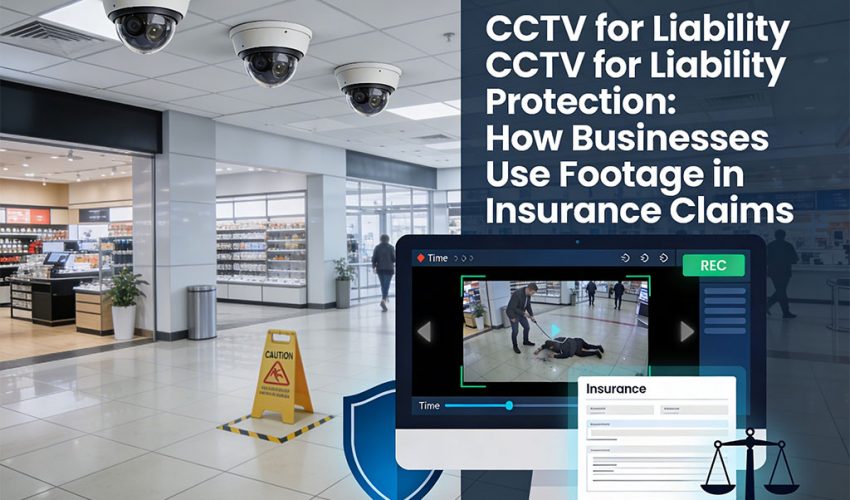
CCTV for Liability Protection: How Businesses Use Footage in Insurance Claims
When an incident happens on your property, your security cameras are either your strongest defence or your biggest liability gap. The difference comes down to how your system was installed, configured, and maintained.
Every week in the Greater Toronto Area, a business owner faces an insurance claim they could have resolved in 24 hours — if only their security cameras had captured usable footage. Slip-and-fall lawsuits. Property damage disputes. Employee theft allegations. Fraudulent injury claims. Break-in liability. In every one of these scenarios, CCTV footage is the single most powerful piece of evidence available — and in many cases, it’s either missing, unusable, or overwritten before anyone thought to check.
This guide is written for GTA business owners, property managers, retail operators, and commercial landlords who want to understand exactly how CCTV footage functions in the context of insurance claims and liability disputes — and what a properly designed commercial security camera system needs to deliver to actually protect your business when it matters most.
Why CCTV Footage Is So Valuable in Insurance Claims
In any liability dispute or insurance claim, the fundamental question is: what actually happened? Witness accounts are unreliable, memories fade, and claimants have an obvious financial interest in their version of events. Video footage is objective, timestamped, and difficult to dispute. When it exists and is usable, it dramatically accelerates claim resolution — almost always in favour of the business that has it.
Here is how footage is used across the most common claim types affecting GTA commercial businesses:
Slip, Trip, and Fall Claims
Slip-and-fall claims are the most common liability exposure for retail stores, restaurants, warehouses, office lobbies, and commercial property owners across Ontario. A claimant alleges they fell on your premises due to a hazard — a wet floor, an uneven surface, poor lighting, an obstruction. Without footage, it’s their word against yours.
With footage, you can demonstrate exactly what happened — whether a spill existed, how long it had been there, whether the area was properly marked, and critically, whether the “injury” actually occurred as described. Many claimants who present with serious injury claims are shown on footage walking away normally minutes after the alleged incident. Footage showing the claimant entering the premises already limping — before any alleged fall — is a particularly powerful defence.
Property Damage Claims
When a vehicle hits your building, a contractor damages your property during a renovation, or a tenant causes damage they deny, footage establishes the responsible party, the timeline, and the extent of damage at the point it occurred. This is particularly valuable for commercial landlords managing multi-tenant buildings across the GTA — damage disputes between tenants and landlords are significantly faster to resolve when footage documents the condition of a space at move-in, move-out, and throughout the tenancy.
Break-In, Theft, and Vandalism Claims
For property crime claims, insurers need to verify that a break-in actually occurred, how entry was gained, and what was taken. Footage that captures the incident in progress — particularly exterior cameras covering entry points — expedites claims approval and helps police investigations. For businesses experiencing repeated theft by customers or employees, footage is often the difference between a recoverable loss and an unsubstantiated claim your insurer disputes.
Workplace Incident and Worker’s Compensation Claims
Workplace injury claims in Ontario are governed by the WSIB (Workplace Safety and Insurance Board). When an employee files a workplace injury claim, footage of the incident can verify whether the injury occurred as described, whether safety protocols were followed at the time, and whether contributory negligence was a factor. This is particularly relevant for warehouses, manufacturing facilities, construction sites, and logistics operations in Mississauga, Brampton, and the broader GTA industrial corridor.
Vehicle and Parking Lot Claims
Commercial parking lots generate a disproportionate share of liability exposure for Toronto businesses — vehicle damage claims, pedestrian incidents, and disputes between drivers are constant. Exterior cameras covering parking areas with wide-angle views and sufficient resolution to read licence plates are among the highest-return CCTV investments any commercial property can make.
What Makes Footage Actually Usable in a Claim
This is where most businesses discover their camera system has failed them. Having cameras is not the same as having usable evidence. For footage to be effective in an insurance claim or legal dispute, it must meet several specific technical and procedural requirements.
1. Resolution — Can You Actually See What Happened?
The single most common reason CCTV footage fails in insurance claims is inadequate resolution. A camera that looks functional produces footage that, when enlarged to identify a face, a licence plate, or the exact position of a hazard, dissolves into an unusable blur of pixels.
For commercial liability protection in 2026, minimum acceptable specifications are:
| Use Case | Minimum Resolution | Recommended |
|---|---|---|
| General area coverage (lobby, floor) | 1080p (2MP) | 4MP or 5MP |
| Entry/exit points, tills, reception | 4MP | 4K (8MP) |
| Licence plate capture (parking) | 4MP with LPR lens | Dedicated LPR camera |
| Facial identification | 4MP at ≤3m distance | 4K at ≤5m distance |
| Wide-area exterior (parking lot, yard) | 4MP | 4K panoramic or multi-sensor |
Consumer-grade cameras — even those marketed as “4K” — frequently compress footage so aggressively that effective resolution is far below stated specs. Commercial-grade IP cameras with proper bitrate settings and lossless or low-compression recording are what produce footage that holds up to scrutiny.
2. Frame Rate — Does the Footage Show Continuous Motion?
Frame rate determines whether footage shows smooth, continuous motion or choppy, ambiguous sequences where key moments happen between frames. For liability purposes, minimum 15 fps (frames per second) is required, with 25–30 fps strongly preferred for entry points, cash areas, and any location where incident detail matters.
Many entry-level NVR systems default to 6–10 fps to reduce storage consumption. This is appropriate for parking lot overview cameras but completely inadequate for any camera that may need to capture an incident clearly. Configure your NVR to record critical camera channels at full frame rate, and use reduced frame rates only for low-priority overview cameras where storage is a constraint.
3. Storage Retention — Is the Footage Still There When You Need It?
The most heartbreaking call we receive from GTA business owners is the one that starts: “Something happened three weeks ago and I just found out about it — can we get the footage?” In most cases, the answer is no. The footage has been overwritten.
Retention requirements for commercial liability protection:
30-Day Retention for All Cameras
Most Ontario insurance policies and legal counsel recommend a minimum 30-day retention period for commercial CCTV footage. Many liability claims are not reported immediately — an employee may not file a WSIB claim until days or weeks after an incident; a customer may not retain a lawyer until they’ve assessed their injury. If your system only retains 7–14 days of footage (common in undersized NVR installations), evidence is likely gone before anyone asks for it.
60–90 Day Retention for High-Risk Areas
For cameras covering parking lots, loading docks, high-traffic entrances, and any area with elevated injury or theft risk, 60–90 days of retention is strongly recommended. Property damage claims in particular — where the damage may not be discovered for weeks — benefit from extended retention. Size your NVR storage accordingly: for a 16-camera system recording at 4MP / 15fps, plan for a minimum 8TB HDD configuration to achieve 30-day retention; 16TB for 60 days.
Immediate Preservation Protocol
The moment you become aware of an incident that may lead to a claim, preserve the footage immediately. Export the relevant clips to an external drive or secure cloud storage. Do not rely on the NVR to retain it — a system failure, power surge, or inadvertent NVR reset can permanently destroy evidence. Many commercial NVR systems support scheduled or triggered clip exports; configure these as part of your incident response procedure before you need them.
4. Timestamp Accuracy — Is the Time and Date Correct?
Footage with an incorrect timestamp is significantly weakened as evidence and can be challenged in legal proceedings. A camera showing an incident at “2:47 PM” when records show the complainant left the building at 2:30 PM — because the NVR clock has drifted by 20 minutes — creates confusion that benefits the claimant, not you.
All commercial NVR systems should be configured to synchronize time via NTP (Network Time Protocol) automatically. Verify that your NVR is NTP-synced during installation and check it periodically. A 10-minute clock drift on an unsynced system is common and often goes unnoticed until footage is needed as evidence.
5. Camera Placement — Does the Coverage Actually Capture Incidents?
Camera placement for liability protection follows different logic than camera placement for general security awareness. For liability purposes, you need cameras positioned to capture the specific locations where incidents occur with sufficient clarity to reconstruct exactly what happened. Generic wide-angle overview cameras that show the general area are useful for situational awareness but often too distant and too wide to provide the incident detail needed for a claim.
How CCTV Affects Your Insurance Premiums in Ontario
Beyond claim defence, a properly documented CCTV system has direct impact on your commercial insurance premiums. Ontario commercial insurers view verified CCTV coverage as a material risk reduction factor — and many will offer meaningful premium discounts to businesses that can demonstrate compliant camera coverage.
What Insurers Are Looking For
When underwriting a commercial property policy or reviewing a renewal, insurers increasingly ask about security camera coverage as a standard part of the risk assessment. The questions they ask are specific:
- How many cameras are installed, and what areas do they cover?
- What resolution do the cameras record at?
- How many days of footage does the system retain?
- Is the NVR in a secure, access-controlled location?
- Are cameras monitored remotely or recorded only?
- Is the system professionally installed and maintained?
A business that can answer these questions with specifics — and provide documentation of a professionally installed, maintained system — is demonstrably lower risk than one with ad-hoc consumer cameras. The premium difference typically ranges from 10–25% on the premises liability component of a commercial policy, which for a mid-size GTA business can represent thousands of dollars annually.
Getting the Most Premium Benefit from Your System
To maximize insurance premium benefits, your CCTV system should be:
- Professionally installed — not self-installed consumer equipment. Insurers give significantly more credit to systems installed by a certified commercial security contractor
- Documented — with a camera placement plan, coverage diagram, and equipment specification sheet you can provide to your insurer or broker
- Maintained — with documented periodic inspection records showing cameras are operational
- NVR-based recording — cloud-only consumer systems with subscription-dependent storage do not impress commercial underwriters; a local NVR with verified retention capacity does
PIPEDA and Ontario Privacy Law — What You’re Allowed to Record
Operating a commercial CCTV system in Ontario comes with legal obligations under PIPEDA (Personal Information Protection and Electronic Documents Act) at the federal level, and potentially under Ontario-specific privacy regulations depending on your industry. Getting this wrong exposes you to regulatory liability that can complicate or invalidate your use of footage in a claim.
Core PIPEDA Requirements for Business CCTV in Ontario
- Signage is mandatory. You must notify people that they are being recorded. Visible signage at all entry points stating that CCTV is in operation satisfies this requirement for most commercial environments. The signage must be clear and legible — a small sticker on a door does not meet the standard.
- Cameras cannot cover areas with a reasonable expectation of privacy. Washrooms, change rooms, and private offices are off-limits. Cameras in these areas produce footage that is inadmissible and expose the business operator to significant liability.
- Footage must be stored securely. NVR systems must be in a locked, access-controlled location. Access to footage should be restricted to authorized personnel only, with a logged access record where possible.
- Retention limits apply. Footage should not be retained longer than necessary for its purpose. For most commercial applications, 30–90 days is defensible; indefinite retention of general surveillance footage is not.
- Requests for footage must be handled appropriately. Individuals captured on camera have rights of access to footage of themselves. Established procedures for handling these requests — including when to refuse (e.g., if footage is involved in a pending legal matter) — should be in place before you need them.
The Technical System Requirements That Actually Matter for Claims
Beyond resolution and retention, several system-level design decisions determine whether your CCTV footage will be usable when a claim arises. These are the specifications that differentiate a professionally designed commercial system from a consumer kit that happens to be mounted on a commercial property.
NVR vs. DVR — What’s the Difference and Why It Matters
An NVR (Network Video Recorder) records from IP cameras over your network and supports high-resolution footage, remote access, and advanced features like motion detection zones and analytics. A DVR (Digital Video Recorder) connects to older analogue cameras via coaxial cable and is limited in resolution and functionality. For any new commercial installation in 2026, NVR with IP cameras is the only appropriate choice — DVR systems cannot deliver the resolution needed for liability-grade footage.
Redundant Storage
A single hard drive in an NVR is a single point of failure. For commercial liability protection, NVR systems should use RAID 1 mirroring (two identical drives that each contain a complete copy of all footage) or a dedicated backup solution. A drive failure at the exact moment footage from 6 weeks ago becomes legally relevant is not a hypothetical — it happens. For businesses with genuinely high liability exposure, consider a secondary offsite backup of flagged footage clips.
Remote Access and Alerting
Commercial NVR systems with remote access capabilities allow you — or your legal counsel or insurer — to review and export footage from anywhere, immediately after an incident is reported. This is particularly valuable when incidents are reported to you days after they occur: you can verify whether footage still exists and preserve it before it’s overwritten, without needing physical access to the NVR location.
Power Backup for Cameras
A UPS (Uninterruptible Power Supply) connected to your NVR and PoE switches ensures that camera recording continues through brief power interruptions. A surprisingly common scenario: a break-in is preceded by a deliberate power interruption to disable cameras. PoE cameras fed through a UPS-backed switch continue recording on battery power for 30–60 minutes in most configurations — long enough to capture entry and exit during most incidents.
Common CCTV Failures That Destroy Insurance Claims — And How to Prevent Them
Footage Already Overwritten
The NVR storage was undersized for the number of cameras and the resolution configured, resulting in a retention period of 7–10 days. The incident occurred 18 days ago. Footage is gone.
Prevention: Size NVR storage for a minimum 30-day retention at configured resolution and frame rate before installation. Use a storage calculator — at 4MP / 15fps, each camera requires approximately 20–25GB per day. A 16-camera system needs 400GB/day, or roughly 12TB for 30-day retention. Always add 20% headroom.
Camera Offline at Time of Incident
The camera covering the incident location had been offline for days or weeks — a PoE port fault, a camera firmware crash, or a network issue. Nobody noticed because nobody was monitoring camera health proactively.
Prevention: Configure NVR video loss alerts so that any camera going offline triggers an immediate notification. Commercial NVR platforms including Hikvision, Dahua, and Axis all support email or SMS alerts on camera disconnection. Check all cameras are recording during your weekly opening walkthrough — it takes 30 seconds.
Resolution Too Low to Be Useful
The cameras show that something happened in the general area, but the footage is too blurry to identify the person, confirm the sequence of events, or verify the claimant’s account. The footage is worse than useless — it confirms an incident occurred while providing no detail to defend against it.
Prevention: Specify minimum 4MP for all cameras covering liability-sensitive areas. Have your installer verify actual recorded resolution on the NVR — not just camera spec-sheet resolution — and confirm bitrate settings are not compressing footage below usable quality.
Camera Angle Misses the Incident
The camera covers the general area but is angled to capture a wide overview. The specific point where the incident occurred — a wet floor at the base of stairs, a blind corner in a warehouse aisle — is at the edge of the frame, too far away to capture useful detail.
Prevention: Camera placement for liability protection requires thinking specifically about where incidents are most likely to occur, not just what looks good on a floor plan overview. High-risk locations need dedicated close-coverage cameras, not just inclusion in a wide-angle frame.
Footage Exists But Can’t Be Exported
The NVR is a cheap consumer-grade unit with no USB export function, proprietary video format that requires specific software to view, or a forgotten admin password. The footage exists but cannot be provided to an insurer or lawyer in a usable format.
Prevention: Use a commercial NVR that supports standard export formats (MP4, AVI) to USB drive, and that can produce authenticated export files with metadata intact. Test the export process before you need it — export a 2-minute clip and verify it plays correctly on a standard computer.
Building a CCTV System Specifically for Liability Protection
If you’re designing a new CCTV system — or auditing an existing one — with liability protection as a primary objective, here is the specification framework Cablify recommends for commercial properties in the GTA:
| Component | Minimum Specification | Purpose |
|---|---|---|
| Camera resolution | 4MP IP cameras; 4K for entry points and cash areas | Sufficient detail for facial ID and incident reconstruction |
| Frame rate | 25–30fps for critical areas; 15fps minimum all cameras | Continuous motion capture, no missing frames |
| NVR storage | Sized for 30-day retention minimum; 60-day for high-risk areas | Footage exists when late-reported claims arise |
| NVR type | Commercial-grade NVR (Hikvision, Dahua, Axis, Avigilon) | Reliable recording, remote access, standard export formats |
| Storage redundancy | RAID 1 mirrored drives or secondary backup | No single-point-of-failure for evidence |
| Timestamp sync | NTP-synchronized clock on NVR | Accurate timestamps that hold up in legal proceedings |
| Power backup | UPS on NVR and PoE switch | Continued recording through power interruptions |
| Camera health monitoring | Video loss alerts to email/SMS | Immediate notification when any camera goes offline |
| Physical security | NVR in locked, access-controlled room | Evidence integrity; PIPEDA compliance |
| Signage | CCTV notification signs at all entries | PIPEDA compliance; deters fraudulent behaviour |
“The question isn’t whether you can afford a proper CCTV system. The question is whether you can afford to defend a single disputed liability claim without one.”
— Cablify commercial security team, GTA installations
What to Do When an Incident Occurs — The First 48 Hours
System design is half the equation. The other half is knowing what to do immediately after an incident to preserve the evidence your system has captured. Many businesses with excellent CCTV systems still lose claims because footage was not preserved properly after the event.
- Within 1 hour: Identify which cameras cover the incident location and time period. Log into the NVR and verify the footage exists. Do not wait.
- Within 4 hours: Export the footage clips from the NVR to a dedicated USB drive or encrypted cloud storage. Export 30 minutes before and after the incident, not just the incident itself — context is as important as the event. Label the file with date, time, location, and incident description.
- Within 24 hours: Notify your insurance broker of the potential claim and confirm that footage has been preserved. Provide copies to your broker and legal counsel. Do not share original footage with the claimant or their representatives without legal guidance.
- Preserve the original NVR recording — do not allow it to be overwritten while the matter is active. If your NVR is approaching full capacity, consider temporarily expanding storage or archiving older footage to free space.
- Document the preservation: Keep a written record of when footage was reviewed, exported, and who has copies. Chain-of-custody documentation strengthens the evidentiary value of the footage.
Is Your Current CCTV System Actually Protecting You?
Most GTA businesses we assess have cameras installed. Far fewer have a CCTV system that would actually deliver usable footage in a contested liability claim. The gap is rarely in the hardware — it’s in the installation quality, the storage configuration, the camera placement logic, and the maintenance discipline.
A Cablify commercial CCTV audit takes approximately two hours on-site and covers camera placement and coverage gaps, recorded resolution verification (what’s actually being saved, not just what the camera is capable of), NVR storage capacity and actual retention period, timestamp accuracy, offline camera detection, NVR physical security, and PIPEDA signage compliance. We provide a written report with specific findings and prioritized recommendations — not a sales pitch for a complete system replacement unless that’s genuinely what’s needed.
For businesses planning a new installation, Cablify’s commercial CCTV installation service includes liability-focused placement design, commercial-grade IP camera specification, proper NVR sizing and configuration, full system documentation, and PIPEDA-compliant signage placement — across Toronto, Mississauga, Brampton, Oakville, Vaughan, and the broader GTA.
Is Your CCTV System Built to Protect You When a Claim Hits?
Get a commercial CCTV audit or new system quote from Cablify’s certified security camera team. Serving Toronto, Mississauga, Brampton, Oakville, and across the GTA.
📞 647-846-1925 · info@cablify.ca · Mon–Sat 8am–8pm