


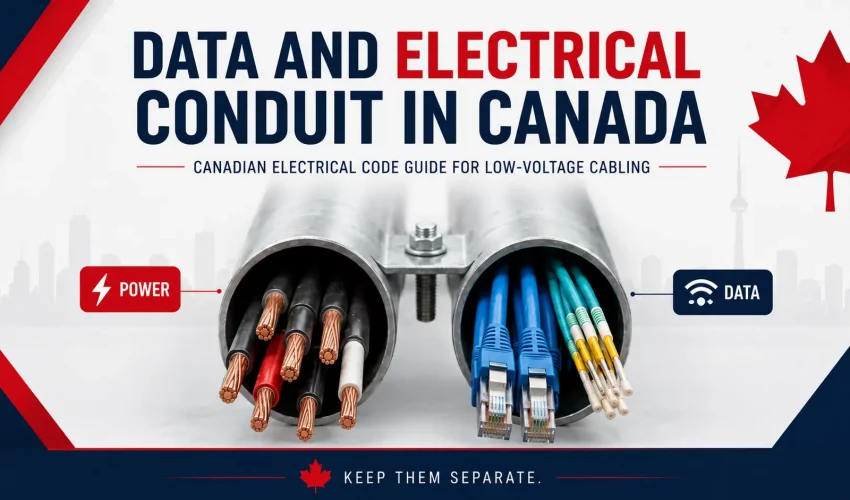
Running data cables and electrical wiring in the same conduit may look convenient on site, but it can create serious safety, inspection, performance, and maintenance problems.
In Canada, the Canadian Electrical Code, Part I, officially CSA C22.1, is the national base standard for electrical installations. The latest edition is CSA C22.1:24, Canadian Electrical Code, Part I, 26th Edition, published in 2024 by CSA Group. Provinces and territories may adopt it with local amendments. In Ontario, for example, the 2024 Ontario Electrical Safety Code includes the Canadian Electrical Code, Part I, plus Ontario-specific amendments, and became effective May 1, 2025.
For contractors, IT managers, builders, and facility owners, the key point is simple:
Data Cabling, communication, fiber, audio, security, and other low-voltage cabling should normally be installed in separate conduit, separate boxes, and separate pathways from electrical power conductors.
This is not only about signal interference. It is about electrical safety, code compliance, insulation ratings, fire protection, serviceability, and avoiding failed inspections.
Can Data and Electrical Wiring Share the Same Conduit?
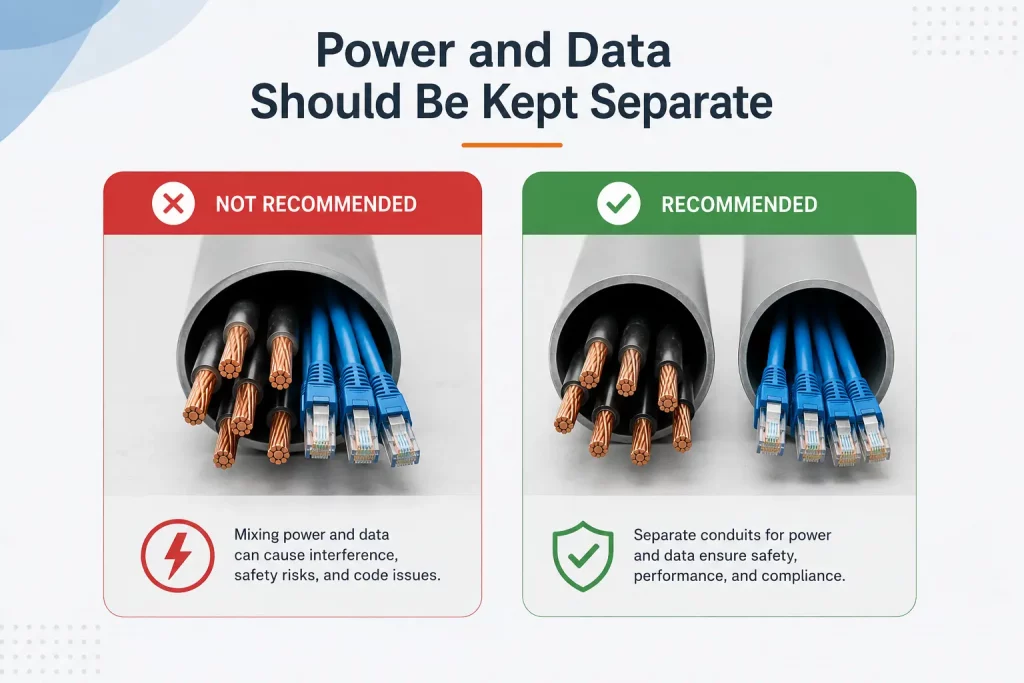
In most normal commercial installations, data cables and electrical branch-circuit conductors should not be installed in the same conduit.
This applies to common systems such as:
- Cat6 and Cat6A network cabling
- Telephone and communication cables
- Security camera cables
- Access control cabling
- Intercom cabling
- Audio and paging cables
- Control cables
- Fiber optic cabling
- Low-voltage device cabling
The Canadian Electrical Code separates electrical power wiring from communication and low-voltage systems because they are different types of circuits with different hazards, insulation requirements, and installation methods.
CEC guidance for communication systems includes requirements for raceways, bonding, cable selection, fire spread, plenum spaces, shafts, raised floors, and separation from power conductors. A public Code guide summarizing Section 60 notes that communication cables must maintain separation from other conductors depending on voltage and installation type, and that communication cables should not be placed in boxes, raceways, or fittings containing lighting, power, or Class 1 circuits unless specific separation or system-supply exceptions apply.
The Simple Contractor Rule
For most projects, use this practical rule:
Do not run Cat6, fiber, audio, access control, CCTV, or other low-voltage cables in the same conduit as 120V, 208V, 240V, 347V, or 600V electrical wiring.
Instead:
- Use separate conduits.
- Use separate junction boxes.
- Use separate pull boxes.
- Keep clear separation in cable trays.
- Cross power at 90 degrees where crossing is unavoidable.
- Use listed, approved cable types for the environment.
- Follow local authority requirements and inspection rules.
This is the approach most likely to pass inspection, protect the cabling system, and avoid future troubleshooting.
Why Power and Data Should Be Kept Separate
1. Electrical Safety
Electrical power conductors can carry dangerous voltage and current. Data and communication cables are not normally designed to be exposed to the same electrical environment.
If a power conductor is damaged inside a conduit and contacts a data cable, the low-voltage cable can become energized. That creates a shock hazard, a fire hazard, and a risk to connected equipment such as switches, routers, cameras, access control boards, intercoms, and NVRs.
2. Insulation Rating Issues
Power conductors and low-voltage/data cables are not usually rated the same way.
A common Cat6 cable jacket is not intended to sit inside the same raceway as building power conductors unless the installation method is specifically allowed and all applicable insulation, separation, and listing requirements are satisfied.
Section 16 guidance for Class 1 and Class 2 circuits also shows the importance of insulation rating and circuit classification. For Class 1 circuits, conductors of different circuits may be allowed together only when insulated for the maximum voltage present, but power supply conductors are limited unless connected to the same equipment and properly insulated.
3. Signal Interference
Power conductors can induce electromagnetic noise into nearby copper communication cables.
This can affect:
- Ethernet performance
- Audio quality
- Analog camera signals
- Intercom systems
- Paging systems
- Access control readers
- Control wiring
- RS-485 or other low-voltage communication lines
With modern Ethernet, twisted-pair design helps reduce interference, but it does not make poor pathway design acceptable. Keeping power and data separate is still the correct commercial installation practice.
4. Heat and Cable Derating
Power conductors can generate heat, especially where multiple current-carrying conductors are installed together.
Data cables also have performance limits. For example, PoE and PoE++ applications can add heat inside cable bundles. Mixing systems inside the wrong conduit can create long-term reliability issues and make troubleshooting difficult.
5. Future Maintenance Problems
When power and low-voltage cables share pathways, future service becomes risky.
A low-voltage technician may open a junction box expecting only data cabling and find electrical power conductors inside. An electrician may pull new conductors and damage network cables. A future tenant improvement may become more expensive because the pathways are not cleanly separated.
Good conduit design is not only about today’s installation. It is about safe service for the next 10 to 20 years.
Canadian Electrical Code Sections That Matter
The exact rule application depends on the cable type, voltage, building type, province, and authority having jurisdiction. However, the following CEC areas are especially relevant when designing power and data pathways.
| CEC Area | Why It Matters for Data and Electrical Conduit |
|---|---|
| Section 12: Wiring Methods | Covers raceways, conduit systems, cable installation, support, protection, and wiring methods. |
| Section 16: Class 1 and Class 2 Circuits | Important for control, low-voltage, limited-energy, and power-limited circuits. |
| Section 56: Optical Fiber Cables | Applies to fiber optic cable installation requirements. |
| Section 60: Electrical Communication Systems | Important for communication conductors and cables inside buildings. |
| Section 10: Grounding and Bonding | Important when metallic raceways, armoured cables, shields, and equipment bonding are involved. |
| Section 2: General Rules | Includes broad safety, fire spread, and general installation principles. |
For Ontario projects, contractors must also consider the Ontario Electrical Safety Code, which is the law in Ontario and includes Ontario-specific amendments to the Canadian Electrical Code.
Common Jobsite Scenarios
Scenario 1: Cat6 and 120V Power in the Same PVC Conduit
Recommended answer: Do not do this.
Cat6 network cable should not be pulled into the same conduit as 120V branch-circuit conductors in a standard commercial installation. Use one conduit for electrical power and another conduit for data.
This avoids code complications, EMI issues, safety hazards, and failed inspections.
Scenario 2: Data Cable and Power in the Same Junction Box
Recommended answer: Avoid it unless a listed barrier or approved divided box is used.
Communication cables should not be placed inside boxes or compartments containing power conductors unless the installation meets the required separation or exception conditions. Section 60 guidance specifically points to separation from lighting, power, and Class 1 circuits unless separated by a suitable partition or where the power conductors solely supply the communication system or remote-control equipment.
Scenario 3: PoE Cable and Regular Data Cable Together
Recommended answer: Usually acceptable when installed as structured cabling, but design for heat and bundle size.
PoE is not the same as 120V electrical power. PoE runs over data cable and is commonly installed with network cabling. However, PoE bundles should still be designed properly, especially for high-power PoE, long runs, large bundles, and warm ceiling spaces.
Scenario 4: Fiber and Electrical in the Same Pathway
Recommended answer: Use separate conduit unless the design is specifically approved.
Non-conductive fiber does not behave like copper data cable, but that does not automatically mean it should be installed with electrical conductors. Armoured or conductive fiber introduces bonding and grounding considerations. The cleanest commercial design is still separate conduit.
Scenario 5: Audio Cable and Electrical in the Same Conduit
Recommended answer: Do not run mic-level, line-level, speaker control, or low-voltage audio cables in the same conduit as power.
Audio is especially sensitive to electrical noise. Even when the system works, you may hear hum, buzz, distortion, or interference. For commercial AV, paging, worship spaces, event halls, factories, and offices, audio pathways should be planned separately from electrical power.
Best Practices for Data and Electrical Separation
1. Use Dedicated Conduits
The best installation is simple:
- One conduit system for electrical power
- One conduit system for data and communications
- Separate boxes and pull points
- Proper labeling at both ends
This keeps the installation safe, serviceable, and inspection-friendly.
2. Keep Parallel Runs Separated
Avoid running data cables tightly parallel to electrical conduits for long distances.
Where possible, maintain physical separation between power and communication pathways. The required distance may depend on voltage, cable type, raceway type, shielding, and local authority interpretation.
3. Cross at 90 Degrees
When data and electrical pathways must cross, cross them at a 90-degree angle.
This reduces the length of exposure between the systems and helps reduce noise coupling.
4. Use Metallic Conduit Where Needed
Metal conduit can provide better physical protection and may reduce electromagnetic interference when properly bonded. However, metallic conduit does not automatically permit mixing power and data in the same raceway.
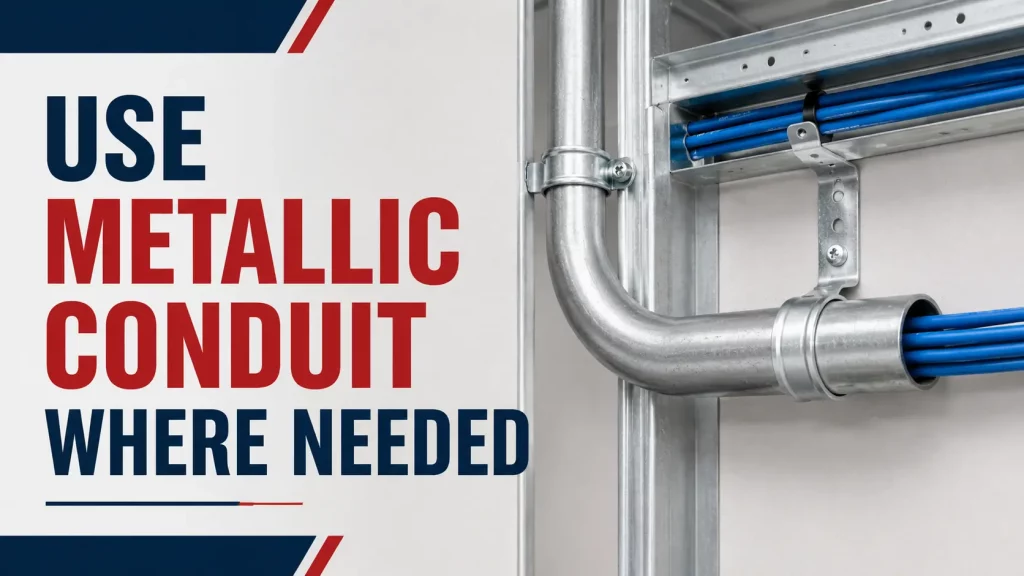
It must still be installed according to the applicable Code requirements.
5. Use Correct Cable Ratings
Choose cable jackets based on the environment:
- Riser-rated cable for vertical riser spaces where required
- Plenum-rated cable for air-handling spaces where required
- Outdoor-rated cable for exterior conduit or wet locations
- Armoured cable where mechanical protection is needed
- FT-rated communications cable where applicable
A cable that works in an office ceiling may not be suitable for a shaft, plenum, underground duct, exterior conduit, warehouse, or industrial space.
6. Respect Firestopping and Fire Separations
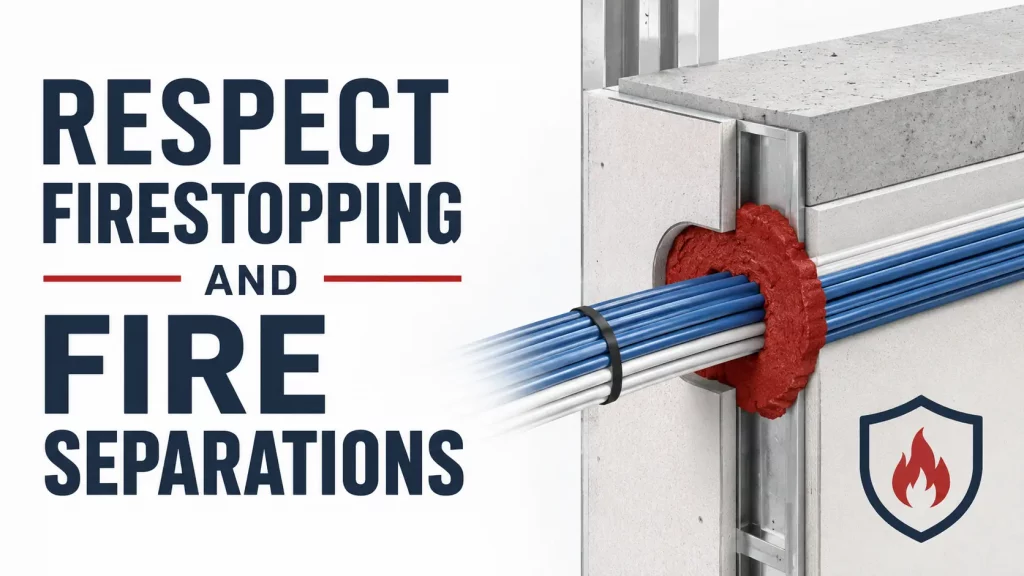
Any cable or conduit passing through a fire-rated wall, floor, or shaft must be properly firestopped.
CEC communication-system guidance also highlights fire spread and plenum-related requirements for cables passing through fire separations, ducts, plenums, and similar spaces.
7. Label Everything
Every conduit, box, cable, and pathway should be clearly labeled.
For structured cabling, label:
- MDF end
- IDF end
- Patch panel port
- Faceplate or device end
- Camera or AP location
- Fiber strand count and destination
- Conduit destination
Clear labeling reduces service time and prevents future mistakes.
Recommended Installation Approach for Commercial Projects
For offices, warehouses, schools, retail stores, industrial facilities, and commercial buildings, the best design is:
Electrical Pathways
- Dedicated conduit for power
- Installed by licensed electrical contractor where required
- Proper grounding and bonding
- Proper box fill and conduit fill
- Proper support and mechanical protection
- Inspection by the applicable authority where required
Low-Voltage Pathways
- Dedicated conduit, J-hooks, tray, or approved low-voltage pathway
- Separate from power wiring
- Proper cable rating for the building space
- Proper bend radius and pulling tension
- Tested and certified after installation
- Labeled at both ends
- Designed for future expansion
Network Cabling
- Cat6 or Cat6A based on bandwidth requirements
- Separate pathway from electrical
- Maximum permanent link length maintained
- Fluke-tested where professional certification is required
- Installed away from EMI sources such as motors, transformers, VFDs, fluorescent ballasts, and large power feeders
Fiber Cabling
- Separate conduit or innerduct where practical
- Proper bend radius
- Proper pulling method
- LC, SC, or other connector type based on hardware
- OM3, OM4, OM5, or OS2 selected based on link distance and transceiver requirements
- Tested with light source/power meter or OTDR where required
Quick Rule of Thumb Table
| Installation Situation | Best Practice |
|---|---|
| Cat6 with 120V power in same conduit | Use separate conduit |
| Data and power in same box | Use separate boxes or approved divider |
| Fiber and power in same conduit | Use separate conduit unless specifically approved |
| Audio and electrical in same conduit | Use separate conduit |
| PoE camera cable with other network cables | Usually acceptable as structured cabling |
| Data crossing electrical conduit | Cross at 90 degrees |
| Long parallel data and power runs | Maintain separation |
| Plenum ceiling space | Use properly rated cable |
| Fire-rated wall penetration | Firestop correctly |
| Outdoor conduit | Use wet-location/outdoor-rated cable where required |
Why This Matters for Business Owners
Poor separation between data and electrical wiring can create hidden problems.
You may not see the issue on day one. The network may appear to work. Cameras may come online. Access control may function. Speakers may pass audio.
But later, the problems begin:
- Random network drops
- Camera freezing
- Audio hum
- Failed cable tests
- Inspector correction notices
- Equipment damage
- Higher service costs
- Unsafe maintenance conditions
- Expensive rework after ceiling close-in
A proper conduit plan prevents these issues before they become expensive.
Final Recommendation
For Canadian commercial projects, the safest and most professional approach is:
Keep electrical power and low-voltage/data cabling in separate conduit systems.
Use separate boxes, separate pull points, proper cable ratings, correct firestopping, clean labeling, and proper testing.
There are limited Code-based exceptions for specific approved systems, barriers, partitions, or power conductors that solely supply communication equipment. However, those exceptions should not be treated as general permission to mix data and power.
When in doubt, separate the systems and confirm the installation with the local authority having jurisdiction, a licensed electrician, or the project engineer.
A clean separation strategy protects people, equipment, inspections, and long-term network performance.
Also check this popular article – Data Cable coduit fill guide Chart