


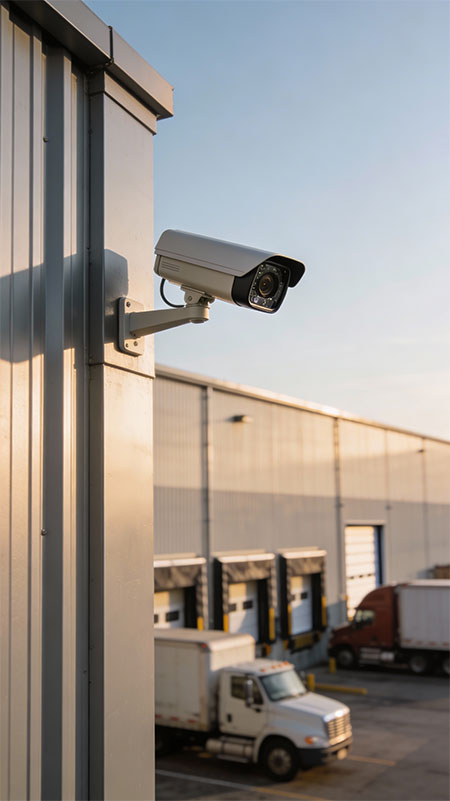
The Uncomfortable Truth About Warehouse Security Camera Systems
Cargo theft in Canada and North America is no longer a nuisance problem — it’s a crisis. Cargo theft surged by over 60% in 2025, with average per-incident values exceeding $270,000. And the most alarming part of that number isn’t the total. It’s where most of those losses are occurring: inside facilities that already have active CCTV systems installed.
The cameras are there. The recording is running. The theft is happening anyway.
We’ve assessed hundreds of commercial and industrial facilities across the Greater Toronto Area over the years, and the pattern is consistent enough that we’ve given it a name internally: the coverage confidence trap. It’s the state a facility manager or operations director falls into after signing off on a security camera installation — a reasonable belief that the system is working, because nobody has told them otherwise.
The problem isn’t the cameras. It’s that the industry standard for warehouse CCTV installation was built around a floor plan, not around how theft actually occurs in a working warehouse. Installers mount cameras at entry points, at exit doors, and at the end of primary aisles. Those are legitimate coverage zones. But they’re also the most visible zones — the ones that any experienced, patient, or opportunistic thief will instinctively avoid once they’ve spent a single shift learning how the building works.
Theft doesn’t happen at the front door. It happens in the twelve places nobody thought to look.
Why Even Good Installers Miss These Spots
This isn’t an indictment of the security camera industry. Most installations are done competently, by professionals, using quality equipment. The gaps exist for three structural reasons that are worth understanding before you walk your own facility.
Reason one: installations are designed from blueprints. A floor plan shows you the shape of the building, the doors, and the walls. It does not show you the 14-foot-high pallet rack that creates a 40-foot shadow corridor behind it. It doesn’t show you the dock leveller that blocks line-of-sight from the nearest camera every time a trailer backs in. The real geometry of a working warehouse changes completely the moment inventory fills the racks — and most installations are designed before that inventory is in place.
Reason two: camera placement follows traffic, not threat. High-traffic zones feel like high-risk zones. The main aisle, the receiving desk, the entrance — these get cameras because people are always there. But consistent, chronic theft rarely happens in front of witnesses. It happens in the quiet pockets: the staging area around the corner from receiving, the consolidation zone where mixed pallets sit before put-away, the area adjacent to the break room that isn’t technically a common area and isn’t technically a restricted area either.
Reason three: field-of-view is calculated for distance, not for geometry. A 4mm wide-angle lens covering 90 degrees looks great in a spec sheet. In practice, a single shelving unit at 45 degrees from that camera can eliminate coverage of an entire back quadrant of a warehouse bay. Nobody calculated the rack geometry when they spec’d the cameras. Nobody walked the floor at inventory height and looked back at the lens.
The 7 Warehouse CCTV Dead Zones — And Exactly Why Theft Concentrates in Each One
Dead Zone #1: The Rear Shadow Corridor Behind Floor-to-Ceiling Racking
This is the most common dead zone in any warehouse using standard selective pallet racking. When rack rows run perpendicular to the exterior wall and cameras are mounted on that wall shooting down the aisle, the back side of the rack — the narrow corridor between the rear uprights and the wall — falls completely outside any camera’s angle of coverage.
In a single-deep rack configuration, that corridor might be 18 inches wide — barely enough to stand in. In a double-deep or drive-in rack system, that rear zone can be 4 to 6 feet deep. Wide enough to conceal activity. Wide enough to temporarily stage items being moved without proper documentation. Wide enough that a theft pattern can operate for months before a discrepancy shows up in an audit cycle.
The fix: End-of-aisle cameras angled back toward the wall at the rear of each rack run, or overhead fisheye cameras mounted at intervals along the ceiling above the rear corridor. Neither is expensive. Both are almost never included in a standard installation scope.
Dead Zone #2: The Dock Leveller Shadow Zone
The loading dock is the most obvious place to put a camera — and therefore the most thoroughly covered zone in most warehouses. But there’s a gap that almost every installation misses, and it’s created by the dock leveller itself.
When a trailer backs into a loading bay and the leveller plate drops to bridge the gap, it creates a shadow zone directly beneath the trailer lip and on the floor of the dock pit. Cameras mounted above the dock door, pointed inward, cannot see below the leveller plate. Cameras mounted inside the warehouse looking toward the dock shoot straight into the reflected light of the trailer interior.
This zone — roughly 6 to 10 feet deep, the width of the dock bay, at floor level — is where items disappear during the transition from trailer to floor. Not in the trailer. Not in the warehouse. In the 30 seconds when a box is on the leveller plate, handled by someone whose hands are out of frame, in a zone that no camera at standard mounting height is pointed at.
The fix: Low-angle cameras mounted on the dock door frame, angled to capture the leveller plate and the 8-foot zone immediately inside the dock from a 30-degree downward angle. These cameras require weatherproof housings given the exposure to outdoor conditions when the door is open.
Dead Zone #3: The Blind Corner at Conveyor and Sorting Transitions
In distribution and fulfilment warehouses, conveyor systems create architectural barriers as significant as any wall. Where a conveyor makes a 90-degree turn, where a sorter transitions to a manual pack station, where a powered belt ends and floor transport begins — these transition points create corners that are physically impossible to cover with a single camera without placing it directly above the transition point.
These locations are also the highest-velocity points in the facility for individual item handling. They’re where boxes slow down, where items get manually redirected, and where the difference between an item going to the right destination and an item being pocketed is a moment of contact outside camera frame.
The fix: Overhead dome or fisheye cameras mounted directly above each conveyor transition point, not at the end of the conveyor run. Position matters more than camera count here — one correctly placed camera at the transition covers what three misplaced cameras cannot.
Dead Zone #4: The Stairwell and Mezzanine Landing
Warehouses with mezzanine storage or multi-level pick modules treat the stairs as circulation infrastructure, not as a security zone. Cameras cover the mezzanine floor. Cameras cover the ground floor below. The stairwell itself — and critically, the landing at the top of the stairs — is a dead zone in the vast majority of installations.
That landing is where items move vertically in the facility without being on a documented goods lift. It’s a handoff point that exists outside the camera coverage zones of both levels. In facilities where mezzanine storage contains high-value, small-form-factor inventory — electronics components, pharmaceuticals, apparel — stairwell landings are disproportionately represented in loss incidents.
The fix: A camera at the base of the stairs angled upward to capture the landing, and a second camera mounted at ceiling height on the mezzanine looking back down toward the stairhead. Both cameras should have sufficient resolution to capture item detail, not just human presence.
Dead Zone #5: The Wrong End of the Loading Bay
Here is the single most reliably wrong camera placement we encounter in warehouse assessments: the camera pointed at the dock door from inside the building.
This camera captures who enters the building from the loading dock. It captures trailer activity at the door threshold. What it does not capture is the area immediately behind the loading area — the staging zone where received inventory sits before it moves to put-away. That staging zone is typically 20 to 30 feet behind the dock door, outside the camera’s field of view, and is where received inventory is most vulnerable in the hours between arrival and system entry.
The dock door camera faces the wrong direction for inventory protection. It’s positioned for people-flow monitoring, not asset protection. You need both: a camera covering the door threshold, and a separate camera covering the staging zone behind it.
The fix: Mount a second camera on the wall parallel to the loading bay, angled to cover the staging and pre-put-away zone. This camera should have sufficient wide angle to cover the full staging depth — typically 25 to 40 feet — and sufficient resolution at that distance to capture pallet and carton detail.
Dead Zone #6: The Employee Break Room Approach Corridor
Almost every warehouse has a camera inside the break room or pointed at the break room entrance. Almost none has a camera covering the corridor or transition zone between the picking floor and the break room door.
That corridor — typically 10 to 20 feet of circulation space — is where items move off the floor and into personal belongings. Not in the break room, where there’s a camera. Not on the floor, where there’s a camera. In the 15 feet between them where the handoff occurs and nothing is watching.
This dead zone is particularly significant in facilities where workers carry personal bags, lunch containers, or tool kits, and where a no-bags policy on the floor hasn’t been implemented or is inconsistently enforced.
The fix: A camera covering the full approach corridor with sufficient resolution to identify items being carried. This camera should be positioned to capture both directions of movement — into the break room and out of it — not just the door itself.
Dead Zone #7: The Perimeter Fence Line at Night
Internal theft gets the attention. External perimeter breaches cost more per incident. The gap in almost every warehouse perimeter camera system is the fence line itself — specifically, the ground-level zone at the base of the perimeter fence where items can be pushed under, thrown over, or retrieved through a cut section at a time when no one is watching.
Perimeter cameras are typically mounted at the building corners, covering the yard from height. They’re excellent for detecting vehicle movement and human presence in the open yard. They’re nearly useless for detecting fence-line activity because the fence-to-building distance exceeds the useful identification range of most standard cameras at night, and because the camera angle from building height looking outward creates a gap at the base of the fence that falls below the effective field of view.
The fix: Dedicated fence-line cameras — preferably thermal or low-light optimized — mounted at intermediate points along the perimeter fence itself, not at building corners. In high-risk facilities, pair these with perimeter intrusion detection (vibration sensors or beam detectors) that trigger camera recording on breach.
The Psychology Behind Why Dead Zones Become Theft Zones
There’s a concept in criminology called the “surveillance cue effect” — the simple observation that the presence of a visible camera changes behaviour in its immediate vicinity. People walk straighter. They don’t linger. They carry items visibly rather than concealed. The camera doesn’t need to be recording. It just needs to be there.
The inverse is equally predictable. A space that workers identify — consciously or not — as unmonitored becomes a zone of reduced behavioural constraint. This isn’t a moral observation. It’s a documented behavioural response to environmental cues. People in warehouses learn their environment rapidly. They know which aisles feel observed and which ones don’t. They know which areas the manager walks through and which ones they don’t. Dead zones in your camera coverage don’t stay invisible to the people working inside them.
This is why closing dead zones works even when nothing suspicious has happened yet. The presence of coverage changes the risk calculation for everyone in the facility — not just those with intent to steal, but anyone whose lapse of attention or ethical drift depends on the confidence that no one is watching.
The Warehouse CCTV Coverage Audit Checklist
Walk your facility with this checklist before your next inventory cycle. For each zone, the question isn’t “do we have a camera nearby?” — it’s “can a camera actually see this specific area at sufficient resolution to identify a person and an item?”
| Zone to Audit | What to Look For | Covered? | Action Needed |
|---|---|---|---|
| Rear of pallet racking | Can you see behind the back uprights from any camera? | ☐ Yes ☐ No | End-aisle or overhead camera |
| Dock leveller plate and pit | Is the leveller surface visible when a trailer is docked? | ☐ Yes ☐ No | Low-angle dock frame camera |
| Conveyor transition points | Is every 90° turn and sorter transition covered from directly above? | ☐ Yes ☐ No | Overhead dome at each transition |
| Stairwell and mezzanine landing | Is the landing at both top and bottom of stairs visible? | ☐ Yes ☐ No | Base-angle + ceiling camera pair |
| Receiving staging zone | Is the area 20–40 ft behind the dock door covered? | ☐ Yes ☐ No | Side-wall wide-angle camera |
| Break room approach corridor | Is the full corridor from floor to break room door visible? | ☐ Yes ☐ No | Corridor-length coverage camera |
| Perimeter fence base | Can any camera identify activity at the base of the fence at night? | ☐ Yes ☐ No | Fence-mounted low-light camera |
| High-value pick zones | Is every pick face in a high-value SKU area covered at identification resolution? | ☐ Yes ☐ No | Resolution audit + repositioning |
| Waste and recycling compactor | Is the compactor input zone and the area around it covered? | ☐ Yes ☐ No | Dedicated compactor camera |
| Driver waiting and yard office | Is the area where external drivers wait covered without blind angles? | ☐ Yes ☐ No | Dedicated yard office camera |
Save this checklist and walk your facility with a team member. For each “No” answer, photograph the zone and note the estimated camera distance and mounting height required for coverage. This becomes your gap remediation scope.
One More Thing: Coverage Area Is Not the Same as Useful Coverage
There is one dead zone this checklist cannot fully capture, and it’s the most insidious one: the camera that’s pointed in the right direction but recording at a resolution that cannot support identification.
A 2MP camera covering a 60-foot warehouse aisle will show you a person-shaped blur. You’ll know something happened. You’ll know roughly when. You will not know who. And without who, your footage is anecdote, not evidence.
The rule of thumb for forensic-quality identification is 40 pixels per foot of subject width at the distance being monitored. At 30 feet from a 4MP camera with a standard lens, you’re at the edge of reliable identification. At 50 feet with the same camera, you’re into useful presence-detection but unreliable face recognition. At 80 feet, you’re capturing events you cannot act on.
High-value areas — high-value SKU zones, receiving staging, dock leveller coverage — need 4K cameras or carefully matched focal-length lenses on 4MP sensors. This is not a luxury specification. It’s the minimum required for footage that an insurance adjuster or law enforcement investigator can use to do anything with.
Frequently Asked Questions
How do I find out if my warehouse has CCTV dead zones without hiring someone?
Walk every area of your facility during active operations and ask one question at each spot: if I were doing something I shouldn’t be doing right now, could anyone watching the monitors see me clearly enough to identify me and what I’m holding? If the answer is no, you have a dead zone. Pay specific attention to the seven zones covered in this article — they account for the overwhelming majority of coverage gaps we find in professional assessments. Photograph each gap from the perspective of someone standing in it, looking back at the nearest camera. This documents both the gap and the camera’s actual angle relative to that position.
How many cameras does a typical warehouse need for complete coverage?
Camera count is almost the wrong question — placement and resolution matter far more than quantity. That said, a practical starting point for a 50,000 square foot warehouse with standard selective racking is 24 to 36 cameras, depending on rack density, number of dock doors, conveyor infrastructure, and mezzanine levels. A facility with 16 correctly positioned cameras will outperform one with 32 cameras in suboptimal positions every single time. If your current camera count seems high but your loss rate remains elevated, the problem is almost certainly placement and resolution, not quantity.
Should I use dome cameras or bullet cameras in a warehouse environment?
Both have appropriate applications in warehouse environments, but for different zones. Dome cameras — particularly vandal-resistant IP66/IK10-rated domes — are best for interior zones where discrete coverage and wide-angle fisheye options are valuable: overhead conveyor coverage, mezzanine landings, break room corridors. Bullet cameras are better suited for long-aisle coverage, dock exterior zones, and perimeter fence lines where directional IR illumination and longer focal lengths are needed to cover distance effectively. Most professional warehouse installations use a combination of both.
What is the minimum resolution for warehouse CCTV cameras?
For general area monitoring — aisles, common areas, traffic corridors — 2MP (1080p) cameras are adequate. For zones requiring identification quality footage — receiving staging, dock levellers, high-value pick areas, break room approach corridors — 4MP or 4K (8MP) cameras are the minimum worth installing. Recording 2MP footage in a zone where you need to identify a face or read a label is the same as having no camera at all for evidentiary purposes. Specify resolution per zone based on the forensic requirement, not the equipment budget.
How long should warehouse security camera footage be retained?
The minimum retention period for most commercial insurance policies in Canada is 30 days. For facilities handling high-value inventory or pharmaceutical goods, 60 to 90 days is the professional standard. Retention period is determined by your NVR storage capacity — calculate daily storage per camera based on resolution and compression (H.265 encoding significantly reduces storage requirements without meaningful quality loss), multiply by camera count, and size your NVR storage to hit your target retention window. Storage is inexpensive. Running out of footage 27 days into a 30-day investigation window is not.
Can Cablify assess my warehouse for CCTV coverage gaps?
Yes — warehouse security camera assessments are one of the most common services we provide for commercial and industrial clients across the Greater Toronto Area. We walk the facility during active operations, map coverage against the actual geometry of the building with inventory in place, identify dead zones with specific remediation recommendations, and produce a scope document for any gap coverage work required. If your current system was installed more than three years ago or was designed before your current racking configuration was in place, an assessment is almost certainly going to find addressable gaps.
Your Inventory Is Worth More Than a Camera Installation That Looks Good on Paper
The warehouse manager from the opening of this article eventually found his answer. The missing inventory had been systematically removed over four months, from a single dead zone behind a rack row, by a single person who had correctly identified that the camera closest to that area pointed 15 degrees too far left to see behind the uprights.
The fix was one additional camera, one repositioned camera, and about three hours of work. The gap had existed since the original installation. Nobody had ever walked that aisle and looked back at the lens.
At Cablify, we design and install commercial IP camera systems across the Greater Toronto Area — including warehouse facilities, distribution centres, manufacturing plants, and multi-site commercial properties. We don’t design from blueprints. We walk the floor with you, with inventory in place, and build coverage around how your facility actually works — not how it looks on a plan.
Contact Cablify today to book a warehouse CCTV coverage assessment. We’ll find your dead zones before someone else does.