


Why Is My Office Wi-Fi Actually Slow?
The Cabling Issues Nobody Talks About
Everyone blames the router. The real culprits are hiding inside your walls — and they’re costing your business more than you think.
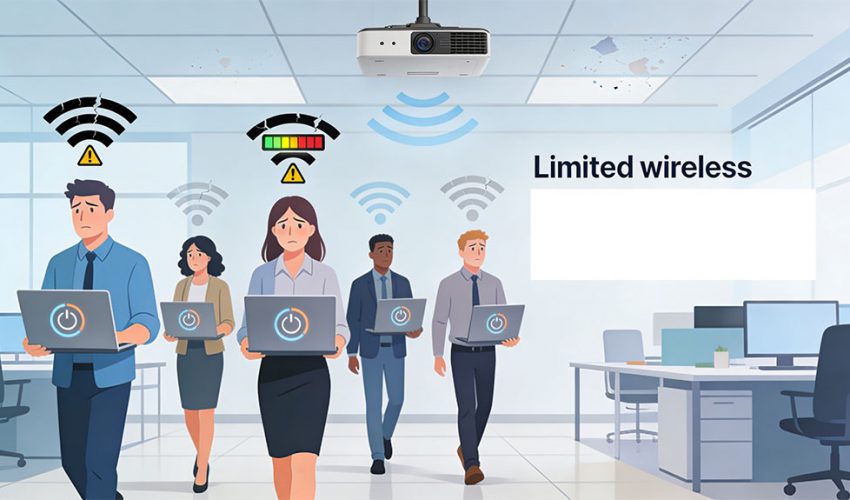
Your IT guy upgraded the router. You bought a mesh system. You even called your ISP and sat on hold for 45 minutes. And yet — the Wi-Fi in your Toronto office is still crawling at 10 a.m. when everyone settles in with their laptops.
Here’s what nobody in the router-selling business wants you to know: wireless performance is only as good as the wired infrastructure underneath it. In most slow office Wi-Fi situations we encounter across the GTA, the router isn’t the problem at all. The problem is a decade-old Cat5e cable buried in the wall, a patch panel with loose terminations, or an access point being starved of power by an underpowered PoE switch.
These are the issues that don’t show up in a speed test advertisement. They don’t get diagnosed by rebooting the router. And they definitely don’t get fixed by buying a newer mesh system from Best Buy. Let’s pull back the drywall — figuratively — and look at what’s actually happening.
First: How Wi-Fi and Wired Cabling Are Connected
To understand why cabling affects your Wi-Fi, picture what’s actually happening when your colleague streams a Teams call from the boardroom. The Wi-Fi signal from their laptop doesn’t float magically to the internet — it travels wirelessly to the nearest access point (AP) on your ceiling. From there, every single bit of data leaves the wireless world and travels down a physical ethernet cable, through a wall, into a patch panel, through a switch, and out to your internet connection. The wireless hop is maybe 30 feet. The wired journey is where everything can fall apart.
(Wireless)
Point (AP)
Cable Run
/ Switch
Internet
If any link in that wired chain is underperforming, your Wi-Fi suffers — period. A Wi-Fi 6E access point with a theoretical 10 Gbps limit, connected to a degraded Cat5e cable capable of only 100 Mbps in practice, will deliver exactly 100 Mbps of real-world performance. Every time. It doesn’t matter how fast the AP is rated.
The 6 Cabling Culprits Behind Slow Office Wi-Fi
Outdated Cat5e Cabling — The Hidden Speed Cap
Cat5e was the gold standard when most GTA office buildings were wired up in the 2000s. It handles up to 1 Gbps at 100 metres — which sounded great in 2005. The problem? Modern Wi-Fi 6 and Wi-Fi 6E access points can push 2.5 Gbps, 5 Gbps, or even 10 Gbps on their uplinks — and Cat5e simply cannot keep up. Your brand-new AP is being bottlenecked by cable older than the iPhone.
Cat6 handles 10 Gbps at shorter distances with significantly better crosstalk rejection. Cat6A handles 10 Gbps reliably at full 100-metre runs. If your office is wired with Cat5e and you’re running modern APs, you’re leaving a massive amount of capacity on the table — every single day.
Loose or Improperly Terminated Connections
Termination is the process of connecting a cable’s individual wires to a keystone jack, patch panel port, or RJ45 plug. Done properly, it’s nearly invisible. Done poorly, it’s one of the most common sources of network performance problems we find across the GTA.
A loose punch-down in a patch panel. A keystone jack installed at the wrong angle. An RJ45 crimped without proper strain relief. None of these look wrong to the naked eye, but each one introduces resistance, increases signal loss, and can cause a Gigabit-rated cable to negotiate down to 100 Mbps — or drop entirely under load.
PoE Power Starvation — Your Access Point Is Running on Fumes
Most modern access points are PoE (Power over Ethernet) devices — they receive electrical power through the same cable carrying their data. This introduces a critical dependency: the power budget of your switch. Not all PoE is equal:
| Standard | Max Power / Port | Suitable For | Status |
|---|---|---|---|
| PoE (802.3af) | 15.4W | Basic IP phones, older APs | Outdated |
| PoE+ (802.3at) | 30W | Most standard APs, IP cameras | Acceptable |
| PoE++ (802.3bt) | 60–90W | Wi-Fi 6E APs, high-power devices | Recommended |
A high-performance Wi-Fi 6E access point can require 25–30W of clean, stable power. If your switch only delivers 15W per port, the AP throttles itself — reducing radio output and disabling MIMO streams. The AP is physically capable of serving 100 devices at full speed, but it’s operating at 40% capacity because the switch feeding it is too weak. We’ve walked into dozens of GTA offices where brand-new access points were on aging PoE switches. This was always why the upgrade made barely any difference.
Cable Runs That Are Too Long — Or Bent Too Hard
Ethernet has a hard 100-metre maximum run length for Cat5e and Cat6. In practice, the real problems come from cables that have been bent, kinked, or run near interference sources. In Toronto’s older commercial buildings — anything in the Financial District or King West built before 2000 — cables get re-routed around HVAC upgrades, bundled with electrical runs, and generally abused over decades of renovations.
Insufficient Access Point Density — One AP Can’t Cover What You Think
This is directly caused by a cabling decision made years ago: not enough cable drops were installed. An AP handling 50+ simultaneous device connections will be congested regardless of its hardware rating. The recommended guideline for dense offices is roughly one AP per 800–1,200 sq ft, or one AP per 25–30 simultaneous connected devices. Most GTA offices we visit are running half that density — because there were never enough cable drops to support proper AP placement. The fix isn’t a different AP. It’s running more cable drops.
The Patch Panel — The Forgotten Failure Point
Between your in-wall cable runs and your network switch sits the patch panel. It’s essential. And in many offices, it’s years overdue for inspection. Dirty, corroded, or loose patch panel ports are surprisingly common — and surprisingly destructive. A port with oxidized contacts can cause a Gigabit connection to drop to 100 Mbps, or introduce enough packet loss to make video calls completely unusable, even while a speed test to the same port looks “fine.” Speed tests don’t capture packet loss well.
“We’ve never walked into a slow office and found the router to be the root cause. It’s always something in the wall, the patch panel, or the switch. Always.”
— Cablify installation team, GTA commercial projects
How to Diagnose Whether Cabling Is Your Problem
You don’t need to rip open walls to get a preliminary read. Here’s a practical approach:
- ✓
Run a wired speed test from a laptop directly plugged into a wall port. If this is also slow, the problem is almost certainly cabling or the switch — not Wi-Fi. If wired is fast but wireless is slow, you have an AP density or PoE power problem. - ✓
Check your switch’s PoE budget and per-port allocation. Log into your switch and look at power draw on ports connected to access points. If they’re close to the port maximum, your APs are being throttled. - ✓
Ask: how old is the cabling? If nobody has a cabling record and you don’t know when the office was last wired, assume it’s old Cat5e and act accordingly. - ✓
Test several different wall ports around the office. If speeds vary significantly between ports, you have termination or cable quality issues — not a router problem. - ✗
Don’t just run a single Speedtest and call it done. Speedtest measures peak throughput. It doesn’t measure jitter, packet loss, or latency — the metrics that determine whether video calls and real-time apps actually work. - ✗
Don’t assume it’s the ISP until you’ve verified your in-building infrastructure. We frequently see GTA businesses blaming Rogers or Bell when the bottleneck is entirely inside their own four walls.
What a Proper Cabling Fix Looks Like
Here’s what a professional remediation project typically involves for a mid-size Toronto office:
1. Structured Cabling Audit
A certified technician performs a cable certification test on every run using a Fluke or similar tester, producing a pass/fail report identifying exactly which runs have bad terminations, marginal performance, or outright failures. This is the non-negotiable first step — you can’t fix what you haven’t measured.
2. Cable Replacement or Re-Termination
Remediation might be as simple as re-punching a few patch panel ports, or as extensive as running new Cat6A throughout. For offices deploying Wi-Fi 6E or preparing for Wi-Fi 7, Cat6A is the right choice — it supports 10 Gbps reliably at full run lengths and handles next-generation PoE++ power demands without thermal issues.
3. PoE Switch Assessment and Upgrade
We review the total PoE power budget against the actual requirements of all connected devices — APs, cameras, access control readers, IP phones. If the budget is insufficient, a PoE expansion via a new switch or injector strategy is recommended before any AP hardware upgrades are considered.
4. Access Point Density Planning
With clean, certified cabling in place, the right number of AP locations can be identified based on your office’s actual size, density, and usage patterns. New cable drops are run to support proper AP placement — not just wherever a cable happened to already terminate.
The Bottom Line: Stop Blaming the Router
Wi-Fi complaints are usually the visible symptom of an invisible problem. The access point is the last device in a chain of physical infrastructure — and that chain is only as strong as its weakest cable. For most Toronto and GTA businesses in buildings that haven’t had a cabling upgrade in the past decade, the infrastructure in the walls is the single biggest thing limiting network performance. No router upgrade, mesh system, or ISP upgrade will change that.
The good news? A proper cabling assessment is fast, non-invasive, and inexpensive relative to the performance gains it unlocks. And once it’s done right, it’s done — you’re not rebooting infrastructure every six months.
The next time your conference room Wi-Fi drops in the middle of a client presentation, don’t look at the ceiling. Look at what’s inside the wall behind it.
Is Your Cabling Holding Back Your Wi-Fi?
Cablify’s certified technicians serve Toronto, Mississauga, Brampton, Oakville, and across the GTA. Get a no-obligation cabling assessment and find out exactly what’s limiting your network.
📞 647-846-1925 · info@cablify.ca · Mon–Sat 8am–8pm