
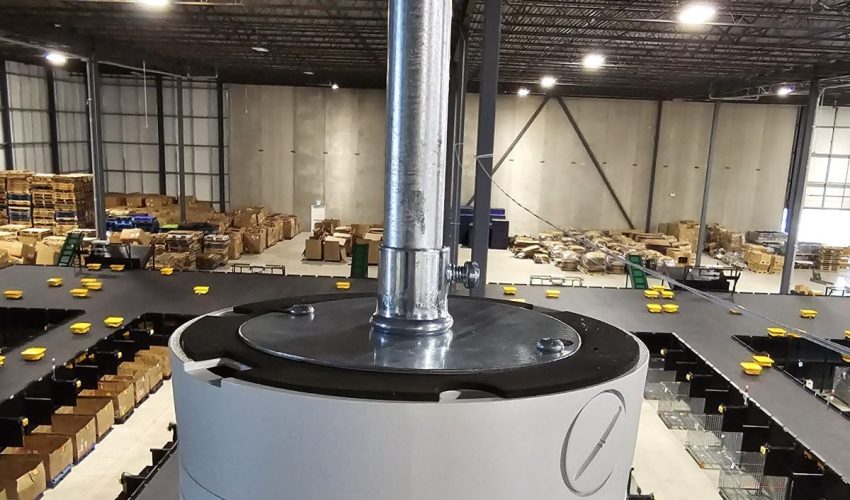
A business security camera system has six parts: cameras, cabling, a PoE switch, a recorder, storage and a way to view the video. Most systems that disappoint their owners have good cameras and a weak link somewhere in the other five.
This guide explains how to plan a system for an office, warehouse or retail site: how many cameras you need, how much storage to buy, what the network has to carry and where the money goes. It is written for the person who has to approve the quote, not the installer.
The parts of a business camera system
| Part | What it does | What you have to decide |
|---|---|---|
| Cameras | Capture the image | Type, resolution and lens for each location |
| Cabling | Carries video and power on one cable | Cat6 or Cat6A, indoor or outdoor rated, cable routes |
| PoE switch | Powers the cameras and joins them to the network | Port count and total power budget |
| Recorder | Records, plays back and searches video | On-site NVR, cloud service or a mix |
| Storage | Holds the recordings | How many days to keep and at what quality |
| Viewing | Lets staff watch live and recorded video | Who gets access, from where, on which devices |
A boxed kit from a retail store makes all six decisions for you, usually with the same camera for every position. That is the main difference between a kit and a designed system. An entrance, a loading dock and a parking lot each need a different camera.
How many cameras you need
Count views, not square feet. Walk the site and list every place where you need to answer one of these questions later:
- Who came in or left? One camera at each entrance and exit, aimed at face height.
- What happened here? One camera for each area where money, stock or vehicles are handled.
- Where did they go? Overview cameras that tie the other views together.
The first group needs enough detail to identify a face. The third only needs to show movement, so one wide camera can cover a large area. Mixing the two up is the most common planning mistake: a wide overview camera over the front door shows that someone walked in but not who it was. Our guide to reading a security camera spec sheet explains the detail levels and how to match a lens to each one.
How much storage to buy
Storage depends on three numbers: the bitrate of each camera, how many cameras you have and how many days you keep. Resolution matters only because it raises the bitrate.
Storage in GB = bitrate in Mbps × 10.8 × cameras × days
One megabit per second, recorded around the clock, fills 10.8 GB a day.
| Camera | Typical bitrate (H.265) | Per camera, per day | 16 cameras, 30 days |
|---|---|---|---|
| 2 MP (1080p) | 1.5 Mbps | 16 GB | 7.8 TB |
| 4 MP | 3 Mbps | 32 GB | 15.6 TB |
| 8 MP (4K) | 6 Mbps | 65 GB | 31.1 TB |
Three things bring the number down without losing useful footage:
- Record on motion in areas that are empty most of the day, such as stock rooms and corridors after hours.
- Lower the frame rate. 12 to 15 frames per second is enough for most business scenes.
- Use 4 MP instead of 4K where the view is a door or a room, and keep 4K for wide outdoor areas.
Buy drives made for surveillance recorders, and plan for one drive failing. A recorder with RAID keeps recording when a drive dies. A recorder with a single large drive loses everything on it.
Network and power
Each camera is a network device that sends video all day. Sixteen 4 MP cameras at 3 Mbps put about 48 Mbps on the network continuously, which is small for a modern switch but enough to cause trouble on a busy office network.
- Keep cameras on their own switch or VLAN. It protects the office network from camera traffic and keeps the cameras out of reach of ordinary users.
- Add up the power. Most fixed cameras run on standard PoE (802.3af, up to 15.4 W per port). PTZ cameras and models with heaters often need PoE+ (802.3at, 30 W) or more. The switch has a total power budget as well as a per-port limit. Our PoE power calculator totals it for you.
- Respect the 100 m limit. A copper cable run to a camera can be up to 100 m (328 ft) from switch to camera. Past that, use a switch closer to the cameras, a fiber link or a point-to-point wireless bridge.
- Put the recorder and switch on a UPS. Because the cameras take their power from the switch, one battery backup keeps the whole system recording through a power cut.
Detached buildings, gates and yards are where the 100 m limit usually bites. A fiber run to a small switch at the far end is the dependable fix. A wireless bridge is the alternative when trenching is not practical and there is a clear line of sight.
NVR, cloud or hybrid
| Option | How it works | Suits | Watch for |
|---|---|---|---|
| On-site NVR | Video is recorded to drives in your building | Most single sites, long retention, many cameras | Recorder must be locked away, or it leaves with the thief |
| Cloud | Cameras send video to a hosted service | Many small sites, few cameras each, no IT room | Monthly fee per camera and enough upload speed |
| Hybrid | Records on site, copies key cameras or events to the cloud | Sites that need an off-site copy of entrances and cash areas | Two systems to set up and keep in step |
Upload speed decides whether cloud recording is realistic. Sixteen cameras at 3 Mbps need 48 Mbps of upload all day, which is more than many business internet plans provide. An on-site recorder has no such limit, and remote viewing only uses the connection while someone is watching.
Systems by building type
| Building | What the system has to handle | Typical choices |
|---|---|---|
| Office | Entrances, reception, server room, parking | Indoor domes, one or two outdoor cameras, small NVR |
| Warehouse | Long aisles, high ceilings, dock doors that open to daylight | Bullet cameras with longer lenses, WDR at docks, switches spread around the building |
| Retail | Tills, entrances, stock room, back door | Domes over tills, a face-height camera at the door, hybrid recording |
| Yard or lot | Distance, darkness, weather, vehicles | 4K or PTZ on poles, plate cameras at gates, fiber or wireless links |
| Several sites | One team watching many locations | Same brand everywhere, central viewing software, cloud or hybrid |
A camera system also works better when it is tied to the doors. With access control and cameras on the same platform, a forced door or a denied card brings up the right camera on its own, and staff can jump from a door event to the video of it.
What moves the price
- Cable routes. Labour to run cable is often a larger part of the job than the cameras. High ceilings, finished walls and outdoor runs all add time.
- Number of camera positions, more than the camera model chosen for each.
- Days of retention. Doubling the days roughly doubles the storage.
- Outdoor and pole-mounted cameras, which need weatherproof cable, mounts and sometimes a lift.
- Existing cabling. Good Cat5e or Cat6 already in place can be reused for cameras once it has been tested.
- Licences. Some recording software and all cloud services charge per camera, per year.
Frequently asked questions
How many cameras does a small business need?
Most small offices and shops end up with 4 to 8. Count one for each entrance and exit, one for each place where cash or stock is handled, and one or two overview cameras to link them.
How long should a business keep security footage?
Thirty days is the most common choice, because it covers the time it usually takes for an incident to be reported. Some insurers and industries ask for longer, so check your policy and any rules for your sector before you size the storage.
Are wired or wireless cameras better for a business?
Wired. A cabled PoE camera gets power and a stable connection from one cable and keeps recording when the Wi-Fi is busy or down. Wireless links are useful between buildings, not as a substitute for a cable to each camera.
Do security cameras need the internet to work?
No. A system with an on-site recorder records with no internet connection at all. The internet is only needed for viewing from outside the building, for alerts to a phone and for cloud recording.
Can I use my existing network cabling for cameras?
Often, yes. Cat5e and Cat6 both carry PoE and video up to 100 m. Have the cables tested first, because a run that works for a desk phone may not deliver enough power for a camera.
What is the difference between an NVR and a DVR?
An NVR records IP cameras over network cable. A DVR records older analog cameras over coaxial cable. New business systems use IP cameras and an NVR. A DVR is only worth keeping when you are reusing coax that is hard to replace.
Want a system planned for your building?
Cablify designs and installs camera systems for offices, warehouses and retail sites across Toronto and the GTA, including the cabling and network they run on. See our commercial security camera installation page or call 1-647-846-1925.