
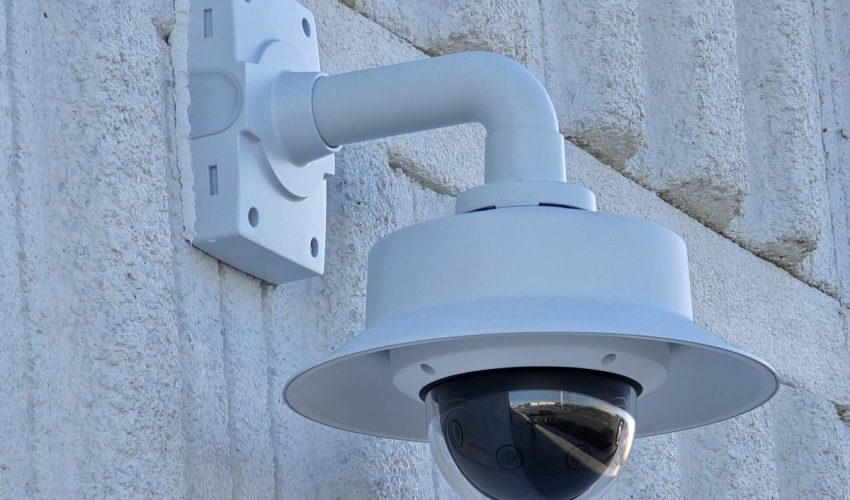
A security camera spec sheet lists a dozen numbers, but five of them decide whether the footage is useful: resolution, focal length, sensor size, low-light performance and WDR. The rest tell you whether the camera will survive where you mount it and work with the network you have.
This guide goes through a typical spec sheet line by line, in plain language, with the numbers we look for when we choose cameras for offices, warehouses and retail sites in the GTA.
Security camera spec sheet cheat sheet
| Spec | What it tells you | What to look for |
|---|---|---|
| Resolution | How many pixels are in the image | 4 MP for most commercial scenes, 8 MP for wide areas |
| Focal length | How wide or narrow the view is | 2.8 mm for wide views, 4 mm for general use, 6 to 12 mm for distance |
| Sensor size | How much light each pixel collects | 1/2.8″ is standard, 1/1.8″ is better in low light |
| Aperture | How much light the lens lets in | f/1.6 or lower for dark scenes |
| Minimum illumination | The darkest scene that still gives a picture | Only compare cameras from the same maker |
| IR range | How far the built-in infrared light reaches | Treat the stated range as a best case |
| WDR | How well it handles bright and dark areas together | True WDR, 120 dB or higher, for doors and windows |
| Frame rate | How smooth movement looks | 15 fps for most scenes, 25 to 30 fps for cash and traffic |
| Compression | How much storage and bandwidth it uses | H.265 |
| IP and IK rating | Weather and impact resistance | IP66 or IP67 outdoors, IK10 where people can reach it |
| Operating temperature | The coldest and hottest it will run | -30 °C or lower for outdoor use in Ontario |
| Power | Which PoE standard it needs | 802.3af for fixed cameras, 802.3at or bt for PTZ |
Start with what you need to see
Before any spec matters, decide what the footage has to do. Seeing that someone walked through a yard is a very different job from identifying a stranger at a door. The video surveillance standard IEC 62676-4 describes four levels, known as DORI: detect, observe, recognize and identify. Each one needs a minimum number of pixels across every metre of the scene.
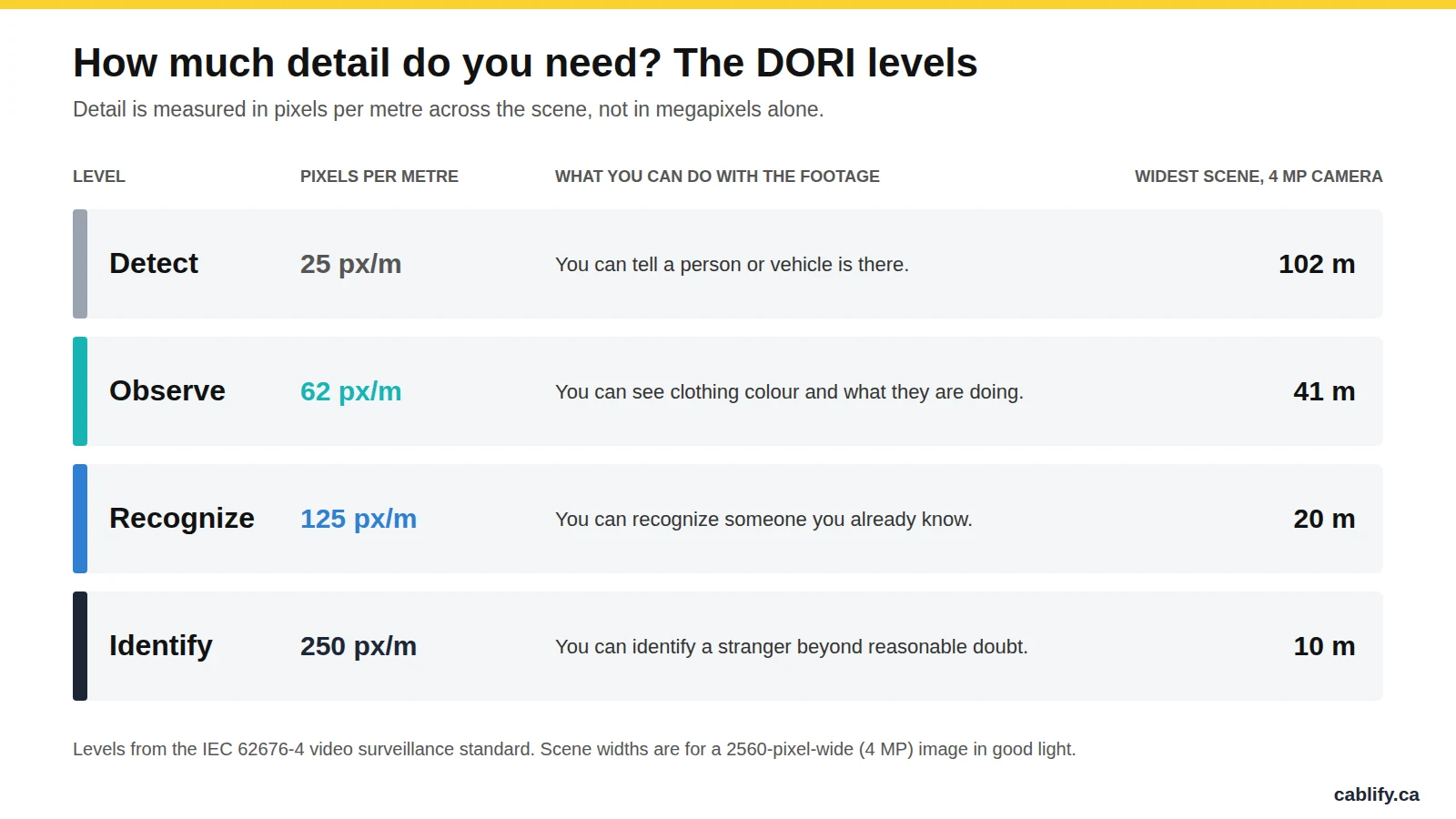
The sum is simple: divide the image width in pixels by the width of the scene in metres. A 4 MP camera is 2,560 pixels wide. Point it at a 10 m wide loading area and you get 256 pixels per metre, which is enough to identify a stranger. Point the same camera at a 40 m wide yard and you get 64 pixels per metre. You will see what happened, but not who did it.
Why this matters: most disappointing camera systems have enough megapixels. They are just spread across too wide a view. Pixel density is the number to design to.
Resolution
Resolution is the number of pixels in the image. More pixels let you cover a wider scene at the same level of detail, or zoom into a recording without it turning to blocks.
| Resolution | Image size | Widest scene to identify | Widest scene to recognize |
|---|---|---|---|
| 2 MP (1080p) | 1920 x 1080 | 7.7 m | 15 m |
| 4 MP | 2560 x 1440 | 10 m | 20 m |
| 5 MP | 2592 x 1944 | 10 m | 21 m |
| 8 MP (4K) | 3840 x 2160 | 15 m | 31 m |
Higher resolution has a cost. An 8 MP camera needs roughly twice the storage and bandwidth of a 4 MP camera at the same settings, and if the sensor is the same size, each pixel is smaller and collects less light at night. For most commercial scenes 4 MP is the practical choice. We use 8 MP where one camera has to cover a wide area, such as a parking lot or a warehouse cross-aisle.
To size the recorder, see our worked example of storage for 8 cameras over 30 days and our guide to how long to keep CCTV footage in Canada.
Focal length and field of view
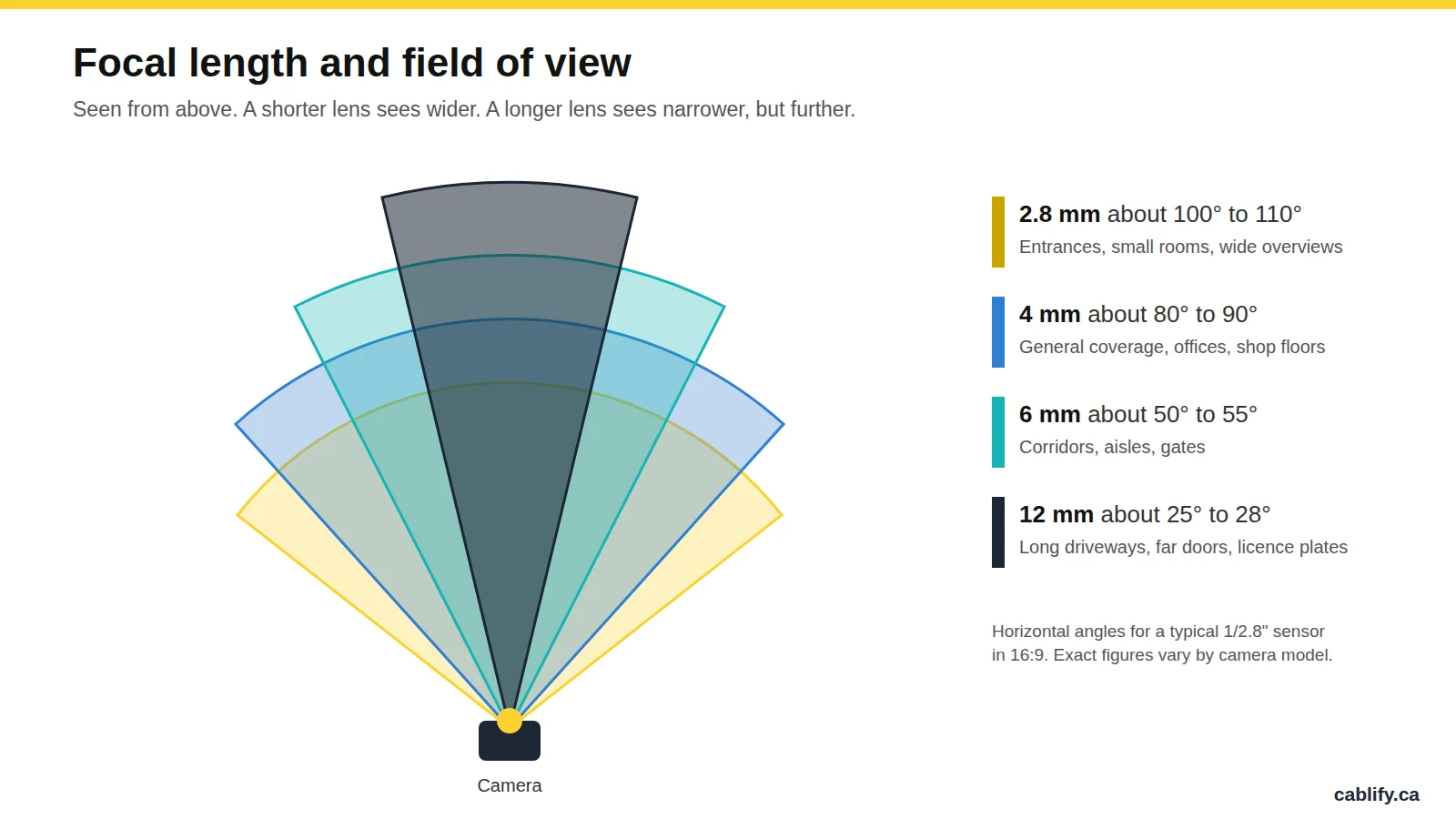
Focal length, in millimetres, sets how wide the camera sees. A short lens such as 2.8 mm gives a wide view with less detail at a distance. A long lens such as 12 mm gives a narrow view that reaches much further.
Spec sheets describe the lens in one of three ways:
- Fixed. One focal length, such as 2.8 mm or 4 mm. Lower cost and nothing to adjust, but the view cannot be changed later.
- Varifocal. An adjustable range, such as 2.8 to 12 mm, set by hand at the camera.
- Motorized varifocal. The same range, adjusted from the recorder or software. This is worth the extra cost when the camera is mounted high, because nobody has to go back up on a lift to change the view.
Choose the focal length after you know the scene width. If a doorway is 3 m wide and you want to identify people, almost any lens will do. If you want to read what is happening at a gate 40 m away, you need a long lens and a narrow view.
Sensor size and aperture
These two specs decide how the camera performs when the light drops. They are easy to skip and they matter more than most people expect.
Sensor size is written as a fraction of an inch: 1/3″, 1/2.8″, 1/1.8″ or 1/1.2″. The smaller the number after the slash, the larger the sensor. A larger sensor gives each pixel more area to collect light, so the night image is cleaner. An 8 MP camera on a 1/2.8″ sensor has very small pixels and is often noisy after dark. The same resolution on a 1/1.8″ sensor is noticeably better.
Aperture is the opening in the lens, written as an f-number. A lower number means a larger opening and more light. Going from f/2.0 to f/1.4 doubles the light that reaches the sensor. For scenes that are dark at night, look for f/1.6 or lower.
Minimum illumination, given in lux, is meant to tell you the darkest scene the camera can handle. Treat it with care. Each maker measures it in its own way, so a figure of 0.005 lux from one brand cannot be compared with 0.01 lux from another. It is only useful for comparing models from the same maker.
Night vision: infrared, white light and colour
Most commercial cameras have built-in infrared (IR) LEDs. When the scene gets dark, a filter moves out of the way, the LEDs turn on and the picture switches to black and white. The spec sheet gives an IR range, such as 30 m or 50 m.
That range is measured in ideal conditions. In practice, a few things reduce it:
- IR light bounces off nearby walls, soffits and downpipes, which makes the camera darken the rest of the image.
- Rain, snow and fog reflect it straight back into the lens.
- Reflective licence plates and safety vests can wash out to white.
Smart IR helps by turning the LEDs down when something is close to the camera. It is worth having on any camera that covers a doorway.
Some cameras now combine a large sensor, a wide aperture and a small white light to record in colour at night. Colour footage is far more useful as evidence, because clothing and vehicle colours show up. The trade-off is a visible light, which some sites want as a deterrent and others do not.
Thermal cameras detect heat, not light. They are used to detect people along long fence lines, and they do not give a picture you can identify someone from.
WDR, BLC and HLC
Wide dynamic range (WDR) is what lets a camera see a person standing in a doorway with bright daylight behind them. Without it you get a silhouette. It is the most important spec for entrances, glass lobbies and loading dock doors.
- True WDR takes two or more exposures of every frame and combines them. It is rated in decibels, and 120 dB or higher is what we look for.
- Digital WDR (DWDR) only adjusts a single exposure in software. It helps a little and it is not a substitute for true WDR at a doorway.
Two related settings often appear on the same line. Backlight compensation (BLC) brightens the whole image so a subject in front of a bright background is visible, at the cost of blowing out the background. Highlight compensation (HLC) masks very bright spots such as headlights, which helps when you need to read a licence plate at night.
Frame rate, shutter and compression
Frame rate is the number of images per second. For most commercial scenes 15 fps is enough and uses noticeably less storage than 30 fps. Use 25 to 30 fps where fast hand movements matter, such as cash desks, or where vehicles pass quickly.
Shutter speed matters more than frame rate for moving subjects. A slow shutter brightens a night image but smears anything that moves. A camera that is meant to capture licence plates needs a fast shutter and enough light to support it.
Compression decides how much storage and bandwidth each camera uses. H.265 can cut both by up to about half compared with H.264 at the same quality. Most makers also offer a “smart” version of the codec that lowers the bitrate further when nothing in the scene is moving.
Built for the location: IP, IK, temperature and power
This part of the spec sheet tells you whether the camera will still be working after its first winter.
- IP rating. The first digit is dust and the second is water. IP66 is dust tight and resists powerful water jets. IP67 adds short-term immersion. Either is suitable outdoors.
- IK rating. Impact resistance. IK10 is the top of the common scale and is what you want for any camera within reach, such as low ceilings, parkades and school corridors.
- Operating temperature. Many cameras are rated to -30 °C and some to -40 °C with a built-in heater. For outdoor cameras in Ontario, check the low end of the range, not just the high end.
- Power. Most fixed cameras run on standard PoE (802.3af, up to 15.4 W at the switch). PTZ cameras and cameras with heaters often need PoE+ (802.3at, 30 W) or more. Add up the draw of every camera before choosing a switch. Our PoE power calculator does the sum.
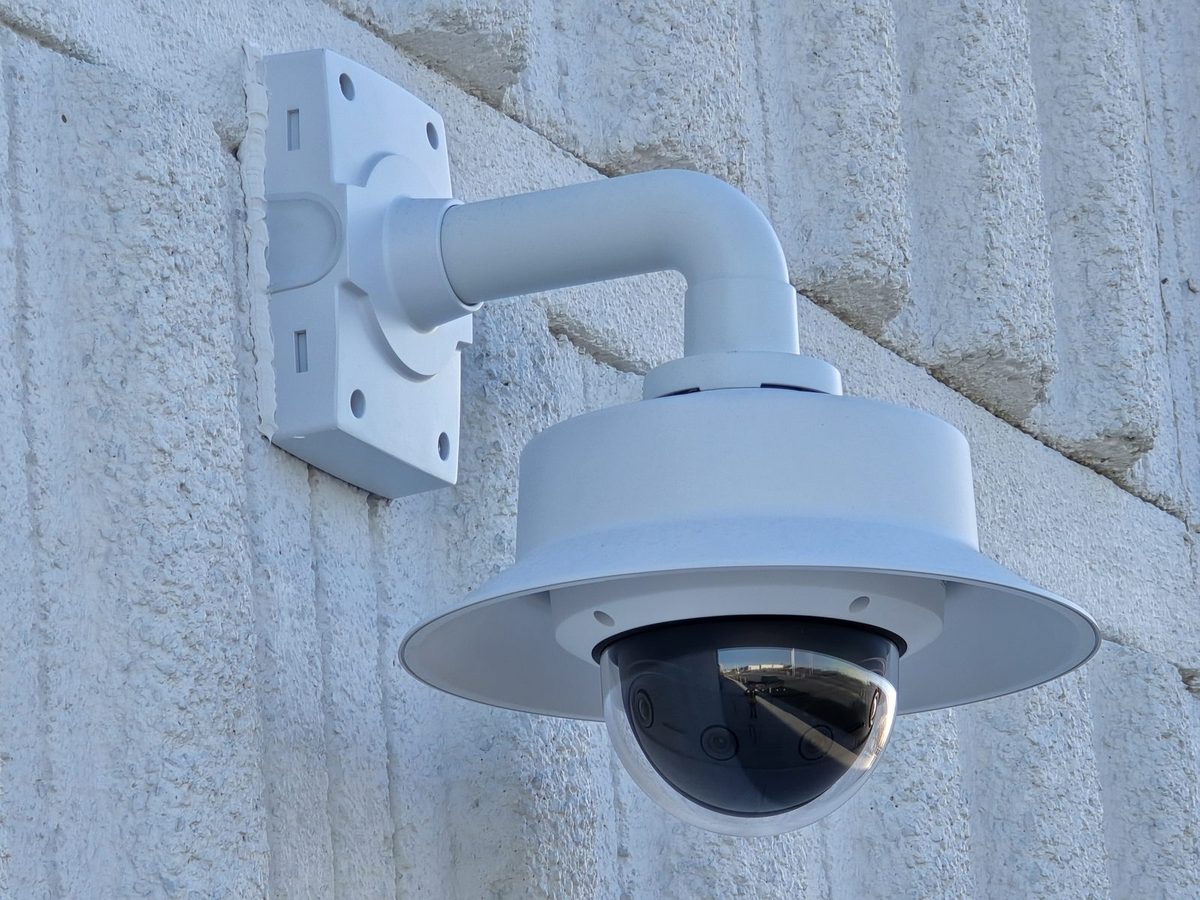
The shape of the camera matters too. We compare the main housings in our guide to dome, bullet and turret cameras.
Compatibility and compliance
- ONVIF. A common standard that lets cameras and recorders from different makers work together. Check that the camera lists ONVIF conformance, usually Profile S and Profile T, if it will connect to another brand of recorder or video software.
- NDAA compliance. Some government, institutional and US-linked contracts do not allow equipment from certain manufacturers. If that applies to you, it needs to be settled before any camera is chosen. See our page on NDAA-compliant cameras.
- Analytics. Many cameras can now tell people and vehicles apart, which cuts false alerts from shadows, rain and headlights.
- Edge storage. A microSD slot lets the camera keep recording if the network or recorder goes down.
Which specs matter where
These are starting points we use, not rules. The right camera always depends on the scene width, the mounting height and the light.
| Location | What matters most | Typical starting point |
|---|---|---|
| Office entrance or lobby | WDR for glass doors, identifying people at the door | 4 MP dome, 2.8 mm, true WDR |
| Warehouse aisle | A long, narrow view | 4 MP, 6 to 12 mm varifocal |
| Loading dock | WDR for open doors, night performance | 4 MP bullet or turret, true WDR, IR |
| Parking lot or yard | Wide coverage, low light, weather | 8 MP or multi-sensor, large sensor, IP67 |
| Licence plates at a gate | Narrow view, fast shutter, HLC | Dedicated plate camera with a long lens |
| Cash desk | Detail on hands and faces, smooth motion | 4 MP, 2.8 to 4 mm, 25 to 30 fps |
Spec sheet traps we see
- Buying by megapixels. An 8 MP camera with a small sensor can give a worse night image than a 4 MP camera with a large one.
- Trusting the IR range. A camera rated for 50 m will not give you a usable face at 50 m.
- Comparing lux figures across brands. They are not measured the same way.
- Assuming “WDR” means true WDR. If the sheet does not give a dB figure, it is probably digital.
- Ignoring temperature and power. An indoor camera mounted outside, or a PTZ on a switch that cannot power it, is a service call waiting to happen.
Frequently asked questions
What does WDR mean on a security camera?
WDR stands for wide dynamic range. It lets a camera show detail in bright and dark parts of the same scene, such as a person in a doorway with daylight behind them. True WDR is rated in decibels, and 120 dB or higher is a good figure.
Is a 4K security camera worth it?
It is worth it when one camera has to cover a wide area, such as a parking lot. For doors, corridors and most rooms, 4 MP gives enough detail, uses about half the storage and usually performs better at night.
Should I choose a 2.8 mm or a 4 mm lens?
A 2.8 mm lens gives a wide view of roughly 100 to 110 degrees and suits entrances and small rooms. A 4 mm lens gives roughly 80 to 90 degrees and more detail at a distance, which suits general coverage of larger rooms.
How far can a security camera see at night?
The IR range on the spec sheet, often 30 to 50 m, is the distance at which the camera can light a scene in ideal conditions. Identifying a person takes far more detail than detecting one, so the distance for a usable face is much shorter and depends on the lens and resolution.
What IP rating does an outdoor security camera need?
IP66 or IP67. Both are dust tight and sealed against heavy rain. Also check the operating temperature, because cold is a bigger problem than water for outdoor cameras in Canada.
What does DORI mean?
DORI stands for detect, observe, recognize and identify. It is a set of four detail levels from the IEC 62676-4 standard, each with a minimum number of pixels per metre: 25, 62, 125 and 250.
Need help choosing cameras?
Cablify designs and installs commercial camera systems across Toronto and the GTA. We survey the site, work out the pixel density each view needs and choose cameras to match. See our security camera installation page or call 1-647-846-1925.