


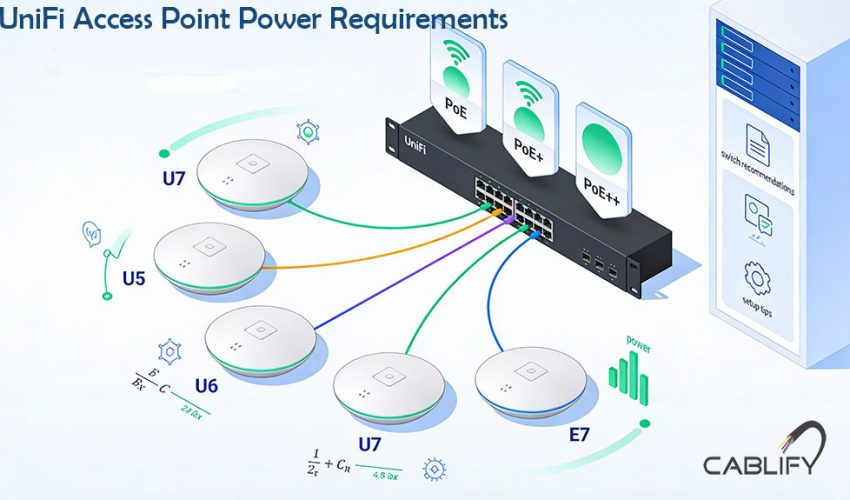
Understanding Power over Ethernet (PoE) Standards
Before selecting equipment, understand these key PoE standards:
- 802.3af (PoE): 15.4W switch port budget, ~12.95W to device
- 802.3at (PoE+): 30W switch port budget, ~25.5W to device
- 802.3bt (PoE++): Type 3 (60W) and Type 4 (90W) switch budgets
- Ubiquiti Passive PoE: 24V or 48V passive (non-standard) – use with caution
- PoE Max Budget: Total power available from switch (shared across all ports)
Wi‑Fi 7 models (U7 series)
| AP Model | Gen | Min PoE Standard | Max Power Draw | Recommended PoE | Notes |
|---|---|---|---|---|---|
| U7 Pro | Wi‑Fi 7 | PoE+ | 21 W | PoE+ | 2.5 GbE port |
| U7 Pro Max | Wi‑Fi 7 | PoE+ | 21 W | PoE+ | Dedicated scanning radio |
| U7 Long‑Range | Wi‑Fi 7 | PoE+ | 16 W | PoE+ | Extended range design |
| U7 Lite | Wi‑Fi 7 | PoE | 10 W | PoE+ | 2.5 GbE uplink |
| U7 Pro XG | Wi‑Fi 7 | PoE+ | 21 W | PoE+ | 10 GbE uplink |
| U7 Pro XGS | Wi‑Fi 7 | PoE+ | 21 W | PoE+ | 10 GbE + scanning radio |
| U7 In‑Wall | Wi‑Fi 7 | PoE+ | 20 W | PoE+ | In‑wall with 4‑port switch |
| U7 Pro Outdoor | Wi‑Fi 7 | PoE+ | 26 W | PoE+ | IP67, AFC 6 GHz support |
E7 Wi‑Fi 7 high‑power series
| AP Model | Gen | Min PoE Standard | Max Power Draw | Recommended PoE | Notes |
|---|---|---|---|---|---|
| Access Point E7 | Wi‑Fi 7 | PoE++ | 46 W | PoE++ Type 4 | Dual Ethernet (10G + 1G) |
| E7 Campus | Wi‑Fi 7 | PoE++ | 46 W | PoE++ Type 4 | PRISM filtering, directional |
| E7 Audience | Wi‑Fi 7 | PoE++ | 46 W | PoE++ Type 4 | High‑density optimized |
Wi‑Fi 6 / 6E models
| AP Model | Gen | Min PoE | Max Draw | Recommended PoE | Notes |
|---|---|---|---|---|---|
| U6 Enterprise | Wi‑Fi 6E | PoE+ | 22 W | PoE+ | 6 GHz, high‑density |
| U6 Enterprise In‑Wall | Wi‑Fi 6E | PoE+ | 22 W | PoE+ | In‑wall, 4‑port switch |
| U6 Pro | Wi‑Fi 6 | PoE | 13 W | PoE+ | Most popular U6 model |
| U6 Mesh | Wi‑Fi 6 | PoE | 13 W | PoE+ | Indoor/outdoor mesh |
| U6 In‑Wall | Wi‑Fi 6 | PoE | 13 W | PoE+ | In‑wall, 4‑port switch |
Legacy Wi‑Fi 6 / 5 models
| AP Model | Gen | Min PoE | Max Draw | Recommended PoE | Notes |
|---|---|---|---|---|---|
| U6 Lite | Wi‑Fi 6 | PoE | 10.5 W | PoE | Budget option |
| U6 LR | Wi‑Fi 6 | PoE+ | 16.5 W | PoE+ | Long‑range |
| AC Pro | Wi‑Fi 5 | PoE | 9 W | PoE | 3×3 MIMO |
| AC HD | Wi‑Fi 5 | PoE+ | 20.5 W | PoE+ | High‑density |
| nanoHD | Wi‑Fi 5 | PoE | 10.5 W | PoE | Compact 4×4 |
Critical Power Considerations for Newer APs
The 10GbE Uplink Impact
APs with 10GbE ports (U7 Pro XG/XGS, E7 series) don’t inherently require more power for the Ethernet interface itself, but their advanced radios and processors often demand higher power budgets.
Redundant Power Ports
E7 series and some U7 models feature dual Ethernet ports for power redundancy. These can be configured in:
- Active/Standby: Primary port provides power, secondary is backup
- Load Sharing: Both ports active (requires compatible switch setup)
Real-World Power Planning
Always add 20-30% overhead to theoretical calculations. Factors increasing consumption:
- All radios transmitting at high power
- Maximum client connections
- Environmental factors (cold temperatures)
- Future firmware features
Recommended Switches for UniFi APs
Managed Switches (UniFi Ecosystem)
| Switch Model | PoE Budget | Port Types | Max AP Support | Best For |
|---|---|---|---|---|
| Enterprise Switches | ||||
| USW-Enterprise-24-PoE | 400W | 16x PoE++ (30W), 8x PoE++ (60W) | 24x E7/U7 Pro | High-density WiFi 7 |
| USW-EnterpriseXG-24 | 240W | 12x PoE++ (60W) | 12x E7 series | 10GbE backbone + power |
| USW-Industrial-10G-PoE | 65W | 4x PoE+ | 4x U7 Pro | Industrial/outdoor |
| Pro Switches | ||||
| USW-Pro-24-PoE | 400W | 16x PoE+, 8x PoE++ | Mix of U6/U7 | Mixed generation deployments |
| USW-Pro-48-PoE | 500W | 48x PoE+ | 48x U6 Pro | Large U6 deployments |
| Lite/Standard Switches | ||||
| USW-24-PoE | 95W | 16x PoE | 8-10x U6 Lite | Small business/entry |
| USW-Lite-16-PoE | 42W | 8x PoE | 4x U6 Pro | Small office/home |
Unmanaged Switches with PoE
| Switch Model | PoE Standard | Total Budget | Notes |
|---|---|---|---|
| UniFi Switch Flex | PoE+ | 20W per port | Can be powered by PoE+ for remote deployment |
| Trendnet TPE-TG44G | PoE+ | 130W | 4-port with good budget |
| Netgear GS308PP | PoE+ | 64W | 8-port compact switch |
| Important: Unmanaged switches don’t allow power priority configuration or monitoring |
Specialty Solutions
- PoE++ Injectors: UPOE-AT (60W) for single high-power APs
- Midspan PoE Injectors: For non-PoE switch backbones
- Industrial PoE: For harsh environments
Installation Best Practices
1. Power Budget Calculation
Total Required Power = (AP1 max draw) + (AP2 max draw) + … + 30% overhead
Total Required Power = (AP1 max draw) + (AP2 max draw) + ... + 30% overheadExample: 5x U7 Pro Max = 5 × 21W = 105W + 30% = 136.5W minimum switch budget
2. Cable Considerations
- Cat6a or better for 10GbE links
- Maximum 100m length per Ethernet standard
- Avoid cable couplers which increase resistance
3. Switch Stack Power Management
When stacking switches, PoE budgets are NOT shared between units. Each switch must independently power its connected devices.
4. Power Priority Configuration (Managed Switches)
Configure critical APs as "High" priority in UniFi Controller to ensure they maintain power during budget constraints.
Troubleshooting Power Issues
Common Symptoms and Solutions
| Symptom | Likely Cause | Solution |
|---|---|---|
| AP intermittently reboots | Insufficient power budget | Upgrade switch or reduce load |
| AP won't power on | Incorrect PoE standard | Verify switch supports required standard |
| Link speed downgraded | Power/negotiation issue | Check cable quality, try different port |
| PoE disabled on port | Faulty cable/short | Replace Ethernet cable |
Diagnostic Commands (SSH to AP)
Future-Proofing Your Deployment
- Plan for WiFi 7: Even if deploying U6 now, ensure switches support PoE+ minimum
- 10GbE Ready: Newer APs benefit from >1Gb uplinks
- High-Density Areas: Deploy switches with 30W+ per port capability
- Modular Power: Consider switches with expandable power supplies
Final Recommendations
Always: Purchase APs and switches from same generation when possible
For new deployments: USW-Enterprise-24-PoE provides best future-proofing
For budget U7 deployments: USW-Pro-24-PoE offers excellent value
For legacy upgrades: Verify existing switch PoE budgets before adding WiFi 6/7 APs
*Note: Specifications may change with firmware updates. Always verify latest requirements in official UniFi datasheets before procurement. When in doubt, over-provision power capacity by 30-40% for headroom and future expansion.*