
Cloud Camera Systems for Toronto & GTA Businesses
Cablify designs, installs and supports cloud camera systems for commercial buildings across Toronto and the Greater Toronto Area. Cloud video means no NVR sitting in a closet collecting dust, no port forwarding, no firmware you forgot to patch. Your footage lives in a hardened data centre, your cameras update themselves, and your managers pull up any site from a browser or phone.
We are an authorized reseller and certified installer for Eagle Eye Networks, Axis Communications, GeoVision and Mobotix, plus Ubiquiti UniFi Protect, Rhombus and other mainstream platforms. Every camera we quote is NDAA compliant, so you are never stuck ripping out banned hardware two years into a lease.
18 years of commercial low voltage work in the GTA. We run the Cat6A, mount the cameras, commission the cloud, hand you the documentation and stay on the hook afterward.
- Eagle Eye Networks cloud VMS and bridge installs
- Axis cloud connected IP cameras
- GeoVision and Mobotix cloud recording
- UniFi Protect and hybrid on-site or cloud builds
- Migration from Hikvision and Dahua to NDAA compliant hardware
- Multi-site and multi-tenant remote viewing
- AI analytics: line crossing, loitering, people counting, LPR
- Access control and video integration
- PoE switch, UPS and network cabling for every camera
- Health monitoring and camera offline alerts
- Free on-site survey and camera coverage plan
- Weekend and after hours installs at no extra charge

Authorized Reseller for the Platforms That Actually Hold Up
We only sell cloud platforms we are trained on and can support directly. That means factory pricing, real warranty coverage, escalation paths that lead somewhere, and firmware roadmaps we can plan around. Every line below is NDAA compliant hardware.
Eagle Eye Networks
The workhorse for multi-site retail, logistics and property management. The Eagle Eye Bridge sits on site, buffers video locally and pushes it to the cloud on a schedule you control, so a flaky internet connection never costs you footage. Bridges also adopt most existing ONVIF cameras, which makes it the cheapest path off an aging NVR. Open API, strong analytics, clean mobile app.
Axis Communications
Swedish built, NDAA compliant, and the benchmark for image quality in hard lighting. Zipstream compression cuts bandwidth and storage without turning faces into mush, which matters a lot when you are uploading to the cloud. Axis cloud connected cameras handle their own updates and certificate management. Our first pick for banks, healthcare and anything with a loading dock facing the sun.
GeoVision
Taiwanese manufacture, NDAA compliant, and priced for owners who need real coverage without an enterprise budget. GeoVision cloud recording pairs well with small business security systems where you want 8 to 24 cameras, decent analytics and a subscription that does not balloon. Also a solid fit when access control and video need to live under one vendor.
Mobotix
German engineered and built around decentralized recording, so each camera does its own processing and storage at the edge. Almost nothing to fail in the middle. Mobotix leads on cyber hardening, which is why it shows up in critical infrastructure, water treatment and government adjacent facilities. Thermal and dual-lens models cover perimeters that regular cameras give up on.
We also install and support Ubiquiti UniFi Protect, Rhombus, Hanwha Vision, Avigilon, i-PRO and Digital Watchdog. If you already own a platform, we will work with it. If you are starting fresh, we will tell you honestly which one fits your building, your bandwidth and your budget. See our CCTV installation services for on-premise and hybrid options.
All product names, logos, and brands are property of their respective owners. All company, product and service names used in this website are for identification purposes only.
NDAA Compliant Cameras, and Why Canadian Buyers Should Care
Section 889 of the US National Defense Authorization Act blocks federally connected organizations from using video hardware made by a short list of manufacturers, along with the dozens of rebranded OEM labels those factories quietly supply. Plenty of gear sold in Canada falls into that second category without saying so on the box.
Canada has no identical statute, but the fallout reaches us anyway. Purchasers on this side of the border keep running into it:
- Post-secondary, municipal and healthcare tenders that specify NDAA compliance outright
- US parent companies pushing a single global hardware standard down to Canadian sites
- Insurance and cyber questionnaires asking for a camera vendor list
- Firmware and support drying up on grey-market hardware after a few years
Ripping out a 40 camera system because it failed a procurement review is an expensive lesson. Every camera Cablify quotes is NDAA compliant from day one. If you already have banned hardware in the building, we will price a phased migration that reuses your existing cable runs and PoE infrastructure so you are not paying twice.
Where Your Video Lives
Data residency comes up in almost every conversation we have with Ontario clients, especially in healthcare, education, legal and financial offices. It should.
Cloud video is still personal information under PIPEDA, and if you are recording staff, you also have Ontario employment and privacy obligations around notice, retention and access. Before we quote, we confirm three things with you:
- Region: which data centre region your footage is written to, and whether a Canadian region is available on the platform you chose
- Retention: how many days you keep, and whether that number is defensible if you are ever asked to justify it
- Access: who can log in, who can export, and whether every view and download is logged
All the platforms we sell encrypt video in transit and at rest, support role based permissions and produce an audit trail. We configure those settings during commissioning instead of leaving them on defaults, and we document what we set so your privacy officer has something to point at.
Worth knowing: a cloud system does not automatically mean your footage leaves Canada. On most platforms it is a configuration choice made at deployment, and it is very hard to change later. Ask about it before the install, not after.
Cloud Camera System vs Traditional NVR: An Honest Comparison
Cloud is the right answer most of the time, not every time. Here is how the two approaches actually compare on the things building owners ask us about.
| Consideration | Cloud Camera System | Traditional NVR or DVR |
|---|---|---|
| Upfront cost | Lower. No recorder, no RAID array, no server closet build. | Higher. Recorder, drives and UPS all bought on day one. |
| Ongoing cost | Monthly or annual licence per camera, tied to retention length. | Minimal, until drives fail or the recorder ages out around year five. |
| Theft and fire | Footage is already offsite. Losing the building does not lose the evidence. | The recorder is usually the first thing a professional takes. |
| Multi-site viewing | Every location in one browser tab. No VPN, no static IPs. | VPN per site, or exposed ports you should not be exposing. |
| Internet requirement | Needs steady upload bandwidth. A bridge buffers through outages. | Records fine with no internet at all. Remote access is the weak point. |
| Maintenance | Firmware and patches handled by the platform. Offline alerts are automatic. | Manual updates that in practice nobody performs. |
| Very long retention | Cost scales with days kept. Past 90 days it gets expensive. | Cheaper for a year or more of continuous archive. |
| Best fit | Multi-site operators, retail chains, offices, warehouses, property managers. | Single sites with long retention rules or restricted internet. |
Plenty of our GTA installs end up hybrid: cameras record locally to an on-site appliance for long retention while a cloud layer handles remote access, alerts and evidence sharing. That combination gets you the best of both, and it is usually cheaper than people expect.
1. Site Survey
We walk the building, check sightlines, lighting and existing pathways, then mark every camera position on your floor plan. Free, and there is no obligation attached to it.
2. Design & Bandwidth Check
Camera models, lens choices, PoE budget and upload bandwidth all get sized before you sign anything. No surprises when 30 cameras hit your circuit.
3. Cable & Install
Cat6 or Cat6A to every camera, Fluke tested and labelled. PoE switch, UPS and bridge racked properly. Clean terminations, tidy pathways, no zip-tie art.
4. Commission & Train
Focus, analytics, retention, user roles and alerts all configured. Then we sit with your team until they can pull and export a clip without calling us.
What a Cablify Cloud Install Includes
Everything below is standard on our commercial installs, not an upsell list:
- Free on-site survey with camera positions marked on your floor plan
- NDAA compliant cameras sized to the actual scene, not a generic package
- Cat6 or Cat6A home runs, Fluke tested, labelled at both ends
- Managed PoE switch with the right power budget and headroom for growth
- UPS on the switch and bridge so a brownout does not blind you
- Cloud bridge or CMVR installed, racked and configured
- Motion zones, analytics and retention tuned per camera
- User accounts, roles and export permissions set up properly
- Mobile app configured on your team’s phones before we leave
- As-built documentation: camera schedule, IP list, port map, coverage drawing
- Hands-on training for your staff, plus a short reference sheet
- Warranty support and remote troubleshooting after handoff
Cabling is where most camera jobs quietly go wrong. We have been running structured cabling in GTA commercial buildings for 18 years, so the infrastructure under your cameras is held to the same standard as a data centre backbone.
Request a Quote

Cloud Video Surveillance by Industry
Different buildings break in different ways. Camera placement, retention and analytics get set to match how your facility actually operates.
🛍 Retail & Multi-Location
One login across every store. POS transaction overlay, till and entrance coverage, people counting for staffing decisions and organized retail crime evidence you can hand to police the same day.
🏭 Warehouse & Logistics
Dock door coverage tied to shipment times, LPR at the yard gate, perimeter analytics after hours and high mount cameras that still read a pallet label at distance.
🏢 Offices & Property Management
Lobby, elevator, parking and tenant floors under one platform, with scoped logins so each tenant sees only their own space. Pairs directly with access control.
🏥 Healthcare & Clinics
Entry, pharmacy and restricted corridor coverage with tight retention rules, full audit logging and installs scheduled around patient care hours.
🏗 Construction Sites
Cellular connected cameras on temporary power, redeployed as the site moves. Copper and equipment theft is the number one call we get from GTA builders.
🎓 Schools & Campuses
Entrances, hallways and parking with lockdown integration and defined access for administrators. NDAA compliance is a standing requirement in most tenders.
💰 Financial & Legal
Encrypted storage, role based access, complete export audit trails and camera placement that satisfies both compliance reviews and insurer requirements.
🏨 Hospitality & Auto
Common area and back of house coverage for hotels, plus lot-wide LPR and low light performance for dealerships and service bays across the GTA.
What a Cloud Camera System Costs in Toronto
Most contractors will not put a number on a web page. Here are honest budgetary ranges for GTA commercial work so you can plan before you call. Final pricing depends on camera models, mounting heights, cable runs and retention.
Small Business (4 to 8 cameras)
Hardware and installation: roughly $3,500 to $8,500
Cloud licensing: roughly $18 to $35 per camera monthly
Typical for a single retail unit, clinic, restaurant or small office. Covers entrances, till or reception, back door and parking. Usually a one day install.
Mid-Size (10 to 24 cameras)
Hardware and installation: roughly $9,000 to $24,000
Cloud licensing: roughly $16 to $32 per camera monthly
Office floors, warehouses and dealerships. Includes managed PoE switching, UPS and a bridge or CMVR. Two to four days on site depending on ceiling access.
Enterprise & Multi-Site (25+)
Hardware and installation: quoted per site
Cloud licensing: volume pricing, billed annually
Chains, campuses and industrial facilities. Standardized camera specs, one rollout schedule across every location, single consolidated invoice.
Ranges are in Canadian dollars and exclude tax. Longer retention, LPR licensing, thermal cameras and conduit work all move the number. The site survey and written quote are free. Call 1-877-450-2134.
Cloud Camera Installation Across Toronto, the GTA & Southern Ontario
Same certified technicians, same installation standard and the same documentation package in every city we cover. Multi-site clients get one crew and one point of contact across all locations.
Toronto & Inner GTA
- Toronto (all districts)
- North York
- Etobicoke
- Scarborough
- East York
- York
West GTA & Halton
- Mississauga
- Brampton
- Oakville
- Burlington
- Milton
- Hamilton
North GTA & York Region
- Vaughan
- Richmond Hill
- Markham
- Aurora
- Newmarket
- Barrie
East GTA & Southwest
- Ajax
- Pickering
- Whitby
- Oshawa
- Clarington
- Kitchener / Waterloo
Outside these cities? We take projects across Southern Ontario. Call 1-877-450-2134 and we will tell you straight whether we are the right fit.
Cloud Camera Systems: Questions We Get Every Week
What is a cloud camera system?
A cloud camera system records video to a secure data centre instead of a recorder sitting in your building. Cameras connect over your network, either directly or through an on-site bridge, and you view live and recorded footage through a browser or mobile app. There is no NVR to fail, no drives to replace and no port forwarding to expose your network. Firmware, storage and backups are handled by the platform.
How much upload bandwidth do cloud cameras need?
Plan on roughly 1 to 2 Mbps of upload per camera for 2MP to 4MP H.265 video at moderate frame rates. Twenty cameras uploading continuously is about 20 to 40 Mbps. That said, platforms like Eagle Eye use an on-site bridge that buffers full resolution video locally and uploads a lighter preview stream in real time, pulling high resolution clips only when you request them. That drops the sustained requirement dramatically. We measure your actual upload speed during the site survey and size the design around it.
Do cloud cameras keep recording if the internet goes down?
Yes, on any system we design. The bridge or CMVR on site keeps recording during an outage and syncs everything to the cloud once the connection returns. Nothing is lost. Some cameras also record to onboard microSD as a second layer. This is exactly why we do not deploy cameras that upload direct to cloud with no local buffer in commercial buildings.
Can I keep my existing cameras and move to the cloud?
Often yes. If your cameras are ONVIF compliant and in reasonable condition, an Eagle Eye bridge can adopt them and put your existing hardware on a cloud platform without recabling. Two things to check first: whether your current cameras are on the NDAA restricted list, which defeats the purpose for many buyers, and whether the image quality is still worth keeping. We will tell you honestly which cameras are worth carrying forward and which ones should be replaced.
Does my video stay in Canada?
That depends on the platform and the region selected at deployment. Several of the platforms we sell offer Canadian data centre regions, and where data residency matters we design around it from the start. For clients who need footage to stay physically on premises, we build a hybrid system where recording is local and the cloud layer handles remote access and alerting only. Tell us your requirement before the quote, because it is very difficult to change after a system is live.
What does NDAA compliant mean?
NDAA compliant means the camera is not manufactured by, or rebranded from, the vendors restricted under Section 889 of the US National Defense Authorization Act. In Canada this shows up in institutional tenders, corporate hardware standards set by US parent companies, and insurance and cyber questionnaires. Every camera Cablify sells is NDAA compliant, including all Eagle Eye, Axis, GeoVision and Mobotix product lines.
Do you integrate cloud cameras with access control?
Yes, and it is worth doing. When video and access control share a platform, every badge event is linked to the video clip from that moment, so investigating a door held open or a badge used at 3am takes seconds rather than an afternoon of scrubbing timelines. We install access control systems in Toronto and the GTA alongside cloud video under one coordinated scope, on shared cable pathways.
Do you offer monitored security systems?
We install and support the video infrastructure, and we integrate with monitoring providers where clients want live operator response, verified alarm response or remote guard tours. Many GTA businesses find that AI analytics plus mobile push alerts covers most of what they need without a monthly monitoring contract. We will walk you through both options and where each one earns its cost.
What Our Clients Say
Related Cablify Services
On-premise IP camera and NVR systems for businesses that need local recording and long retention.
Card readers, controllers, electronic locks and intercoms, integrated directly with your camera platform.
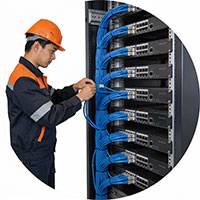
Cat6 and Cat6A cabling, PoE switching and rack builds that keep your camera network stable.
Ready to Move Your Cameras to the Cloud?
Book a free on-site survey and we will mark your camera positions, size the bandwidth and send a written quote within one business day. Available 7 days a week across Toronto and the entire GTA.
Available 7 days · 24/7 emergency
Free site survey · No obligation · Written estimate
Serving Toronto · Mississauga · Brampton · GTA