<?xml version="1.0" encoding="UTF-8"?><rss version="2.0"
	xmlns:content="http://purl.org/rss/1.0/modules/content/"
	xmlns:wfw="http://wellformedweb.org/CommentAPI/"
	xmlns:dc="http://purl.org/dc/elements/1.1/"
	xmlns:atom="http://www.w3.org/2005/Atom"
	xmlns:sy="http://purl.org/rss/1.0/modules/syndication/"
	xmlns:slash="http://purl.org/rss/1.0/modules/slash/"
	>

<channel>
	<title>fiber patch cable Archives - Cablify</title>
	<atom:link href="https://www.cablify.ca/tag/fiber-patch-cable/feed/" rel="self" type="application/rss+xml" />
	<link>https://www.cablify.ca/tag/fiber-patch-cable/</link>
	<description></description>
	<lastBuildDate>Thu, 20 Nov 2025 19:29:16 +0000</lastBuildDate>
	<language>en-CA</language>
	<sy:updatePeriod>
	hourly	</sy:updatePeriod>
	<sy:updateFrequency>
	1	</sy:updateFrequency>
	<generator>https://wordpress.org/?v=7.0</generator>
	<item>
		<title>Fiber Link Down? Fix Polarity in 2 Minutes</title>
		<link>https://www.cablify.ca/fiber-link-down-fix-polarity-in-2-minutes/</link>
		
		<dc:creator><![CDATA[HP]]></dc:creator>
		<pubDate>Thu, 20 Nov 2025 00:53:48 +0000</pubDate>
				<category><![CDATA[Fiber Cabling]]></category>
		<category><![CDATA[fiber link down]]></category>
		<category><![CDATA[fiber patch cable]]></category>
		<category><![CDATA[fiber polarity]]></category>
		<category><![CDATA[fiber troubleshooting]]></category>
		<category><![CDATA[LC duplex polarity]]></category>
		<category><![CDATA[network engineer tips]]></category>
		<category><![CDATA[TX RX reversal]]></category>
		<guid isPermaLink="false">https://www.cablify.ca/?p=7180</guid>

					<description><![CDATA[<p>The post <a href="https://www.cablify.ca/fiber-link-down-fix-polarity-in-2-minutes/">Fiber Link Down? Fix Polarity in 2 Minutes</a> appeared first on <a href="https://www.cablify.ca">Cablify</a>.</p>
]]></description>
										<content:encoded><![CDATA[<div class="wpb-content-wrapper"><div class="vc_row wpb_row row"><div class="wpb_column vc_column_container col-sm-12"><div class="vc_column-inner"><div class="wpb_wrapper">
	<div class="wpb_text_column wpb_content_element" >
		<div class="wpb_wrapper">
			<h2 class="wp-block-heading"><strong>Why Your Fiber Link Won’t Come Up: The 2-Minute Polarity Fix</strong></h2>
<p>You’ve done everything right. The switch is powered on, the config is clean, and the SFP modules are blinking&#8230; but one port stubbornly shows a black link. No light, no life, no connection.</p>
<p class="wp-block-paragraph">
<p>Before you spend an hour re-checking configurations, swapping expensive SFPs, or logging a ticket with your service provider, there’s a 95% chance the culprit is something incredibly simple: <strong>Fiber Polarity.</strong></p>
<p class="wp-block-paragraph">
<p>This isn&#8217;t a complex physics lesson. It&#8217;s a straightforward, practical fix that will save you hours of frustration.</p>
<p class="wp-block-paragraph">

		</div>
	</div>

	<div class="wpb_text_column wpb_content_element" >
		<div class="wpb_wrapper">
			<h3><strong>The &#8220;Headphone Jack&#8221; Mistake for Fiber Optics</strong></h3>
<p class="ds-markdown-paragraph">Think of fiber polarity like trying to plug in headphones. You have a left channel and a right channel. If you get them swapped, the audio comes out of the wrong ears. It’s the same with fiber!</p>
<p class="ds-markdown-paragraph">A standard duplex fiber link (the kind with two strands in one cable) has two &#8220;channels&#8221;:</p>
<ol start="1">
<li>
<p class="ds-markdown-paragraph"><strong>Transmit (TX):</strong> The &#8220;mouth&#8221; that sends light.</p>
</li>
<li>
<p class="ds-markdown-paragraph"><strong>Receive (RX):</strong> The &#8220;ear&#8221; that listens for light.</p>
</li>
</ol>
<p class="ds-markdown-paragraph"><strong>For a link to work, the &#8220;mouth&#8221; on one end must talk directly to the &#8220;ear&#8221; on the other.</strong></p>
<p class="ds-markdown-paragraph">When polarity is correct, it looks like this:<br /><code>[Device A TX] ----&gt; [Device B RX]</code><br /><code>[Device A RX] &lt;---- [Device B TX]</code></p>
<p class="ds-markdown-paragraph">When polarity is wrong (a &#8220;crossed&#8221; cable), it looks like this disastrous conversation:<br /><code>[Device A TX] ----&gt; [Device B TX]</code> (Two mouths talking, no one listening)<br /><code>[Device A RX] &lt;---- [Device B RX]</code> (Two ears listening, no one talking)</p>
<p class="ds-markdown-paragraph">This is why the link is completely dead. The devices are essentially shouting into each other&#8217;s mouths.</p>

		</div>
	</div>

	<div class="wpb_text_column wpb_content_element" >
		<div class="wpb_wrapper">
			<p data-start="107" data-end="148">FULL DUPLEX ASSEMBLY POLARITY MAINTENANCE</p>
<p data-start="103" data-end="172">As you can see in the picture, there are two duplex patch cord types.</p>
<p data-start="174" data-end="352">In the first example, the fibers cross from one side to the other. This is an A to A cord. The yellow lines show how the positions swap. This type is not used in normal installs.</p>
<p data-start="354" data-end="530">In the second example, the fibers run straight. This is an A to B cord. The yellow lines stay in the same order from end to end. This keeps TX aligned with RX through the link.</p>
<p data-start="532" data-end="690" data-is-last-node="" data-is-only-node="">The picture also shows keyed LC connectors on both ends. The key helps keep the connector in the correct orientation so the channel maintains proper polarity.</p>
<p data-start="532" data-end="690" data-is-last-node="" data-is-only-node=""><img fetchpriority="high" decoding="async" class="aligncenter size-full wp-image-7184" src="https://www.cablify.ca/wp-content/uploads/2025/11/fiber-polarity-explained.jpg" alt="Fiber polarity explained" width="950" height="1122" srcset="https://www.cablify.ca/wp-content/uploads/2025/11/fiber-polarity-explained.jpg 950w, https://www.cablify.ca/wp-content/uploads/2025/11/fiber-polarity-explained-254x300.jpg 254w, https://www.cablify.ca/wp-content/uploads/2025/11/fiber-polarity-explained-867x1024.jpg 867w, https://www.cablify.ca/wp-content/uploads/2025/11/fiber-polarity-explained-768x907.jpg 768w" sizes="(max-width: 950px) 100vw, 950px" /></p>

		</div>
	</div>

	<div class="wpb_text_column wpb_content_element" >
		<div class="wpb_wrapper">
			<h3><strong>The 2-Minute Visual Fix: The &#8220;Key&#8221; is in the Connector</strong></h3>
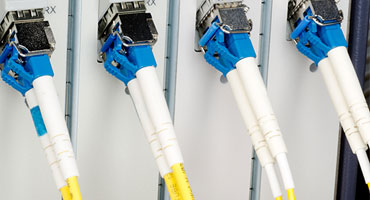
<p class="ds-markdown-paragraph">Thankfully, fixing this is as easy as looking at your cable. LC duplex connectors (the most common type) have a little plastic <strong>key</strong> on top.</p>
<ul>
<li>
<p class="ds-markdown-paragraph"><strong>Method 1: The Flip-Flop (The Easiest Fix)</strong><br />Simply pull the connector out of the SFP port and <strong>flip it over vertically</strong>, so the key is on the opposite side, and re-insert it. You&#8217;ve just swapped the TX and RX channels. Do this on <em>one</em> end of the link. Check your switch port. The light should now be a beautiful, steady green.</p>
</li>
<li><strong>Method 2: Use a Polarity Reversal Cable</strong><br />Sometimes, the physical layout of your equipment makes flipping a single connector awkward. This is where you keep a special <strong>polarity reversal cable</strong> or <strong>&#8220;cross-over&#8221; fiber cable</strong> in your toolkit. This cable is purpose-built to swap the TX and RX channels for you. Just plug it in-line, and your link will come up.</li>
</ul>

		</div>
	</div>

	<div class="wpb_text_column wpb_content_element" >
		<div class="wpb_wrapper">
			<h3><strong>How to Identify and Avoid the Problem Forever</strong></h3>
<p class="ds-markdown-paragraph">Consistency is key. The industry standard for polarity is defined by the <strong>TIA-568</strong> standard, which specifies two common patch cable types:</p>
<ul>
<li>
<p class="ds-markdown-paragraph"><strong>A-to-B Type (Straight-Through):</strong> The fiber positions are the same on both ends. This is the most common type you&#8217;ll find.</p>
</li>
<li>
<p class="ds-markdown-paragraph"><strong>A-to-A Type (Cross-Over):</strong> The fiber positions are reversed on one end. This is your polarity reversal cable.</p>
</li>
</ul>
<p class="ds-markdown-paragraph"><strong>Pro Tip:</strong> When you buy or make cables, <strong>label them clearly!</strong> A small piece of tape with &#8220;A-B&#8221; or &#8220;Cross&#8221; can save you and your colleagues countless troubleshooting hours down the line.</p>

		</div>
	</div>

	<div class="wpb_text_column wpb_content_element" >
		<div class="wpb_wrapper">
			<h3><strong>Bonus Tip: Don&#8217;t Confuse Polarity with a Duplex Mismatch!</strong></h3>
<p class="ds-markdown-paragraph">A <strong>duplex mismatch</strong> is a <em>logical</em> Ethernet issue on copper cables where one side is forced to Full Duplex and the other to Auto/Half. The link may come up, but performance will be terrible.</p>
<p class="ds-markdown-paragraph">A <strong>polarity issue</strong> is a <em>physical</em> layer problem on fiber. <strong>The link will not come up at all.</strong> No light, no link, no communication.</p>

		</div>
	</div>

	<div class="wpb_text_column wpb_content_element" >
		<div class="wpb_wrapper">
			<h3><strong>Your New Troubleshooting Checklist</strong></h3>
<p class="ds-markdown-paragraph">Next time a fiber link is down, run through this 2-minute drill:</p>
<ol start="1">
<li>
<p class="ds-markdown-paragraph"><strong>Check the Light:</strong> Can you see light from the far end? (Use a fiber power meter if safe, or just check for a visible red light on multimode—<strong>never look directly into single-mode fiber!</strong>).</p>
</li>
<li>
<p class="ds-markdown-paragraph"><strong>Swap the Polarity:</strong> Flip the LC connector at one end. Did the link light come on?</p>
</li>
<li>
<p class="ds-markdown-paragraph"><strong>Confirm with a Reversal Cable:</strong> If flipping worked, replace the patch cable with a properly labeled A-to-A polarity reversal cable for a permanent, neat fix.</p>
</li>
</ol>

		</div>
	</div>

	<div class="wpb_text_column wpb_content_element" >
		<div class="wpb_wrapper">
			<div class="ds-message _63c77b1">
<div class="ds-markdown">
<p class="ds-markdown-paragraph">Mastering <a href="https://www.cablify.ca/fiber-cabling-toronto/">fiber Cabling</a> polarity is a non-negotiable skill for any network engineer. It’s the simplest and most common fix for a dead fiber link. By understanding this fundamental concept, you’ve just added a powerful, time-saving tool to your arsenal. Now, go fix that link and be the hero!</p>
</div>
</div>

		</div>
	</div>
</div></div></div></div></div><p>The post <a href="https://www.cablify.ca/fiber-link-down-fix-polarity-in-2-minutes/">Fiber Link Down? Fix Polarity in 2 Minutes</a> appeared first on <a href="https://www.cablify.ca">Cablify</a>.</p>
]]></content:encoded>


			</item>
	</channel>
</rss>